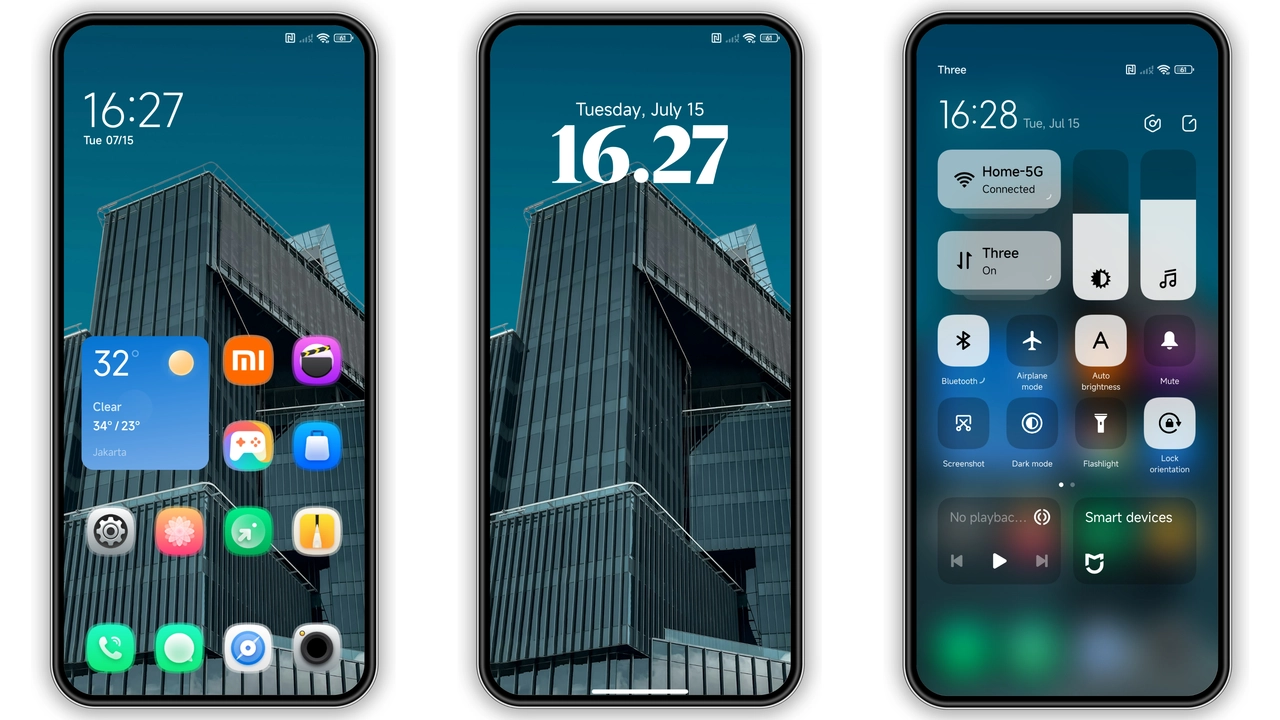
Theme details
- Designer
- Vj_rhmn
- Size
- 16.24 MB
- Compatibility
- MIUI 14, MIUI 13, MIUI 12
- Region
- Global
- Style
- Simple, UI, New icons, City
About this theme
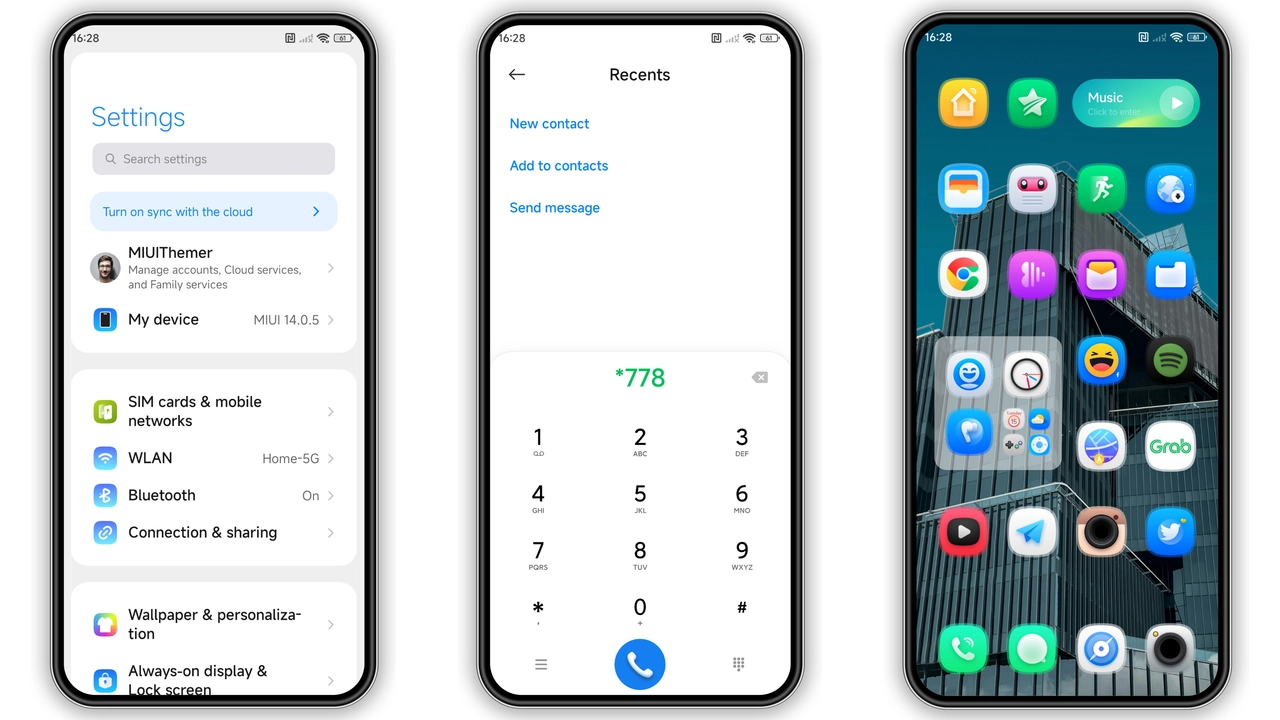
asufufuwe MIUI Theme for Xiaomi and Redmi Phones is designed by Vj_rhmn. The source lists these style tags: Simple, UI, New icons, City. Use the preview gallery to compare the screens, icons, and panels actually shown before deciding whether the look suits your setup. Screenshots show the design, while the result on your phone depends on the system version and the components you apply.
Suggested Read: Trending Hello HyperOS Theme: Clean Aesthetics for Xiaomi Phones
Compatibility and download details
The source lists compatibility with MIUI 14, MIUI 13, MIUI 12. Match that information against your phone before downloading. A MIUI listing does not establish support for HyperOS. Check the region and the download destination as well; availability in the Themes app can differ between regions.
The listed package size is 16.24 MB. Use the download links below for the package or store listing. Review the filename and destination before saving it. Keep the file somewhere easy to find if you plan to use a supported local import option.
Applying the theme
- Check your phone's system version and the compatibility listed above.
- Open the relevant download or Theme Store link below.
- Follow the installation guide for your version of the Themes app. Local MTZ import is available only on supported versions and regions.
- Apply the available components and check the lock screen, home screen, and notification panel.
If import is unavailable, use a supported Theme Store route rather than assuming that every ROM can install the same package. Save your current theme settings so you can switch back easily.
What to check after applying
Check text contrast, notification readability, and the apps you use most often. Some third-party icons or system panels may retain their original appearance. Where the Themes app supports it, combine individual components instead of applying every part at once. Animation behavior, battery use, and complete coverage across ROMs have not been tested on every device. The gallery and source-listed details are the basis for this overview.
Download Links
Use the buttons below to open the theme file and the supporting link.
asufufuwe Theme mtz File
Helpful links
More Theme Updates
For more curated HyperOS and MIUI theme updates, visit Hyper OS x MIUI .


