Parameter · Value
Designer · suhel
Size · 9.96 MB
Format · MTZ
Compatibility · HyperOS 3.0, HyperOS 2.0, HyperOS 1.x, MIUI 14, MIUI 13
Soothing Blue Gradient Lock Screen
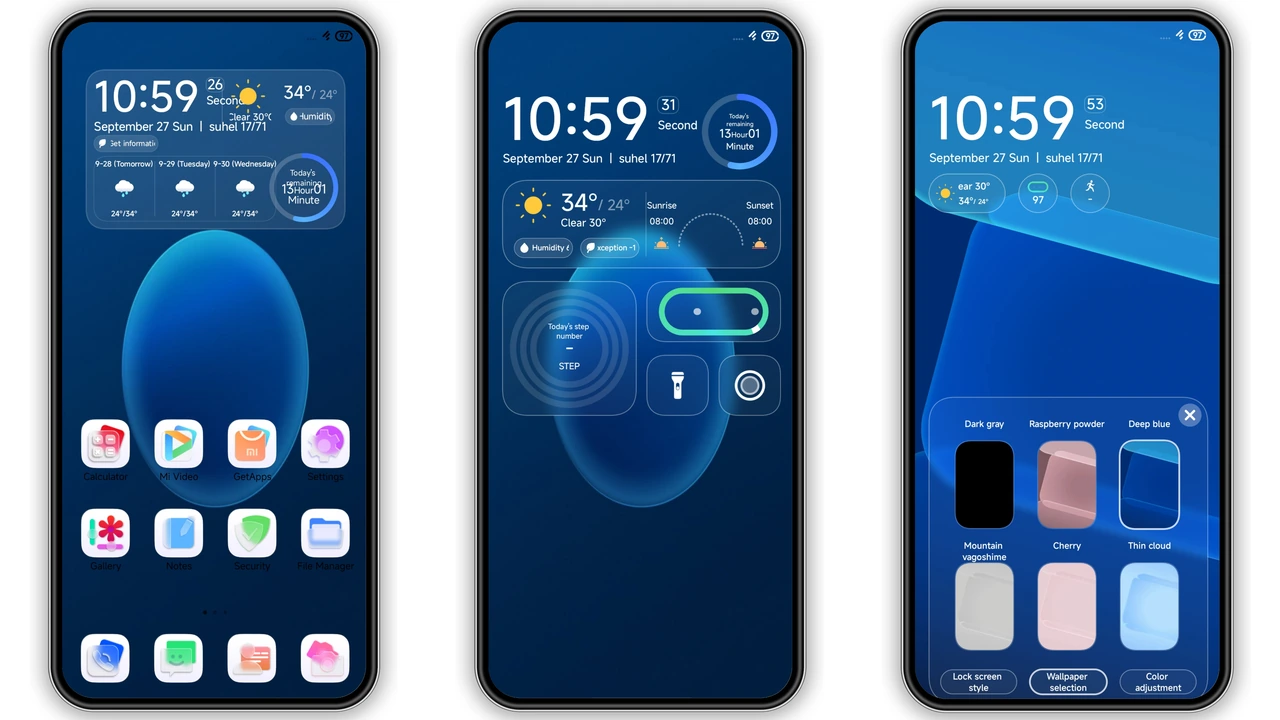
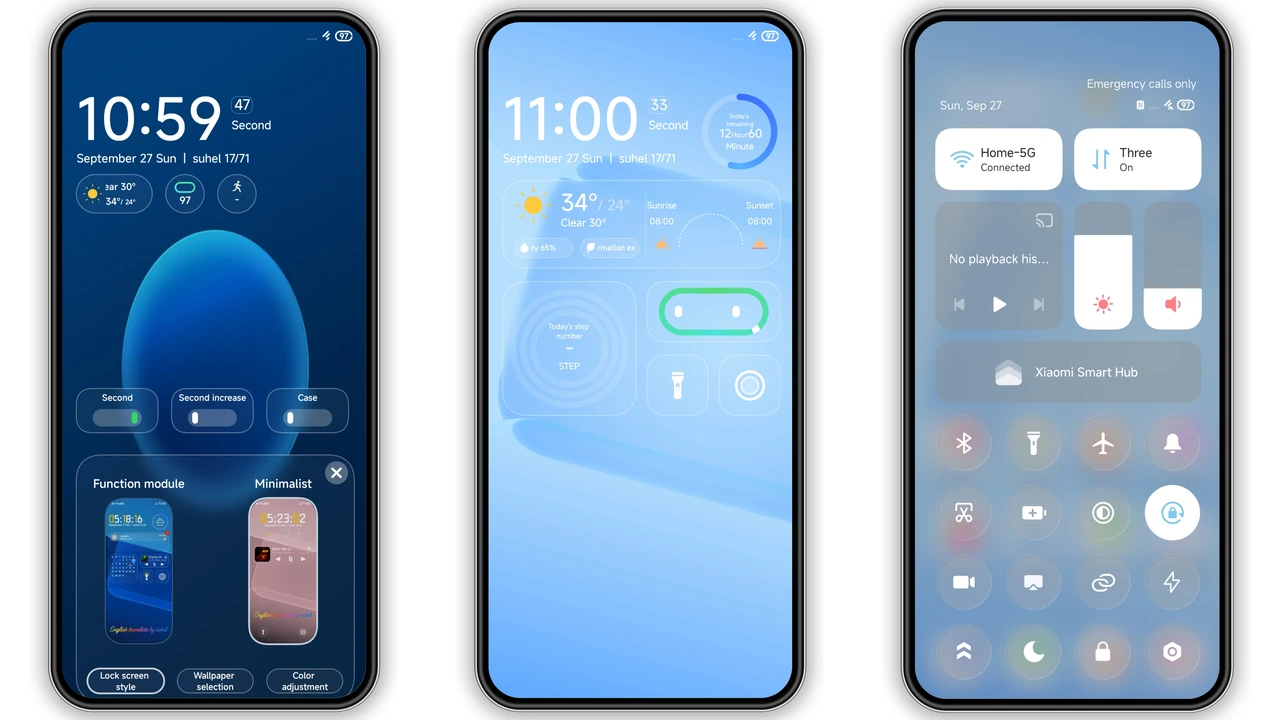
The first thing you notice is the lock‑screen backdrop. A smooth transition from deep navy at the top to a lighter sky‑blue at the bottom creates a calming atmosphere every time you glance at your phone. The gradient isn’t just cosmetic; it subtly highlights the clock and notification icons, making them pop without harsh contrast. A built‑in flashlight shortcut sits at the bottom‑right corner, while a quick‑tap camera icon rests on the opposite side, turning everyday actions into a single swipe.
Suggested Read: Archive of Xiaomi 17 Max Abstract Wallpapers – HyperOS & MIUI
Widget‑Centric Home Screen Layout
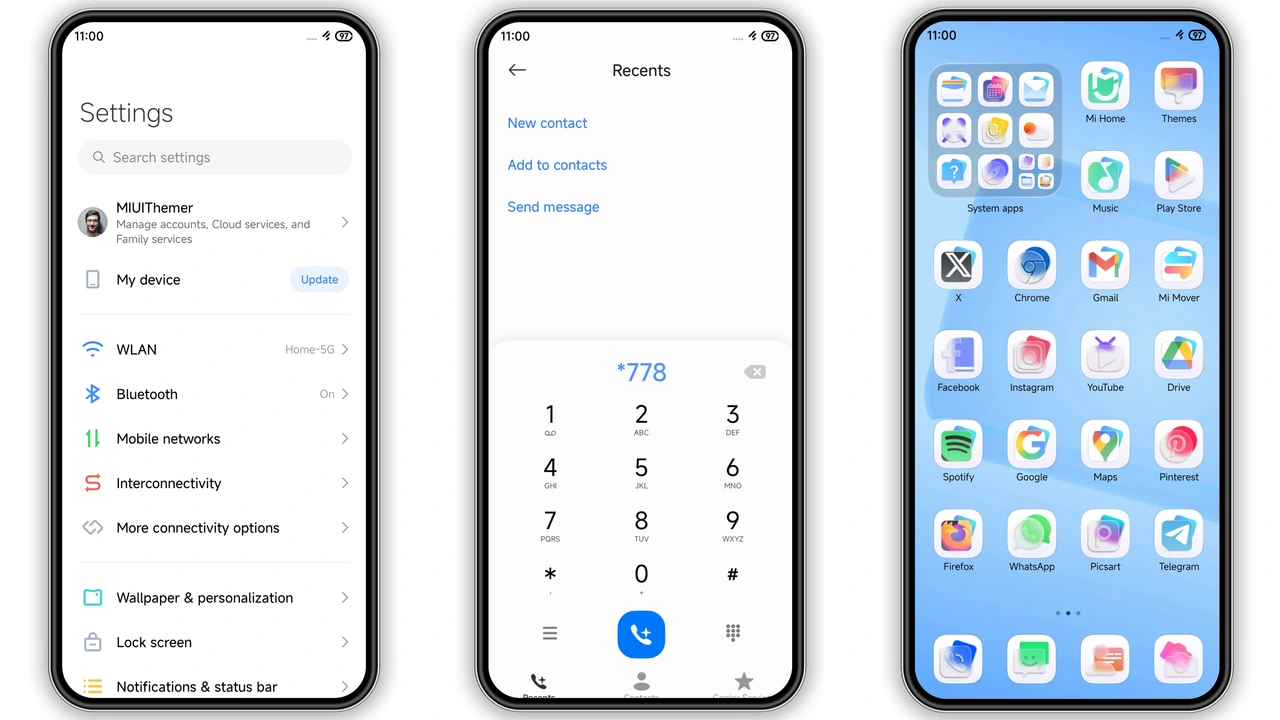
Knock Cute packs a set of thoughtfully designed widgets. The live weather widget shows temperature, humidity and an animated sun‑or‑moon icon that matches the time of day. A sunrise‑sunset widget adds a touch of natural rhythm, while a step‑counter widget keeps fitness goals in view. All widgets share the same rounded‑corner style and use the same blue accent, ensuring visual harmony. Icon packs have been re‑shaped to match the theme’s minimal curvature, and the status bar adopts a translucent blue tint that blends with the lock screen.
Who’ll Love This Theme
If you gravitate toward cool‑tone aesthetics, this theme feels like a natural extension of your taste. Users who appreciate functional widgets will enjoy the built‑in weather, sunrise/sunset and step counter without needing extra apps. Xiaomi, Redmi and POCO owners who like to personalize every corner of the UI—lock screen, always‑on display, quick settings—will find Knock Cute a complete package. It also appeals to fans of minimalism who still want a splash of colour; the blue gradient provides depth while the icons stay clean.
Installation & Performance Expectations
The theme arrives as a single MTZ file, roughly 10 MB in size. Download the file from the provided link, then open the Theme Store app, tap the three‑dot menu, choose “Import,” and select the MTZ file. After import, apply the theme and reboot the device to let the system refresh caches. On most HyperOS‑compatible devices the installation completes within a minute. Because the theme uses native HyperOS resources, there’s no noticeable lag or extra battery drain. Users on custom ROMs may need to enable “Allow installation of external themes” in developer options, but the process remains identical.
Pros and Cons
• Pros
• Elegant blue gradient that feels premium.
• Integrated widgets reduce the need for third‑party apps.
• Consistent icon style across lock screen, home screen and always‑on display.
• Low memory footprint; smooth performance on mid‑range devices.
• Easy import via Theme Store, no extra tools required.
• Cons
• Limited colour palette; not ideal for users who prefer warm tones.
• No dark‑mode variant; the theme stays bright even in low‑light environments.
• Widget sizes are fixed; cannot resize without editing the MTZ file.
Overall, Knock Cute delivers a cohesive, blue‑centric experience that blends aesthetics with practicality. Its lightweight nature makes it suitable for a wide range of Xiaomi, Redmi and POCO devices, while the built‑in widgets add genuine daily value. If you’re after a fresh look without sacrificing performance, this theme earns a solid spot in your collection.
Theme Preview
Download Links
Use the buttons below to open the theme file and the supporting link.
Knock cute Theme mtz File
Helpful links
More Theme Updates
For more curated HyperOS and MIUI theme updates, visit Hyper OS x MIUI .