Parameter · Value
|---|---
Designer · Ryuta
Size · 17.76 MB
Format · MTZ
Compatibility · HyperOS / MIUI
Midnight‑Blue Visual Language
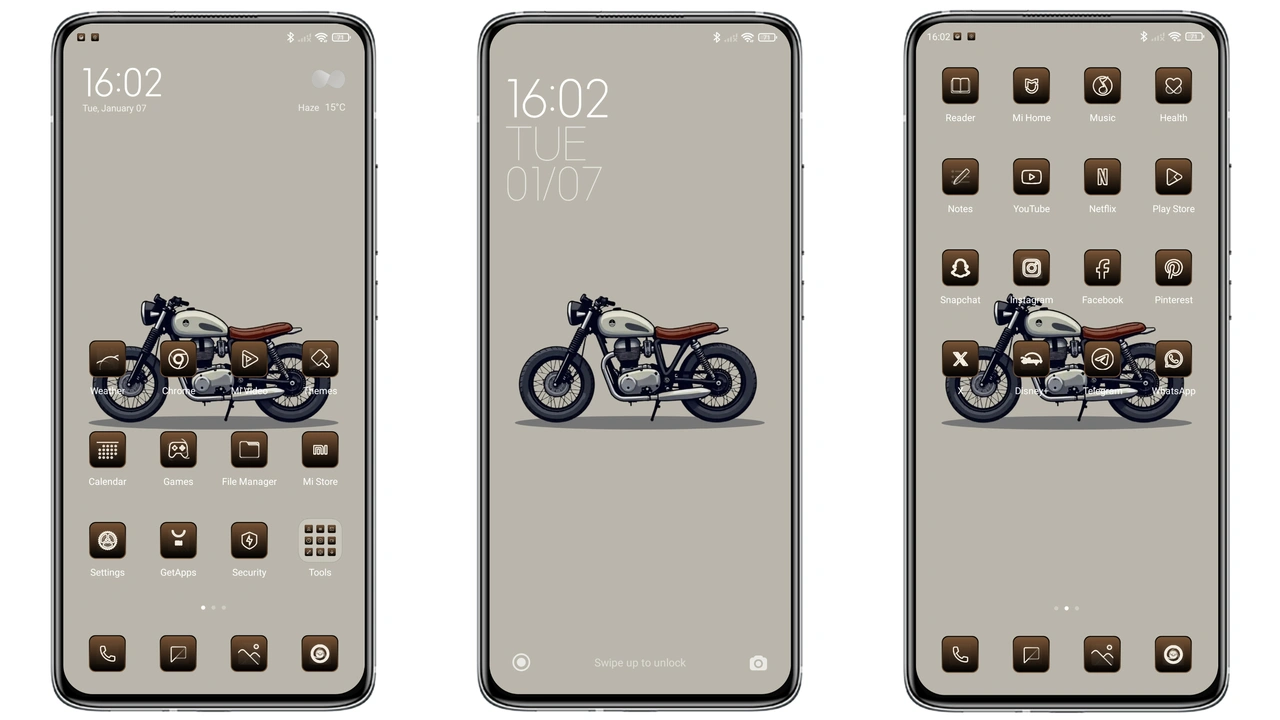
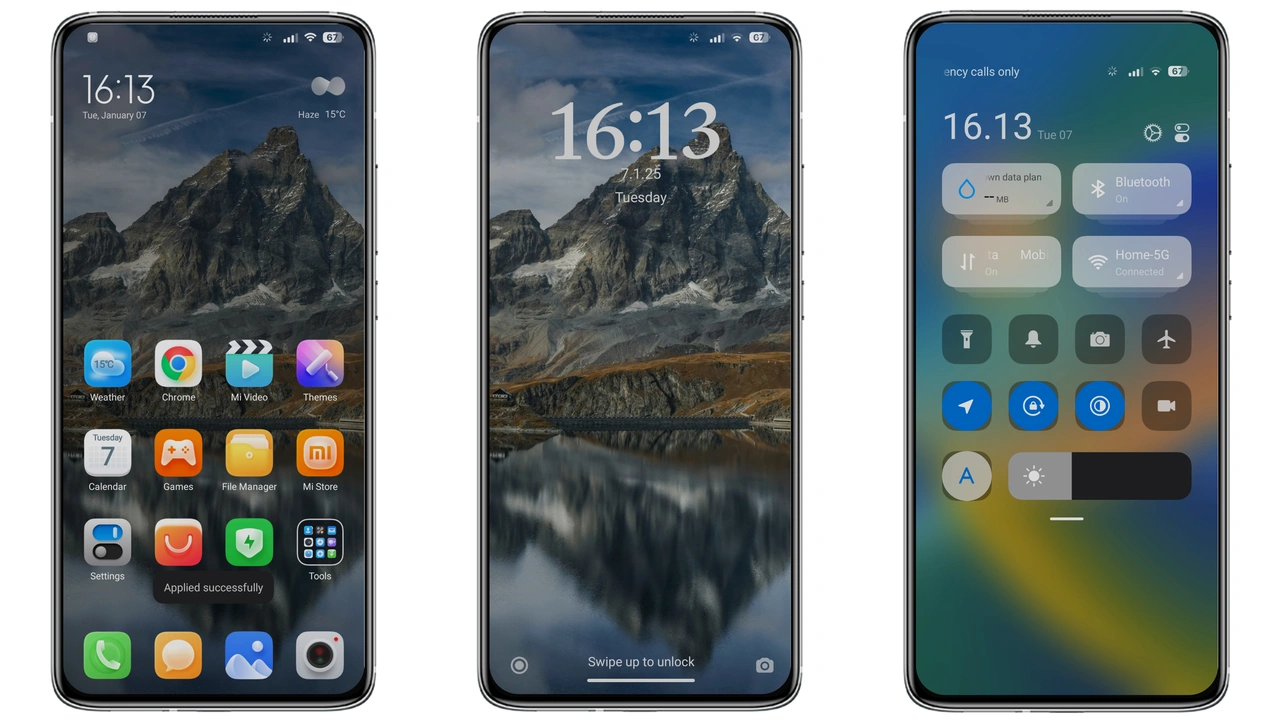
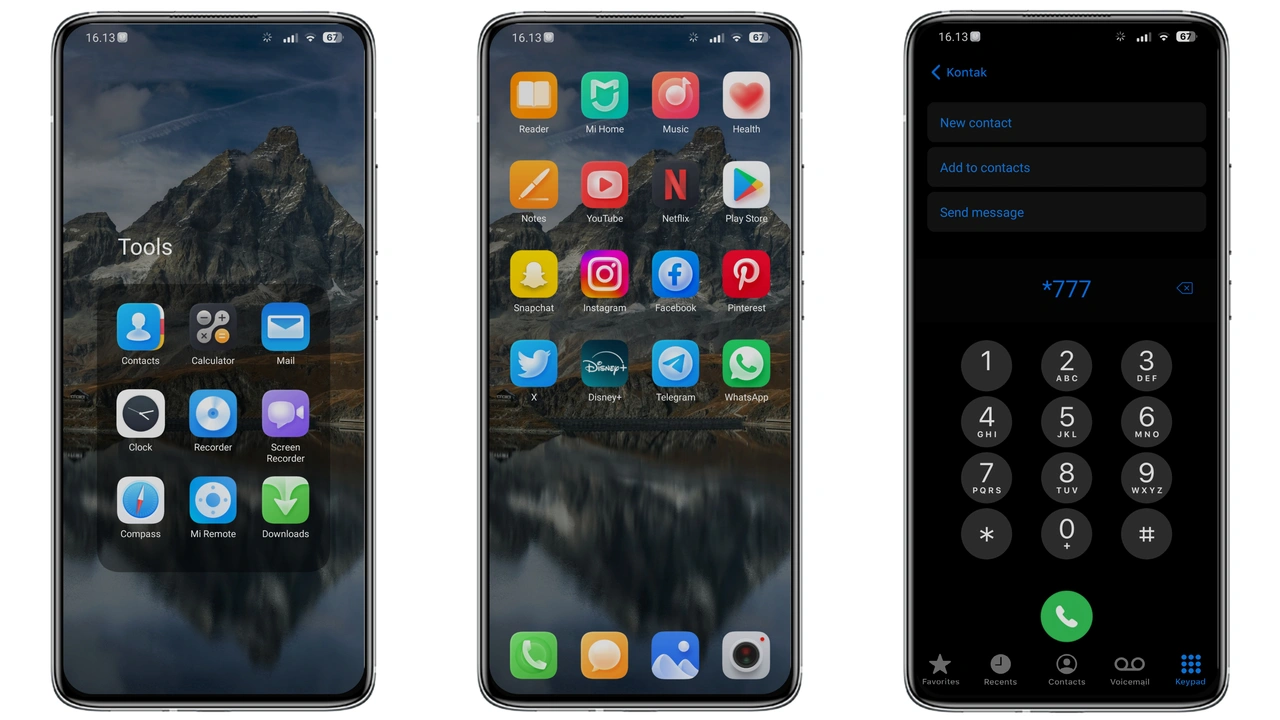
Dark backdrop dominates. Cool gradients bleed into status bar. Icons receive fresh outlines, sharper corners. Wallpapers feature subtle nebula tones, low‑contrast depth. Lock screen adopts minimalist clock, faint glow. Always‑On Display mirrors theme colors, reduces burn‑in risk. UI elements keep consistent opacity, avoiding harsh contrast spikes. Text remains legible, anti‑aliased for smoothness. Overall vibe feels futuristic yet restrained.
Suggested Read: Archive Entry: 毛绒 发财2026 MTZ Theme – A Playful HyperOS & MIUI Pack
Ideal Users & Everyday Appeal
Fans of dark aesthetics gravitate here. Users seeking a break from stock neon gravitate toward muted palette. Those who appreciate iOS‑style dialpad find comfort. Minimalists enjoy uncluttered icon sets. Power users appreciate consistent theming across system apps. Casual owners looking for fresh look without performance hit will adopt quickly. Community members who share themes often recommend this for its balance of style and stability.
Device Compatibility & Performance
Works on any Xiaomi, Redmi, POCO running HyperOS or MIUI. No root required. Theme respects native resolution, scales icons appropriately on 1080p and 1440p screens. Battery impact negligible; dark UI reduces AMOLED power draw. RAM usage stays within typical theme footprint. No known conflicts with default launcher or third‑party launchers. Tested on global ROM builds, regional variations behave identically.
Installation Walkthrough & Download Tips
Locate the MTZ file on the theme page. Tap download, wait for file to finish. Open Theme Store app, navigate to “Import” at bottom of Themes section. Select the downloaded MTZ, confirm import. Theme appears in My Themes list. Tap Apply, watch UI refresh. Restart device for lock‑screen and AOD elements to settle. If import fails, clear Theme Store cache, retry. Ensure storage permission granted to Theme Store before import. For custom ROM users, follow same steps; MTZ format remains compatible.
Pros and Cons
Pros
• Cohesive dark aesthetic across system UI.
• Fresh icon set, modern outlines.
• Low power consumption on AMOLED panels.
• Seamless compatibility with HyperOS and MIUI.
• Simple one‑step install via Theme Store.
Cons
• Limited light‑mode variant; dark‑only design.
• No animated wallpapers included.
• AOD customization minimal beyond default colors.
• Requires Theme Store app; unsupported on third‑party theme managers.
Theme Preview
Download Links
Use the buttons below to open the theme file and the supporting link.
yntktss Theme mtz File
Helpful links
More Theme Updates
For more curated HyperOS and MIUI theme updates, visit Hyper OS x MIUI .