Parameter · Value
Designer · —
Size · Unknown
Format · MTZ
Compatibility · HyperOS / MIUI
Blooming Spring Palette Across Your Home Screen
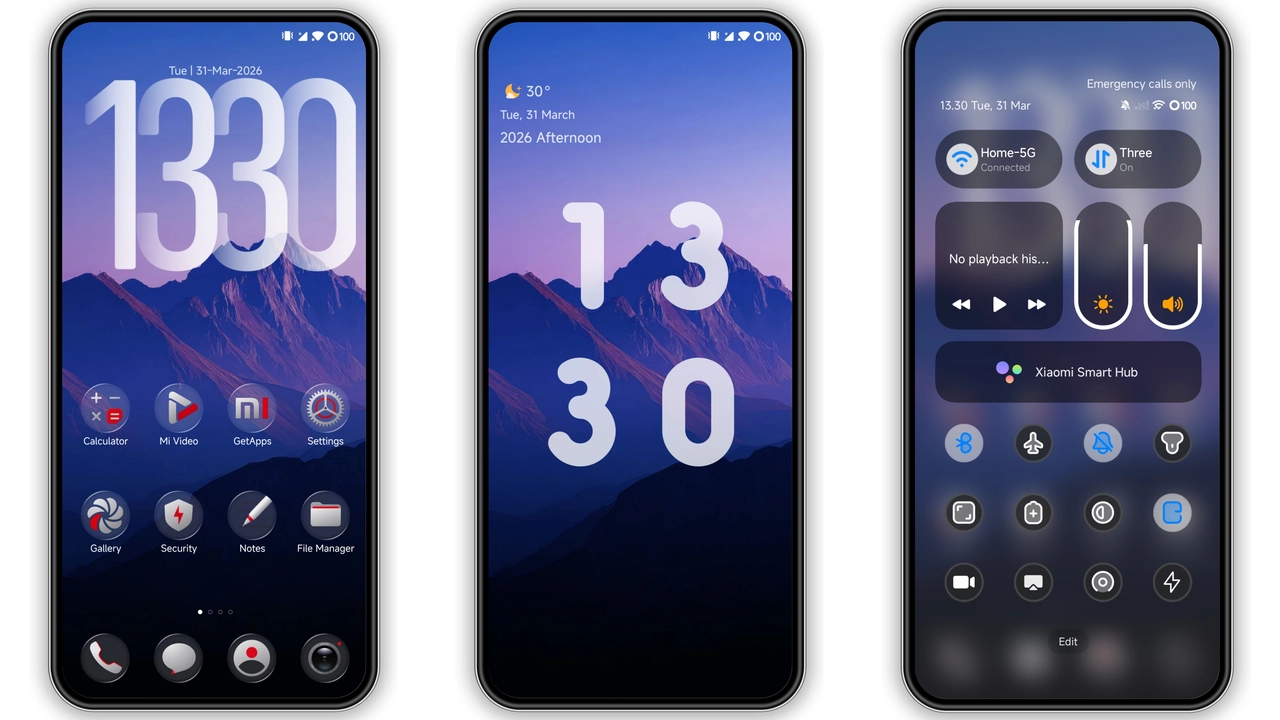
The pack swaps every system icon for a pastel‑tinted version that echoes cherry blossoms, sun‑kissed leaves and soft sunrise hues. Rounded corners dominate, shadows stay subtle, and each glyph carries a hint of motion‑blur that feels lively without being noisy. The colour balance leans toward muted pinks, fresh greens and warm yellows, so the overall vibe stays bright yet easy on the eye. Even the notification dots adopt a gentle orange glow, reinforcing the seasonal theme without clashing with dark‑mode palettes.
Suggested Read: VK Dark Glass HyperOS Theme – Perfect Fit for Redmi, Poco & Mi Phones
Who’ll Feel At Home With These Icons
Design‑savvy users who love seasonal refreshes will gravitate toward this pack. It suits anyone who prefers a cohesive aesthetic rather than a mixed‑bag of random icons. The style pairs well with minimalist launchers, clean wallpapers, or any spring‑themed backdrop. Fans of pastel palettes, nature‑inspired UI, or those looking to soften the harsher tones of default Android icons will find it a natural fit. It also works for users who switch between HyperOS and MIUI daily, as the icons retain consistency across both environments.
Installation Walkthrough for HyperOS & MIUI
1. Download the MTZ file from the official theme store or trusted marketplace.
2. Open the file directly; the system prompts you to apply the theme.
3. Confirm the preview; you’ll see a live mock‑up of your home screen.
4. Tap Apply. The OS swaps the icons and caches them automatically.
5. Restart the launcher if icons don’t refresh instantly; a quick reboot guarantees full adoption.
During installation, the OS may request permission to modify system UI. Grant it, then watch the transformation happen in seconds. No root access is required; the theme leverages the built‑in theme engine present in HyperOS and MIUI.
Pros and Cons
• Pros
• Cohesive spring palette, fresh and lively.
• Seamless compatibility with both HyperOS and MIUI.
• No root required; uses native theme engine.
• Small download size, quick install.
• Works well with dark mode, retains readability.
• Cons
• No custom designer credit; anonymity may concern some collectors.
• Limited to icon assets; does not include wallpapers or fonts.
• Slight caching delay on some launchers; may need a quick reboot.
Download Links
Use the buttons below to open the theme file and the supporting link.
Download File
Helpful links
More Theme Updates
For more curated HyperOS and MIUI theme updates, visit Hyper OS x MIUI .