Parameter · Value
Designer · Eto'o / Po-Pixel
Size · 14.39 MB
Format · MTZ
Compatibility · HyperOS, HyperOS 2.0, MIUI
Clean Google-Inspired Iconography
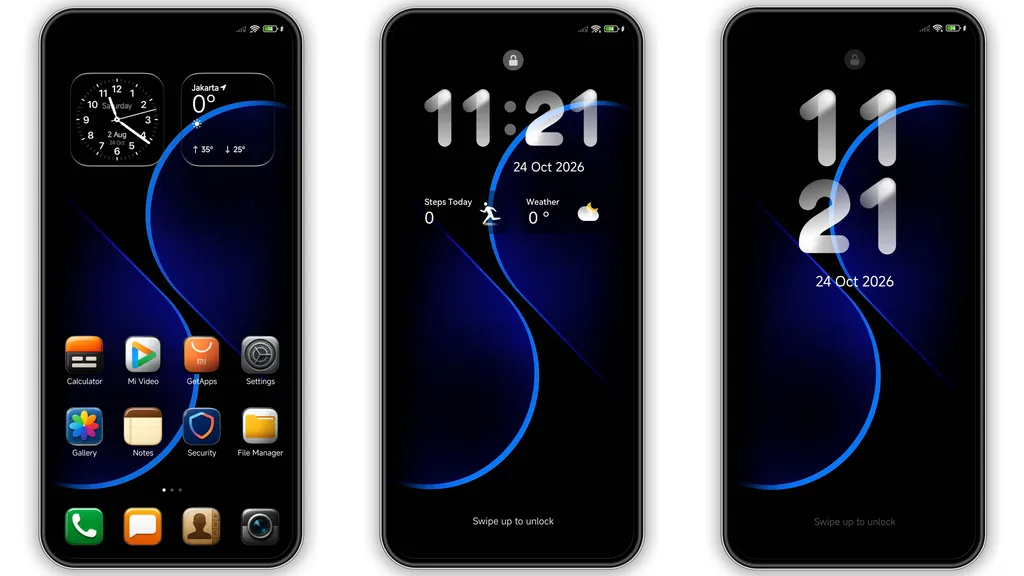
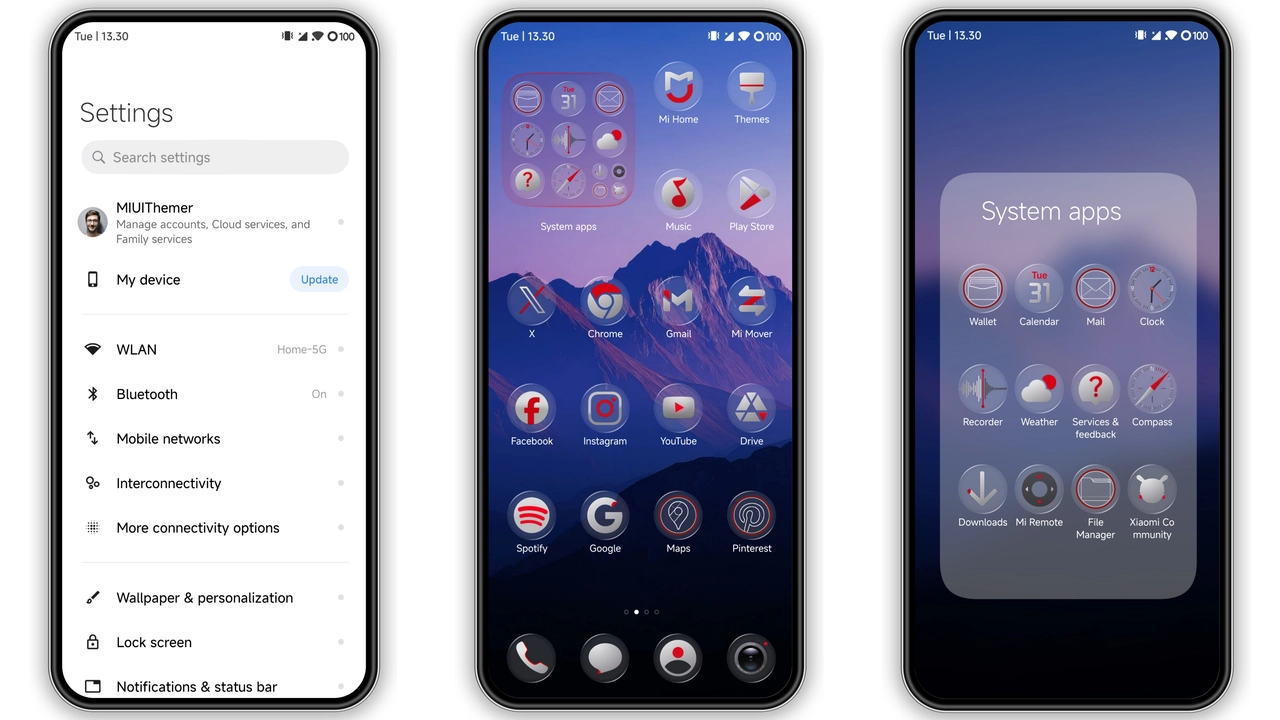
The central attraction of the Po-Pixel setup is its refined, balanced icon pack. Drawing inspiration from standard Pixel devices, this theme strips away the heavy drop shadows and high-gloss textures native to default HyperOS skins. Instead, system and third-party apps adopt flat shapes, balanced margins, and legible glyphs.
Everyday essentials like Phone, Settings, Messages, and Gallery feel instantly cleaner on the home grid. The designer keeps spacing consistent across both standard 4x6 and expanded 5x6 launcher layouts, meaning folders don't appear cramped or disproportionate. If you find stock Xiaomi iconography overly round, uneven, or glossy, Po-Pixel offers an understated, matte alternative that improves readability at a glance.
Suggested Read: Prism Weave Dream: Tema HyperOS yang Lagi Viral di Xiaomi & Redmi
Vibrant Gradient Lock Screen Mechanics
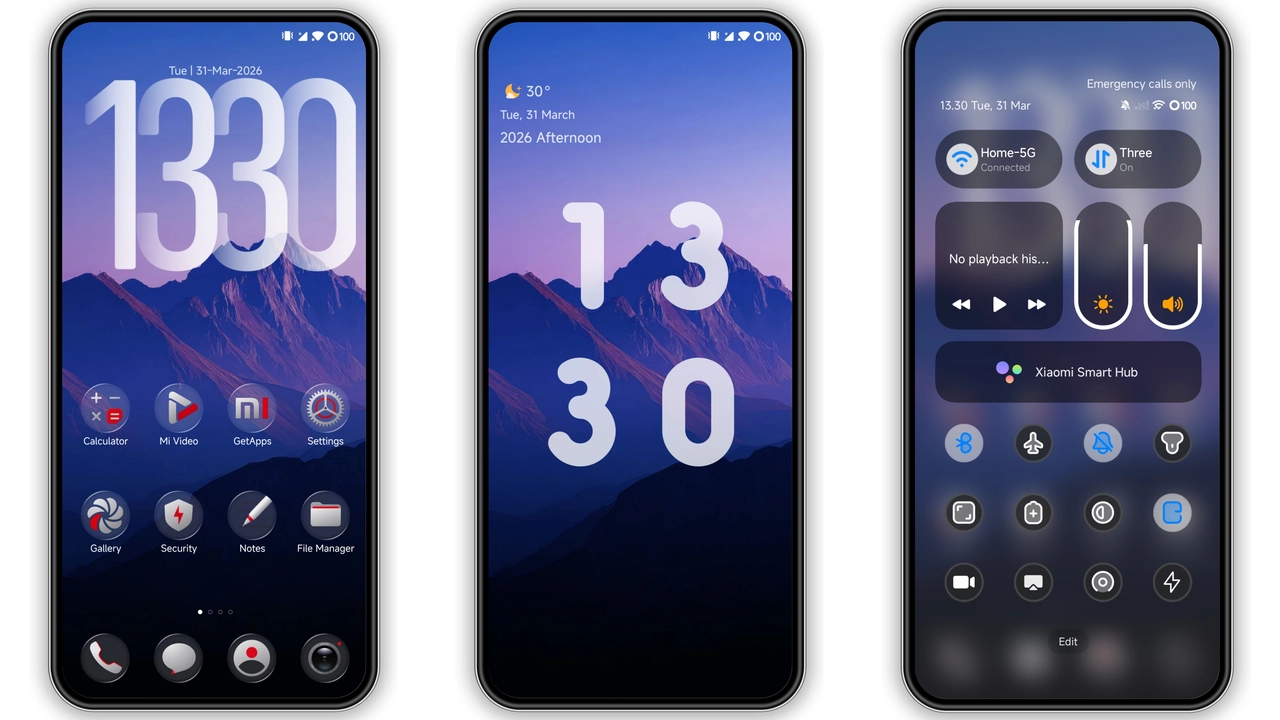
Moving past the home screen, Po-Pixel introduces an atmospheric lock screen centered around blue, purple, and red dynamic gradients. Rather than a flat, unchanging still, the display handles lighting transitions smoothly as your screen wakes.
The lock screen layout reorganizes clock typography, date formatting, and quick-action shortcuts into a lightweight, airy arrangement. The digital clock widget relies on clean line weights that remain clear over vivid mountain artwork and contrasting colors. Notification cards pop cleanly without aggressive transparency layers blowing out the background artwork. Quick triggers for the flashlight and camera retain functional responsiveness, firing instantly without stutter or delay on high-refresh-rate displays.
Minimal System Accents and Redesigned Toggles
Po-Pixel extends its visual overhaul into the notification shade and Control Center. The status bar icons—including Wi-Fi, battery capacity indicators, and cellular signal bars—receive compact geometry, clearing clutter from the notification cutout and punch hole area.
Within the expanded Control Center, brightness and volume sliders take on subtle blue and purple hue shifts that integrate naturally with the primary wallpaper aesthetic. Toggle buttons ditch default grey padding for sharper active states, making device settings legible in direct sunlight. While deep system sub-menus maintain their standard HyperOS architecture, primary touchpoints like the dialer pad, volume pop-ups, and native system switches reflect the theme's minimal styling.
Performance Footprint and Everyday Battery Impact
Clocking in at roughly 14.39 MB, Po-Pixel sits firmly in the featherweight category for custom HyperOS releases. Many customized interfaces consume storage overhead with oversized lock assets or non-optimized video wallpapers that quickly chew through device RAM. Po-Pixel takes a lean route by emphasizing vector styling, optimized static graphics, and minimal backdrop compute requirements.
Because the lock screen scripts avoid continuous CPU loops or unbounded rendering cycles, background drain remains negligible over standard daily use. Frame rates across home screen app transitions stay pegged at system maximums, even on mid-range Redmi and POCO processors. For users prioritizing smooth scrolling speeds and battery life over heavy visual gimmicks, this lightweight footprint makes Po-Pixel practical as a daily driver.
Installation Nuances and ROM Support
Installing third-party themes requires an awareness of your current system build. Global Stable and stock HyperOS installations pull best through standard Theme Store mechanisms. When using MTZ packages directly, local import capabilities depend on running customized distributions, such as Xiaomi.eu or custom AOSP/MIUI ports that support unsigned theme imports.
If you apply the theme and notice persistent default icons or misplaced status bar assets, a fast device restart resolves cached layout resources immediately. Restarting clears lingering system cache files, forcing the launcher to compile the new UI definitions across both light and dark operational modes seamlessly.
Pros and Cons
Pros
• Clean, flat icon design inspired by Pixel devices.
• Lightweight 14.39 MB footprint avoids system sluggishness and background battery drain.
• Distinct dynamic lock screen featuring rich blue, purple, and red accents.
• High readability across Control Center sliders and notification banners.
Cons
• Direct MTZ application requires custom ROM support on modern HyperOS builds.
• Limited third-party icon coverage outside popular global applications.
Theme Preview
Download Links
Use the buttons below to open the theme file and the supporting link.
Po-Pixel Theme mtz File
Helpful links
More Theme Updates
For more curated HyperOS and MIUI theme updates, visit Hyper OS x MIUI .