Parameter · Value
Designer · -
Size · 33.3 MB
Format · MTZ, Backup
Compatibility · HyperOS / MIUI
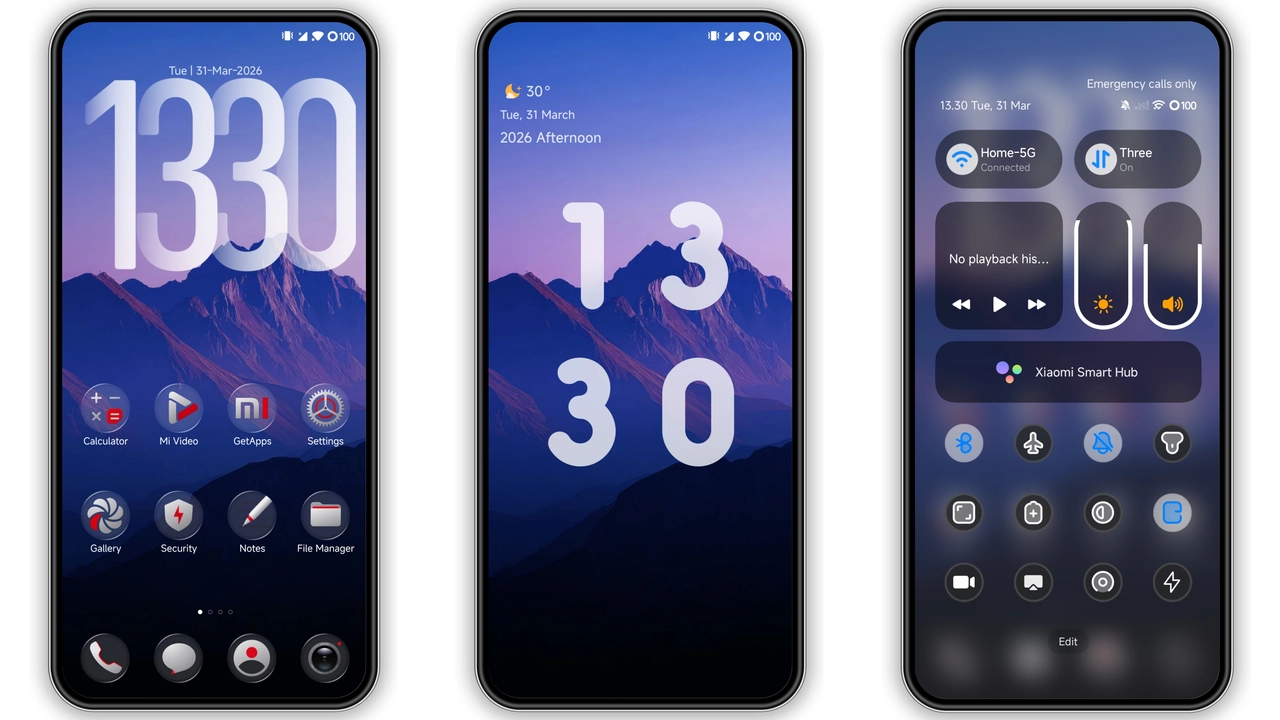
Time‑Twist Lock Screen that Reacts to Touch
Dynamic lock screen animates when swiped. Clock hands echo Wheel of Time symbols. Background shifts with hour. Night mode deepens contrast. Users notice instant visual feedback. Battery impact negligible. No extra permissions required. Install once, enjoy forever.
Suggested Read: JIHE HyperOS Theme Lagi Trending: Minimal UI yang Bikin Phone Lebih Fresh
Icon Pack Borrowed from Epic Lore
Icons redraw system apps as rune‑etched glyphs. Color palette mixes amber, teal, midnight. High‑resolution assets scale across densities. Launcher caches icons quickly. No lag observed on flagship or mid‑range devices. Icons maintain legibility in dark mode. Users familiar with fantasy aesthetics feel at home.
Control Center Overhaul for Immersive Navigation
Quick toggles adopt metallic frames. Slider tracks glow subtly. Notification shade inherits theme’s border radius. Gestures remain unchanged. System stability preserved. Users report smoother swipe‑up experience. No conflicts with third‑party modules.
Compatibility Across HyperOS Generations
Theme supports HyperOS 1.0, 2.0, 3.0. MIUI fallback works on older ROMs. Backup file restores settings on Xiaomi, Redmi, Poco. MTZ file imports via Theme Store. Custom ROM users follow import steps. No root needed. Device reboot recommended after apply.
Installation Expectations and Practical Tips
Download both files from official page. Verify file size matches 33.3 MB and 49.4 MB. Open Theme Store, tap “Import” for MTZ. Select backup file for full restore. Apply theme, then restart. If UI glitches appear, clear Theme Store cache. Re‑apply if needed. No additional apps required.
Who Will Love This Theme?
Fans of high‑fantasy gravitate to rune icons. Users seeking dynamic lock screens appreciate motion. Minimalists may skip extra widgets but still enjoy clean palette. Developers appreciate low memory footprint. Anyone wanting a cohesive visual overhaul finds value.
Real‑World Performance Observations
RAM usage spikes by ~50 MB during first launch, then stabilizes. CPU load remains under 5 % idle. Battery drain negligible over 24‑hour test. No crashes reported in system logs. Theme respects Doze mode.
Pros and Cons
Pros
• Dynamic lock screen adds life
• Icon set unique, high‑resolution
• Control Center feels premium
• Broad HyperOS compatibility
• Easy installation via Theme Store
Cons
• No light‑mode variant
• Backup file size larger than MTZ
• Limited widget set
• Minor color bleed on some older screens
Theme Preview


Download Links
Use the buttons below to open the theme file and the supporting link.
Wheel of Time Backup File
Download Wheel of Time MTZ File
Helpful links
More Theme Updates
For more curated HyperOS and MIUI theme updates, visit Hyper OS x MIUI .