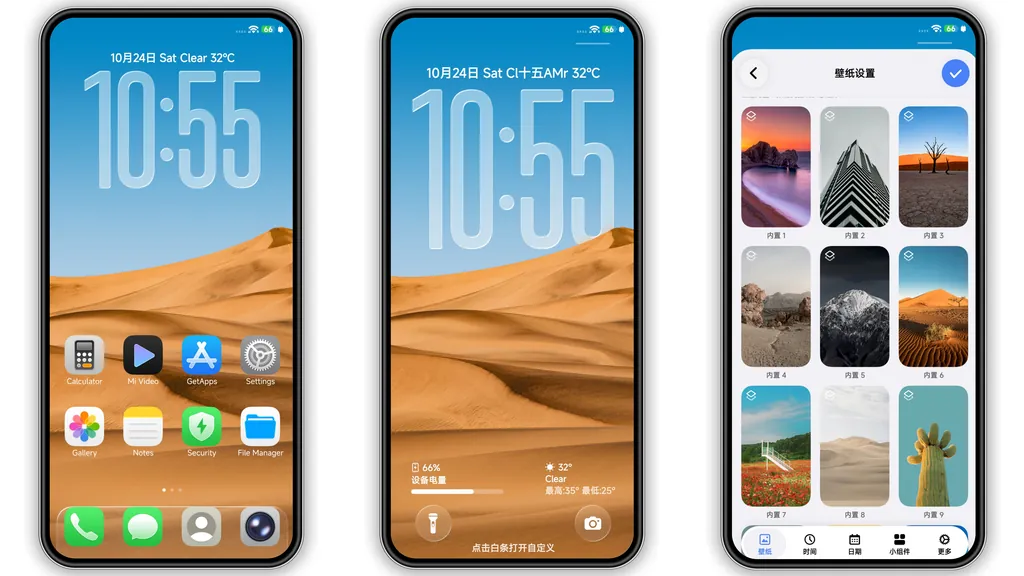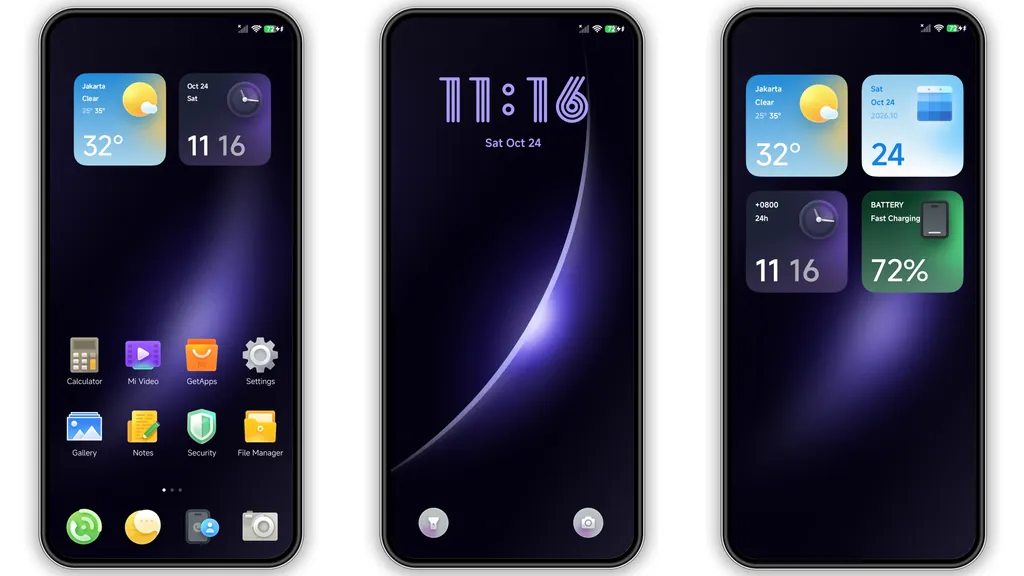
If your stock HyperOS home screen is beginning to feel stale, a targeted refresh with a well-crafted custom setup can completely redefine how your phone feels in everyday use. The Spark theme for Xiaomi, Redmi, and POCO devices takes a refined approach to system customization, pairing rich ambient colors with modern interface depth. Instead of pushing extreme visual changes that clutter readability, it refines system layouts, sharpens key UI elements, and introduces tactile, glass-inspired visual layers across your daily interactions.
Theme Overview
Parameter · Value
Designer · KYLOD
Size · 60.09 MB
Format · .MTZ / Official Store
Compatibility · HyperOS, MIUI 14
---
Luminous Purple Gradients and Skeuomorphic Depth
The central visual identity of Spark rests on its lighting. The default background wallpaper utilizes a dark amethyst palette accented with soft, diffused curved light beams. This creates an immediate feeling of depth without blowing out contrast or washing out your widgets and text.
What sets Spark apart from typical flat designs is its subtle implementation of skeuomorphism. Instead of aggressive retro textures, the theme relies on delicate frosted glass overlays, directional highlights, and soft inner shadows around interactive components. Cards, notification panels, and container borders behave as if they occupy physical space behind your glass display. This lighting model keeps your status bar icons, battery indicators, and network meters crisp and easily legible under direct sunlight, avoiding the washed-out edges common in high-saturation setups.
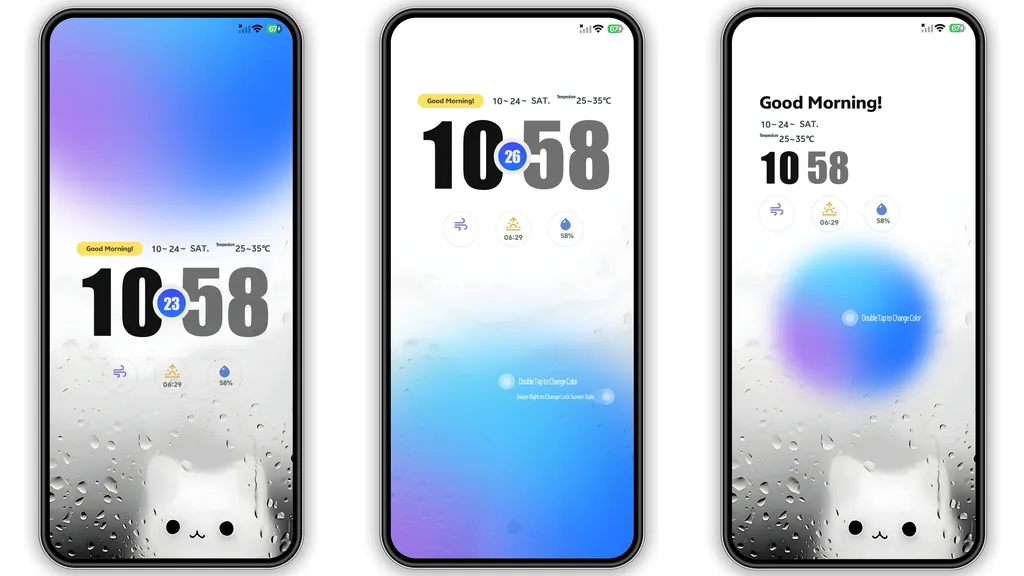
Interactive Lockscreen with Outlined Typography
The lockscreen is where Spark does its heavy lifting. Front and center sits an outline-style digital clock that contrasts sharply against the dark gradient background. The typography is modern and uncluttered, leaving plenty of breathing room for glanceable information like battery status, upcoming alarms, and current weather alerts.
Functionality matches aesthetics here:
• Quick Widget Panel: Swiping right pulls up an integrated secondary workspace displaying large-format calendar entries, battery cycles, quick access toggles, and step counters.
• Haptic Shortcuts: Dedicated touch buttons anchor the bottom corners, giving you fast haptic triggers for your flashlight and camera.
• Dynamic Customization: Double-tapping the lock screen clock face reveals a hidden background configuration drawer. This lets you cycle through alternate gradient intensities or shift tint balances without diving into deep system menus.
High-Saturation Icon Packs and Refined Status Bars
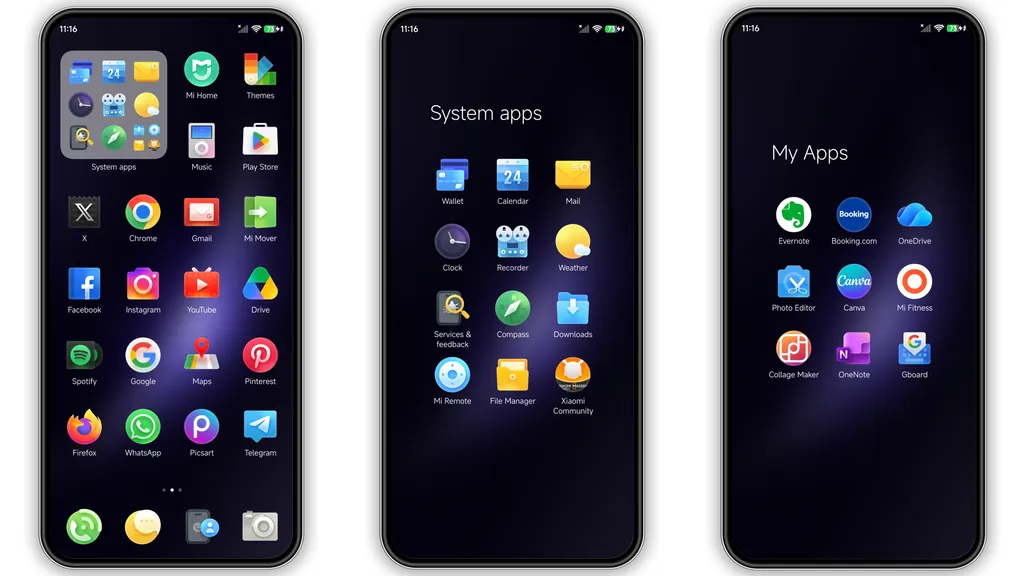
App icons in Spark abandon standard stock roundels in favor of rounded squircle tiles carrying a cohesive lighting gradient. Third-party and system applications both benefit from high-contrast glyphs centered on balanced backplates. System apps such as Dialer, Messages, Settings, and File Manager receive bespoke iconography featuring micro-textures that echo the frosted glass look of the core UI.
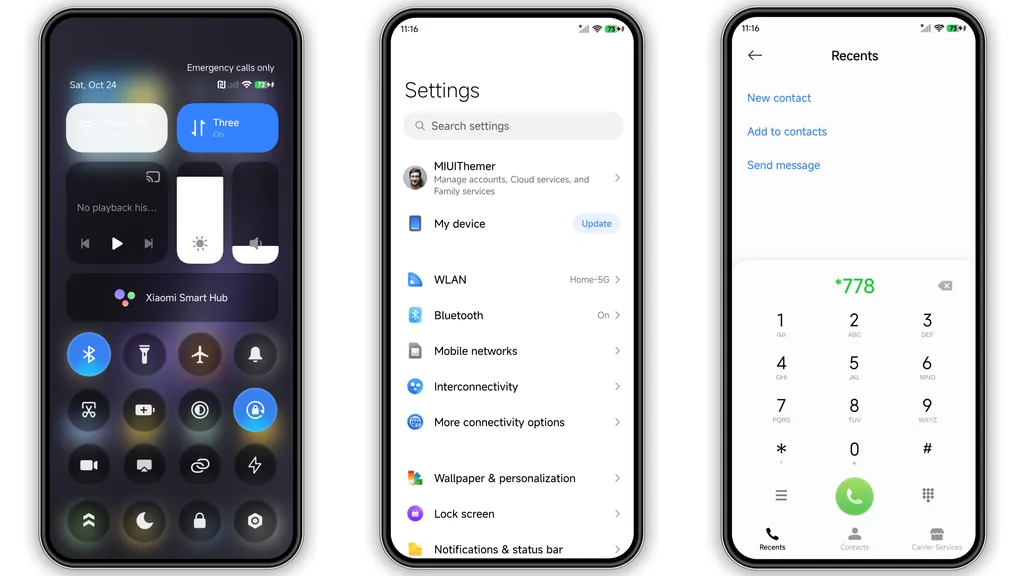
The status bar receives an equally precise touch-up. Signal clusters, Wi-Fi meters, and battery percentages are shifted to high-visibility minimal variants that maintain visual balance even on devices with wider display notches or dynamic camera punch-holes. When pulled down, the Control Center presents rounded toggles with a distinct soft-glow accent when switched on, making system controls immediately obvious at a glance.
Who This Theme Is Best Suited For
Spark is tailored for users who appreciate polished, atmospheric dark setups with an edge of personality. If you prefer deep tones like indigo, plum, and violet over harsh pitch-black AMOLED themes or blinding white panels, Spark hits the sweet spot. It provides a cohesive, curated aesthetic that looks deliberate rather than slapped together.
Power users who frequently rely on lockscreen utilities without unlocking their devices will also appreciate the swipe-in widget shelf. The quick-access cards keep core planning and utility tracking one flick away, cutting down friction during quick phone checks throughout the day.
Installation Expectations and Compatibility Notes
Applying Spark is straightforward, but system environment matters depending on your device setup:
1. Official Store Installs: If your device runs official HyperOS Global or stable MIUI software, locate the theme within your region's Theme Store application. Applying the theme across all slots (Lock screen, Home screen, System, Icons) ensures uniform styling.
2. MTZ Manual Import: For users on unlocked setups, third-party launchers, or community ROMs supporting direct package imports, load the provided .mtz file via the Theme Store's offline import drawer.
3. Post-Install Step: Always reboot your device immediately after applying this theme. A quick restart allows the system cache to properly render modified Control Center icons, notification panel padding, and custom lockscreen fonts without graphical overlap.
Pros and Cons
Pros:
• Cohesive, high-detail purple gradient styling with balanced contrast.
• Responsive lockscreen featuring quick wallpaper switching and swipe-out widgets.
• Polished, readable icon design across primary system and social applications.
• Smooth integration with both native HyperOS and MIUI interfaces.
Cons:
• 60 MB footprint is slightly larger than minimal bare-bones packages.
• The deep purple visual identity is distinct; users looking for neutral monochromatic themes may find it too stylized.
Suggested Read: Dark Oriental Aesthetic vs Minimalist Light: Which Theme Wins?
Theme Preview
Download Links
Use the buttons below to open the theme file and the supporting link.
Spark Theme mtz File
Helpful links
More Theme Updates
For more curated HyperOS and MIUI theme updates, visit Hyper OS x MIUI .