Parameter · Value
Designer · Fatih
Size · 25.39 MB
Format · MTZ
Compatibility · HyperOS / MIUI
Sun‑kissed Icon Pack & Wallpaper Set
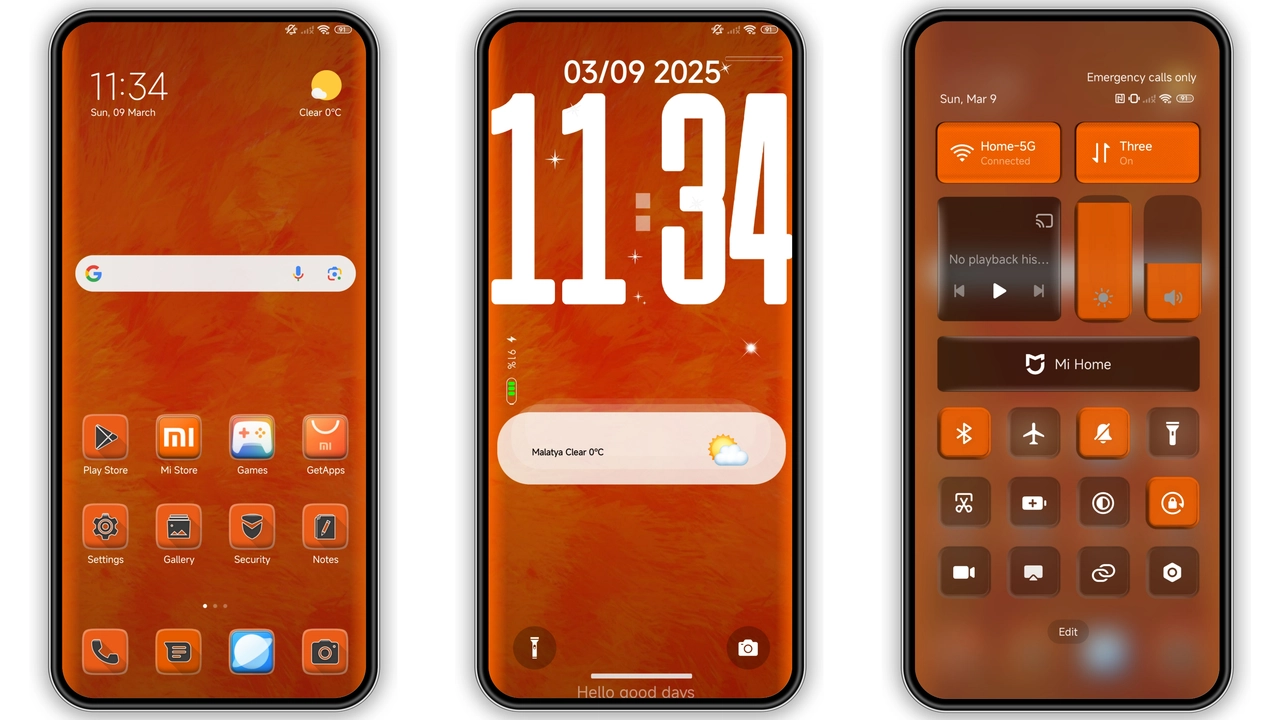
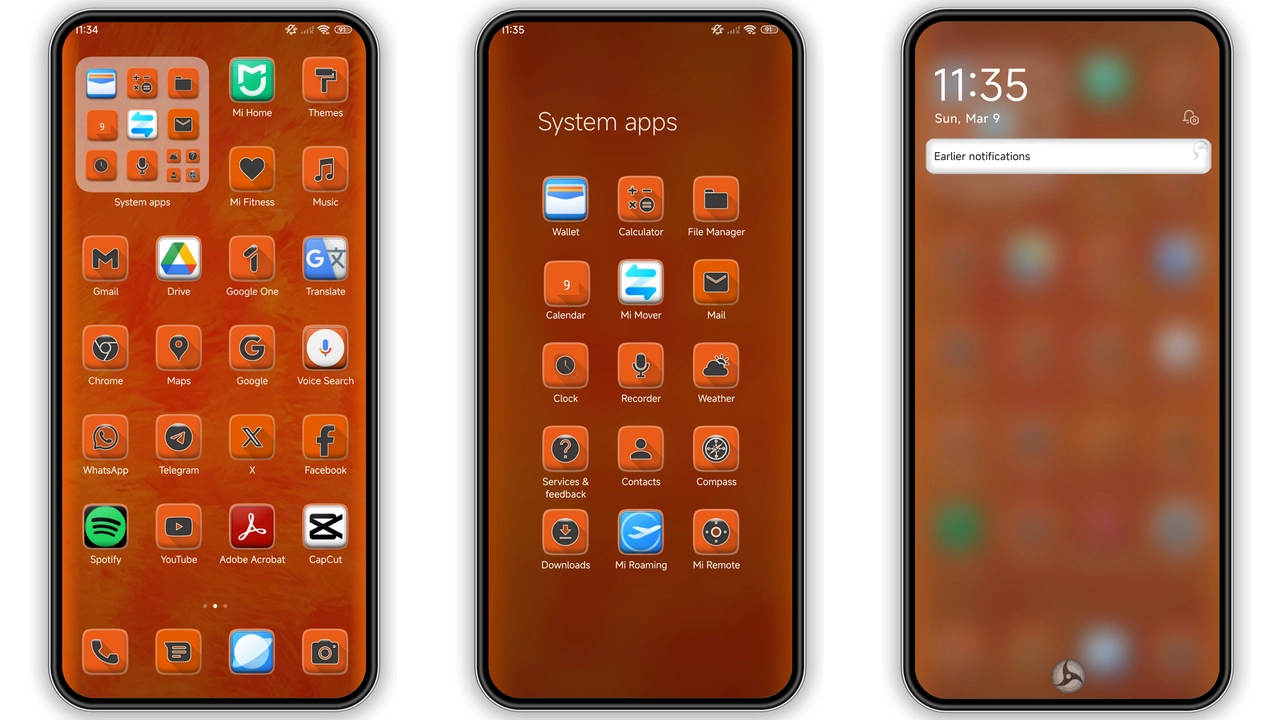
Icons redesign. Rounded corners. Orange accent dominates. Contrast balances with subtle gray. Wallpapers feature bold gradients. Sunrise hues bleed across screens. Visual cohesion. Minimal clutter. Battery‑friendly palette.
Suggested Read: FluffV Premium HyperOS Theme – 3D Plush Icon Archive
Dynamic Lock Screen with Orange Pulse
Lock screen animates. Pulse syncs to notifications. Orange ring expands on unlock. Time display uses clean sans‑serif. Date appears in subtle white. No ads. No bloat.
Always‑On Display that Glows at Night
AOD adopts same orange hue. Clock glows softly. Battery draw stays low. Night mode dims background. Icons remain visible. No flicker. Seamless transition.
Installation Flow & What to Expect
Download MTZ file from official theme store. Open Theme Store app. Tap “Import” → select file. Apply theme. Restart device for full effect. First launch may show brief ghosting; disappears after reboot. No root required. Works on Global Stable ROMs and custom MIUI builds.
Pros and Cons
• Pros
• Cohesive orange aesthetic
• Fresh icons & wallpapers
• Dynamic lock screen adds flair
• Low battery impact on AOD
• Simple one‑step install
• Cons
• Limited color variants
• May clash with dark UI preferences
• No built‑in widget pack
Theme Preview
Download Links
Use the buttons below to open the theme file and the supporting link.
Orange v15 Theme mtz File
Helpful links
More Theme Updates
For more curated HyperOS and MIUI theme updates, visit Hyper OS x MIUI .