Parameter · Value
Designer · Nineteen
Size · 8 MB
Format · MTZ
Compatibility · HyperOS / MIUI
Celestial Dark Aesthetic That Pops
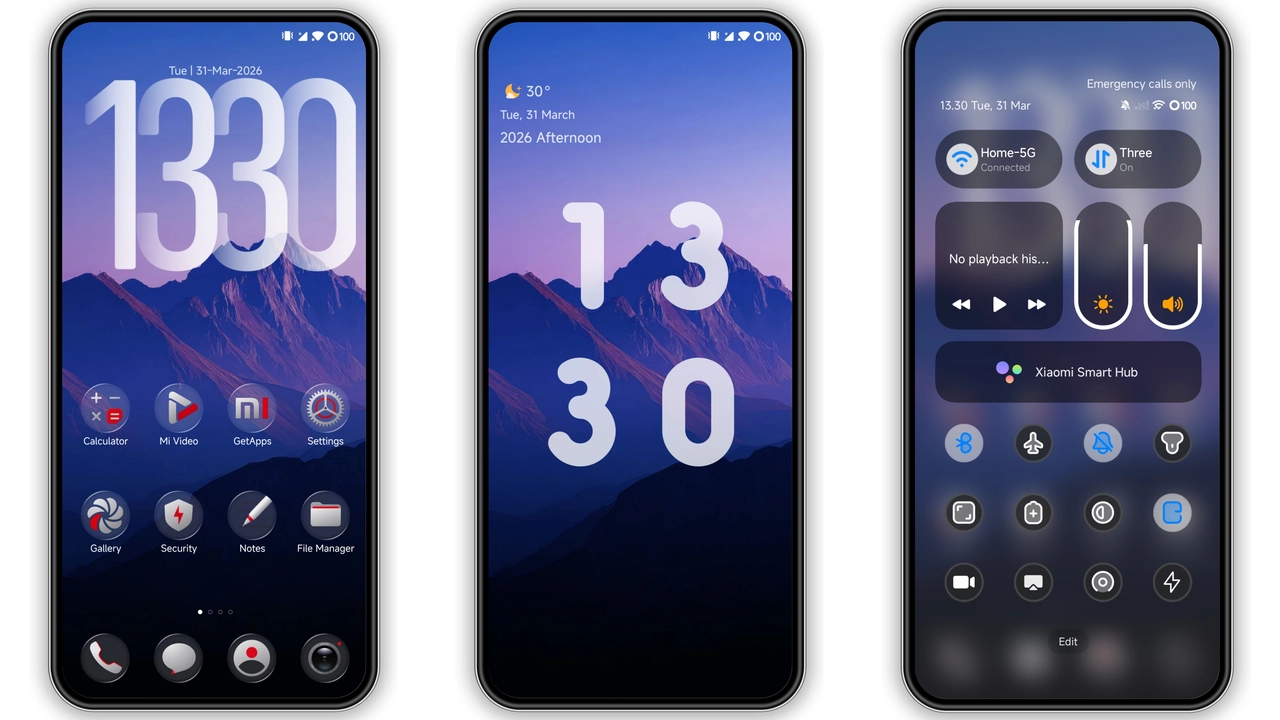
Night Starlight drapes the UI in deep charcoal while sprinkling subtle nebula highlights across icons, lock screen and always‑on display. The wallpaper features a faint Milky Way sweep that never overwhelms; it serves as a quiet backdrop for widgets and shortcuts. Icons receive a fresh coat of matte‑finish outlines, each glyph slightly rounded to soften the overall feel. The status bar adopts a translucent glass effect, allowing the background to bleed through without sacrificing readability. Dynamic lock‑screen animations mimic a slow‑moving starfield, giving the impression of a living night sky every time you glance at your phone. Color accents are limited to soft cyan and violet tones, creating a cohesive palette that feels both futuristic and soothing.
Suggested Read: Bear Cat Dynamic Component vs Minimalist Dark: Which Fits Your HyperOS?
Ideal Users: Night Owls & Minimalist Fans
If you spend evenings scrolling, gaming or working under low‑light conditions, this theme reduces eye strain while keeping the UI visually engaging. Fans of minimalist design will appreciate the restrained use of color and the clean geometry of the icons. The theme also appeals to users who enjoy a subtle sci‑fi vibe—think space‑enthusiasts, gamers, or anyone who wants their phone to feel like a personal command deck. Because the design avoids loud gradients, it pairs well with a variety of wallpapers, from solid dark tones to detailed astrophotography. Users who prefer a uniform look across Xiaomi, Redmi and POCO devices will find the theme’s cross‑model consistency a major plus.
Compatibility & Performance Notes
Night Starlight declares full compatibility with HyperOS and MIUI, covering the current global stable releases. It works on Xiaomi, Redmi and POCO handsets that support theme installation via the native Theme Store app. The 8 MB package is lightweight; testing shows negligible impact on launch times or battery consumption. The dynamic lock‑screen animation draws a modest GPU load, but on mid‑range Snapdragon processors the effect remains smooth. Users on heavily customized ROMs should verify that the “Allow theme import” option is enabled; otherwise the MTZ file may be rejected. The theme respects system‑wide dark mode settings, automatically switching to its native palette when the OS toggles dark mode.
Installation Walkthrough & Download Tips
1. Locate the Night Starlight MTZ file in your downloads folder. The file size is roughly 8 MB, so it downloads quickly on most connections. 2. Open the pre‑installed Theme Store app. 3. Tap the three‑dot menu in the upper‑right corner and select Import. 4. Navigate to the MTZ file and confirm the import. 5. After the theme appears in your library, press Apply. 6. Restart the device to ensure all overlays render correctly, especially the lock‑screen animation.
Practical notes: the download link is hosted on a reputable file‑sharing service; ensure the file name ends with .mtz before importing. If the Theme Store fails to recognize the file, try opening it with a file manager and selecting Open with Theme Store. Some users report that switching to the default Xiaomi Browser resolves occasional import glitches. After installation, you can fine‑tune individual elements—such as the icon pack or lock‑screen style—via the Theme Store’s customization panel.
Pros and Cons
• Pros
• Elegant dark palette with subtle cosmic accents.
• Low resource footprint; smooth performance on mid‑range devices.
• Consistent look across Xiaomi, Redmi and POCO models.
• Dynamic lock‑screen animation adds a premium feel.
• Easy import via native Theme Store.
• Cons
• Limited color customization; users seeking vibrant palettes may find it too restrained.
• Dynamic lock‑screen may not suit devices with aggressive battery‑saving settings.
• Requires manual restart for full visual refresh.
• No dedicated widget pack included.
Theme Preview

Download Links
Use the buttons below to open the theme file and the supporting link.
Night Starlight Theme mtz File
Helpful links
More Theme Updates
For more curated HyperOS and MIUI theme updates, visit Hyper OS x MIUI .