Parameter · Value
Designer · agit77
Size · 25.21 MB
Format · MTZ
Compatibility · HyperOS / MIUI
Midnight Black Icon Set
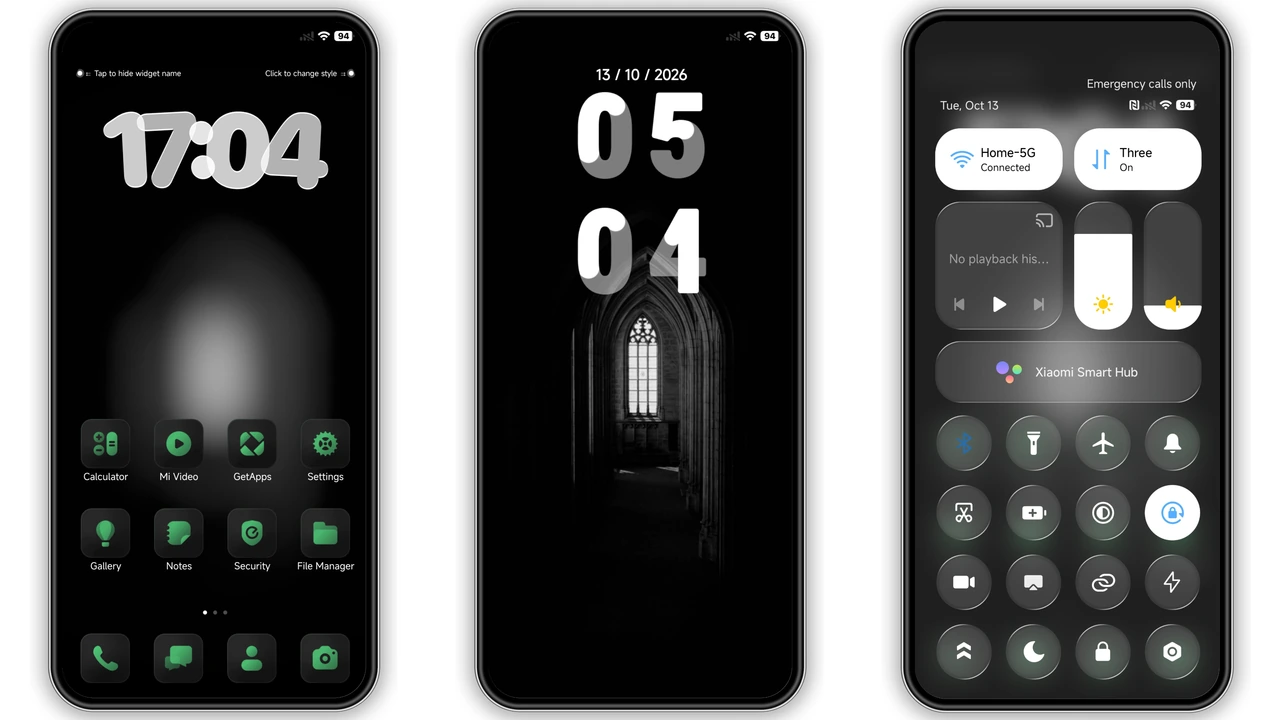
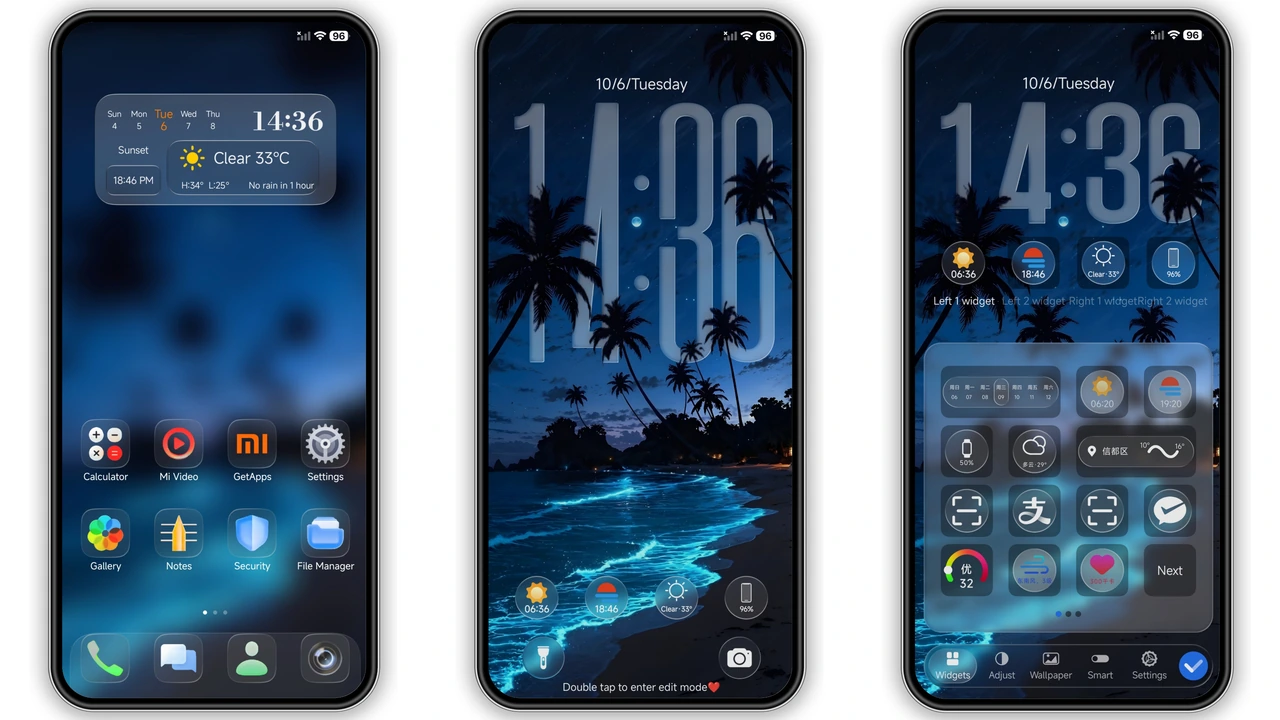
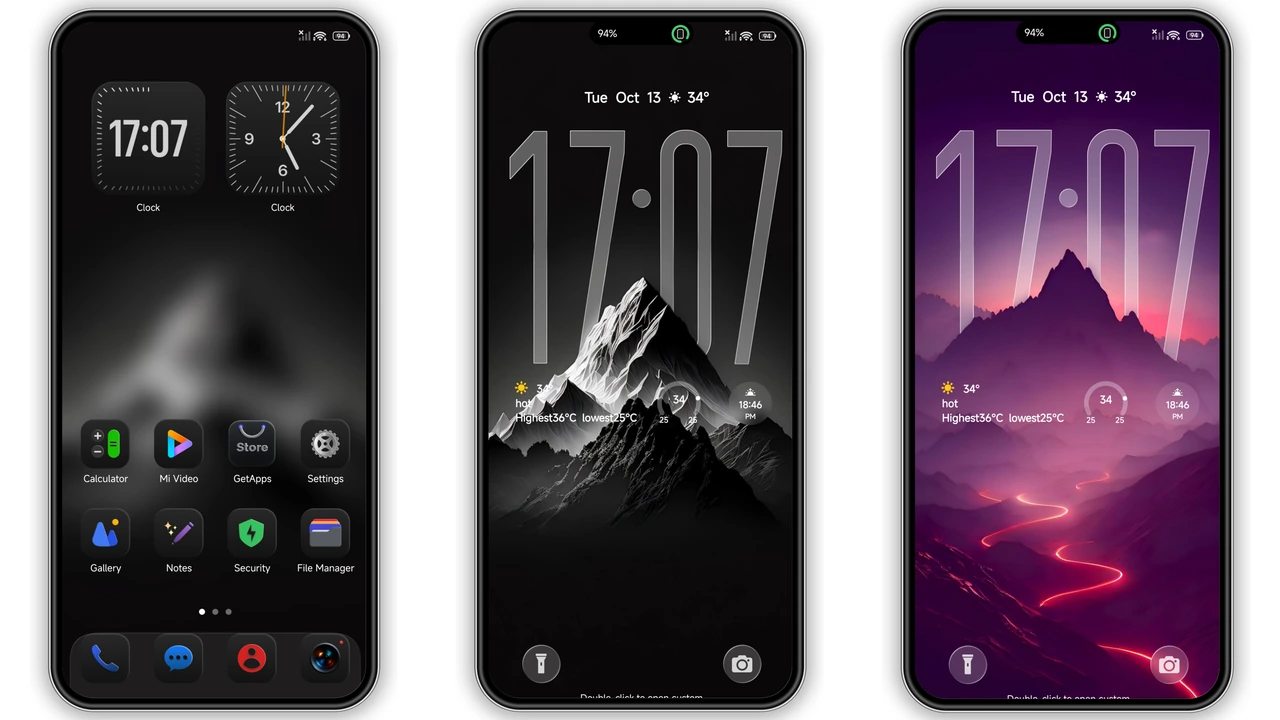
Icons switch to flat black silhouette, cut visual noise. Shadows disappear, contrast spikes. Glyphs stay recognizable, spacing stays tight. Purple accents appear on selected shortcuts, add subtle flair. Icon pack covers system, apps, settings, contacts. Icons render crisp on AMOLED, save battery. Dark palette eases night reading, reduces eye strain. Minimalist vibe matches modern launchers. No animated frames, keep performance high. Consistent stroke weight unifies look. Icon shapes follow Material You guidelines, blend with native UI.
Suggested Read: Archive Entry: O HyperOS Theme – 3D Gradient Clock & Smart Widgets
Sleek Lock Screen Glow
Lock screen background adopts deep violet gradient, feels immersive. Clock font shifts to thin sans, improves legibility. Notification bar inherits black tint, stays unobtrusive. Fingerprint icon glows faint purple, signals readiness. Swipe gestures retain smoothness, no lag. Ambient display inherits theme colors, shows time in soft glow. Battery indicator turns teal, stands out against dark. No intrusive ads, clean layout. Theme respects Do Not Disturb, hides sensitive info.
Bold Wallpapers for Every Swipe
Wallpaper set includes six high‑resolution images, each dark‑toned. Landscapes feature night cityscapes, star fields, abstract lines. Colors stay muted, avoid oversaturation. Images scale to 1080p, 1440p, 2400p without pixelation. Wallpaper transitions use fade effect, smooth on low‑end CPUs. Users can keep default wallpaper, theme only changes UI elements. No forced carousel, user control intact.
Installation Walkthrough for HyperOS
Download MTZ file, size 25.21 MB, free. Open Theme Store app, tap “Import”. Select downloaded file, confirm import. Theme appears in My Themes list, tap Apply. System prompts restart, confirm. After reboot, UI updates instantly. If lock screen shows missing elements, perform second restart. Theme works on HyperOS 13+ and MIUI 14+. No root required, works on stock ROMs. Custom ROM users follow same steps, ensure MTZ support enabled.
Who Will Love This Theme?
Dark‑mode enthusiasts, night‑owl users, battery‑savvy owners. Minimalist fans, fans of black‑purple palettes. Users who prefer consistent iconography across apps. Xiaomi, Redmi, POCO owners seeking fresh look without flashing colors. Developers who need low‑resource UI for testing. Not ideal for bright‑light environments, users preferring vibrant hues.
Compatibility Notes and Edge Cases
Theme declares compatibility with HyperOS and MIUI. Works on devices with 6 GB RAM or more, but also runs on 4 GB models. AMOLED screens benefit most, LCD screens still see dark UI. Some third‑party launchers may hide status bar icons; switch to native launcher for full effect. Region‑locked devices (China ROM) may need language switch to apply. Theme does not modify system fonts; keep default for best readability.
Pros and Cons
• Pros
• Cohesive black‑purple aesthetic
• Low battery impact on AMOLED
• Wide device compatibility
• Simple one‑step install
• Free, no hidden fees
• Cons
• Limited color variety
• No animated icons
• May hide light‑mode UI elements
• Requires manual restart for full effect
Theme Preview

Download Links
Use the buttons below to open the theme file and the supporting link.
Jiyan IzzyBRV15 Theme mtz File
Helpful links
More Theme Updates
For more curated HyperOS and MIUI theme updates, visit Hyper OS x MIUI .