Parameter · Value
Designer · oxfury
Size · 42.96 MB
Format · MTZ
Compatibility · HyperOS / MIUI
Midnight Green Contrast
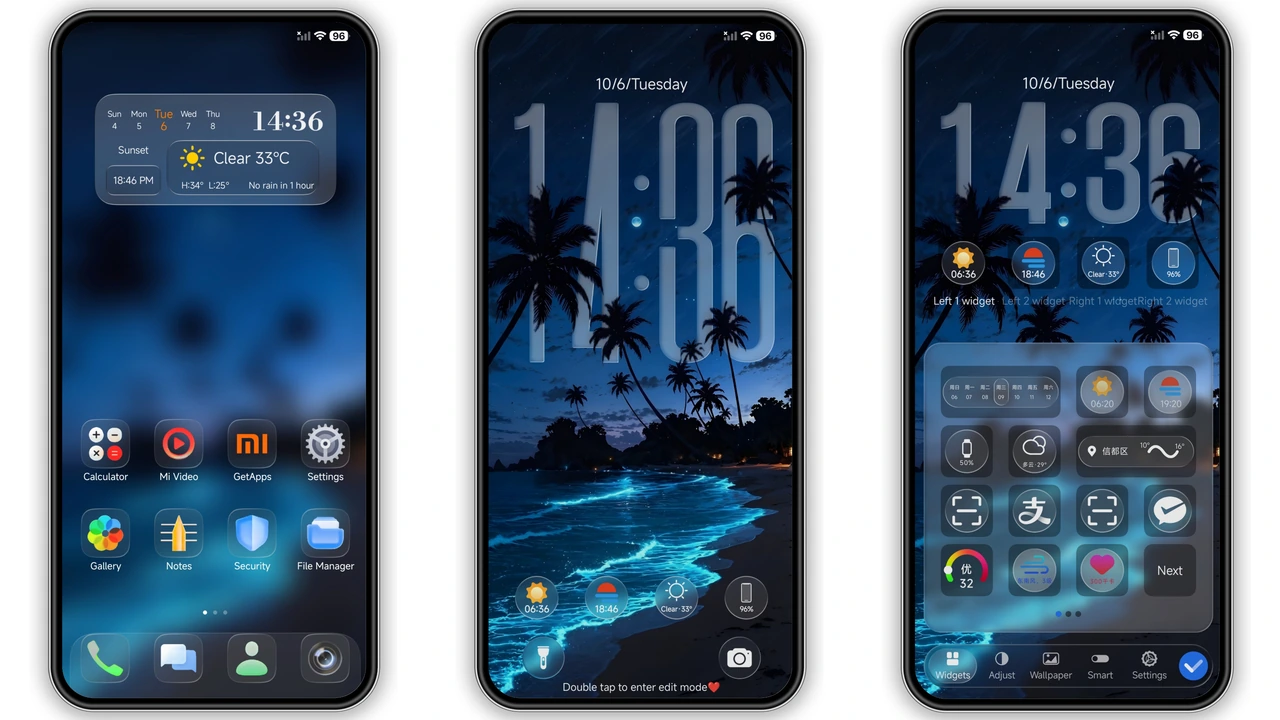
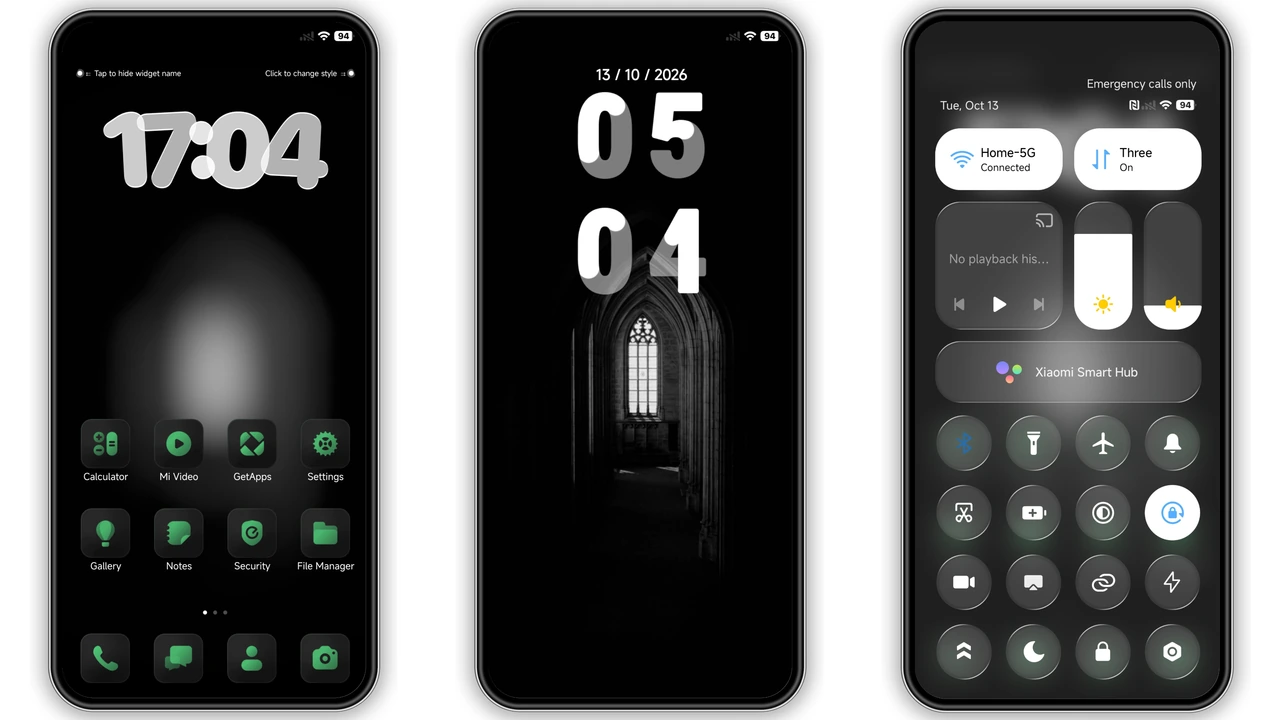
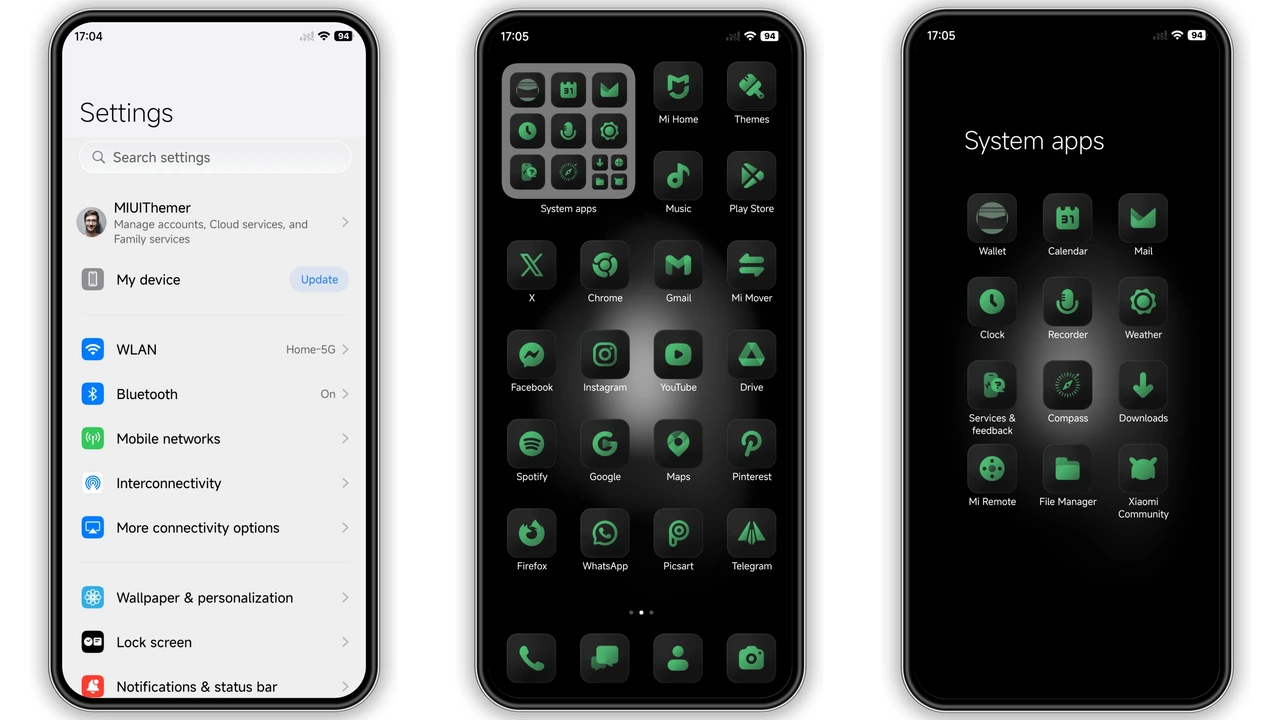
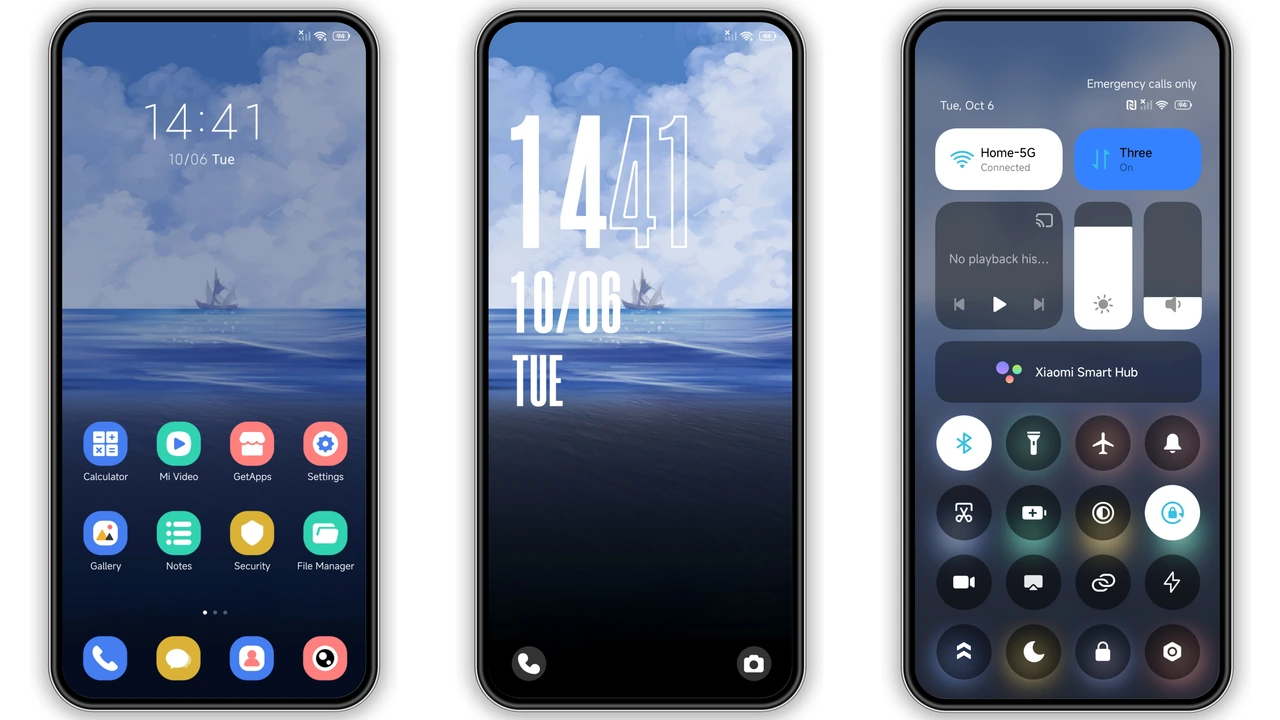
Dark backdrop dominates every screen. Fresh green icons pop like neon signs. Two‑tone clock splits hour and minute, adds visual rhythm. Soft glow under home widgets softens harsh edges. Frosted control center keeps panels airy. Wallpaper choices stay monochrome, let icons shine. Overall vibe: cyber‑minimalist, no clutter, pure focus.
Suggested Read: Green Lotus MTZ Theme vs Neon Pulse: Which Fits Your HyperOS?
Ideal Audience: Dark‑Mode Enthusiasts
Night‑owl users gravitate here. Fans of contrast‑driven UI find comfort. Minimalists who reject bright palettes appreciate restraint. Gamers who like HUD‑style accents enjoy green flare. Designers seeking a base for custom widgets benefit from neutral canvas. Users with older Xiaomi, Redmi, POCO models appreciate low‑resource design.
Device Compatibility & OS Requirements
Works on HyperOS 2.0, 3.0, 4.0 builds. Also runs on MIUI 14 and earlier MIUI releases that support MTZ import. Tested on Xiaomi Mi 11, Redmi Note 11, POCO X5. No root needed. Theme store app must be present. Devices lacking HyperOS/MIUI theme engine cannot apply.
Installation Flow & Download Tips
1. Open Theme Store app. 2. Tap “Import” at bottom. 3. Locate downloaded OX EMG.mtz file. 4. Confirm import. 5. Apply theme from My Themes list. 6. Restart for full effect. Download size 42.96 MB; use Wi‑Fi to avoid data caps. Verify file integrity before import – corrupted MTZ causes blank assets. Keep a backup of current theme in case you need to revert.
Pros and Cons
• Pros
• Striking black‑green contrast.
• Low memory footprint.
• Consistent across HyperOS versions.
• Easy import via Theme Store.
• Fresh icon set reduces eye strain.
• Cons
• Limited color palette; not for bright‑theme lovers.
• No built‑in dark‑mode toggle; requires manual switch.
• Some third‑party widgets may clash with green accents.
• Requires Theme Store app; unsupported on custom ROMs without MTZ support.
Theme Preview
Download Links
Use the buttons below to open the theme file and the supporting link.
OX EMG Theme mtz File
Helpful links
More Theme Updates
For more curated HyperOS and MIUI theme updates, visit Hyper OS x MIUI .