Parameter · Value
Designer · maidul
Size · 68.60 MB
Format · MTZ
Compatibility · HyperOS / MIUI
Midnight‑Glow Clock & Weather Panel
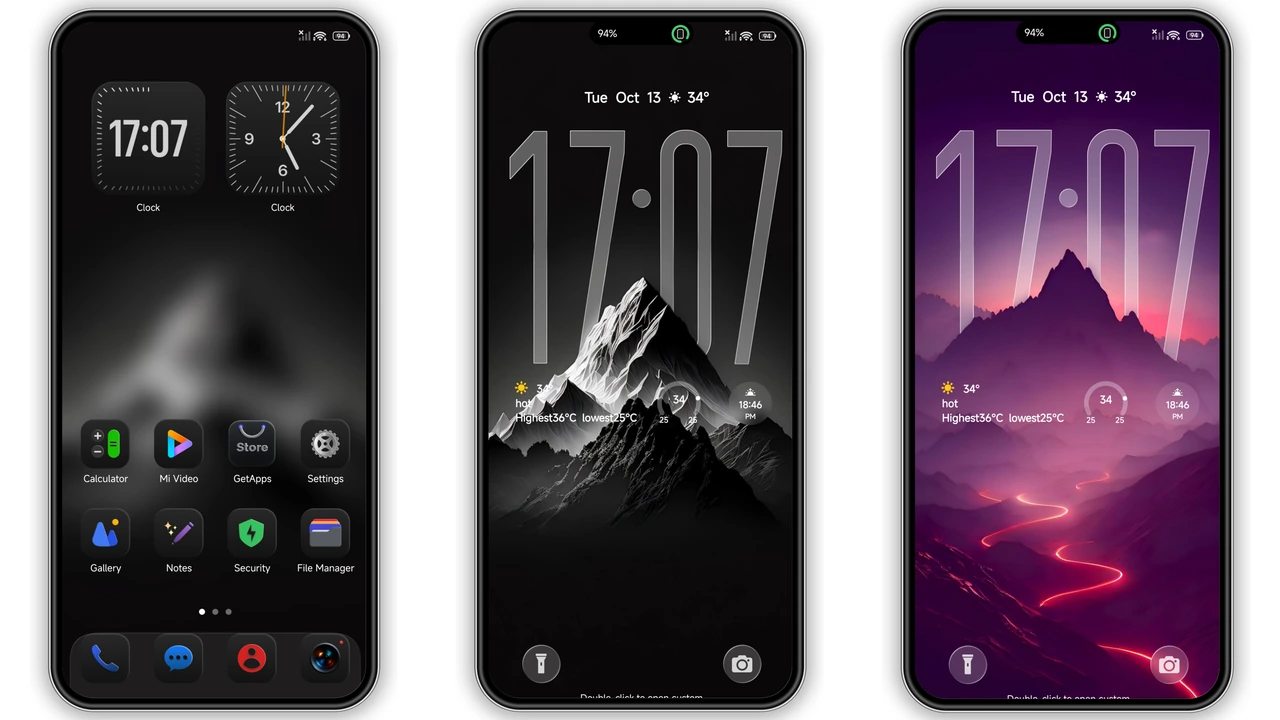
The centerpiece is a tall, semi‑transparent clock that stretches across the status bar. Numbers stay crisp against a dark backdrop, while a subtle weather widget slides in from the side. The clock’s opacity adapts to the wallpaper, keeping readability high without stealing focus. This design choice mirrors iOS’s lock‑screen elegance while staying true to HyperOS’s customization depth.
Suggested Read: Trending! Voidfall: Tema 3D Gelap yang Bikin Xiaomi Kamu Terasa Baru
Frosted Icons & Neon‑Mountain Wallpapers
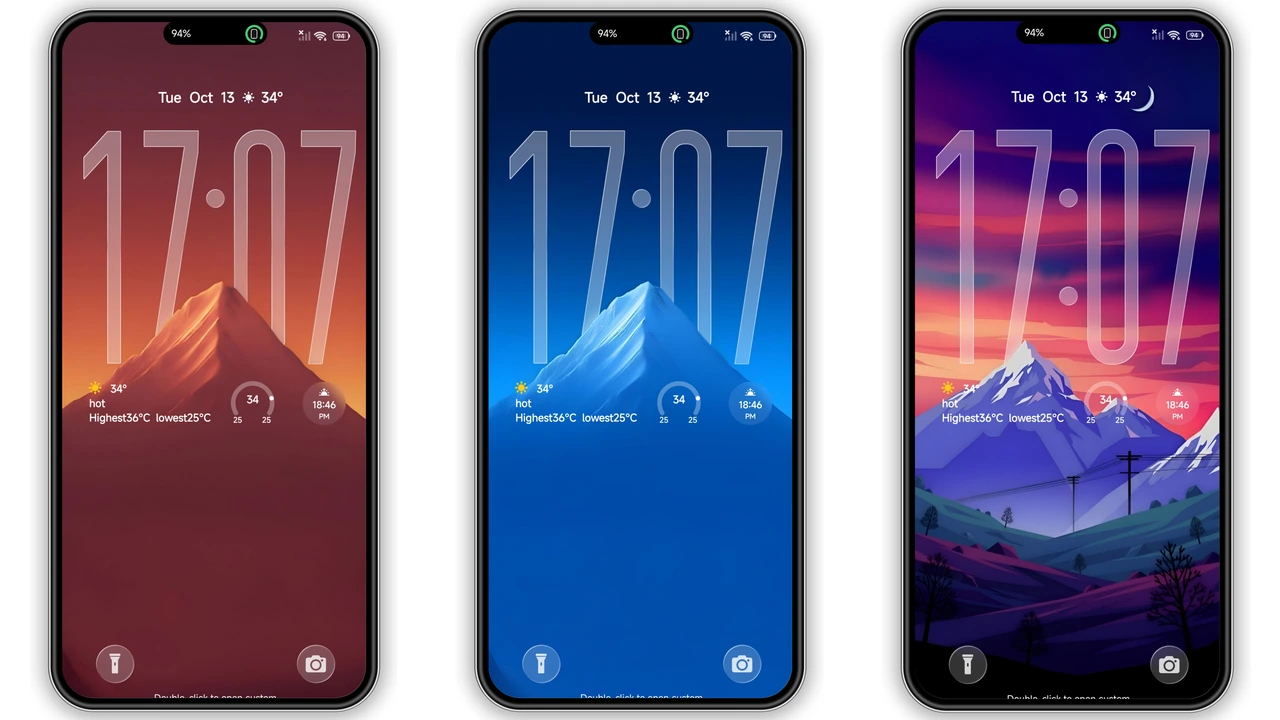
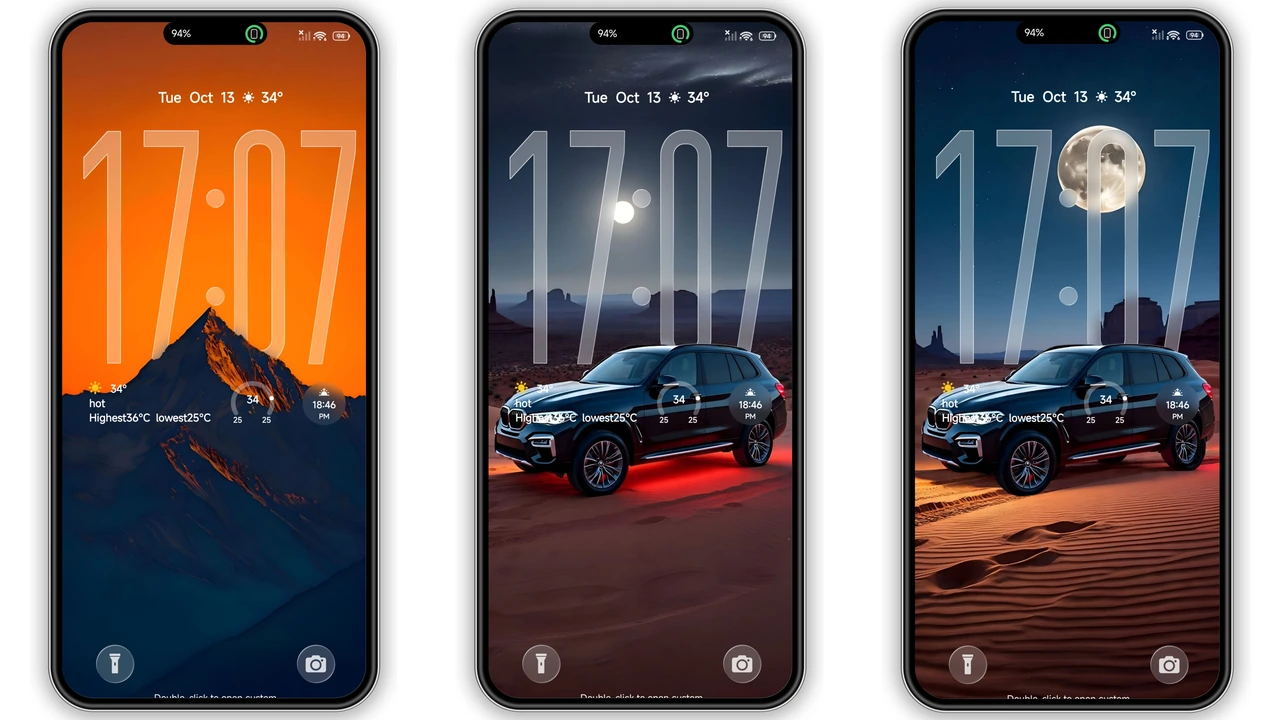
Icons receive a glossy, frosted finish that catches ambient light. Each icon set follows a consistent silhouette, reducing visual noise. The theme bundles four wallpaper families—black, white, sunset, and a neon‑mountain palette. The neon set adds a pop of electric blue and pink, perfect for users who enjoy a splash of color in an otherwise dark UI.
Tidy Folders & Minimalist Control Center
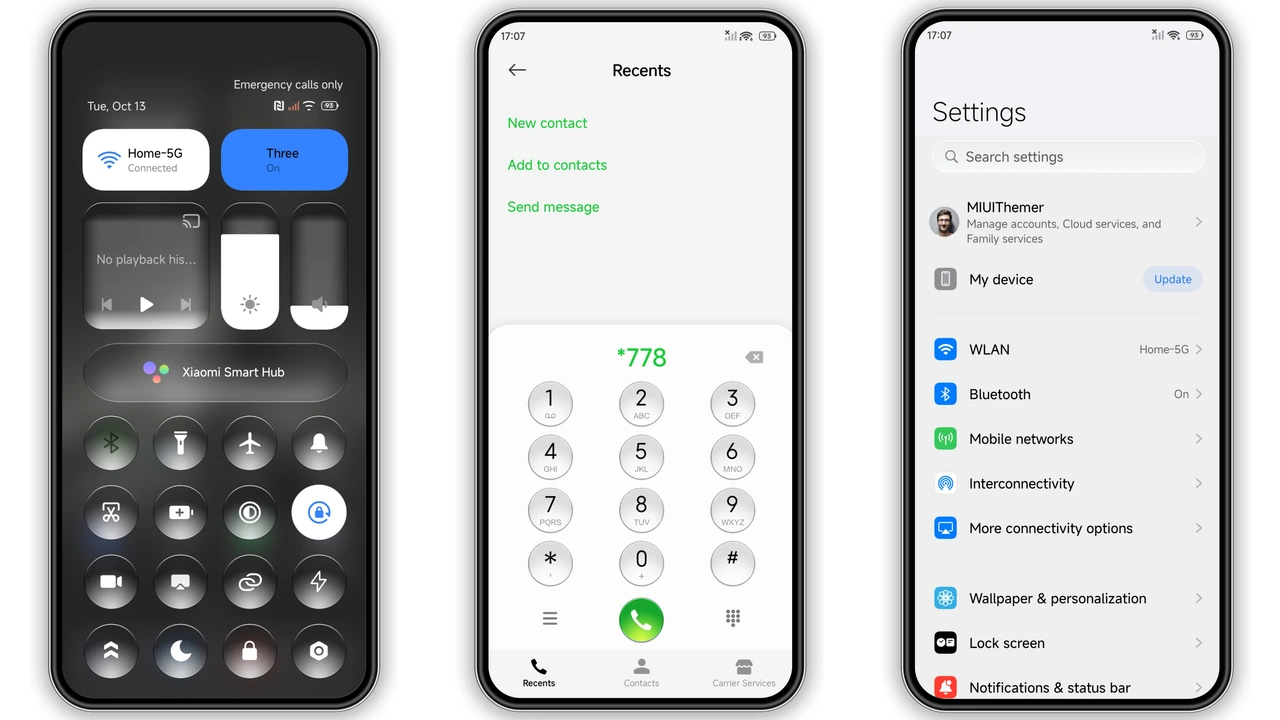
Folders collapse into a clean grid with rounded corners, echoing iOS’s folder view but with HyperOS’s fluid animation. The control center adopts a semi‑transparent panel, revealing the wallpaper beneath while keeping toggle icons legible. This balance between visibility and depth creates a premium feel without sacrificing functionality.
Who Will Love PEPE?
• Dark‑mode enthusiasts who find stock MIUI too bright.
• iOS fans seeking a familiar aesthetic on Xiaomi, Redmi, or POCO devices.
• Minimalist collectors who appreciate uniform iconography and restrained color use.
• Power users who enjoy swapping wallpapers without reinstalling the theme.
Compatibility & Install Expectations
PEPE declares compatibility with HyperOS 2.0‑4.0 and MIUI versions that support MTZ files. On stock ROMs, the Theme Store app handles installation seamlessly. For custom ROMs, the process involves importing the MTZ file via the Theme Store’s “Import” option. After applying, a quick reboot ensures all overlays render correctly. Users report no crashes or missing assets when following the standard import flow.
Pros and Cons
• Pros
• Cohesive iOS‑inspired dark aesthetic.
• High‑resolution wallpapers included.
• Transparent clock adds functional flair.
• Works on both HyperOS and MIUI stock ROMs.
• Cons
• No light‑mode variant.
• Limited to four wallpaper families.
• Custom ROMs may require manual import.
Theme Preview
Download Links
Use the buttons below to open the theme file and the supporting link.
PEPE Theme mtz File
Helpful links
More Theme Updates
For more curated HyperOS and MIUI theme updates, visit Hyper OS x MIUI .


