Theme details
- Designer
- Jadol Mixx
- Size
- 44.36 MB
- Compatibility
- HyperOS 1.0 / 2.0, MIUI 14
Format · .MTZ
Personalizing a smartphone often means choosing between rigid minimalism or chaotic novelty. Most interface setups lean heavily into monochromatic layouts or overly bright neon palettes that tire the eyes after a day of regular use. The Jadol Mixx theme takes an entirely different direction. It merges street-art typographic energy, detailed anime illustrations, and humorous feline artwork into a surprisingly cohesive everyday layout for Xiaomi, Redmi, and POCO handsets.
Designed for enthusiasts who prefer their interface to carry distinct character, Jadol Mixx delivers an expressive visual overhaul without breaking core platform functionality. Whether you appreciate vintage editorial layout design or playful comic illustrations, this theme bridges multiple aesthetics cleanly across system panels, the home setup, and lock interfaces.
Dynamic Lockscreen Typography and Comic Styling
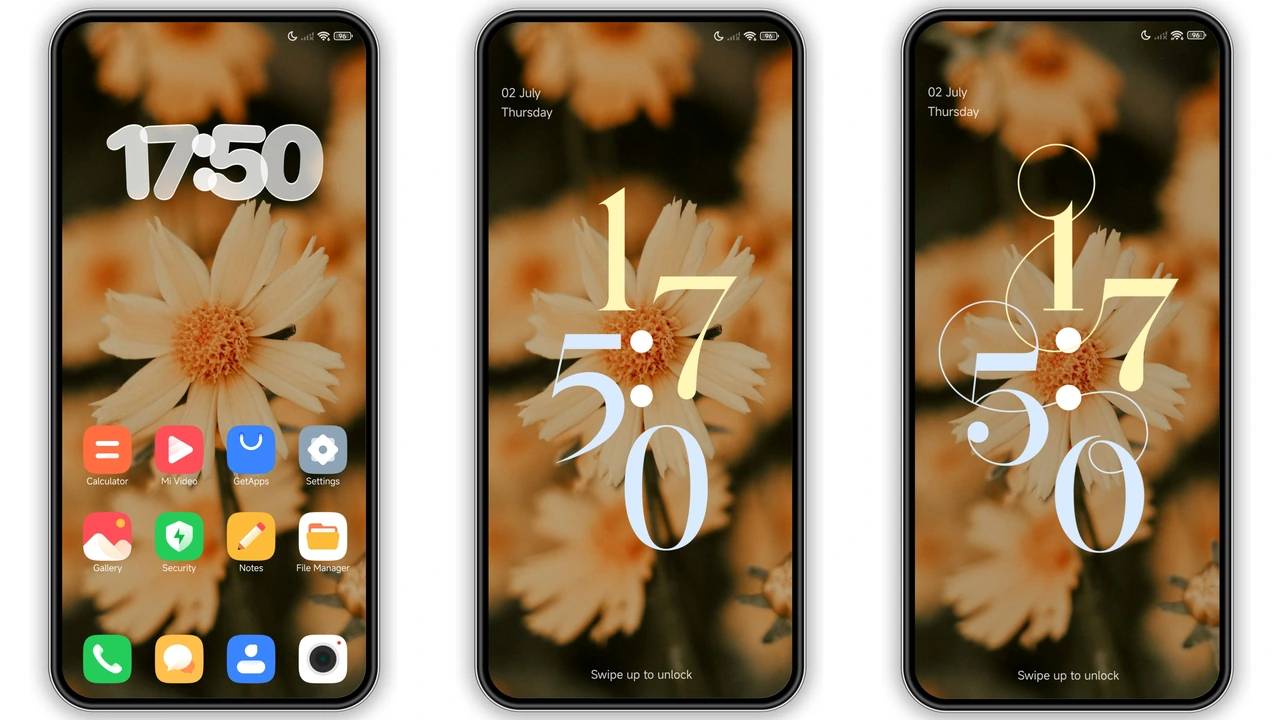
The standout highlight of Jadol Mixx sits right on the initial display panel. Instead of settling for standard digital digits, the theme pairs multiple lock screen layouts with contextual font styling tailored to individual backgrounds.
When switching between wallpaper choices, the clock design shifts organically:
- Editorial Floral Presets: Subtle, golden serif numbers anchored against soft botanical backdrops create a calm, vintage bookplate vibe.
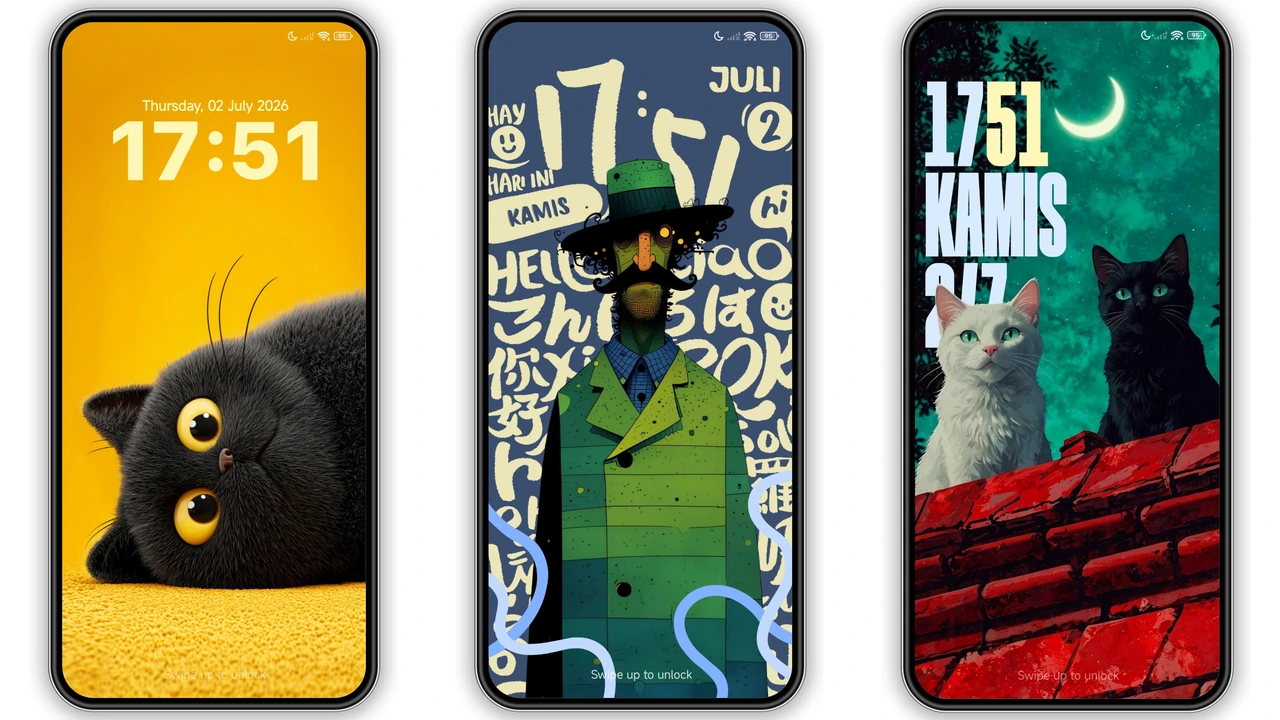
- Street Art Graphics: Bold, heavy-set stencils and chunky graffiti-inspired numerals integrate directly into urban pop compositions.
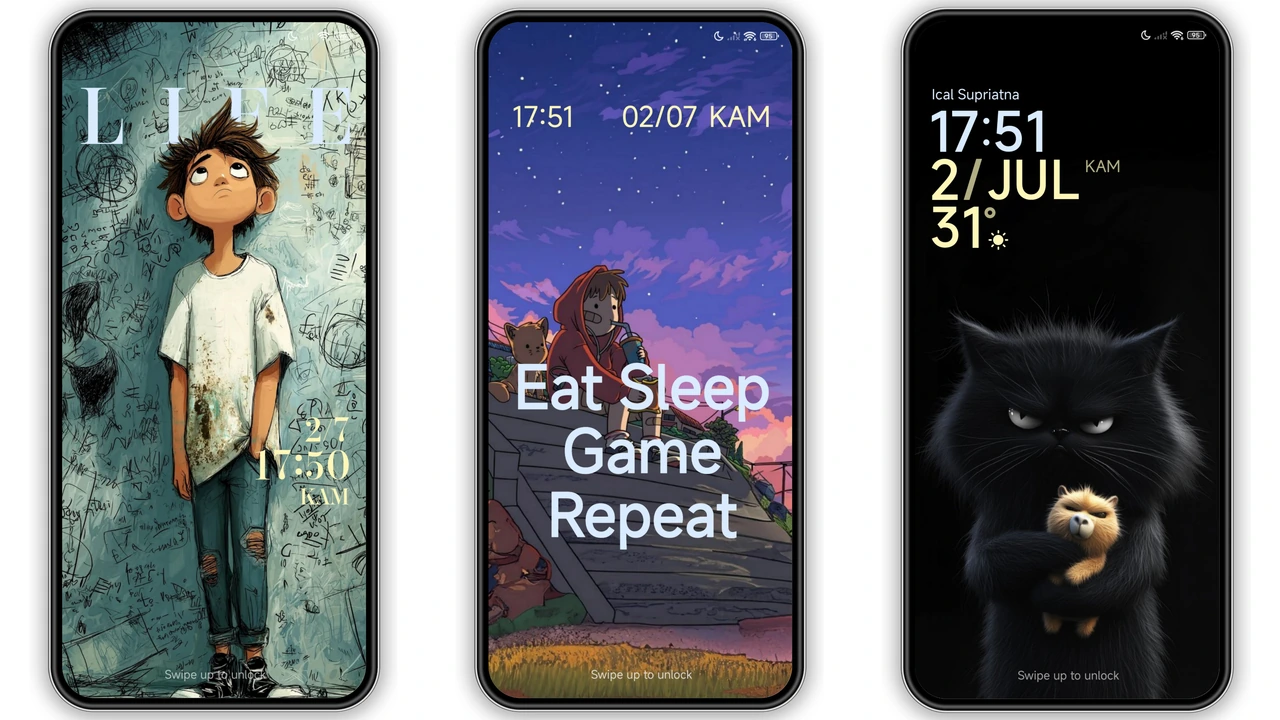
- Playful Illustrated Panels: Whimsical handwritten digital layouts complement grumpy cat vignettes and Japanese manga panels.
These lock screens are dynamic, responding neatly to device movement and touch interactions. Notification previews sit cleanly below the primary clock modules, ensuring incoming alerts remain fully readable against high-contrast illustration backdrops.
Suggested Read: Trending HyperOS Theme: Five Lucky Gods & Digital Incense
Custom Hand-Drawn App Icons and Visual Harmony
Uniformity can make or break custom icon packages. Jadol Mixx avoids the pitfall of generic rounded squares by introducing custom drawn assets that mirror the theme's playful illustration style. System essentials—such as Settings, Phone, Messages, Gallery, and File Manager—receive distinct custom treatments finished with fine line-work, soft pastel fills, and comic-style shading.
Third-party applications that do not possess bespoke icons are enclosed within balanced, unobtrusive background masks. This prevents the uneven, jarring home screen clutter common when mixing system utilities with third-party social feeds or streaming platforms. The app drawer maintains balanced padding, meaning high grid densities (like 5x6 or 4x6 setups) display crisply without icon labels crashing into neighboring shortcuts.
Control Center Restyling and Status Bar Polish
HyperOS introduced a cleaner Control Center, but stock grey toggles can feel uninspired. Jadol Mixx reskins the Quick Settings grid with tinted accent toggles that complement the overall artistic palette. Active buttons stand out with bright contrast, while slider controls for brightness and media volume carry custom rounded thumbs that give the toggles a tactile touch.
Up in the status bar, the visual indicators receive thoughtful refinements:
- Battery Gauge: Replaced with a stylized battery silhouette carrying distinct internal percentage indicators.
- Network & Wi-Fi Glyphs: Cleanly balanced line weights keep signal meters visible against both light and dark wallpaper sections.
- Notification Glyphs: Subtle icon masks prevent tiny status alerts from looking pixelated or misaligned along the upper bezel cutout.
System Compatibility and Everyday Performance
Weighing in at roughly 44 MB, Jadol Mixx strikes a sensible balance between visual detail and storage efficiency. Heavy themes with uncompressed assets frequently introduce subtle stutter when pulling down notifications or navigating between recent apps. Jadol Mixx avoids memory bloat, keeping background system usage minimal on midrange and flagship hardware alike.
On devices running HyperOS Global or stable regional builds, the installation applies smoothly across system components. Users running custom distributions like Xiaomi.eu can take full advantage of direct MTZ import options without missing system font assets or encountering broken setting menus.
Pros and Cons
Pros:
- Rich assortment of eclectic lock screen clock styles paired with distinctive artwork.
- Well-proportioned icon pack that balances custom system utilities with third-party app masks.
- Unique hybrid visual aesthetic featuring expressive anime illustrations and whimsical cat designs.
- Light memory footprint that preserves snappy UI transitions and smooth scrolling.
- Full compatibility with current HyperOS releases and legacy MIUI setups.
Cons:
- Eclectic design mixing multiple illustration styles may not appeal to strict minimalists.
- Bolder street-art clock options can require light wallpaper tweaking for optimal daylight legibility.
Final Thoughts
Jadol Mixx brings personality back to Xiaomi customization. By uniting playful illustration, artistic lockscreen typography, and clean system tweaks, it stands out as an easy recommendation for anyone bored with cookie-cutter interfaces. If you want your phone to reflect a creative, lighthearted mood while keeping daily navigation responsive, Jadol Mixx is well worth installing on your daily driver.
Download Links
Use the buttons below to open the theme file and the supporting link.
Jadol Mixx Theme mtz File
Helpful links
More Theme Updates
For more curated HyperOS and MIUI theme updates, visit Hyper OS x MIUI .


