Theme details
- Designer
- Ali.ZR
- Size
- 23.69 MB
- Compatibility
- HyperOS, HyperOS 2.0, MIUI 14
Format · MTZ / Official Store
Finding a daily driver setup on HyperOS that balances high-utility information displays with a unique visual language can be challenging. Stock HyperOS offers smooth animations, but default system interfaces often feel generic. Grade Prm2 steps into this gap by combining moody, high-contrast atmospheric art with an extensive lockscreen widget dashboard and playful hand-crafted doodle icons.
Designed primarily for Xiaomi, Redmi, and POCO handsets running modern HyperOS builds, Grade Prm2 changes the tone of the phone without overwhelming the underlying system engine. Here is an in-depth breakdown of what Grade Prm2 brings to your home setup, how it behaves during daily use, and how to get it running.
Neon Noir Atmosphere: Dual-Tone Rain Aesthetic
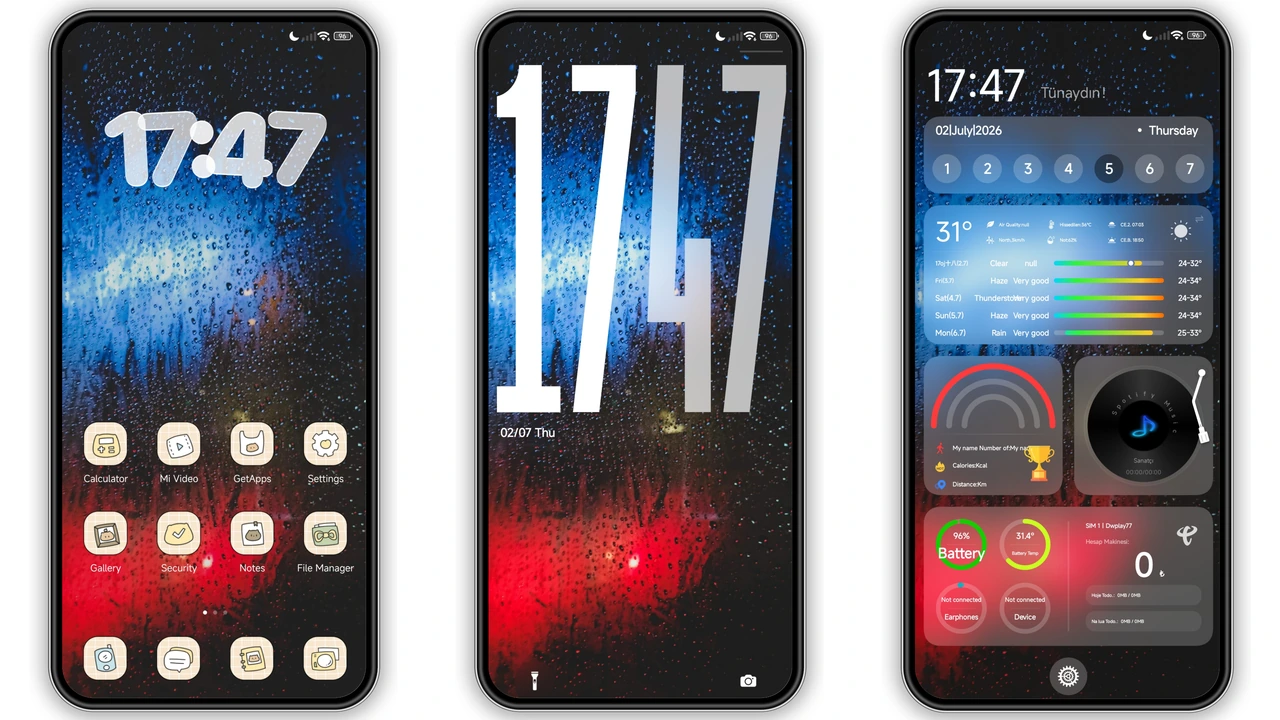
The central visual hook of Grade Prm2 is its wallpaper selection. Centered on a cinematic, rain-soaked windowpane drenched in contrasting neon blues and vibrant reds, the backdrop sets an immediate mood. Unlike flat minimalist wallpapers or generic AI landscape renders, this texture gives depth to OLED and AMOLED panels alike, letting deep blacks sit naturally behind system elements.
This moody palette does more than look sharp; it creates an ideal backdrop for light-colored widgets and icons. System text remains legible across diverse lighting conditions. The blue and crimson tones extend subtly into sub-menus and system notifications, keeping HyperOS unified across the shade, volume sliders, and settings branches without introducing unreadable contrast mismatches.
Suggested Read: Esbesiji HyperOS Theme – Fresh Look for Redmi, POCO & Mi Phones
Dynamic Lockscreen: Information-Rich Dashboard
Lockscreen functionality is the strongest asset in Grade Prm2. While many custom themes drop basic static clock cutouts onto wallpaper art, this theme turns the lock panel into an active command center. The layout packs multiple functional blocks directly onto the front display without cluttering the screen real estate:
- Comprehensive Weather Readout: Current temperatures, condition glyphs, and high/low forecasts sit prominently at the top.
- Integrated Calendar Grid: A weekly view displays upcoming days directly, cutting down the need to unlock your phone just to verify dates.
- Live Battery Analytics: Clear graphic indicators and percentage metrics highlight current battery draw and charging states.
- Built-in Media Controller: Dedicated playback controls sit cleanly below the clock structure, allowing track skips, pause toggles, and track metadata checks.
Typography across the lockscreen strikes a balance between bold tech readouts and clean digital typography. The layout handles notification banners cleanly, tucking incoming alerts neatly beneath the main widget cluster rather than clipping through critical data.
Hand-Drawn Doodle Icons and Status Bar Customization
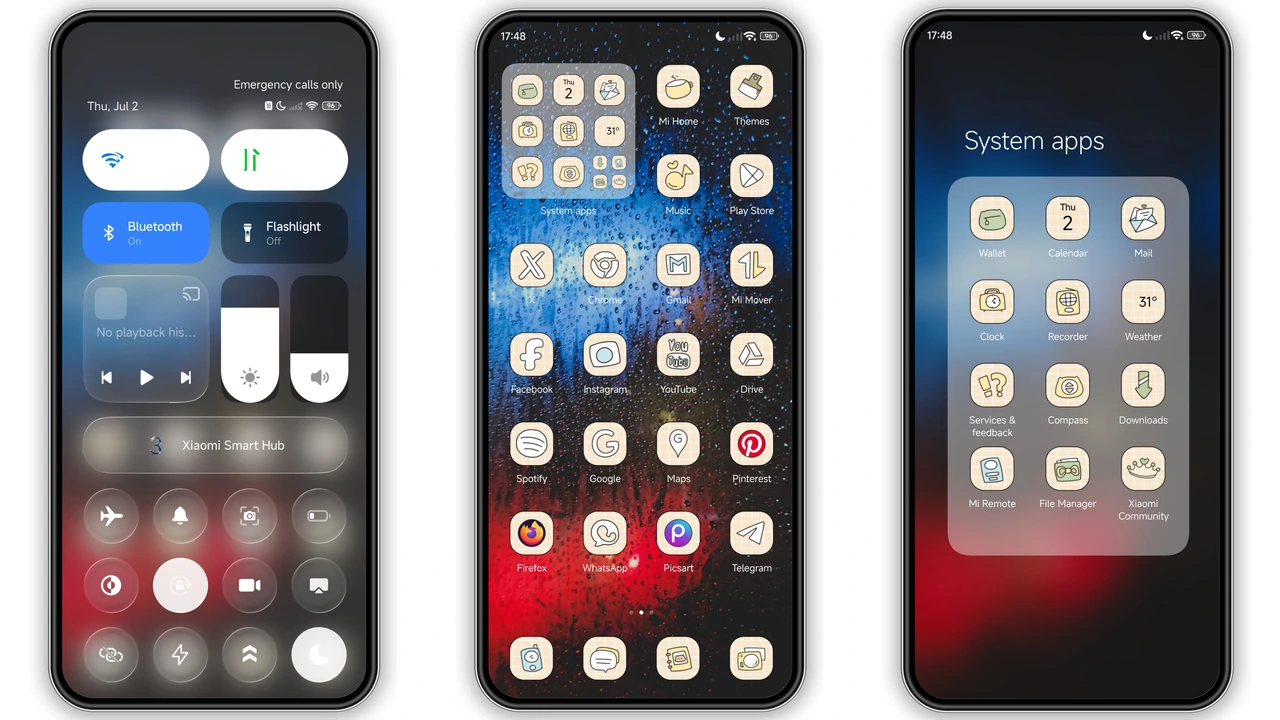
Moving past the lockscreen onto the home panels reveals the custom icon pack. Grade Prm2 swaps the predictable squircle shapes of HyperOS for hand-drawn, sketch-style doodle icons. Each glyph features white linework with soft accent fills, giving your app grid an informal, creative personality reminiscent of customized custom-launcher icon sets.
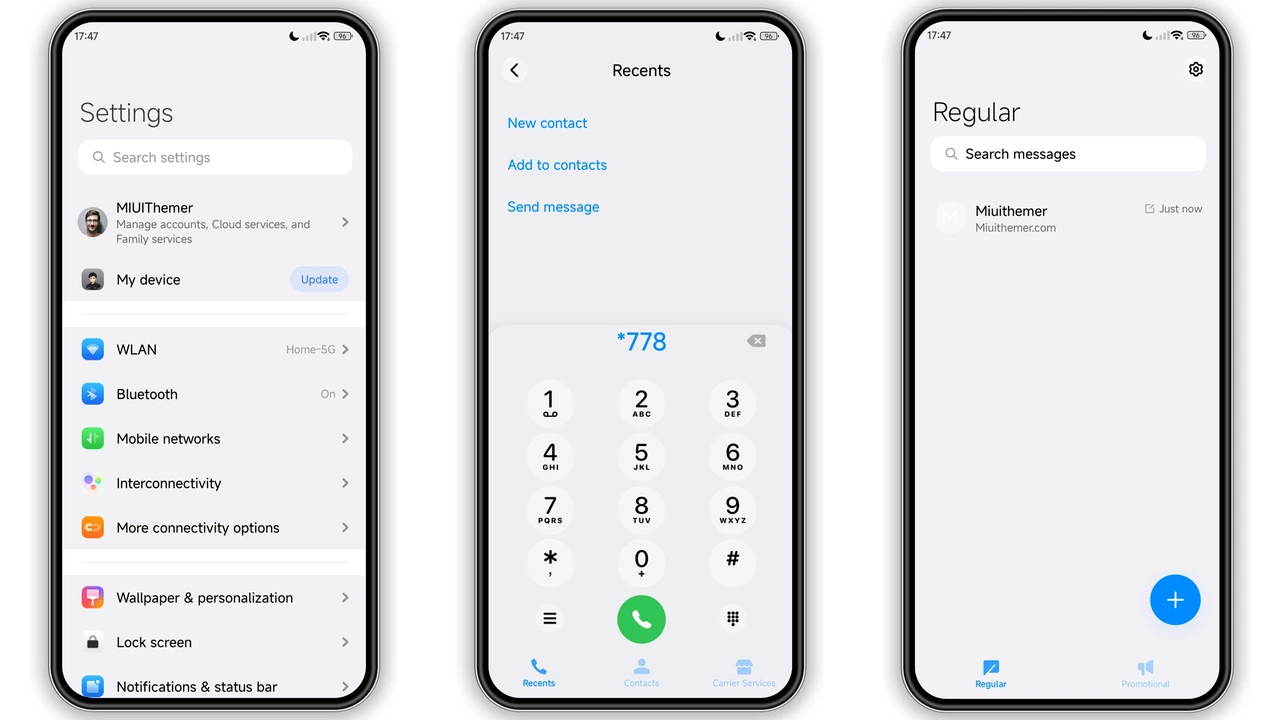
Key system apps—such as Phone, Messaging, Settings, Gallery, and Camera—receive fully bespoke vector treatments. Popular third-party applications also pick up matching styling, while unsupported apps receive clean masking borders to prevent them from breaking home screen uniformity.
The status bar receives targeted modifications as well. Battery indicators, signal strength bars, and Wi-Fi toggles display custom geometries with tighter padding. The overall effect sharpens the upper edge of your phone screen, complementing both centered punch-hole cutouts and older teardrop notches.
Daily Usability, Performance, and Compatibility
With a file footprint of 23.69 MB, Grade Prm2 sits in the sweet spot for feature-rich themes. It introduces zero observable scroll stutter on mid-range Snapdragon and MediaTek Dimensity chipsets. System animations, app-opening transitions, and Control Center pulls retain their native 120Hz smoothness without micro-lags or dropped frames.
The theme performs reliably on global builds of HyperOS, HyperOS 2.0, and modern MIUI versions across Xiaomi, Redmi, and POCO hardware. Custom notification shades and volume controls render cleanly in both dark and light modes, though keeping dark mode active matches the intended atmospheric color scheme best.
Pros and Cons
Pros:
- Immersive, atmospheric rain wallpaper with high-contrast neon accents.
- Rich lockscreen interface featuring battery, calendar, weather, and music controls.
- Hand-crafted doodle icon design that breaks away from typical stock designs.
- Lightweight package that maintains native HyperOS frame rates and transitions.
- Solid system integration across the status bar and core UI.
Cons:
- Doodle icon style may not appeal to fans of strict, corporate minimalism.
- Third-party icon masking may look slightly varied for niche local apps.
- Best visual contrast requires keeping system Dark Mode enabled.
Installation and Customization Tips
Grade Prm2 can be applied via the official Theme Store link or manually through the MTZ format for unlocked or custom ROM environments (such as Xiaomi.eu).
If importing via the MTZ format, download the theme file directly to internal storage, access the Themes application, head to the offline theme tab, and tap Import. Select the file, apply all components, and perform a full device reboot. A clean reboot ensures lockscreen scripts load into memory correctly and resolves minor status bar glyph overlaps.
For users who prefer stock icons alongside dynamic lock displays, HyperOS allows component modularity: apply Grade Prm2 for its lockscreen and system UI, then swap back to stock icons inside Theme Customization settings.
Download Links
Use the buttons below to open the theme file and the supporting link.
Grade Prm2 Theme mtz File
Helpful links
More Theme Updates
For more curated HyperOS and MIUI theme updates, visit Hyper OS x MIUI .


