Parameter · Value
Designer · Shichuanghulian
Size · 14.83 MB
Format · MTZ
Compatibility · HyperOS / MIUI
Punchy Pink‑Black 3D Visuals That Pop
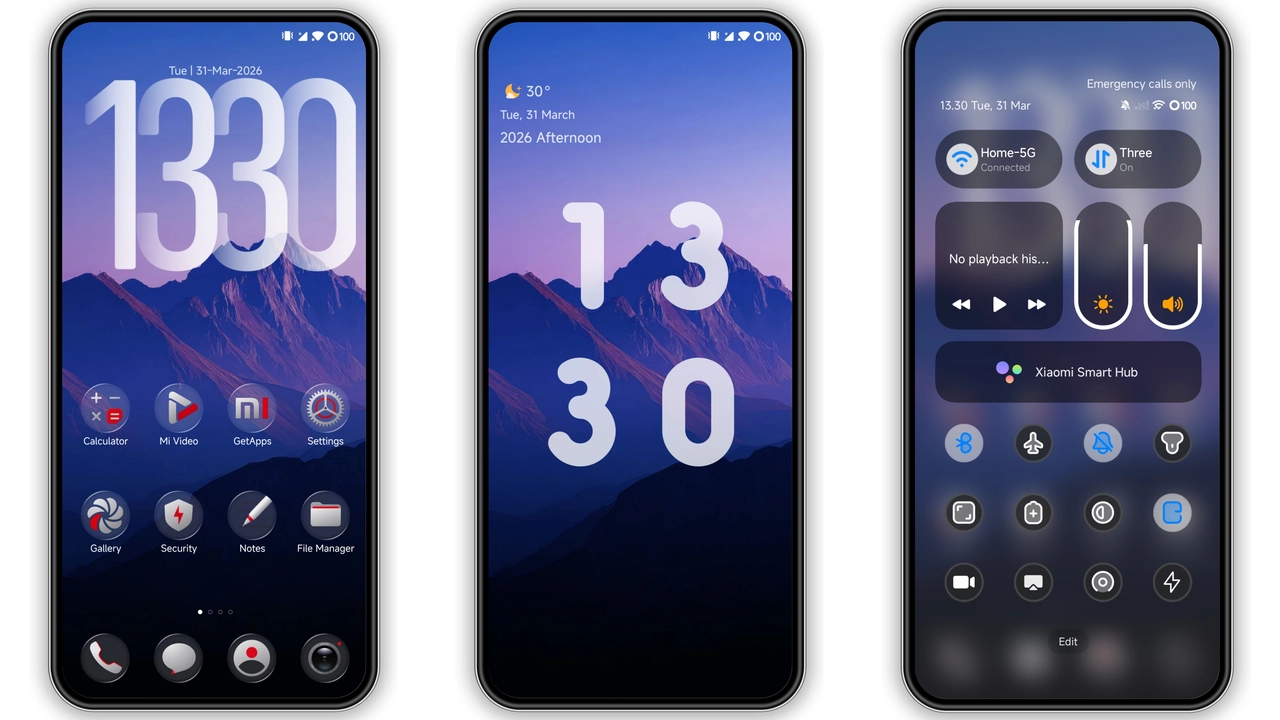
The theme throws a high‑contrast pink‑black scheme over every UI element. Icons gain a subtle extrusion, giving a three‑dimensional feel without draining battery. Wallpapers shift between deep charcoal and neon‑pink gradients, creating a visual rhythm that matches the lock‑screen animation. Status bar icons adopt a thin pink outline, while the navigation bar stays matte black for balance. The overall vibe feels futuristic yet grounded, perfect for users who want their phone to look like a sleek console.
Suggested Read: Archive Spotlight: 可爱治愈 小甜心 MTZ Theme for HyperOS & MIUI
Ideal Users: Fans of Bold Contrast and Dynamic Locks
If you gravitate toward strong color statements, this theme lands squarely in your sweet spot. Gamers, streamers, and creative professionals who enjoy eye‑catching palettes will appreciate the immediate visual impact. The dynamic lock screen—slide‑up unlock with a rotating pink‑black sphere—adds a playful touch that feels fresh on daily use. Users who prefer minimalism may find the brightness intrusive, but the theme offers an “always‑on display” mode that dims the pink accents while retaining the 3D depth.
Installation Flow and What to Expect
The process starts with downloading the MTZ file. Open the Theme Store app, navigate to Import, locate the file, and tap Apply. After applying, the system prompts a quick reboot; this clears any residual UI caches and ensures the lock‑screen wallpaper aligns with the preview. During the first launch, you may notice a brief flicker as the new icons replace the stock set—normal for any theme switch. Once settled, all menus, quick settings, and notification shades adopt the pink‑black palette. Battery impact stays negligible; the 3D rendering relies on vector assets, not heavy animation loops.
Pros and Cons
Pros
• Striking pink‑black palette that stands out.
• 3D icons and lock‑screen animation add depth.
• Small file size keeps storage impact low.
• Seamless integration with HyperOS and MIUI.
Cons
• Pink accent may not suit every taste.
• Lock‑screen wallpaper can misalign if setting disabled.
• No dark‑mode variant for low‑light environments.
• Limited customization beyond the provided layout.
Theme Preview

Download Links
Use the buttons below to open the theme file and the supporting link.
Fortune Want 3D Theme mtz File
Helpful links
More Theme Updates
For more curated HyperOS and MIUI theme updates, visit Hyper OS x MIUI .