Theme Metadata
Parameter · Value
Designer · -
Size · 44.37 MB
Format · MTZ
Compatibility · HyperOS, MIUI (2.0, 3.0)
Bold, Space‑Inspired Visuals
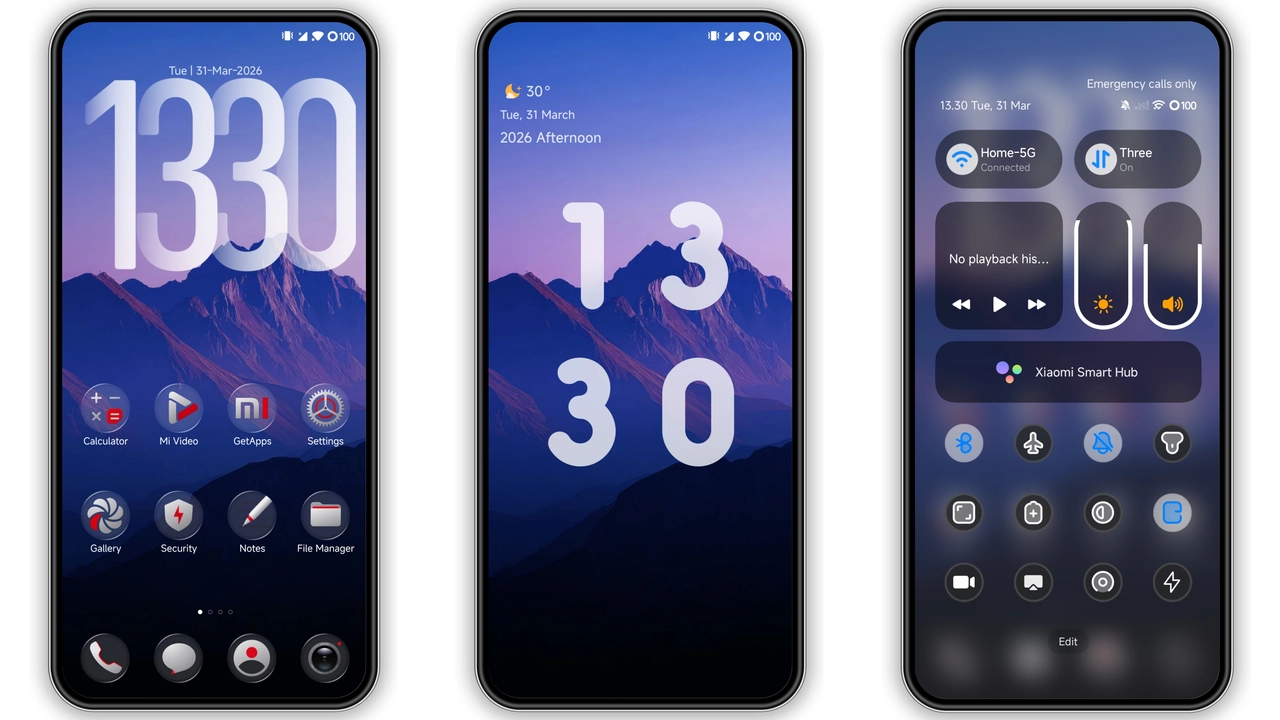
The Explorer theme swaps stock icons for sleek, angular glyphs that echo a futuristic map UI. Wallpapers feature deep blues, subtle gradients, and faint grid lines that suggest a navigation console. Status bar adopts a thin, neon‑green accent; lock screen animates a rotating compass rose. AOD displays a minimalist clock with a pulsing ring, echoing the theme’s cartographic motif. Overall feel: high‑tech, adventurous, slightly cyber‑punk.
Suggested Read: Endhunts HyperOS Theme vs MIUI Themes: Which Fits Your Xiaomi?
Who’ll Love This Look?
• Power users who enjoy a cohesive visual language across home, lock, and settings screens.
• Fans of dark, sci‑fi aesthetics; the theme stays in dark mode everywhere.
• Xiaomi, Redmi, POCO owners who want a fresh identity without third‑party launchers.
• Users who appreciate dynamic lock‑screen animations and custom widget skins.
Compatibility Notes
Works on HyperOS devices across version 2.0 and 3.0. MIUI 14 also supports the MTZ package. The theme respects regional settings; it displays correctly on Chinese and global ROMs alike. Custom ROMs based on HyperOS or MIUI (Xiaomi EU, MIUIRoom) accept the file via the Theme Store import function. No root required. Battery impact negligible; animations run on GPU.
Installation Walkthrough
1. Download the MTZ file from the provided mirror. Keep it in the Downloads folder.
2. Open the Theme Store app. Tap Themes → Import at the bottom.
3. Browse to the MTZ file, select it, confirm import.
4. Apply the theme. System may prompt a restart; accept to clear cached assets.
5. After reboot, verify icons, lock screen, and AOD. If any element looks missing, repeat step 2.
Pros and Cons
Pros
• Cohesive dark aesthetic with map‑inspired icons.
• Dynamic lock‑screen animation adds flair.
• Low memory footprint; runs smoothly on mid‑range devices.
• Compatible with both stock HyperOS and MIUI.
Cons
• No light‑mode counterpart.
• Customization limited to what the theme provides.
• Manual import required on some custom ROMs.
• Backup file size larger than the MTZ package.
Theme Preview

Download Links
Use the buttons below to open the theme file and the supporting link.
Explorer Theme mtz File
Explorer Theme Backup File
Helpful links
More Theme Updates
For more curated HyperOS and MIUI theme updates, visit Hyper OS x MIUI .