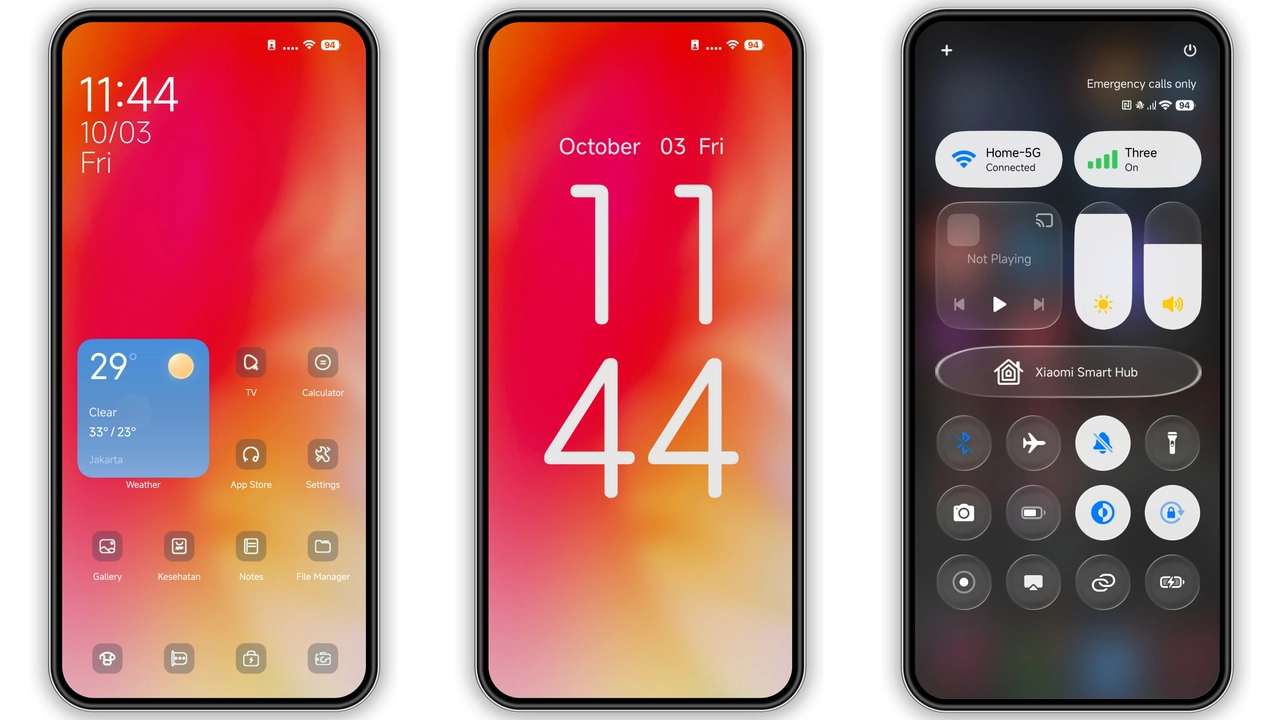
Theme details
- Designer
- Dystopia V2
- Compatibility
- HyperOS / MIUI
- File Format
- MTZ package
Visual Design & Interface Aesthetic
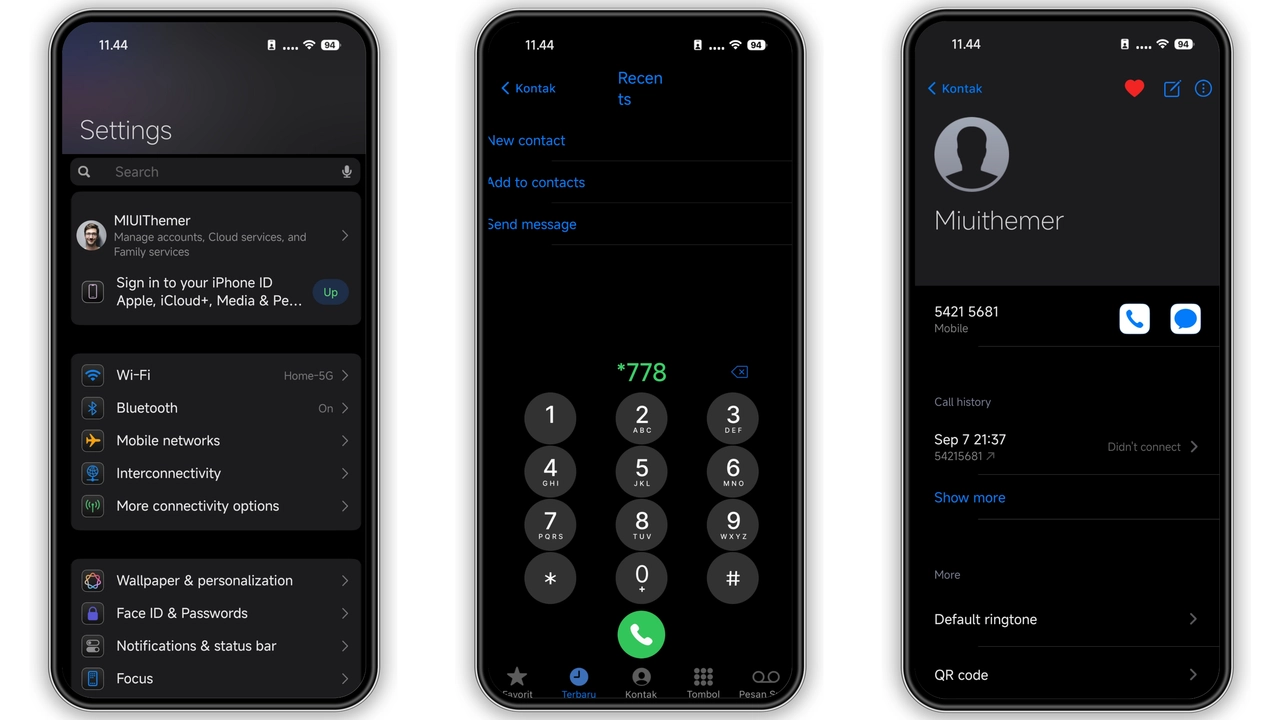
The Dystopia V2 HyperOS Theme for Xiaomi and Redmi Phones delivers a refined visual overhaul designed specifically for modern Xiaomi, Redmi, and Poco smartphones running HyperOS and MIUI. Its primary design language emphasizes clean layout hierarchy, fluid visual transitions, and balanced color contrast that works seamlessly across various display types, including AMOLED and high-refresh-rate LCD panels.
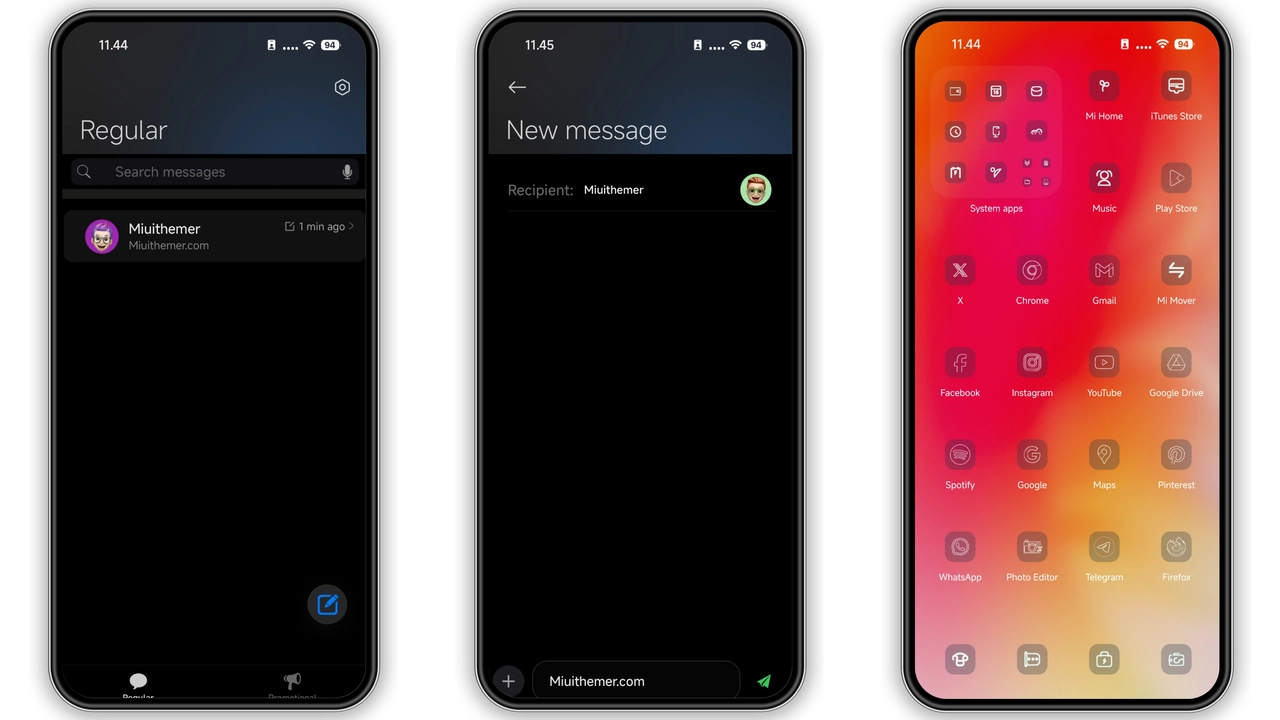
Key aesthetic elements include customized status bar typography, streamlined notification panel toggles, and modern system iconography that provides an elegant alternative to default stock interfaces. Whether you prefer deep contrast for battery efficiency or a crisp contemporary aesthetic, this theme maintains readability while elevating the everyday user experience.
Suggested Read: How to Install Planet Sail: Orbiting Space Theme for HyperOS
Lockscreen Features & Interactive Elements
One of the standout features of this release is its customized lockscreen design. The lockscreen incorporates thoughtful clock typography, accessible shortcut toggles, and subtle animation dynamics that react naturally upon waking the device. The background wallpaper harmonizes effortlessly with both light and dark system settings, ensuring time and notification indicators remain legible at all times.
Furthermore, the accompanying custom icon pack features consistent squircle radii, subtle drop shadows, and high-resolution glyphs that enhance both first-party system apps and popular third-party applications.
Installation Guide & Compatibility Expectations
This theme is distributed in standard official .MTZ format, ensuring straightforward installation across supported HyperOS and MIUI versions. To achieve the best visual results:
- Download the verified theme file using the secure download section below.
- Open your Xiaomi Theme Manager (or compatible third-party MTZ installer utility).
- Import the downloaded MTZ file into your local theme library.
- Apply the theme globally, or customize individual components such as lockscreen and icons according to your preference.
- For optimal widget alignment and font scaling, perform a quick device restart after applying.
Pros and Cons
- Pros:
- Distinctive visual styling with excellent AMOLED contrast
- Clean, modern icon pack with cohesive styling
- Full compatibility with official HyperOS and MIUI system components
- Smooth performance with zero interface lag or battery overhead
- Cons:
- Deep third-party system app theming may vary depending on device ROM region
- Requires MTZ import capability for manual installation
Download Links
Use the buttons below to open the theme file and the supporting link.
Dystopia V2 Theme mtz File
Helpful links
More Theme Updates
For more curated HyperOS and MIUI theme updates, visit Hyper OS x MIUI .


