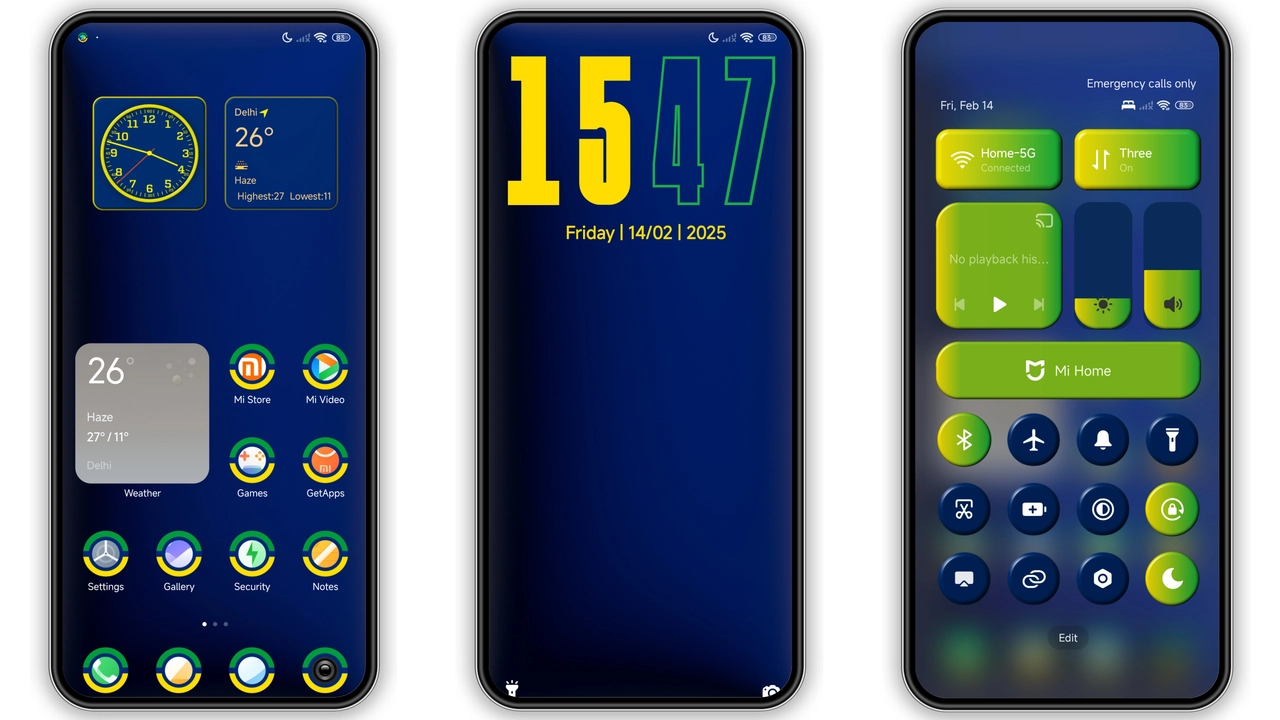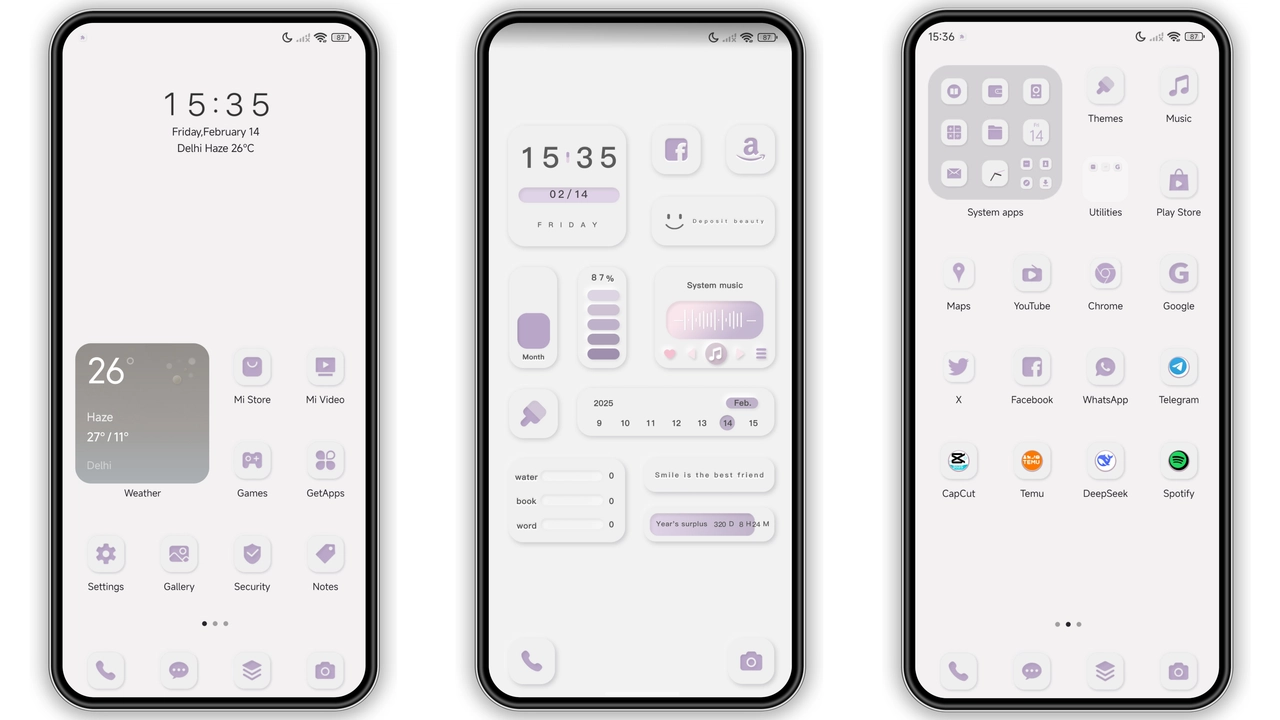
Parameter · Value
Designer · Ankur Tiwary
Size · 6.12 MB
Format · MTZ
Compatibility · HyperOS / MIUI
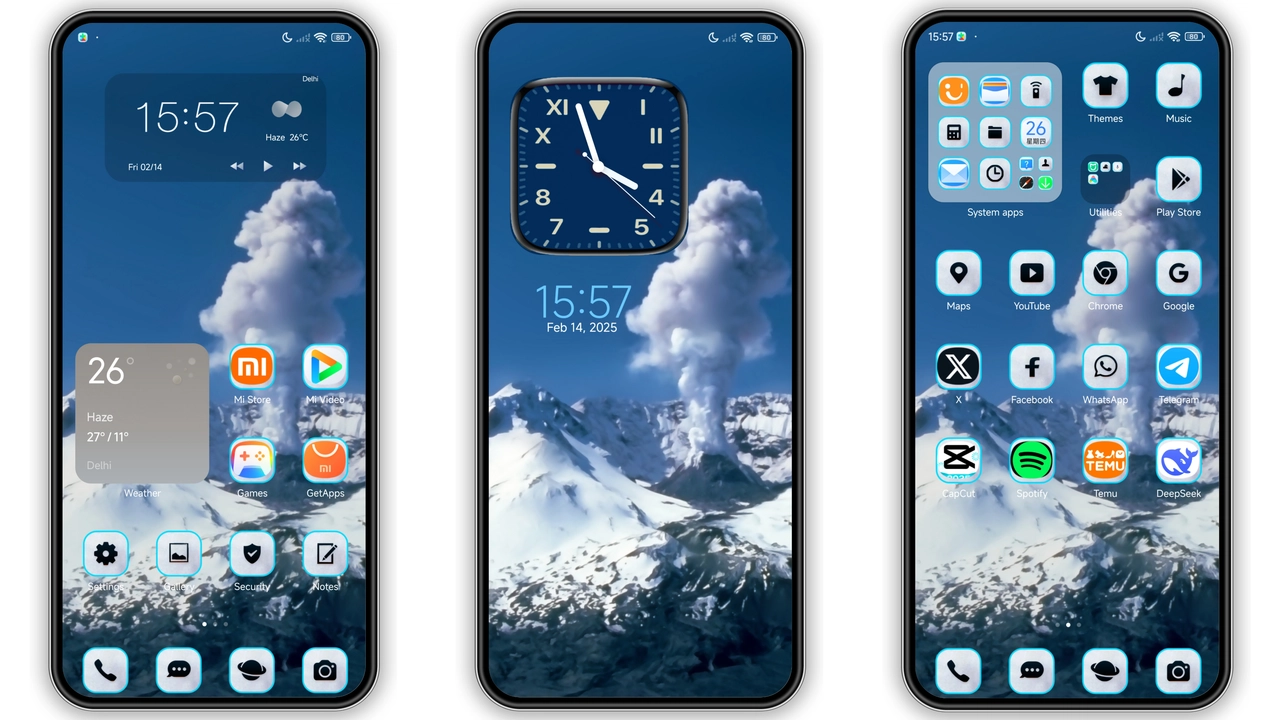
Frost‑Laden Visuals That Pop
Icons shimmer. Snowflakes drift across lock screen. Wallpapers showcase towering peaks. Color palette stays cool. Blues dominate. Whites brighten. Shadows stay soft. AOD glows with icy pulse. Status bar adopts frosted hue. Clock widget freezes time elegantly. Animations remain subtle. No harsh flashes. Overall feel stays serene. Theme respects system fonts. No font overrides. Consistency stays intact.
Suggested Read: Cute Sparkle Luck MTZ Theme vs Standard MIUI Pack – Which Fits Your HyperOS?
Ideal Users: Snow Lovers & Minimalists
Fans of winter gravitate here. Users craving calm aesthetics click. Minimalists enjoy clean lines. Gamers appreciate fresh backdrop. Photographers love mountain motifs. Anyone seeking contrast welcomes it. Theme fits daily use. Not limited to holidays. Works year‑round. Perfect for night owls. Low‑light mode stays readable. Battery impact stays minimal.
Installation Walkthrough for HyperOS & MIUI
Open Theme Store app. Tap "Import" at bottom. Locate downloaded MTZ file. Select file. Confirm installation. Wait for progress bar. Theme appears in My Themes. Tap Apply. Restart device if prompted. Verify icons changed. Check lock screen wallpaper. Ensure AOD reflects new style. If glitch appears, re‑import file. No root required. No extra permissions needed.
Pros and Cons
• Pros
• Stunning snow‑capped visuals
• Light‑weight 6 MB package
• Seamless HyperOS compatibility
• Smooth AOD animation
• No system slowdown
• Cons
• Limited dark‑mode variations
• No custom font options
• Requires manual import on some ROMs
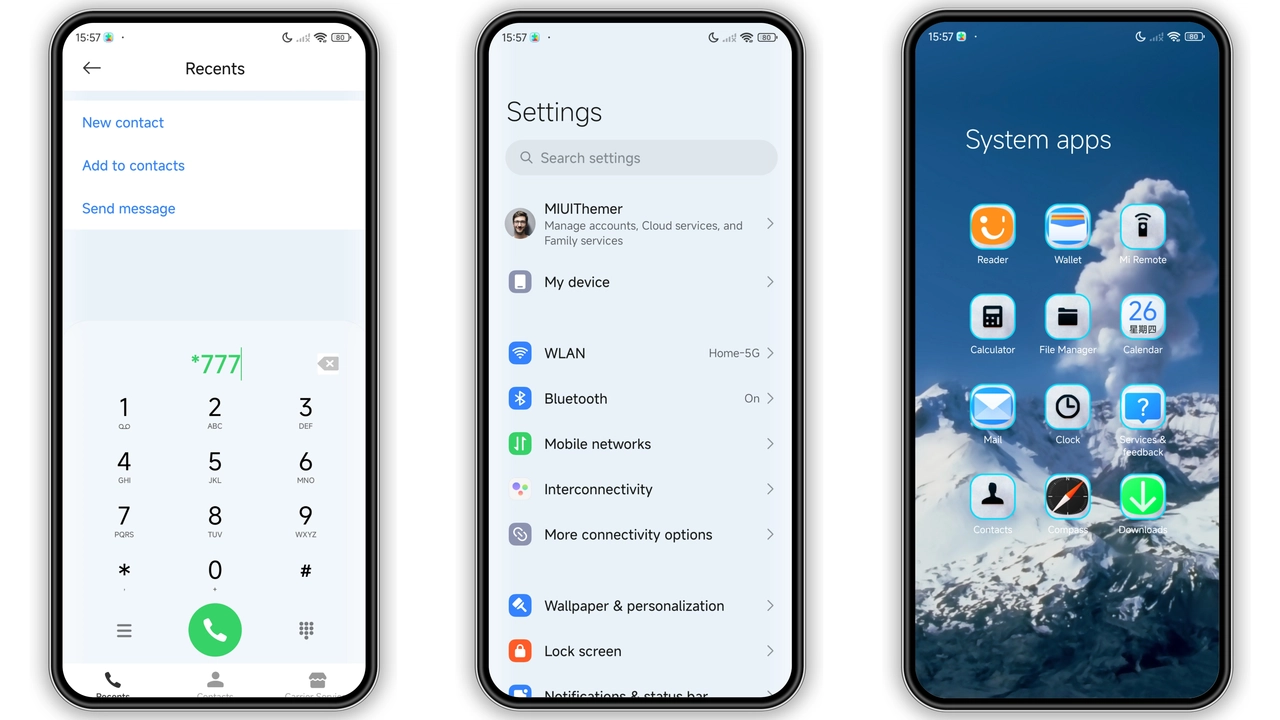
Theme Preview
Download Links
Use the buttons below to open the theme file and the supporting link.
volcano snow Theme mtz File
Helpful links
More Theme Updates
For more curated HyperOS and MIUI theme updates, visit Hyper OS x MIUI .