The world of HyperOS and MIUI themes is a vibrant ocean, and every now and then, a truly refreshing wave rolls in. Today, we're casting our gaze upon "Skiff Cross Sea," a theme that promises to ferry your Xiaomi, Redmi, or POCO device into a realm of serene beauty and understated elegance. Crafted by the talented designer esuny, this theme isn't just a visual overhaul; it's an invitation to a calmer, more aesthetically pleasing digital experience.Forget cluttered interfaces and overwhelming visuals. Skiff Cross Sea embraces a philosophy of peace and clarity, offering a breath of fresh air for anyone looking to escape the digital din. It's a theme that understands the power of simplicity, yet refuses to compromise on thoughtful details that elevate your daily interactions with your device.
Parameter · Value
Designer · esuny
Size · 6.65 MB
Format · MTZ
Compatibility · HyperOS / MIUI
Drifting into Serenity: A Visual Voyage
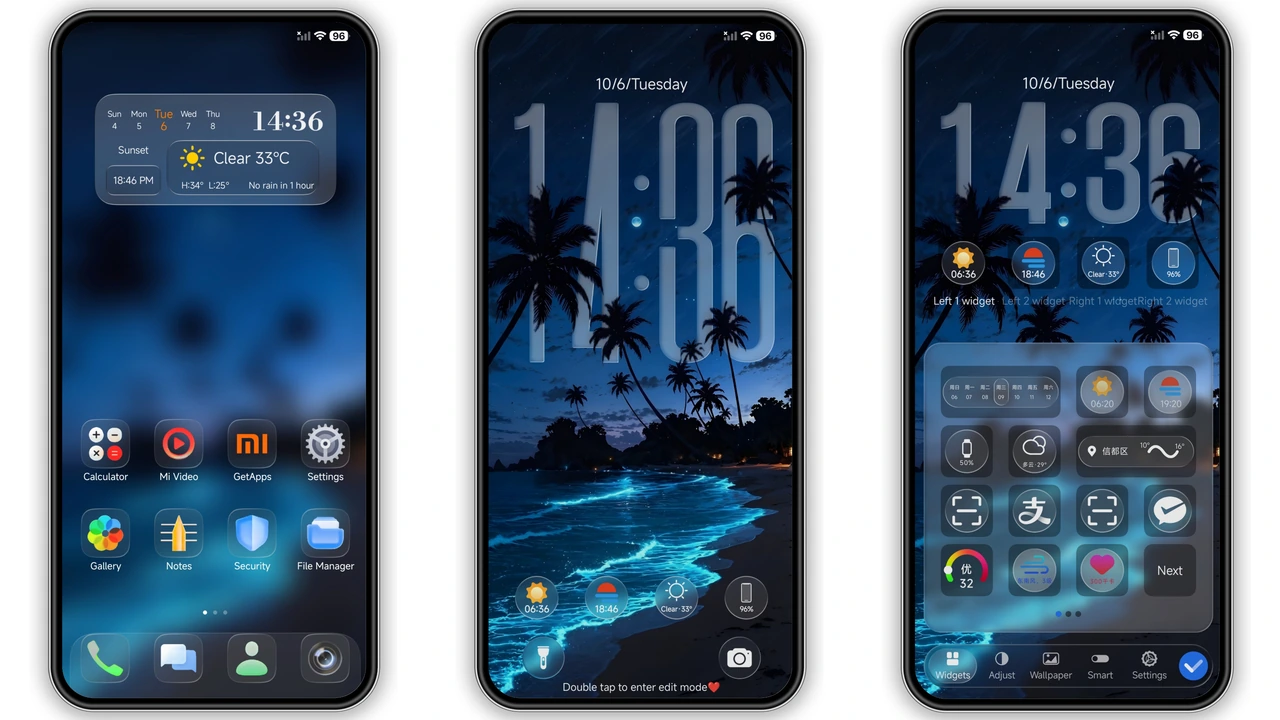
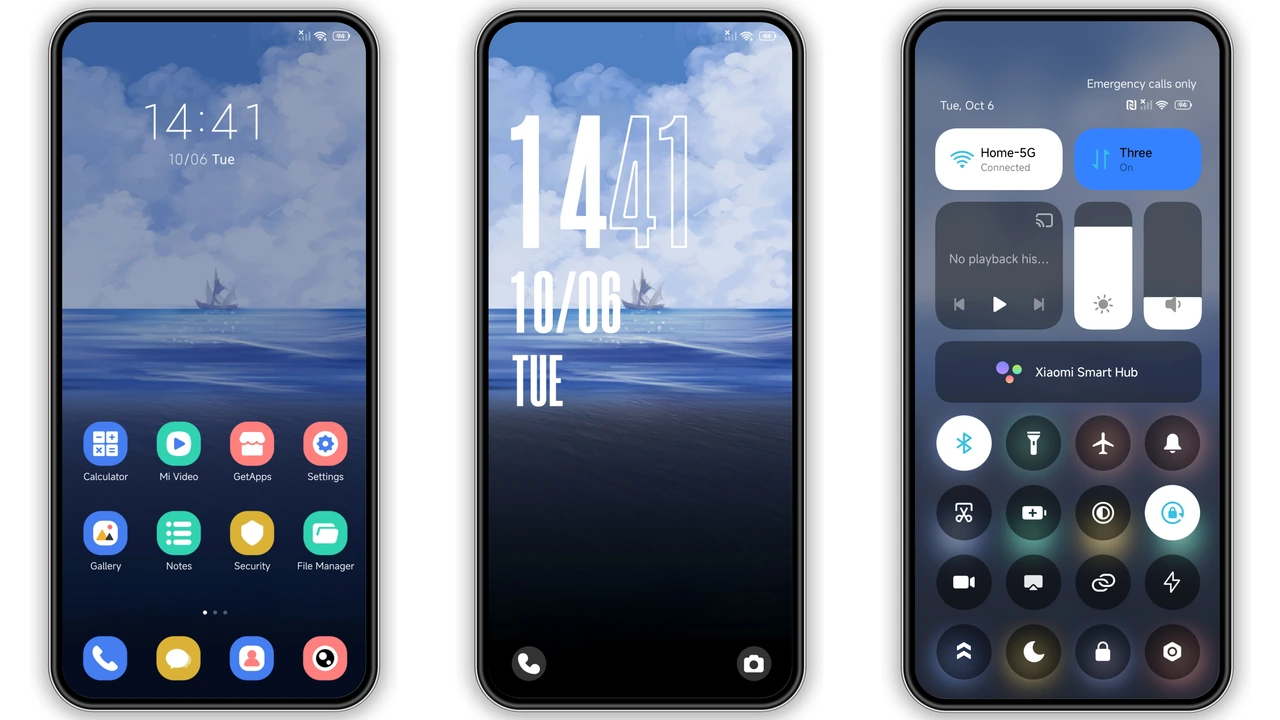
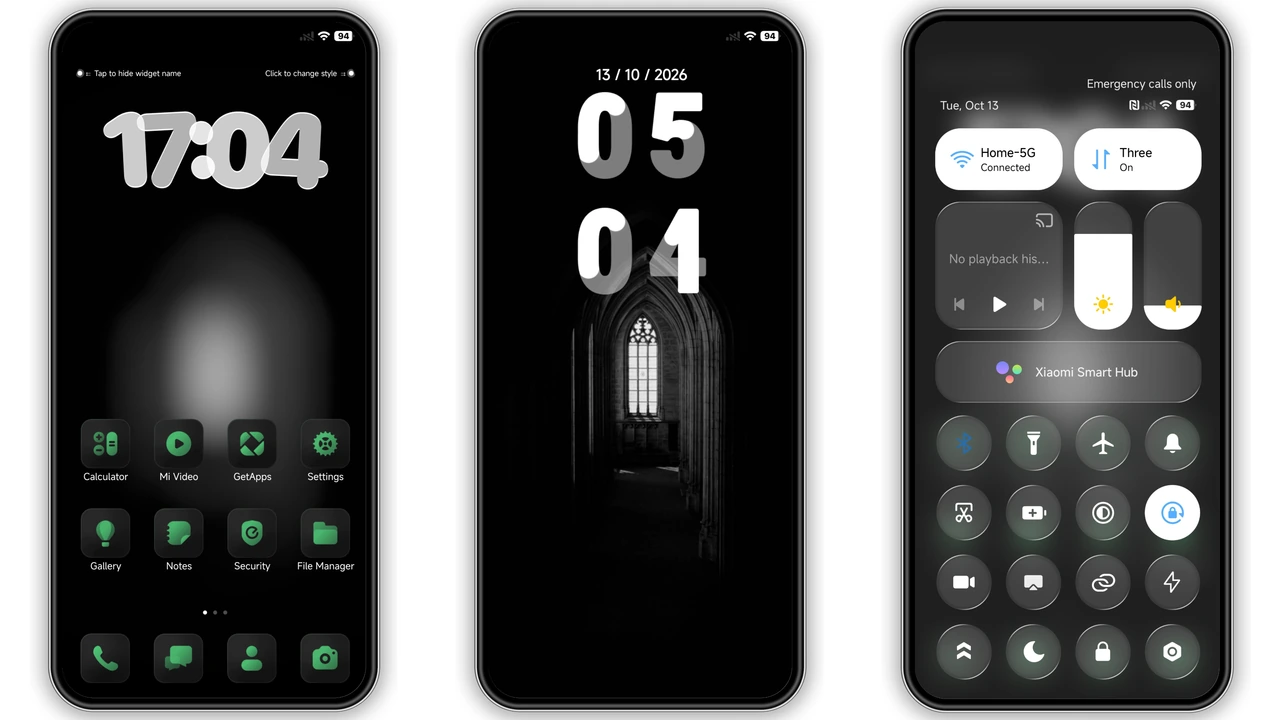
At the very heart of Skiff Cross Sea lies its captivating visual style. Imagine gazing out at a tranquil ocean, where a lone skiff, a small sailboat, gently drifts under a canopy of soft, ethereal clouds. This isn't just a static image; it's a mood, a feeling of calm that permeates every corner of your phone's interface. The dominant color palette leans into deep blues and soft whites, creating an incredibly soothing backdrop that's easy on the eyes and conducive to a relaxed user experience.
The artistry here is in its subtlety. The background isn't overly busy, allowing your apps and content to take center stage without visual competition. It’s a clean slate, yet one imbued with character and a sense of peaceful contemplation. This visual approach resonates deeply with users who appreciate minimalism but still desire a touch of natural beauty and expressive design. It’s a perfect blend of form and function, where the aesthetic enhances usability rather than detracting from it. Every glance at your home screen becomes a mini-escape, a moment of quiet reflection amidst a busy day.
The Dynamic Heart: Lock Screen and Icons
While the overall theme speaks to tranquility, Skiff Cross Sea introduces a delightful element of dynamism, particularly on its lock screen. Here, the serene ocean view is complemented by a bold, stylish clock display that immediately catches the eye. This isn't your average, run-of-the-mill digital clock; it's a design statement, adding a touch of modern flair without disrupting the theme's peaceful foundation. The lock screen also boasts an "open screen animation display," a subtle yet engaging flourish that makes unlocking your device feel more interactive and polished.
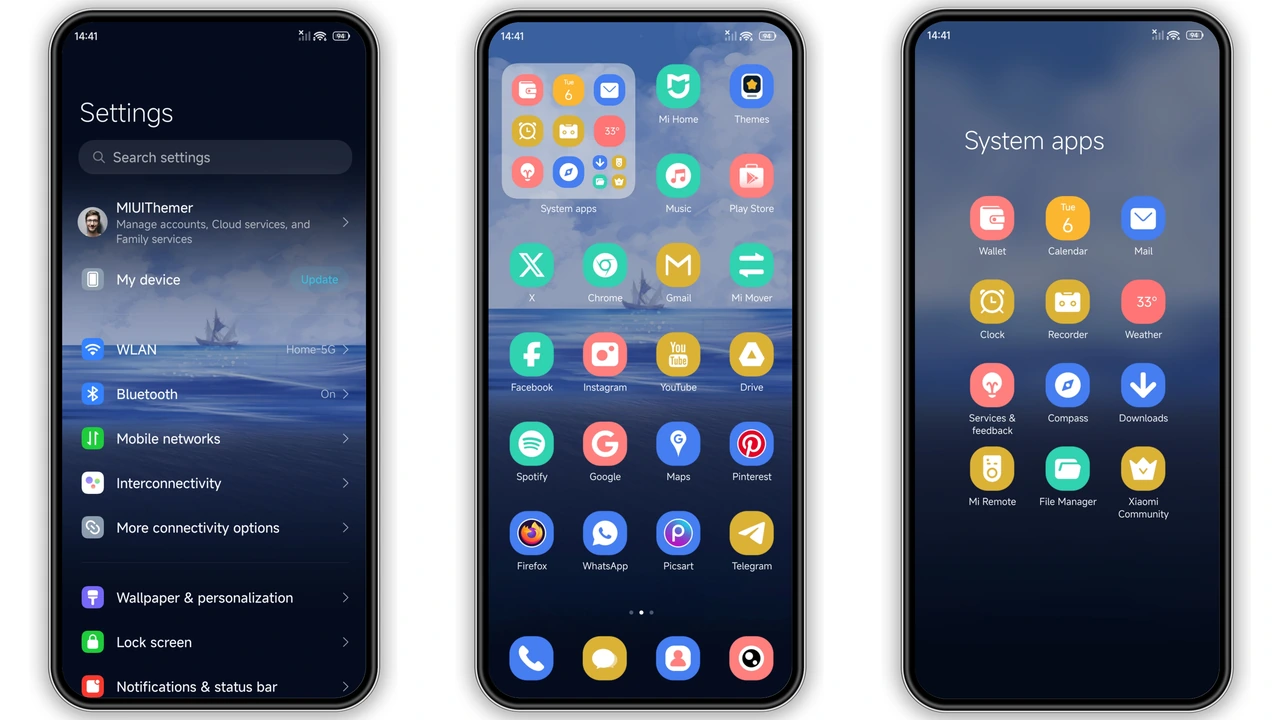
Beyond the lock screen, the theme's icons are a masterclass in clean, flat design. They are bright, vibrant, and incredibly easy to distinguish, ensuring that your app drawer and home screens remain uncluttered and intuitive. There’s a consistent visual language applied across all system icons, creating a cohesive and harmonious look. This attention to detail extends to the interactive elements: a double-click on the lock screen allows you to switch between different lock screen styles, offering a touch of personalization. Furthermore, tapping directly on certain icons on the lock screen can launch their respective applications, adding a layer of quick accessibility that power users will appreciate. This thoughtful integration of interactivity elevates the user experience beyond mere aesthetics.
Beyond the Surface: UI Elements and Customization
Skiff Cross Sea’s transformation isn’t limited to just wallpapers and icons; it delves deeper into the core UI elements of your HyperOS or MIUI device. The status bar receives a fresh, clean update, ensuring that notifications and system information are presented clearly and without visual clutter. The entire layout feels streamlined and fresh, indicative of a theme that has been meticulously crafted to provide a holistic visual upgrade.
The changes are subtle but pervasive, affecting everything from your quick settings panel to system menus. Every interaction feels polished, every transition smooth. This theme demonstrates a clear understanding of how a cohesive design can improve the overall user experience. It’s about creating an environment where your phone feels like an extension of your calmest self, rather than a demanding digital tool. The emphasis on a "clean layout" is evident throughout, making navigation intuitive and visually pleasing. For those who appreciate a device that feels both modern and effortlessly simple, Skiff Cross Sea delivers a truly satisfying experience.
Who Will Love This Theme?
This theme is a perfect fit for a specific kind of user. If you find yourself drawn to minimalist aesthetics but crave a touch of natural beauty, Skiff Cross Sea is calling your name. It's ideal for:
• Peace Seekers: Anyone who wants their phone to be a source of calm, not visual noise.
• Ocean Enthusiasts: If the sight of a serene sea brings you joy, this theme offers a daily dose of that tranquility.
• Minimalist Aficionados: Users who appreciate clean lines, flat icons, and an uncluttered interface.
• HyperOS Explorers: Those eager to customize their HyperOS experience with a unique, well-designed theme.
• Everyday Users: It's simple enough for anyone to enjoy, providing a refreshing change from stock themes without being overly complex.
If you’re tired of busy wallpapers and jarring color schemes, and instead long for an interface that whispers rather than shouts, then Skiff Cross Sea offers a compelling alternative. It's designed for daily use, ensuring that its beauty doesn't become tiresome but rather remains a constant source of quiet appreciation.
Compatibility and Installation: Smooth Sailing Ahead
Skiff Cross Sea is designed with broad compatibility in mind, working seamlessly across HyperOS and MIUI-powered Xiaomi, Redmi, and POCO smartphones. This ensures that a wide array of users can enjoy its serene aesthetics.
Installing via the Official Theme Store (if applicable):
For some regions or device configurations, themes might be available directly through Xiaomi's official Theme Store. If an "Official Theme Store Link" is provided and functional, the process typically involves:
1. Opening the provided link, often requiring a specific browser like Firefox, Chrome, or Xiaomi's default browser for proper redirection.
2. Once the theme page loads in the browser, look for an option to "Open in app" or a similar prompt, which will direct you to the Theme Store application.
3. From there, you can download and apply the theme directly.
Note: The availability and functionality of official links can vary by region and device software version. If this method proves challenging, the MTZ file installation is a reliable alternative.
Installing via MTZ File (Recommended for consistency):
For most users, especially those with custom ROMs based on MIUI (like Xiaomi.EU ROM, MIUIRoom) or if the official store link is problematic, installing the MTZ file is the most straightforward and consistent method.
1. Download the MTZ file: Obtain the Skiff Cross Sea.mtz file.
2. Open Theme Store: Launch the Theme Store application on your device.
3. Navigate to Themes: Tap on the "Themes" option, usually found in the bottom navigation or a personal profile section.
4. Import Theme: Scroll to the bottom of the themes list and look for an "Import" option. Tap it.
5. Select MTZ File: Browse your device's storage and select the Skiff Cross Sea.mtz file you downloaded.
6. Apply Theme: Once imported, the theme will appear in your local themes list. Select it and tap "Apply."
7. Reboot (Optional but Recommended): After applying, it's always a good practice to restart your device. This helps ensure all theme elements load correctly and prevents any potential overlaps or display issues.
This theme has undergone testing and generally functions perfectly without any noticeable issues, providing a smooth transition to its new look.
Pros and Cons of Skiff Cross Sea
Every theme has its strengths and weaknesses, and Skiff Cross Sea is no exception. Understanding these helps you decide if it’s the right fit for your device.
Pros:
• Serene and Calming Aesthetic: The ocean-inspired visuals create a peaceful and relaxing user experience.
• Dynamic Lock Screen: A stylish, bold clock and interactive elements add a modern, engaging touch.
• Clean, Flat Icons: Bright and easily discernible icons contribute to an uncluttered and intuitive interface.
• Lightweight: At just 6.65 MB, it's a small download that won't strain your device's storage.
• Broad Compatibility: Works across HyperOS and MIUI on Xiaomi, Redmi, and POCO phones.
• Free to Use: Offers a premium look without any cost.
• Holistic UI Transformation: Affects status bar, system menus, and overall layout for a cohesive feel.
Cons:
• Specific Aesthetic: The ocean theme might not appeal to users who prefer darker, more aggressive, or heavily animated designs.
• Limited Deep Customization: While it offers lock screen style switching, it might not satisfy users looking for extensive, granular control over every UI element beyond what's presented.
• May Be Too Simple for Some: Users who thrive on complex widgets and highly detailed visuals might find its minimalist approach too understated.
Final Thoughts: Set Sail for a Fresh Look
Skiff Cross Sea is more than just a theme; it's a digital escape. It offers a unique blend of tranquility and modern design, transforming your HyperOS or MIUI device into a personal haven. If you're yearning for a fresh, clean, and visually soothing interface that stands apart from the crowd, then this theme by esuny is definitely worth exploring. Give your Xiaomi, Redmi, or POCO phone the peaceful ocean view it deserves, and enjoy a truly refreshing daily experience. Download Skiff Cross Sea, apply it, and let your device drift into a world of serene beauty.
Suggested Read: Fluffy V HyperOS Theme Review – Cute Cartoon Look for Xiaomi & Redmi
Theme Preview
Download Links
Use the buttons below to open the theme file and the supporting link.
Skiff Cross Sea Theme mtz File
Helpful links
More Theme Updates
For more curated HyperOS and MIUI theme updates, visit Hyper OS x MIUI .