Parameter · Value
Designer · VK
Size · 15.88 MB
Format · MTZ
Compatibility · HyperOS 2.0 / 3.0, MIUI 14, Xiaomi, Redmi, POCO
Clean Paper Aesthetic with Subtle Depth
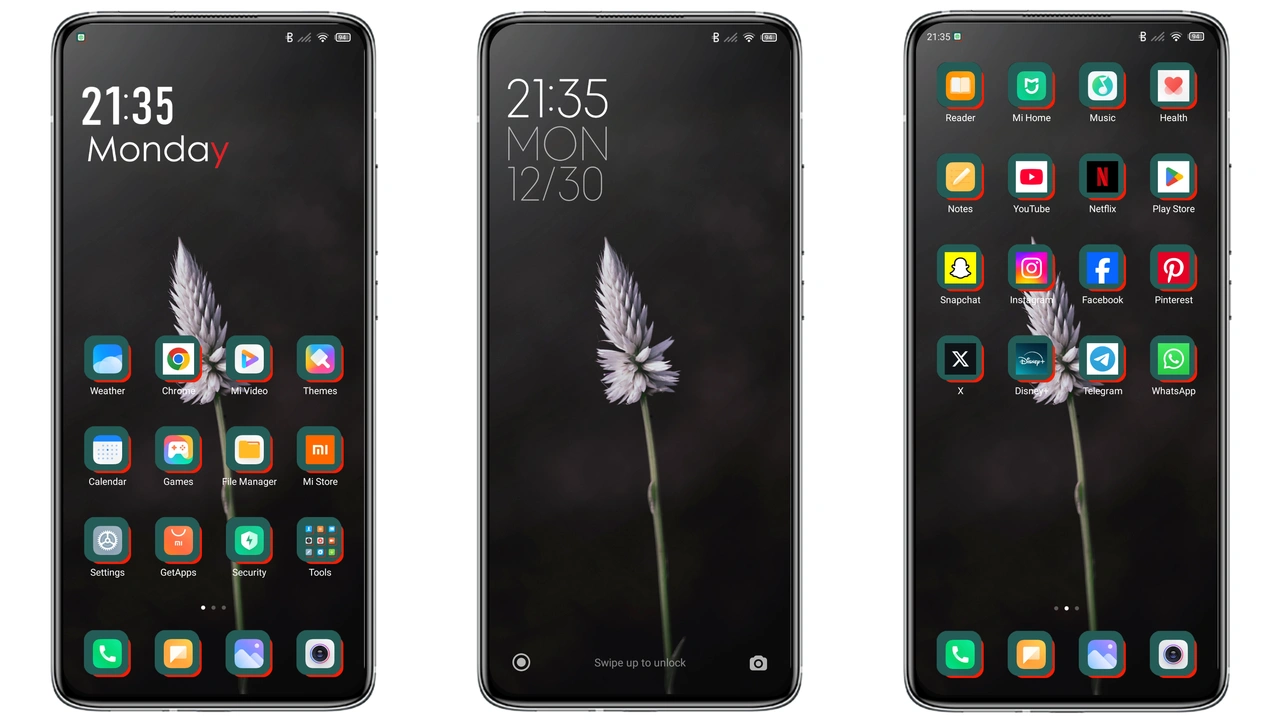
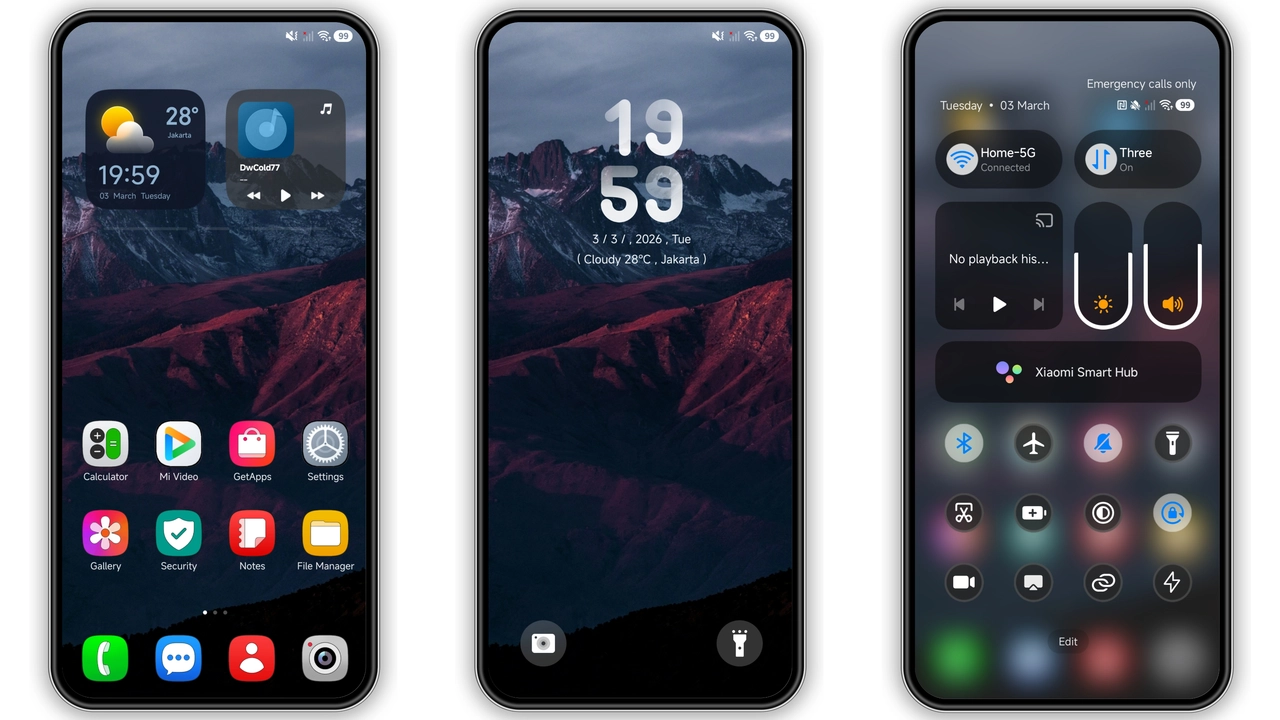
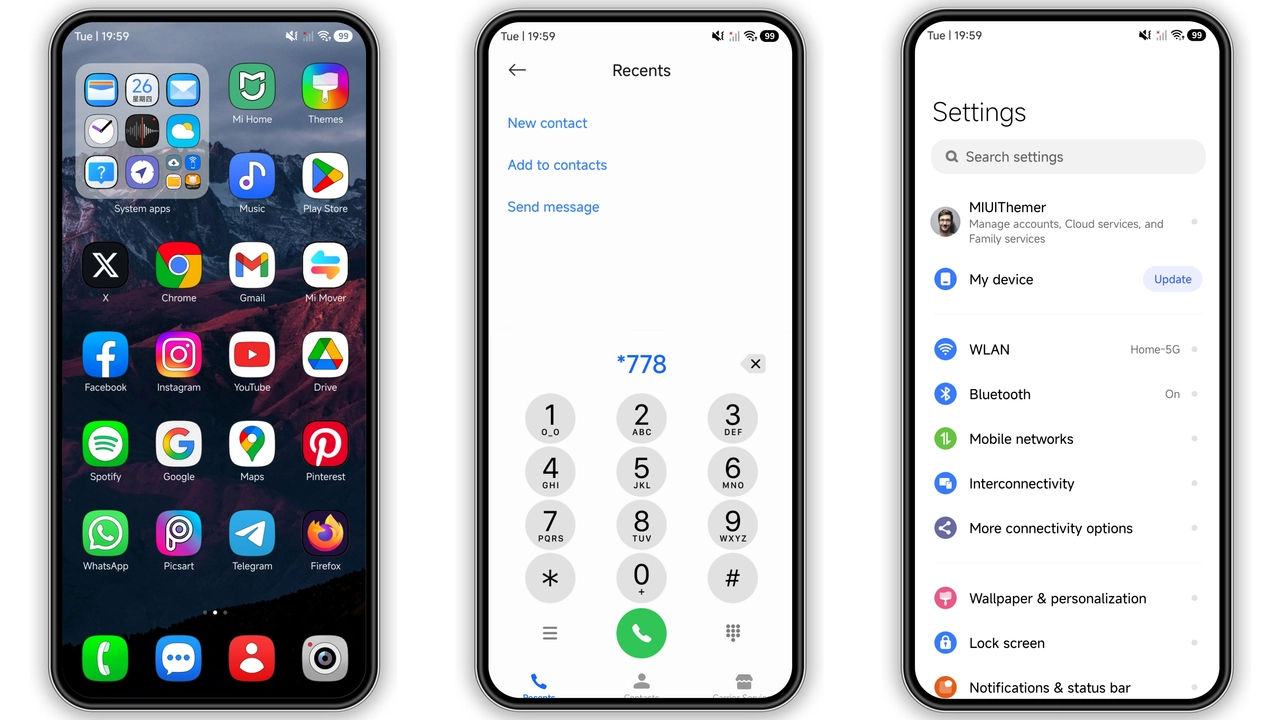
Paper OV V leans into a paper‑like visual language that feels both modern and tactile. Icons adopt a thin‑line style, each stroke rendered in a muted palette of blues, greys, and soft pastels. Backgrounds showcase high‑resolution wallpapers that mimic real‑world textures—think brushed cardstock, faint grain, and gentle gradients. The status bar follows the same minimal approach, with white text on a semi‑transparent overlay that lets the wallpaper breathe. Even the lock screen adopts a layered look: a subtle blur behind the clock, a faint vignette at the edges, and a clean, centered date that doesn’t compete with notifications. The overall effect is a theme that feels airy yet purposeful, avoiding the clutter of overly vibrant skins while still offering enough personality to stand out from stock.
Suggested Read: 毛绒马上发财 MTZ Theme Review for Redmi Note, Poco & Mi Users
Who Will Love This Minimalist Yet Playful Theme
If you enjoy a design that whispers rather than shouts, Paper OV V is a natural fit. It appeals to:
• Users who favor pastel‑heavy UI tweaks over bold, saturated palettes.
• Fans of paper‑inspired aesthetics seen in some Android launchers, but who want a native HyperOS implementation.
• Those who appreciate consistency across the lock screen, home screen, and always‑on display, without having to install separate icon packs.
• People who want a theme that works on Xiaomi, Redmi, and POCO devices without sacrificing battery life.
• Anyone looking for a free, polished theme that doesn’t require a subscription or additional purchases.
Installation Steps and What to Expect
1. Locate the MTZ file in the download section of the theme page. 2. Transfer the file to your device if you downloaded it on a computer. 3. Open the Themes Store app, tap the three‑dot menu, and choose Import. 4. Browse to the MTZ file and confirm the import. 5. After the import finishes, select Apply. 6. Reboot the phone to clear any lingering cache and ensure every element updates correctly.
During the install, the Themes Store may prompt you to grant storage permission; this is required for the import step. The process typically takes under a minute on modern hardware. After applying, you’ll notice the new icons instantly, while the wallpaper and lock‑screen changes may require a short pause before they render fully. A quick restart smooths out any visual hiccups and guarantees the always‑on display reflects the new style.
Performance and Battery Impact
Paper OV V is built on native HyperOS resources, meaning it does not rely on heavy overlay apps or third‑party launchers. Because the theme uses simple vector icons and optimized PNG wallpapers, GPU load remains low. Users report negligible differences in frame rates or app launch times compared to the stock UI. Battery consumption stays within the normal range; the always‑on display adopts a dark mode variant that conserves power while still showcasing the theme’s subtle gradients. In short, the visual upgrade does not come at the cost of performance or endurance.
Pros and Cons
Pros
• Cohesive visual language across system UI.
• Light on resources; no noticeable lag.
• Compatible with HyperOS 2.0/3.0 and MIUI 14.
• Free, no hidden fees.
• Easy import via MTZ file.
Cons
• Limited customization beyond the provided assets.
• Pastel palette may not suit users who prefer high contrast.
• Requires manual restart for full effect.
• No built‑in dark variant for the lock screen (relies on system dark mode).
Theme Preview
Download Links
Use the buttons below to open the theme file and the supporting link.
Paper OV V Theme mtz File
Helpful links
More Theme Updates
For more curated HyperOS and MIUI theme updates, visit Hyper OS x MIUI .