Parameter · Value
Designer · maidul
Size · 41.07 MB
Format · MTZ / Official Store
Compatibility · HyperOS, MIUI
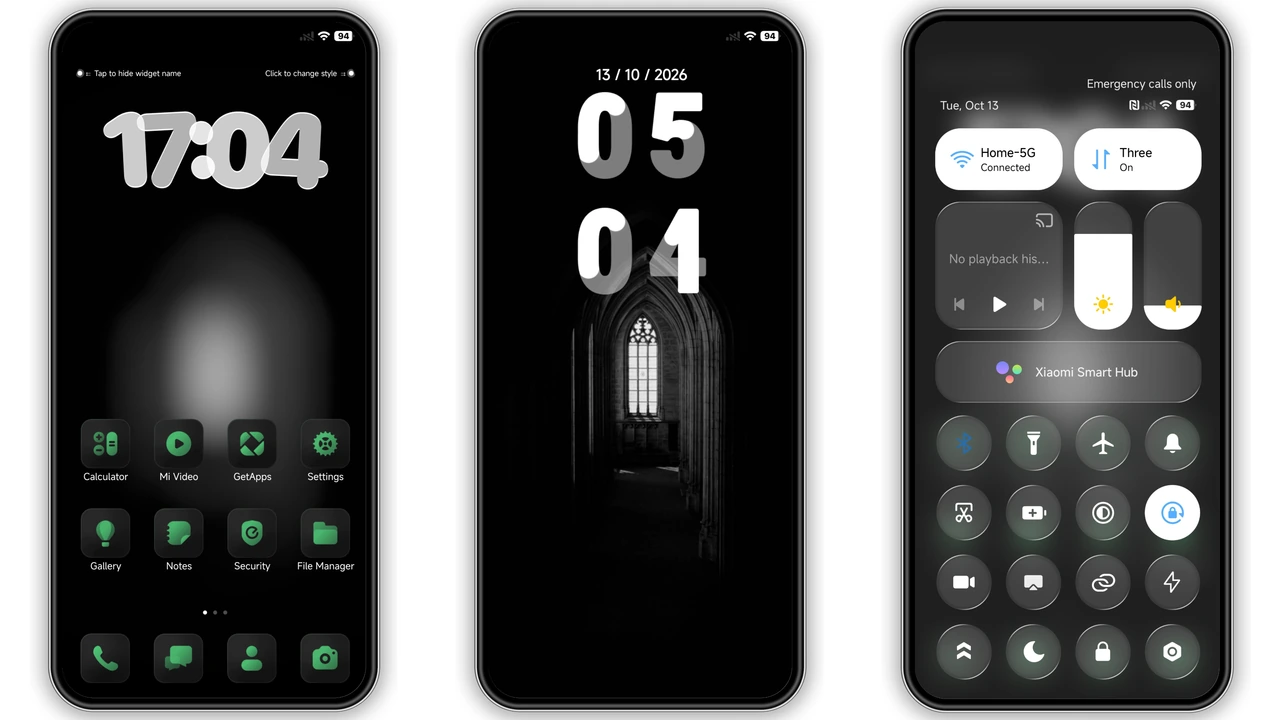
HyperOS represents a significant shift in how we interact with our Xiaomi, Redmi, and POCO devices. While the stock experience is fluid, the real magic lies in the community's ability to reshape the interface. The OPBNB theme is a masterclass in atmospheric design, blending deep, moody aesthetics with the functional clarity of glassmorphism. It is not just a skin; it is a complete visual overhaul that targets users who prefer a sophisticated, dark-mode-friendly environment that feels both premium and personalized.
Moody Nightscapes and Dynamic Lock Screen Art
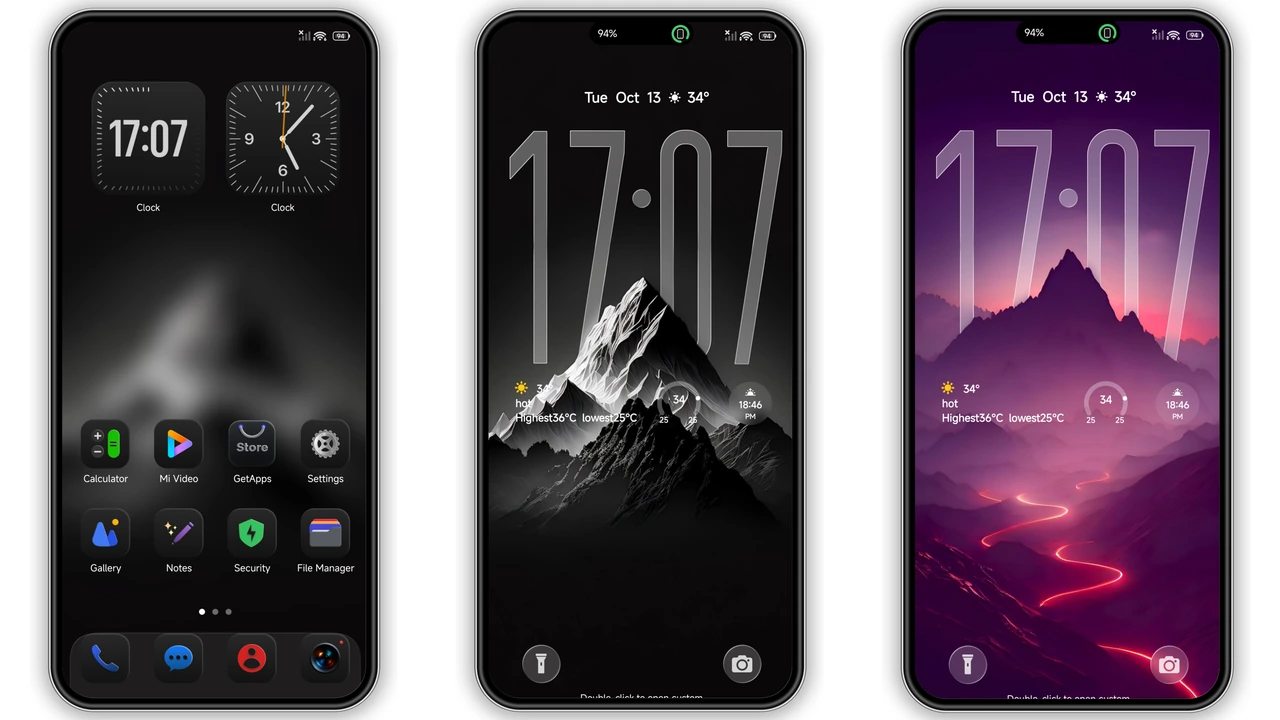
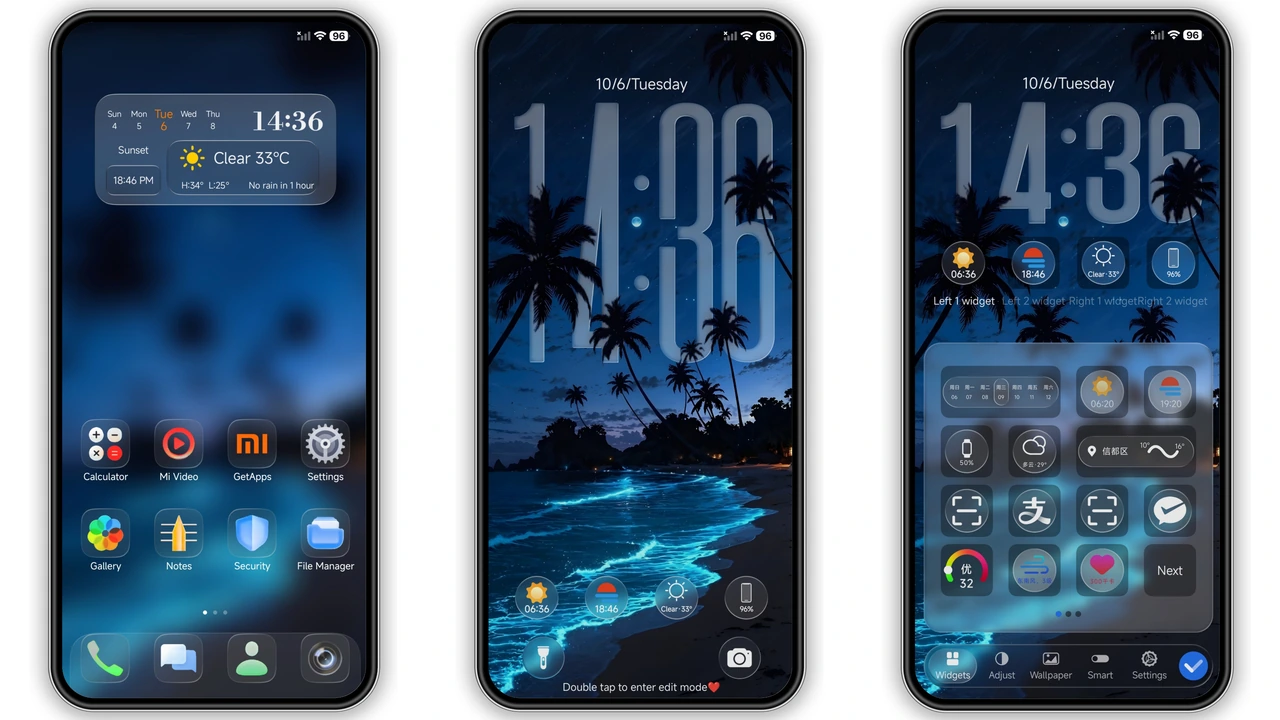
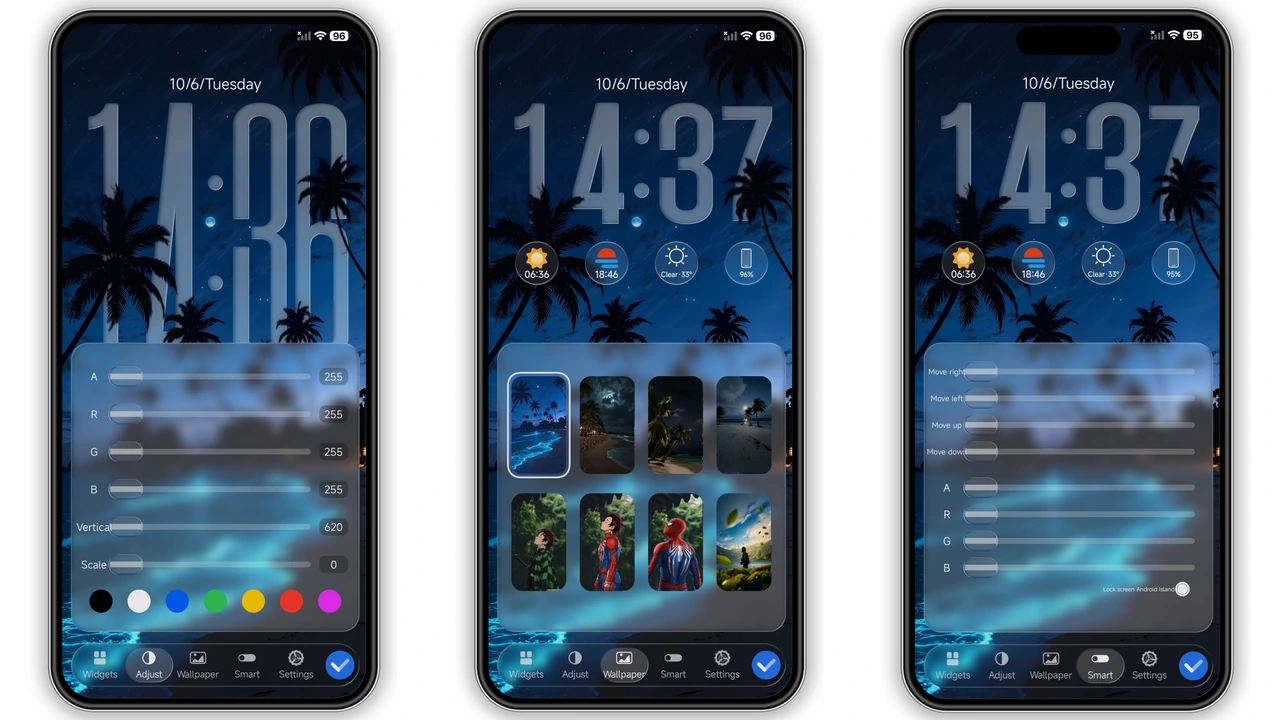
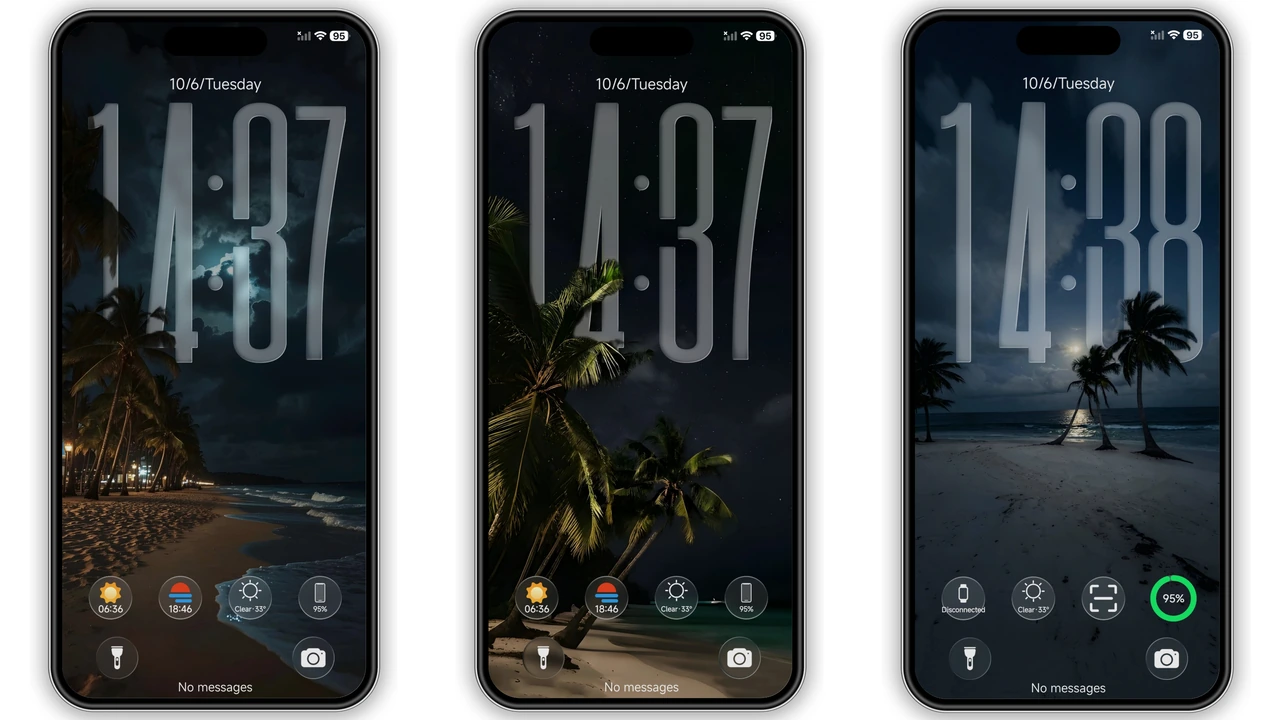
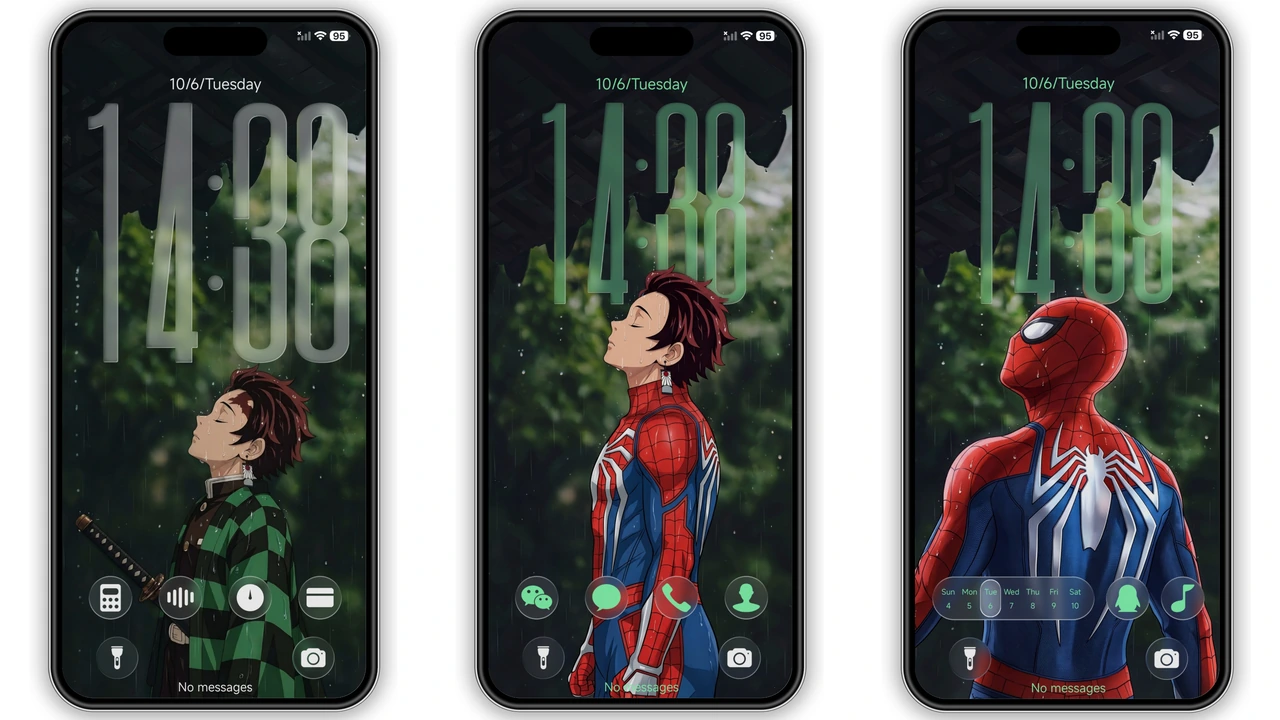
The first thing that strikes you about OPBNB is the atmospheric depth of its wallpapers. Eschewing the typical bright, flat colors of stock Android, this theme leans into a "moody night" aesthetic. You are greeted by glowing beach vistas and stylized character art that set a calm, focused tone for the device. These aren't static images; the lock screen is dynamic, allowing for a high degree of interaction and customization.
The centerpiece of the lock screen is the tall glass clock. It utilizes a transparency effect that makes the time appear as if it is etched onto a pane of glass hovering over the wallpaper. This glassmorphism extends to the widgets, which provide essential information without cluttering the visual field. Users can tweak these elements, adjusting colors and positions to ensure the lock screen remains functional while looking like a piece of digital art. The transition from the lock screen to the home screen is seamless, maintaining the color palette and ensuring the visual flow is never interrupted.
Suggested Read: Trending OX F3 V2 HyperOS Theme – Fresh Look for Xiaomi & Redmi
Frosted Glass Iconography and System Depth
Icons are often the weakest link in third-party themes, frequently suffering from inconsistent shapes or outdated styles. OPBNB avoids this pitfall by implementing a unified frosted glass icon pack. Each icon is encased in a soft, translucent container with rounded corners, providing a sense of depth and tactility. This design choice ensures that even third-party apps that don't have custom icons still look relatively at home within the theme's ecosystem.
Beyond the icons, the system UI receives a comprehensive treatment. The dialer and messaging apps are redesigned with a dark, sleek interface that reduces eye strain during night use. The status bar icons—battery, Wi-Fi, and signal strength—are sharpened and modernized, shedding the generic look of standard HyperOS. These small details contribute to a sense of "premiumness" that is often missing from free themes. The designer, maidul, has clearly spent time ensuring that the padding and alignment of these elements feel intentional, rather than just a simple color swap.
A Refined Control Center for Power Users
The Control Center is the heart of the HyperOS navigation experience, and OPBNB treats it with the respect it deserves. The toggles are reimagined with a soft-glow effect that complements the dark background. When a toggle is active, it doesn't just change color; it feels illuminated. The brightness and volume sliders are also modified to match the frosted glass aesthetic, making the entire panel feel like a cohesive unit.
This refinement extends to the notification shade. Notifications are housed in slightly transparent bubbles, allowing the wallpaper to peek through without sacrificing readability. This balance of transparency and contrast is difficult to get right, but OPBNB manages it effectively. For users who spend a lot of time managing notifications and quick settings, this theme provides a cleaner, less distracting environment than the default Xiaomi skin.
Performance and Daily Usability
A common concern with heavy themes is the impact on system performance and battery life. At roughly 41 MB, OPBNB is optimized enough to run smoothly even on mid-range Redmi and POCO hardware. During testing, there was no noticeable lag in animations or app opening speeds. The theme respects the underlying system architecture of HyperOS, ensuring that features like the Always-on Display (AOD) work without glitches.
The AOD included with OPBNB is particularly noteworthy. It mirrors the minimalist glass clock of the lock screen, providing a low-power way to check the time and notifications without fully waking the device. This consistency across all layers of the OS—from AOD to the deep system settings—is what separates a professional-grade theme from a hobbyist project.
Pros and Cons
Pros
• Exquisite dark-mode aesthetic that reduces eye strain.
• Highly customizable dynamic lock screen with glassmorphism elements.
• Unified frosted glass icon pack for a consistent look.
• Comprehensive UI changes covering the dialer, status bar, and control center.
• Lightweight enough for budget-friendly devices.
Cons
• Deep dark theme might not suit users who prefer high-contrast, light interfaces.
• Requires a restart after application to fix potential overlapping UI elements.
• Some specific third-party app icons may still look slightly out of place despite the glass containers.
Applying the theme is straightforward. For those on Global Stable ROMs, the official store link is the most reliable path. However, for enthusiasts running custom ROMs like Xiaomi.eu, the MTZ file provides the flexibility to import the theme manually via the Theme Store's import function. Regardless of the method, a quick reboot after applying is always recommended to ensure every asset loads correctly into the system memory.
Theme Preview
Download Links
Use the buttons below to open the theme file and the supporting link.
OPBNB Theme mtz File
Helpful links
More Theme Updates
For more curated HyperOS and MIUI theme updates, visit Hyper OS x MIUI .