Parameter · Value
Designer · agit77
Size · 15.53 MB
Format · .mtz
Compatibility · HyperOS, MIUI 12‑14
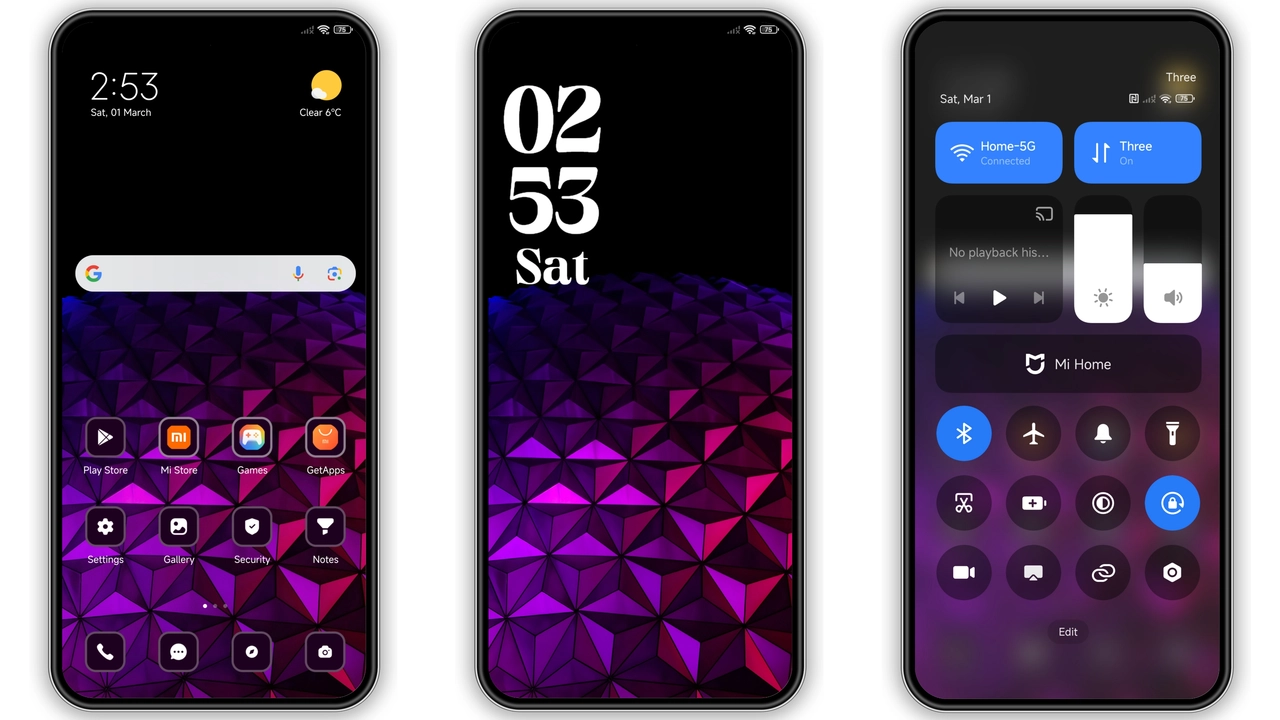
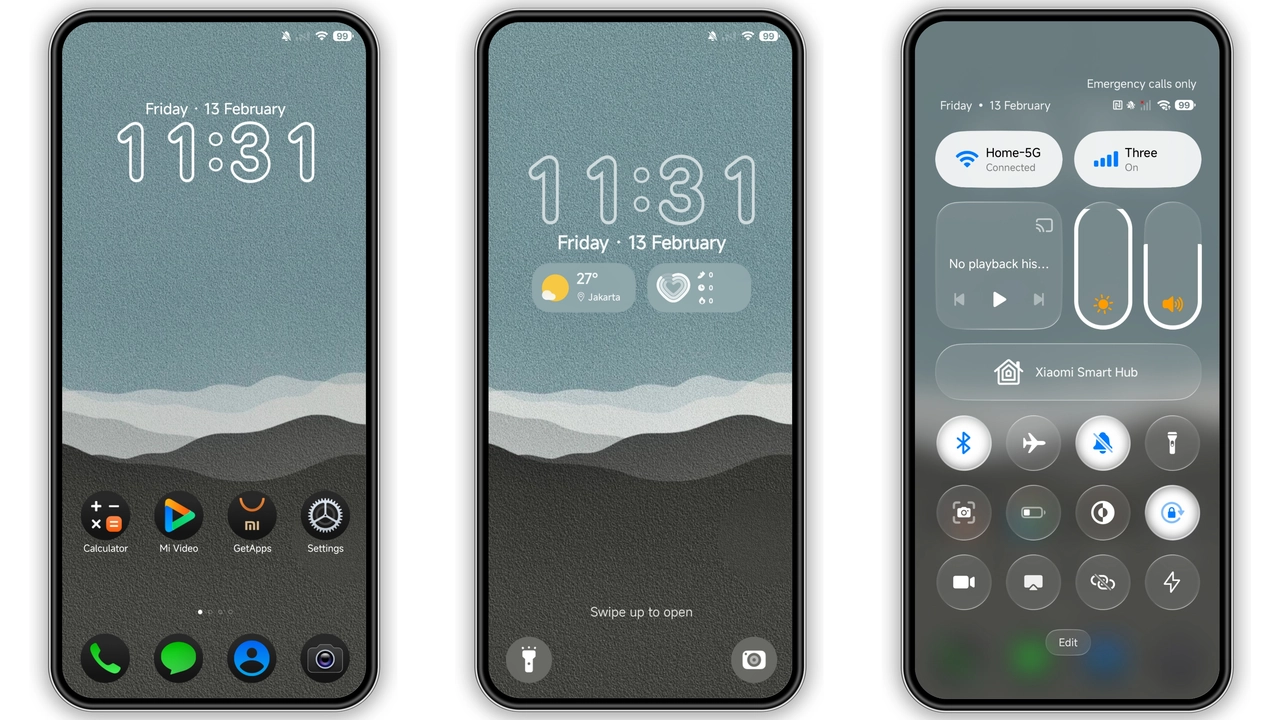
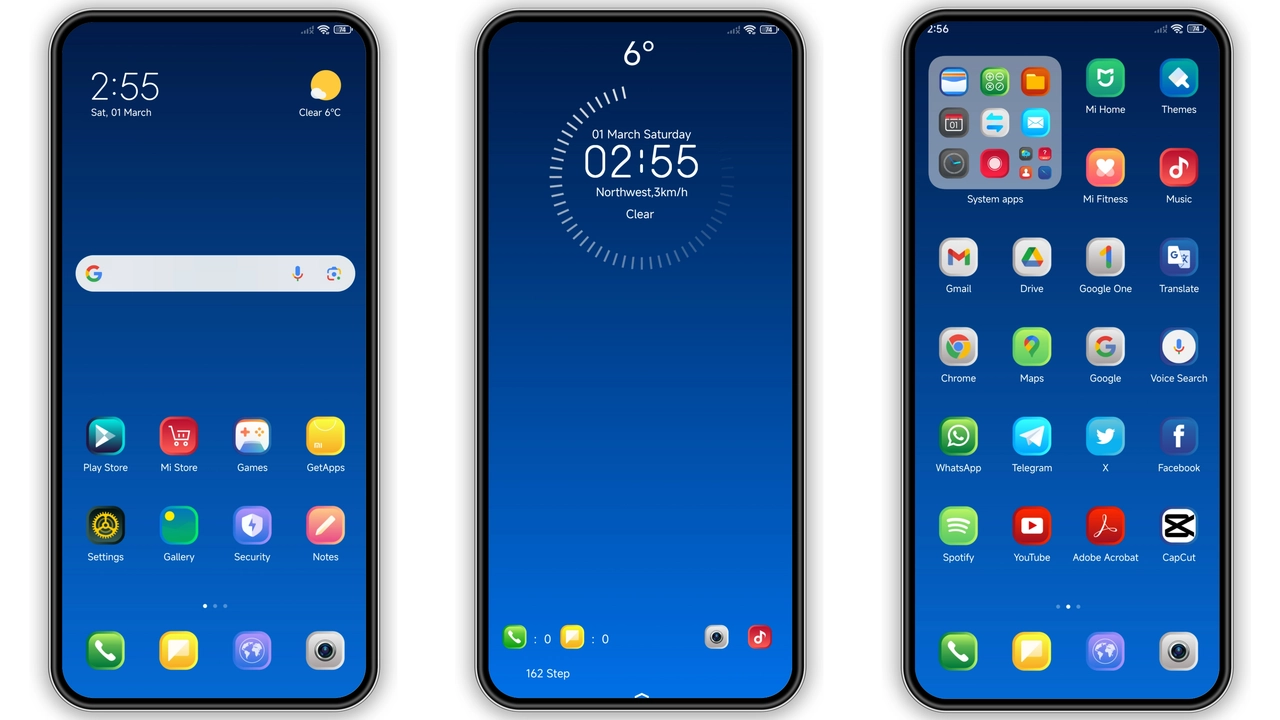
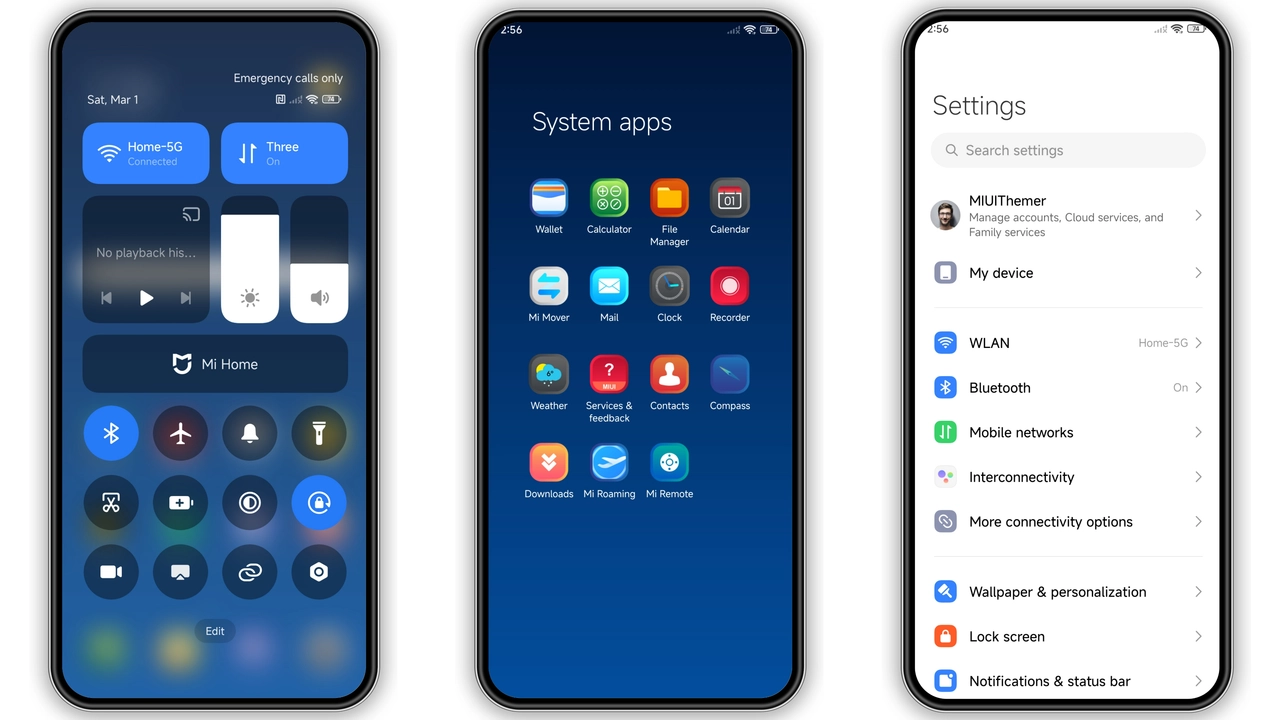
Cool Blue Visual Language
Sleek navy palette dominates. Icons redraw with thin strokes, subtle shadows. Wallpapers feature misty mountains, soft gradients. Status bar adopts monochrome accents, lock screen shows animated ripple. AOD glows with pale cyan, keeping battery‑friendly.
Suggested Read: HyperDarkOS 3 – Tema Dark Premium untuk Redmi, POCO, Mi
Ideal Users & Use‑Cases
Fans of minimalism who still crave color. Users who switch between work and play – blue tones stay calm yet distinct. Perfect for Xiaomi, Redmi, POCO owners on stock or custom HyperOS builds. Developers can showcase theme support without heavy assets.
Installation Walkthrough & Gotchas
1. Download .mtz (15.53 MB). 2. Open Theme Store → Import → select file. 3. Apply, then reboot to clear overlay glitches. 4. If import fails, use Firefox or Xiaomi Browser; Chrome may block the link. 5. After reboot, verify icons, wallpapers, AOD appear correctly.
Performance & Battery Impact
Theme swaps only UI assets; no background services. CPU load negligible. Battery impact measurable only when AOD stays active – still under 1 % per hour. No extra RAM usage beyond cached images.
Pros and Cons
• Pros
• Clean, cohesive blue aesthetic
• Lightweight (15 MB)
• Wide MIUI 12‑14 & HyperOS support
• No ads or in‑app purchases
• Cons
• Limited dark‑mode variations
• AOD animation may not suit all users
• Minor icon misalignment on some POCO models
Theme Preview
Download Links
Use the buttons below to open the theme file and the supporting link.
Jiyan Blue Theme mtz File
Helpful links
More Theme Updates
For more curated HyperOS and MIUI theme updates, visit Hyper OS x MIUI .