Parameter · Value
Designer · Eto
Size · 17.59 MB
Format · MTZ file
Compatibility · HyperOS 2.0/3.0, MIUI 14, Xiaomi Global ROM
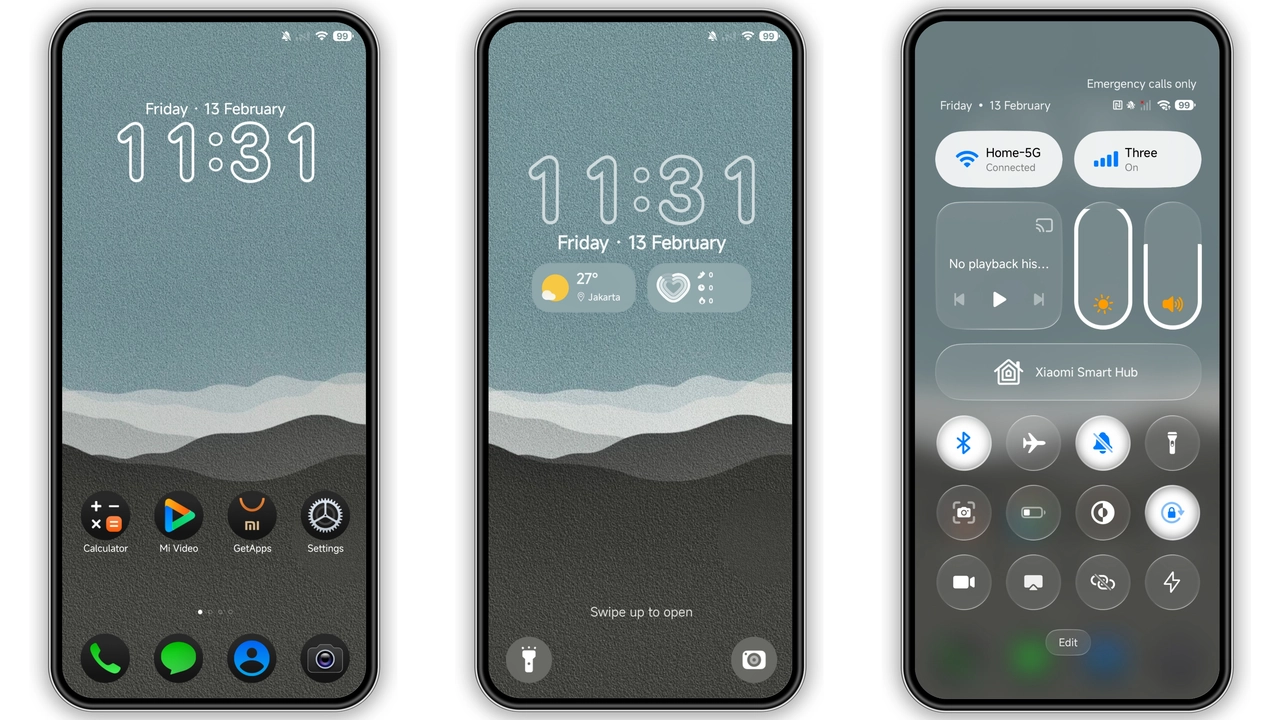
Midnight Minimalist UI: What the Dark Icons Look Like
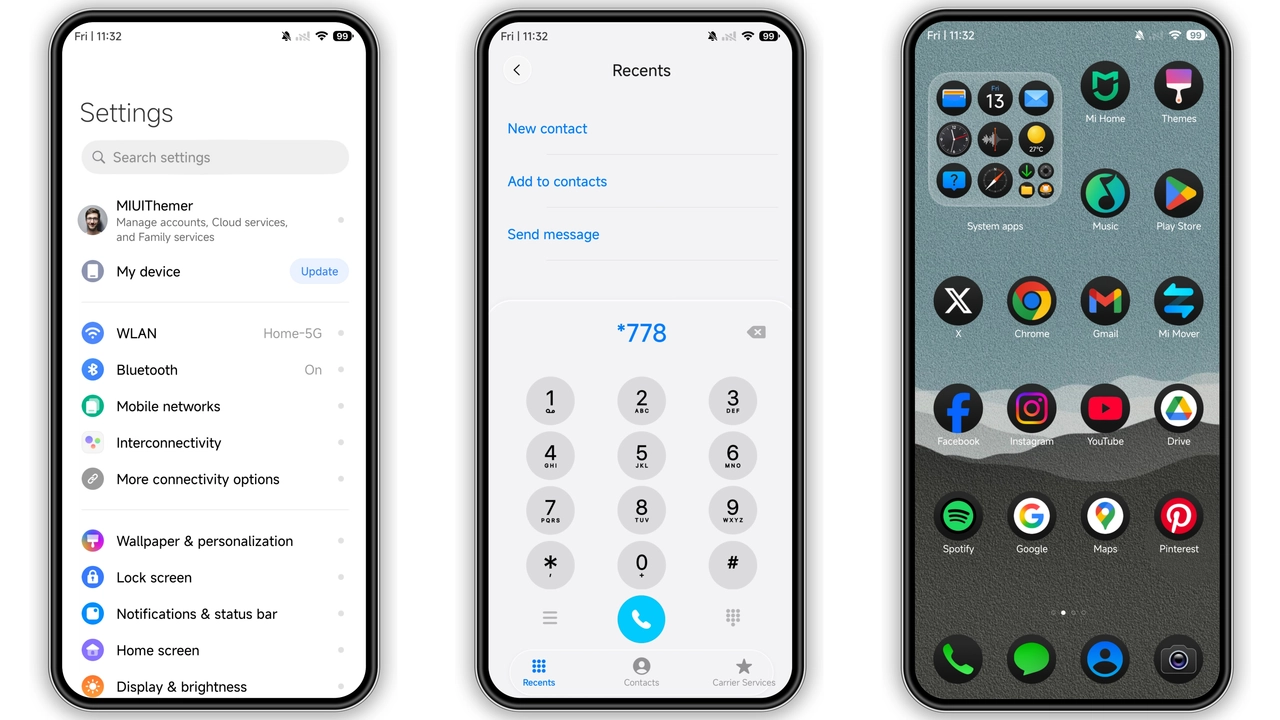
Poo‑Max replaces stock icons with flat black silhouettes. Each glyph sheds gradients, leaving crisp edges that pop against any wallpaper. The lock screen animates a subtle pulse when you swipe, giving a sense of depth without breaking the dark theme. Wallpapers ship in 1080p and 1440p variants, all featuring muted textures that keep battery drain low. The status bar adopts a thin white font, making notifications readable even in bright daylight.
Suggested Read: Poo-4 HyperOS Theme: Trending di Xiaomi, Redmi, dan Poco
Who’ll Love This No‑Frills Aesthetic
Fans of “less is more” gravitate toward Poo‑Max. It appeals to power‑users who want a uniform look across apps, and to minimalists who dislike colorful icon packs. The theme also suits night‑owl developers who spend hours in code editors; the dark palette reduces eye strain. If you own a Xiaomi, Redmi, or POCO device and prefer a cohesive, professional appearance, this theme hits the sweet spot. It’s not for users chasing neon cyberpunk vibes; it stays grounded in classic black‑on‑white contrast.
Installation Walkthrough on Stock and Custom ROMs
1. Download the MTZ file from the official theme store page. The file size is 17.59 MB.
2. Open the Themes app that comes pre‑installed on HyperOS or MIUI.
3. Tap Import at the bottom of the screen, then browse to the downloaded MTZ.
4. Select Poo‑Max and confirm. The app will unpack icons, wallpapers, and lock‑screen assets.
5. Apply the theme. For best results, restart the device so the new status‑bar fonts load correctly.
For custom ROMs (Xiaomi EU, MIUIRoom, etc.), the steps are identical: the Themes app still handles MTZ imports. If the app is missing, install the Mi Theme Store APK from a trusted source, then repeat the import process.
Performance Impact and Battery Considerations
Poo‑Max stays lightweight. Because it uses static PNG icons and avoids animated overlays, GPU usage stays minimal. Users report no noticeable lag in app launch times. Battery life remains on par with stock UI; the dark wallpaper reduces AMOLED power draw, especially on devices with high‑resolution panels. The only occasional hiccup appears after the first boot post‑install, where the system re‑indexes icons. A quick reboot resolves it.
Pros and Cons
• Pros
• Consistent black icon set, clean look.
• Dynamic lock screen adds subtle flair.
• Low RAM and battery impact.
• Works on both stock HyperOS and MIUI, plus custom ROMs.
• Cons
• No light‑mode variant; dark‑only.
• Limited customization beyond the base pack.
• Requires Theme Store app for import.
Overall, Poo‑Max delivers a polished, distraction‑free experience that aligns with the aesthetic preferences of power users and minimalists alike. Its straightforward installation and negligible performance cost make it a safe addition to any compatible Xiaomi, Redmi, or POCO device.
Theme Preview
Download Links
Use the buttons below to open the theme file and the supporting link.
Poo-Max Theme mtz File
Helpful links
More Theme Updates
For more curated HyperOS and MIUI theme updates, visit Hyper OS x MIUI .


