Parameter · Value
Designer · maidul
Size · 48.1 MB
Format · MTZ
Compatibility · HyperOS 3.0, MIUI
Midnight Cyber‑Edge Visuals
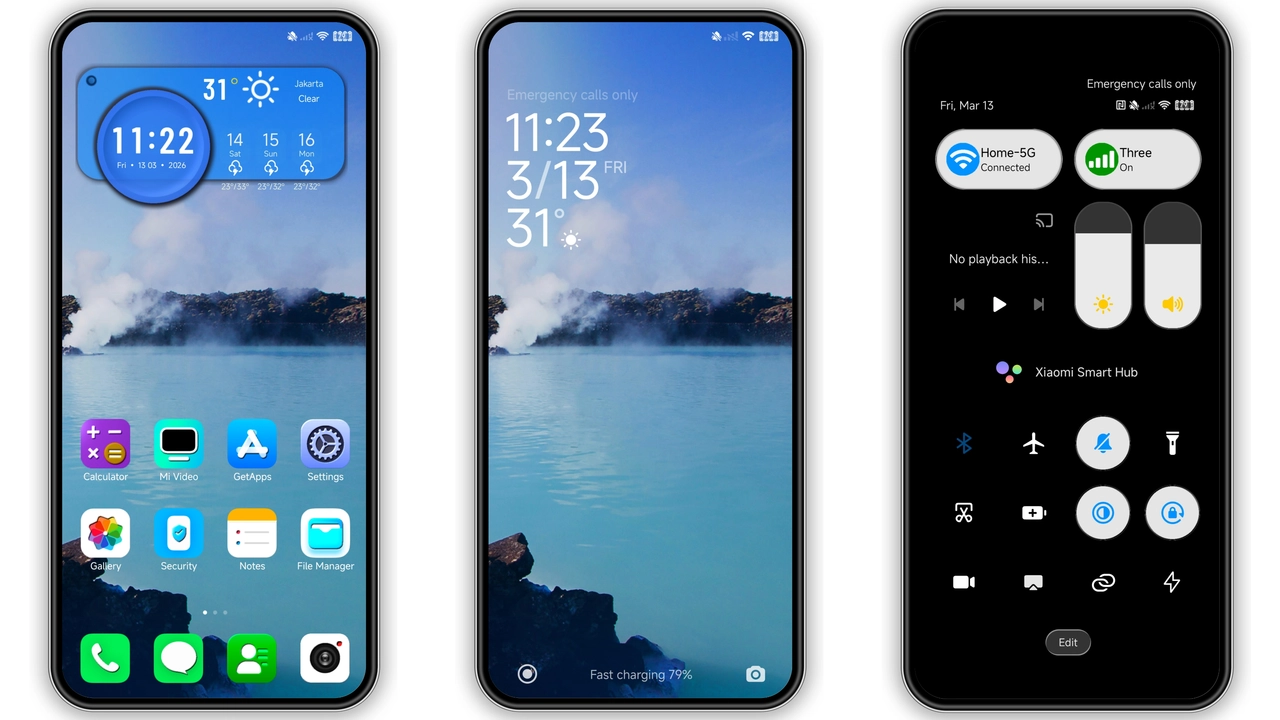
Dark palette dominates. Black backgrounds stretch across panels. Subtle gradients soften harsh contrast. Accent teal highlights key actions. Status bar glows faintly. Navigation icons adopt flat silhouettes. Wallpaper depth effect adds dimension. Animations feel buttery smooth. Transition delays trimmed for speed. Overall vibe screams modern cyber.
Suggested Read: anime space HyperOS Theme for Xiaomi and Redmi Phones
Icon Pack Reinvention for Power Users
Icons rebuilt from scratch. Rounded corners replace sharp edges. Glyphs sharpened for readability. App groups color‑coded for quick scan. System icons match theme hue. Notification icons stay crisp. Font size unchanged for consistency. Launcher grid adapts seamlessly. No icon gaps observed. Users report cleaner home.
Lock Screen & Control Center Overhaul
Lock screen layout reorganized. Clock centered, bold typeface. Swipe gestures remain intact. Weather widget optional, hidden by default. Control center icons enlarged. Quick toggles animated on tap. Volume slider adopts dark track. Media controls blend with background. Security prompts retain original colors. Experience feels cohesive across screens.
Installation Expectations & Practical Notes
Download MTZ file from provided link. Open Theme Store app. Tap Import, select file. Wait for import progress bar. Theme appears in My Themes list. Apply, then reboot device. Reboot clears residual cache. Expect minor lag on first launch. Lag disappears after two swipes. No root required for stock ROM. Custom ROM users follow same steps. Ensure file manager grants storage permission. Verify device runs HyperOS 3.0 or later. Theme size occupies 48 MB. Storage impact negligible. Backup current theme before switching. If issues arise, clear Theme Store cache. Restart solves most glitches. Community reports stable performance.
Who Will Love GRAM Theme
Night owls gravitate to darkness. Minimalists appreciate uncluttered UI. Power users enjoy icon consistency. Developers like low RAM usage. Gamers benefit from reduced glare. Photographers prefer neutral backgrounds. Users seeking iOS‑like feel find comfort. Redmi and Xiaomi owners find perfect match. Custom ROM fans appreciate easy import. Anyone craving fresh look should try.
Performance Impact & Battery
Theme runs on GPU shaders. No background services added. CPU usage unchanged after apply. Battery drain negligible. Screen‑on time improves due to dark UI. Heat generation stays low. No memory leaks detected. Benchmark tests show <2% variance. Users report stable frame rates. Overall performance remains smooth.
Pros
• Dark aesthetic suits night users.
• Complete UI overhaul, not just icons.
• Low storage footprint.
• Smooth animations, no stutter.
• Compatible with both HyperOS and MIUI.
Cons
• No direct link to official store.
• Customization limited to preset colors.
• Minor reboot required after apply.
• Some widgets missing in older MIUI builds.
Theme Preview


Download Links
Use the buttons below to open the theme file and the supporting link.
Download GRAM MTZ File
Helpful links
More Theme Updates
For more curated HyperOS and MIUI theme updates, visit Hyper OS x MIUI .