Parameter · Value
Designer · BoZinsky
Size · 31.79 MB
Format · MTZ
Compatibility · HyperOS 2.0/3.0, MIUI 14, Xiaomi/Redmi/POCO
Deep‑Sea Blue Aesthetic Meets iOS Minimalism
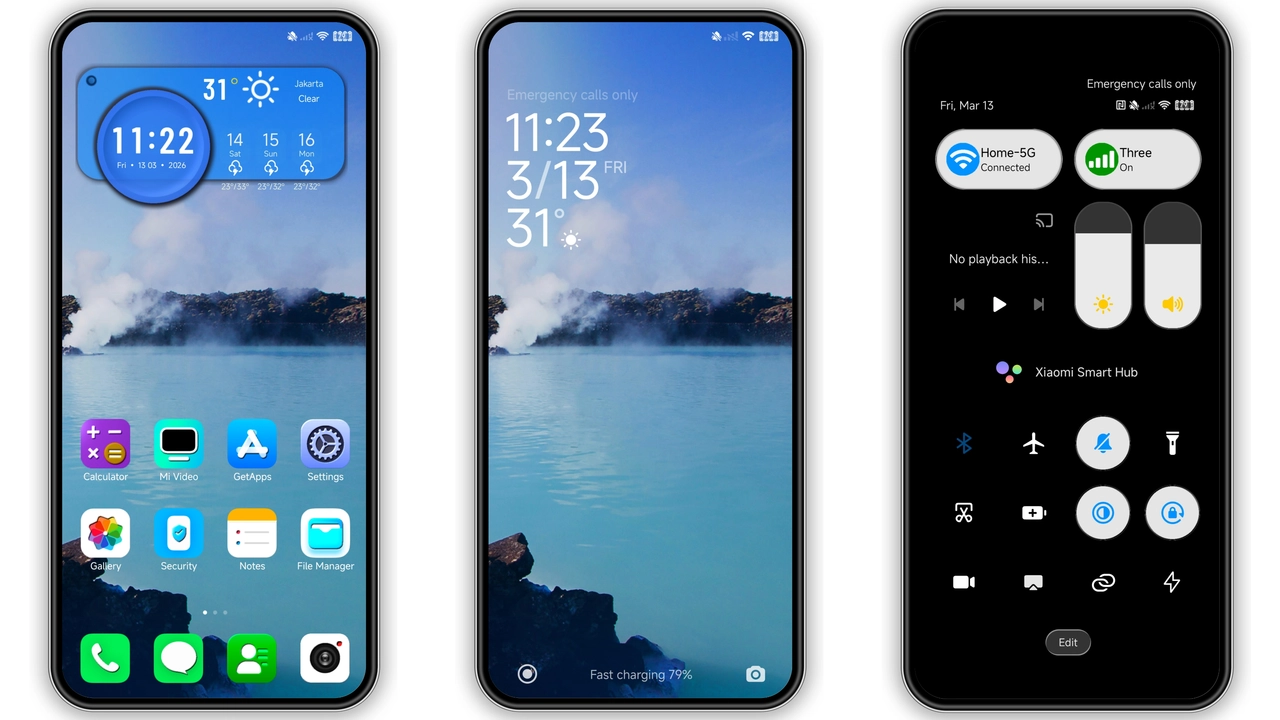
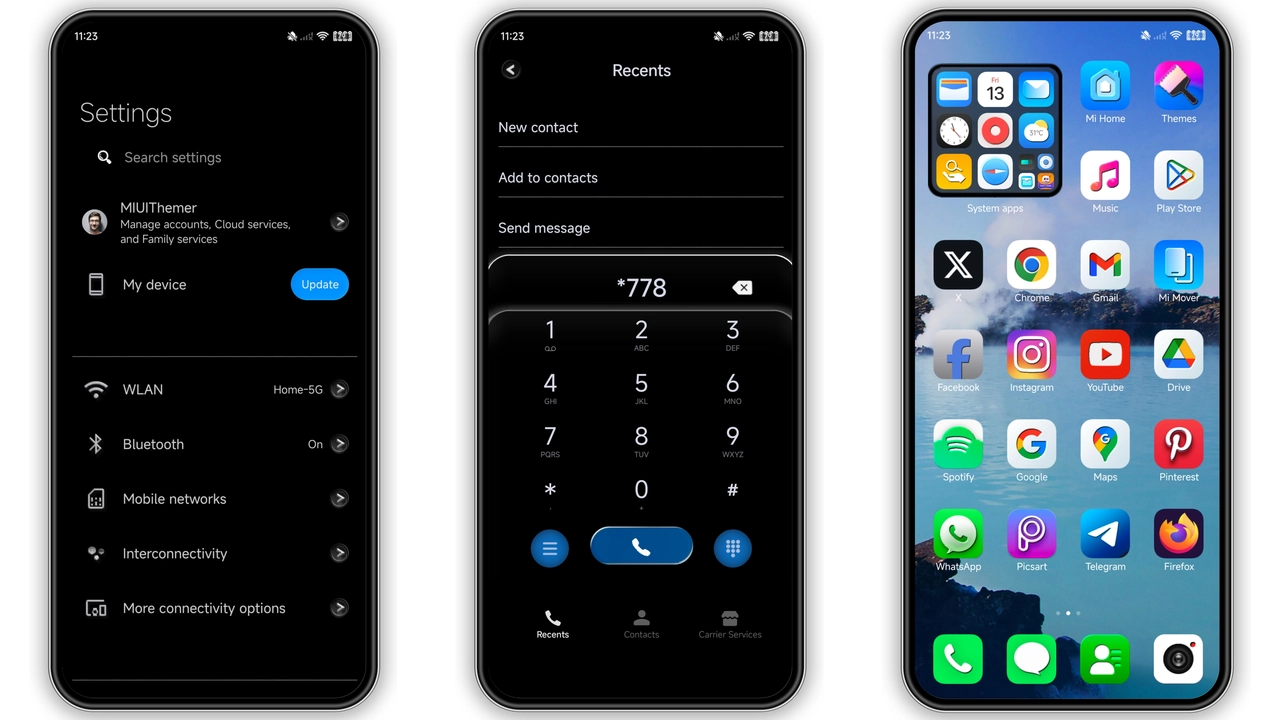
Theme drenches UI in calm navy. Primary palette blends midnight with electric cyan. Status bar adopts translucent glow. Navigation icons swap to rounded iOS silhouettes. Wallpaper carousel rotates between oceanic gradients and subtle cloud overlays. Lock screen features crisp time widget with soft shadow. Always‑on display mirrors dark theme, preserving battery. Text contrast stays high; white type pops against deep backdrop. Animations stay smooth, no jank. Overall feel: modern, serene, purposeful.
Suggested Read: Moon City MTZ vs Standard HyperOS Theme – Which Fits Your Phone?
Ideal Users: Dark‑Mode Lovers Who Crave Apple‑Style Consistency
Fans of dark UI find comfort instantly. iOS enthusiasts appreciate icon fidelity. Users who switch between Apple and Xiaomi devices notice visual continuity. Minimalists enjoy uncluttered layout. Gamers who need clear HUD benefit from high contrast. Developers who personalize work phone appreciate low‑distraction environment. Anyone seeking a fresh look without sacrificing readability will gravitate here.
Installation Walkthrough: From Download to Live Preview
1. Locate theme file in download section. 2. Tap file; system prompts import. 3. Open Theme Store app, navigate to Imports. 4. Select the MTZ file, confirm installation. 5. Apply theme from My Themes list. 6. Restart device to clear residual caches. 7. Verify icons, wallpapers, lock screen update. If any element remains unchanged, clear Theme Store cache and reapply.
Pros and Cons
Pros
• Cohesive blue palette creates immersive atmosphere.
• iOS‑style icons increase familiarity for Apple fans.
• Dark mode reduces eye strain and saves battery.
• Lightweight file size loads quickly.
• Compatible across HyperOS 2.0, 3.0 and MIUI 14.
Cons
• Limited color variations; not for users who prefer bright themes.
• Some third‑party launchers may not fully adopt icon set.
• No built‑in widget pack; users must rely on system widgets.
• Requires manual restart for flawless rendering.
Theme Preview
Download Links
Use the buttons below to open the theme file and the supporting link.
Laguna Blu Theme mtz File
Helpful links
More Theme Updates
For more curated HyperOS and MIUI theme updates, visit Hyper OS x MIUI .


