Parameter · Value
Designer · -
Size · 58.5 MB
Format · MTZ
Compatibility · HyperOS / MIUI
Midnight Neon Visual Language
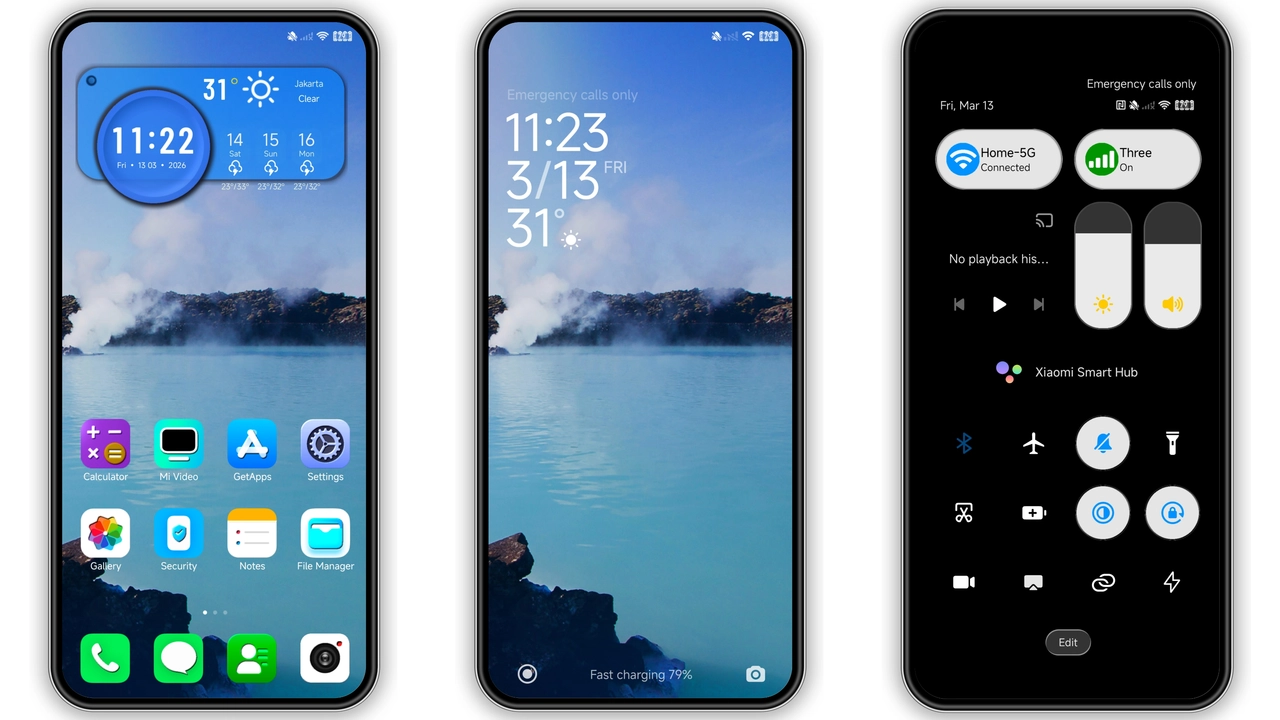
Deep charcoal backdrop. Icons glow amber, teal, violet. Contrast high, eyes rest easy. System bars adopt muted slate. Lock screen receives gradient overlay, subtle motion. Fonts unchanged, legibility intact. Widgets inherit dark card style, borders disappear. Wallpaper slot offers built‑in art that matches palette. Overall feel: futuristic, yet grounded.
Suggested Read: 古早 薄巧兔子少女 vs Neon Wave: Which Theme Fits Your HyperOS or MIUI Style?
Who’ll Love This Dark‑Mode Masterpiece
Night‑owl users. Reddit power users seeking minimal clutter. Fans of cyber‑punk aesthetics. Owners of Redmi A‑series who crave premium look without third‑party launchers. Developers who test UI under low‑light conditions. Anyone tired of stock white glare.
Installation Flow & Gotchas
Official Store route: open Theme Store, search “PITON KRIBO”, tap download, apply, reboot if UI glitches appear. MTZ route: download file, open Theme Store → Import, locate MTZ, confirm, apply. Restart recommended after first apply to clear overlapping icons. Ensure enough free storage (≈100 MB) before import. Do not mix with conflicting icon packs; disable other theme modules.
Pros and Cons
Pros
• Dark icons reduce battery on OLED.
• Cohesive neon accents.
• Compatible with both HyperOS and MIUI.
• Simple one‑click install via Store.
Cons
• No light‑mode variant.
• Designer info missing.
• Large file for low‑storage devices.
Theme Preview

Download Links
Use the buttons below to open the theme file and the supporting link.
Download PITON KRIBO MTZ File
Helpful links
More Theme Updates
For more curated HyperOS and MIUI theme updates, visit Hyper OS x MIUI .