Parameter · Value
Designer · Hyman
Size · 37.01 MB
Format · MTZ
Compatibility · HyperOS / MIUI
Golden Dust’s Dark‑Gold Visual Language
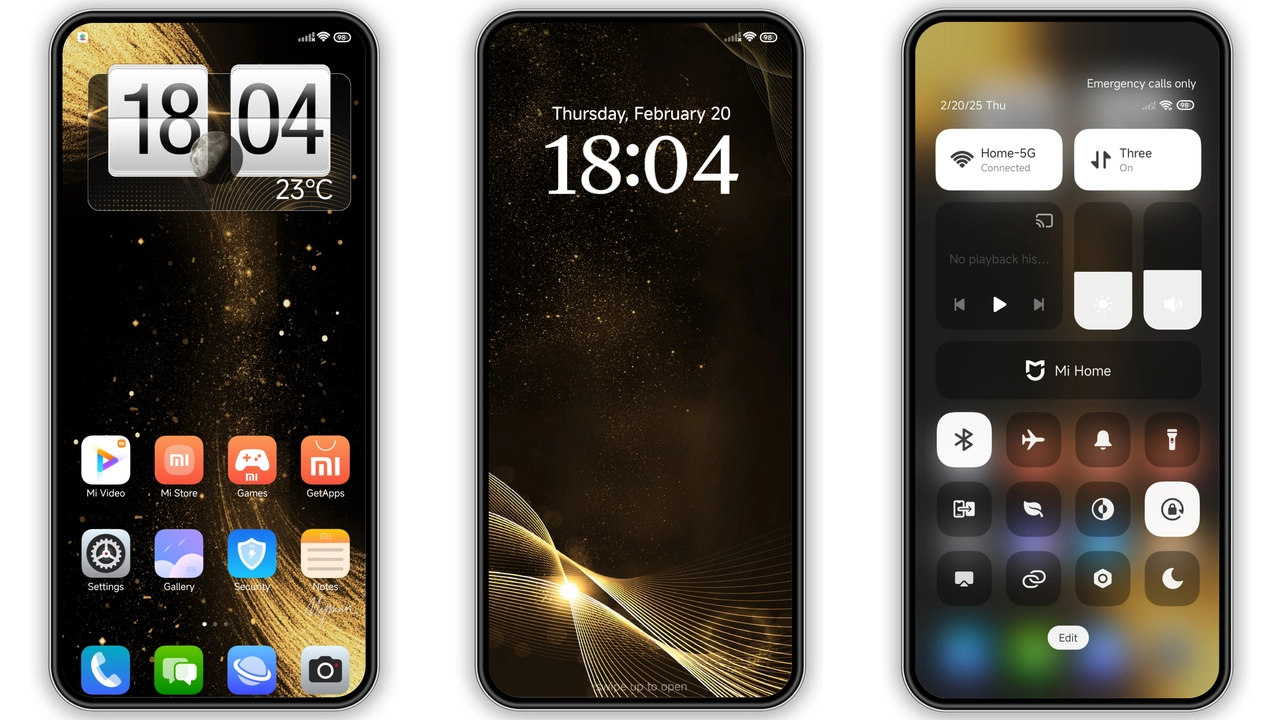
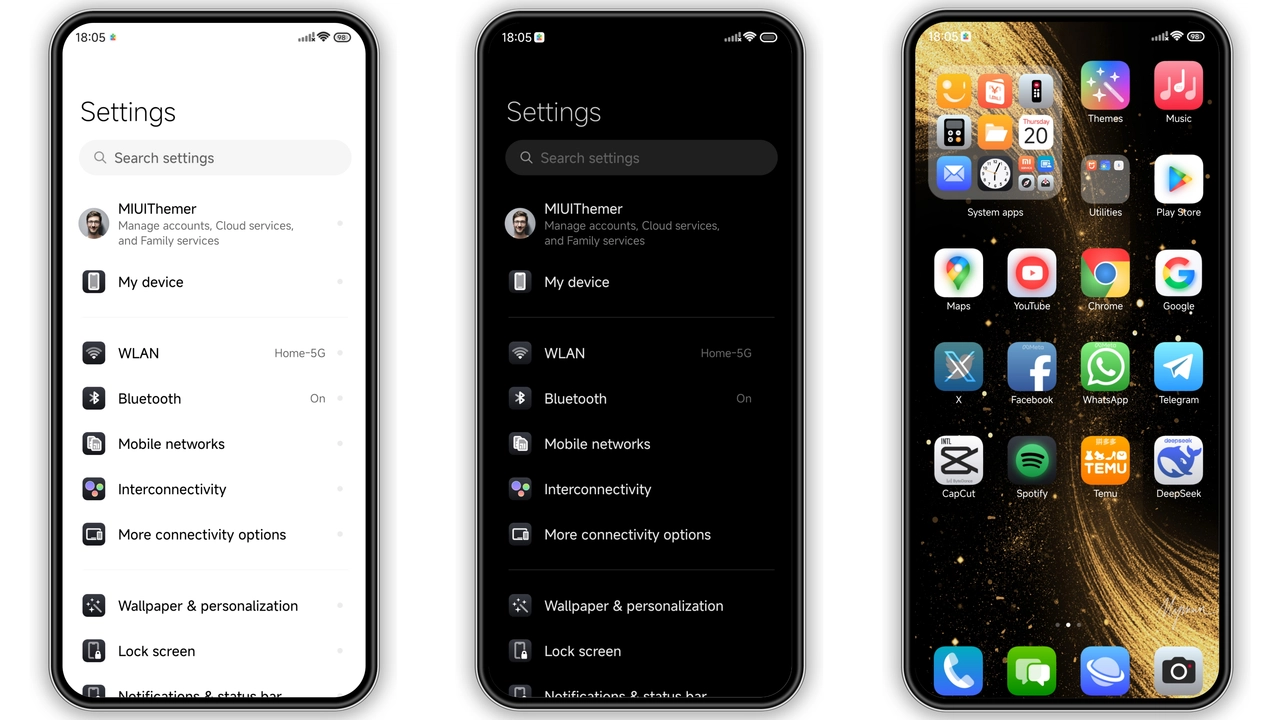
The moment you apply Golden Dust, the interface shifts into a midnight‑blue canvas brushed with warm gold accents. Icons receive a subtle bevel, rounded corners, and a thin gold halo that catches the eye without shouting. The wallpaper set leans toward deep nebulae and muted metallic textures, reinforcing the theme’s nocturnal vibe while keeping battery draw low. Status bar elements adopt a muted white, ensuring readability against the dark background. The lock screen mirrors the home screen’s palette, adding a faint gold shimmer to the clock digits. Even the Always‑On Display (AOD) adopts this aesthetic, offering a low‑key glow that feels premium rather than garish.
Suggested Read: Trending HyperOS x MIUI Theme: Sleek Minimalist Vibes
Who’ll Feel At Home with This Theme
If you gravitate toward understated luxury—think dark mode fans who still want a splash of richness—Golden Dust hits the sweet spot. It appeals to users who appreciate consistency across the UI: the same gold outline appears on app shortcuts, system folders, and notification bubbles. Gamers who favor a sleek backdrop for their high‑refresh‑rate screens will notice the reduced glare. Creators who spend hours on the device benefit from the reduced white‑light fatigue. Conversely, users who prefer vibrant, high‑contrast palettes may find the gold accents too subdued. The theme’s design language also aligns with fans of retro‑futuristic aesthetics, where muted darkness meets metallic flair.
Installation Walkthrough & What to Expect
1. Obtain the MTZ file – the package is roughly 37 MB and carries the .mtz extension.
2. Open the Theme Store app – pre‑installed on all HyperOS and MIUI devices.
3. Navigate to “My Themes” → “Import” – select the downloaded file.
4. Apply – the store will preview the theme; confirm to switch.
5. Reboot (optional but recommended) – a quick restart clears any lingering UI cache and ensures the new icons, lock screen, and AOD render correctly.
During the process, the system may prompt for permission to access storage; grant it to let the Theme Store read the MTZ file. After applying, you’ll notice the new icons instantly, while the lock screen and AOD may require the reboot to settle. Expect a brief pause as the theme assets load; the experience feels smooth on mid‑range and flagship devices alike.
Pros and Cons
• Pros
• Cohesive dark‑gold palette, premium feel
• Polished icons, consistent rounding
• Low battery impact, dark UI
• Works on HyperOS, MIUI, and most Xiaomi‑branded devices
• Cons
• Gold accents may feel subtle for users craving bold colors
• No dedicated light‑mode variant
• Requires manual reboot for full AOD refresh
• Limited customization beyond the provided assets
Theme Preview
Download Links
Use the buttons below to open the theme file and the supporting link.
Golden Dust Theme mtz File
Helpful links
More Theme Updates
For more curated HyperOS and MIUI theme updates, visit Hyper OS x MIUI .