Parameter · Value
Designer · Ali
Size · 22.66 MB
Format · MTZ
Compatibility · HyperOS 2.0/3.0, MIUI 14, Global ROMs
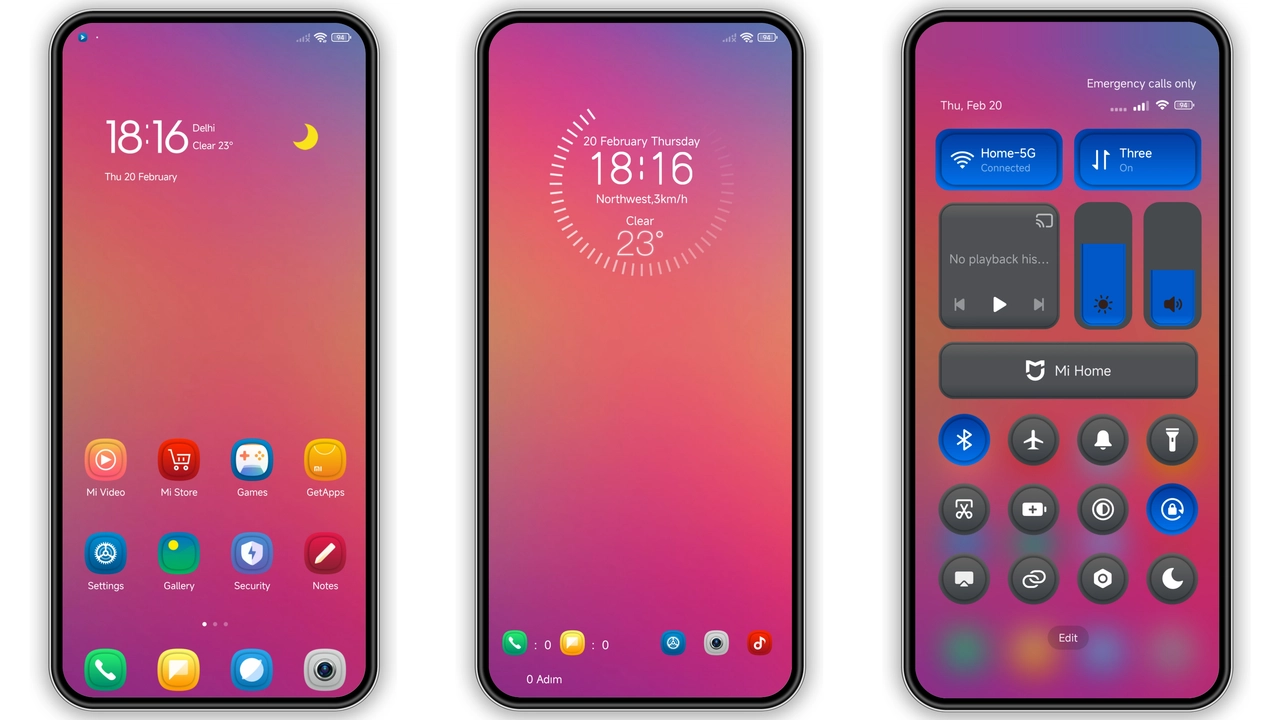
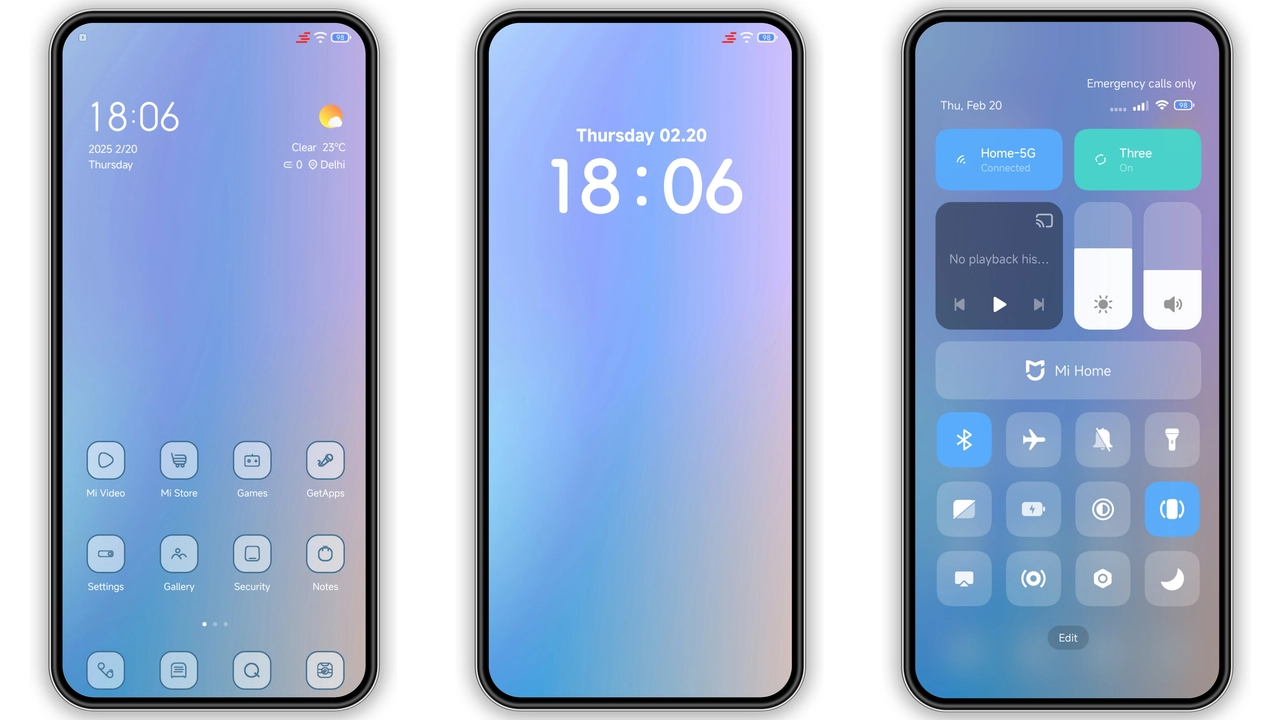
Midnight Business Aesthetic
Dark palette dominates. Black icons contrast neon accents. Wallpaper cycles between deep blues and muted grays. Status bar adopts thin white fonts. Lock screen features animated glyphs that pulse with notifications. Always‑on Display mirrors theme’s minimal glow.
Suggested Read: A Single Thought HyperOS Theme for Xiaomi and Redmi Phones
Target Audience & Use Cases
Power users craving professional vibe. Business professionals needing subdued look. Fans of dark UI who still want fresh visuals. POCO owners seeking premium feel without extra apps.
Installation Flow & Gotchas
Download MTZ file. Open Theme Store → Import → Select file → Apply. Restart recommended to clear overlay glitches. On custom ROMs, ensure Theme Store app present; otherwise install via file manager. Chinese UI may hide “Open in app”; switch to Chrome if Firefox stalls.
Performance & Battery Impact
Theme uses static assets; no live widgets. AOD animation lightweight; negligible drain. No background services injected. Device temperature stable during prolonged use.
Pros and Cons
Pros
• Cohesive dark‑business visual.
• Wide device range (Xiaomi, Redmi, POCO).
• Low resource footprint.
• Easy MTZ import.
Cons
• Limited color variants.
• Chinese‑only store prompts.
• No built‑in light mode.
• Minor icon spacing quirks on older MIUI builds.
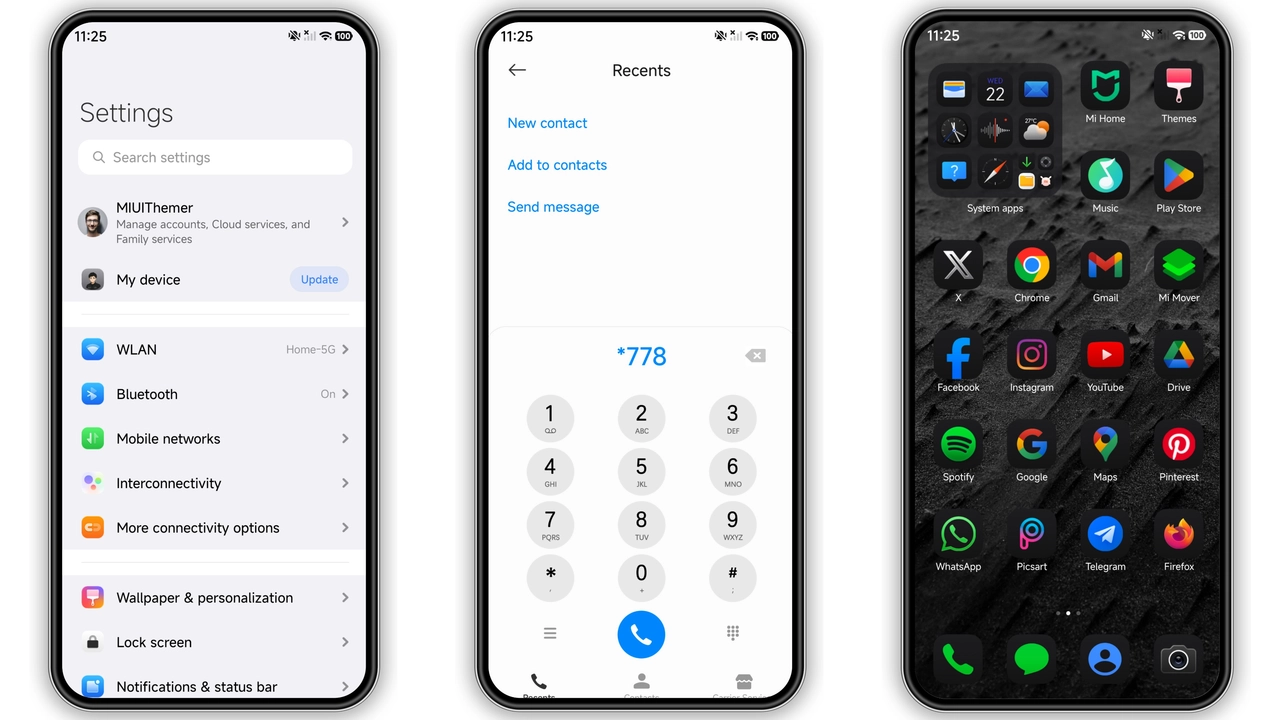
Theme Preview
Download Links
Use the buttons below to open the theme file and the supporting link.
Hoshyper Theme mtz File
Helpful links
More Theme Updates
For more curated HyperOS and MIUI theme updates, visit Hyper OS x MIUI .