Parameter · Value
Designer · 苏哥suger
Size · 40 MB
Format · Backup (.zip), MTZ
Compatibility · HyperOS / MIUI
iPhone‑Inspired Lock Screen
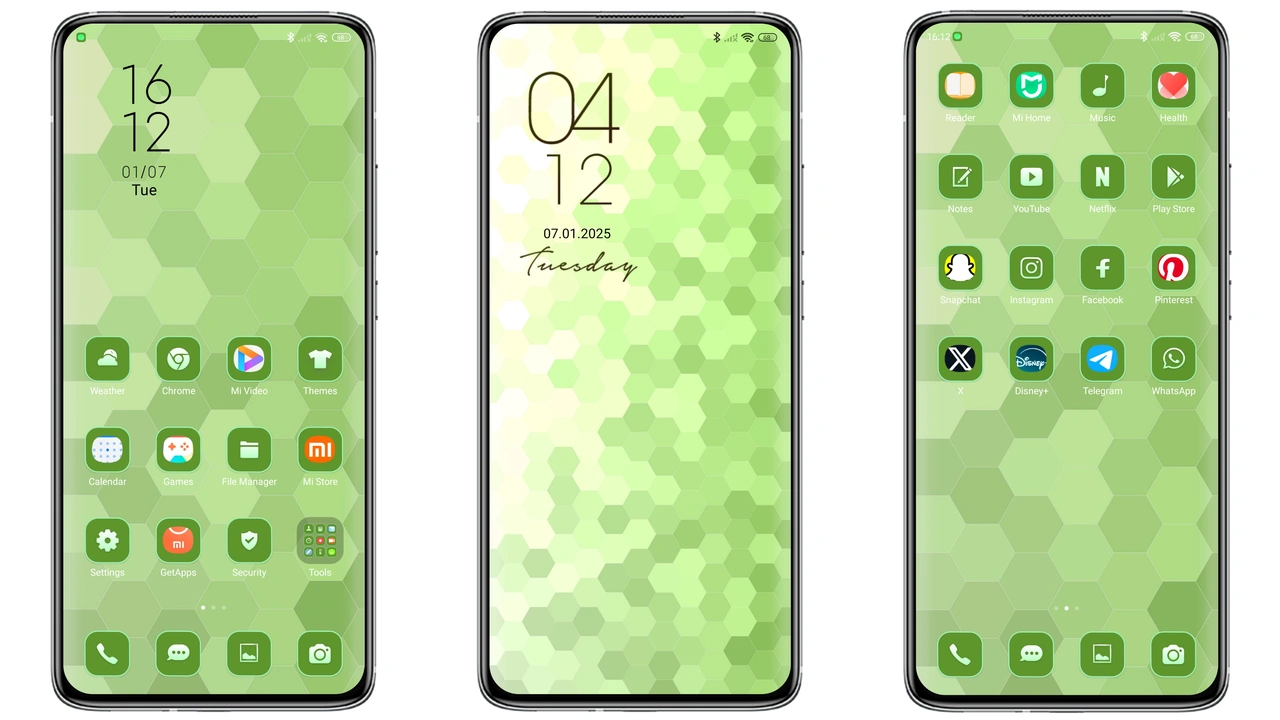
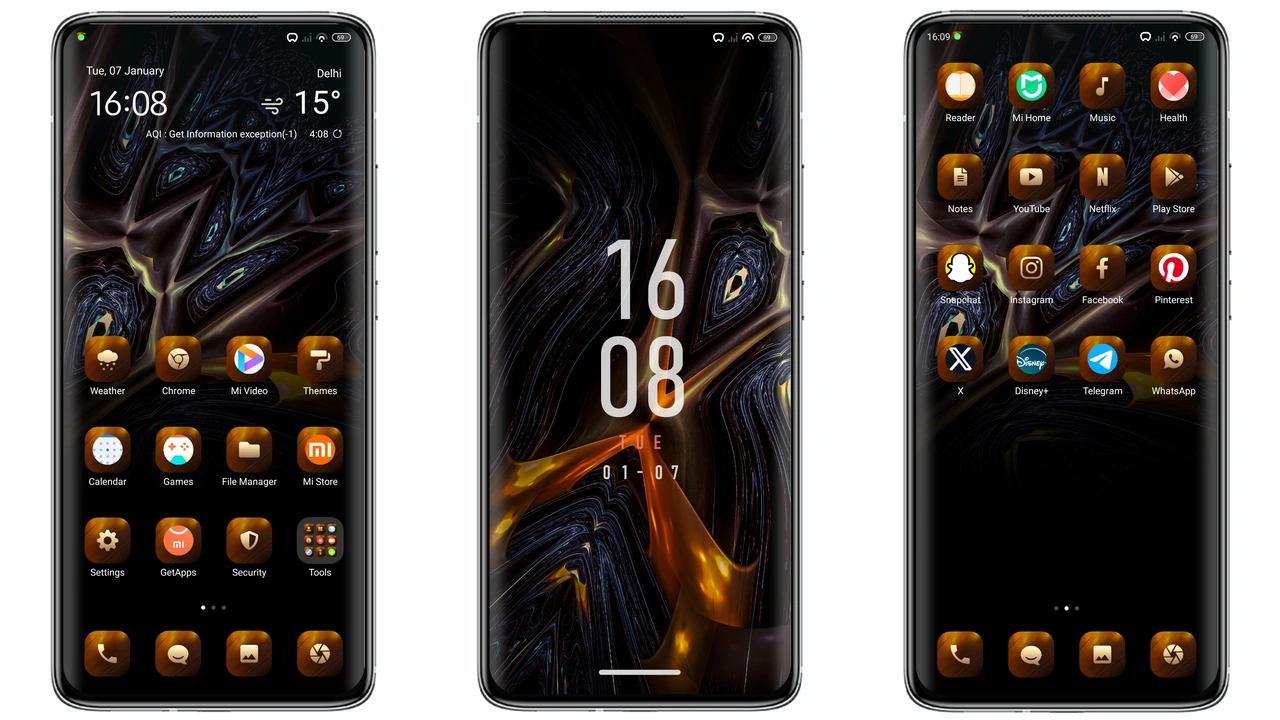
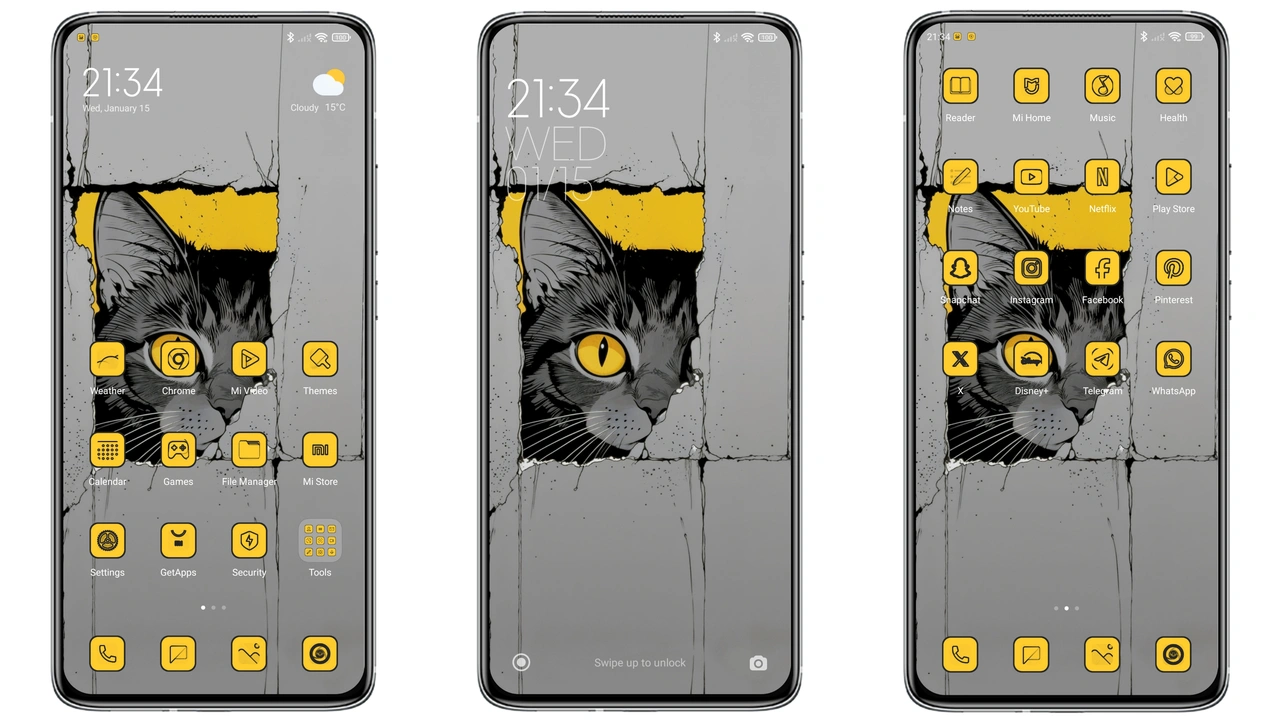
Lock screen mimics iPhone Duo layout. Two‑column widget area replaces traditional clock. Background supports depth‑effect wallpapers. Swipe‑up gesture opens camera, mirrors iOS behavior. Icons adopt rounded‑square silhouette. Color palette leans pastel‑blue, soft‑gray. Animation smooth, no lag. Users notice immediate visual shift.
Suggested Read: Cyan Glass vs Super18 Dark: Which HyperOS or MIUI Theme Wins?
Premium Icon Set & Widgets
Icon pack replaces stock Xiaomi set. Each icon crafted with vector precision. Shadows subtle, highlights crisp. App groups follow iOS folder style. Widgets extend beyond clock: weather, battery, music controls. Widgets inherit theme colors, stay consistent. Control Center redesigned; toggles larger, icons clearer. Navigation bar icons shrink for minimal footprint.
Installation Paths for Global & Custom ROMs
Global ROM install: open Theme Store, search "Super Mi Duo", tap download, apply, restart. No file manager needed. Custom ROM install: download MTZ file, open Theme Store → Import, locate file, confirm, apply, restart. Backup file (.zip) works via Theme Manager → Restore. Both methods require sufficient storage; 40 MB plus temporary cache.
Visual Cohesion Across System Apps
Dialer adopts rounded input fields, matches icon style. Settings menus receive accent color shift, headings bolded. Messages app bubbles adopt iOS‑like curvature. HyperOS Control Center gains translucent background, icons aligned horizontally. Consistency reduces cognitive load, creates unified look.
Who Will Love This Theme?
iOS enthusiasts seeking familiar feel on Android. Users craving fresh UI without rooting. Minimalists appreciating clean lines, subtle animations. Fans of depth‑effect wallpapers. People who switch between Xiaomi and iPhone devices frequently. Not ideal for those preferring stock MIUI aesthetics.
Compatibility Notes
Works on HyperOS 1.0, 2.0, 3.0, MIUI 14, MIUI 15. Requires at least 4 GB RAM for smooth animation. Devices with heavy custom skins may experience minor overlay glitches; restart solves most. Theme store version must support MTZ import. Backup file compatible only with official Theme Manager.
Pros and Cons
Pros
• iOS‑like lock screen, instantly recognizable.
• High‑quality icons, consistent across apps.
• Depth‑effect wallpapers add visual depth.
• Simple install via Theme Store or MTZ import.
• Low battery impact, animations optimized.
Cons
• Slight performance dip on low‑end devices.
• Minor UI overlap on heavily customized ROMs.
• No built‑in dark mode toggle; follows system theme.
• Backup file size larger than typical MTZ.
Final Thoughts
Super Mi Duo delivers iPhone Duo experience without leaving Android ecosystem. Visual overhaul covers lock screen, icons, widgets, control center. Installation straightforward for both stock and custom ROMs. Minor performance trade‑off acceptable for most users. Theme stands out in HyperOS marketplace, offering premium feel at no cost.
Theme Preview


Download Links
Use the buttons below to open the theme file and the supporting link.
Super Mi Duo Backup File
Download Super Mi Duo MTZ File
Helpful links
More Theme Updates
For more curated HyperOS and MIUI theme updates, visit Hyper OS x MIUI .