Parameter · Value
Designer · Falesh
Size · 16.36 MB
Format · MTZ
Compatibility · HyperOS, MIUI
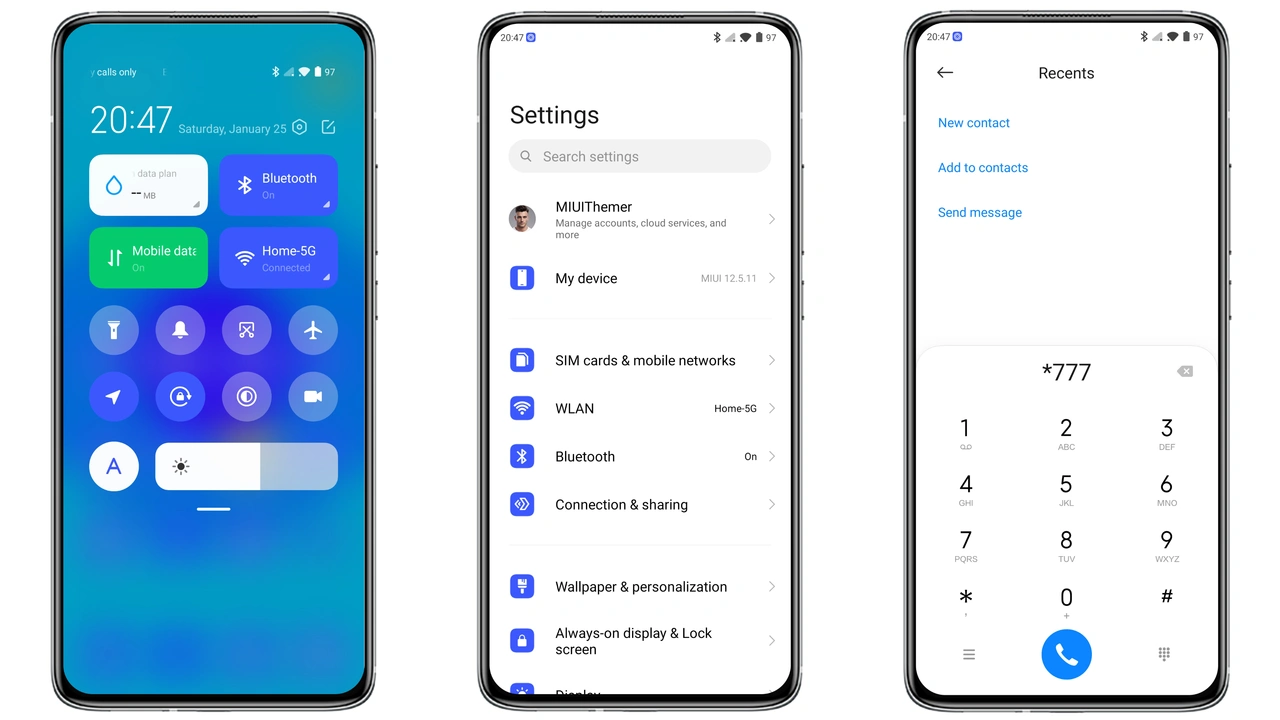
Bold Blue‑White Icons Redefine the Home Screen
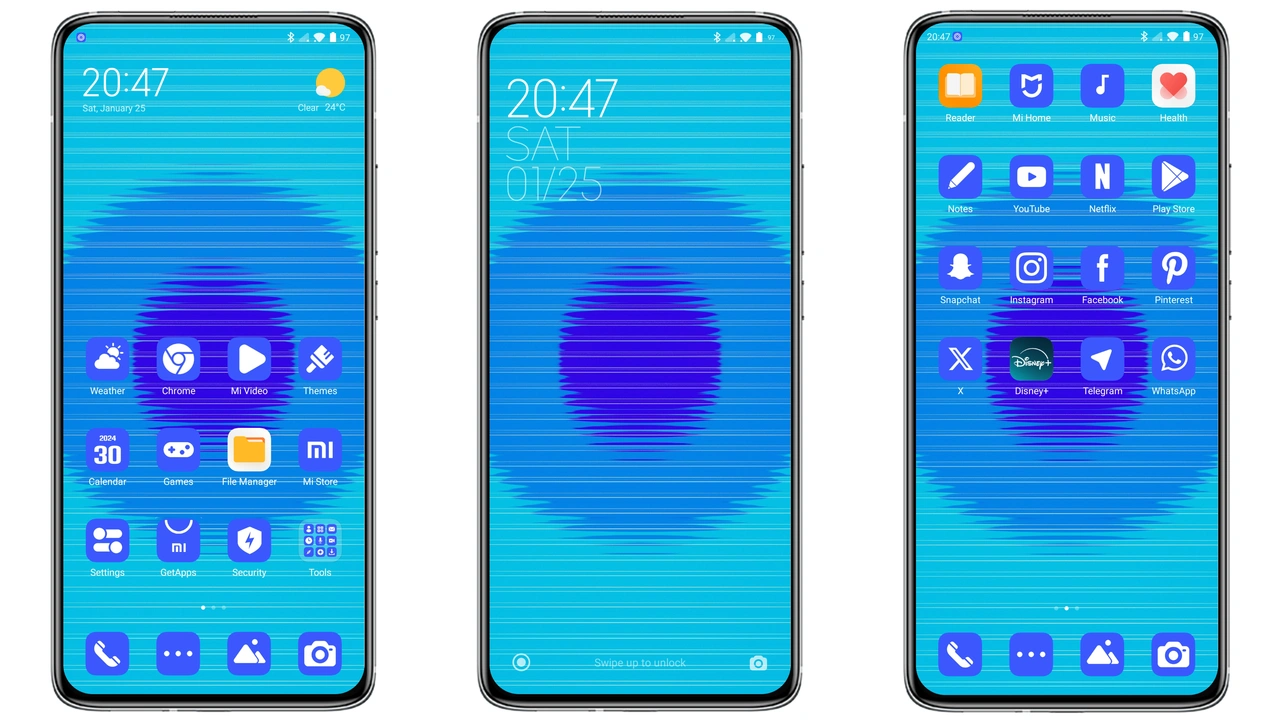
Flat Blue swaps stock icons for square, blue‑white glyphs. Each icon adopts a uniform weight, eliminating visual clutter. The palette sticks to a cool cyan base, accented by crisp white highlights. Result: a home screen that feels organized and modern. Icons scale well on both small and large displays. No oversaturation; contrast stays readable in bright sunlight.
Suggested Read: Super 26i HyperOS Theme for Xiaomi Redmi and Poco Devices
Sleek Wallpapers and Minimalist Status Bar
Theme bundles three high‑resolution wallpapers. Images feature abstract gradients that echo the icon hue. The status bar adopts a translucent overlay, letting the wallpaper peek through. Clock and notification icons inherit the same blue tint, ensuring visual cohesion. Battery indicator remains white for quick glance. The lock screen mirrors the home layout, adding a subtle pattern for depth.
Who Benefits from Flat Blue
Minimalist fans gravitate toward this design. Users who prefer a calm, tech‑savvy aesthetic find the theme soothing. Developers who spend hours on code appreciate the reduced distraction. Fans of Xiaomi’s stock look may want a fresh twist without abandoning brand identity. The theme also suits users who switch between HyperOS and MIUI, as it respects both UI conventions.
Installation Walkthrough and Expectations
Download the MTZ file from the official theme page. Open the Theme Store app, tap “Import,” locate the file, and confirm. The app validates the package, then applies icons, wallpapers, and system colors. First launch may show a brief flicker as resources reload. Restart the device for a clean slate; this clears leftover caches. After reboot, every screen should display the new assets without glitches. If a widget appears misaligned, pull down the notification shade, tap “Refresh,” and the layout corrects itself.
Pros and Cons
Pros
• Cohesive blue‑white palette
• High‑quality wallpapers
• Light on storage
• No root needed
• Works on HyperOS and MIUI
Cons
• Limited color variants
• No dark‑mode specific assets
• Icon set may not suit all app styles
Theme Preview
Download Links
Use the buttons below to open the theme file and the supporting link.
Flat Blue Theme mtz File
Helpful links
More Theme Updates
For more curated HyperOS and MIUI theme updates, visit Hyper OS x MIUI .