Parameter · Value
Designer · VK
Size · 63.60 MB
Format · MTZ
Compatibility · HyperOS 2.0/3.0, MIUI 14, Global
Bursting Color Palette Meets 3D Depth
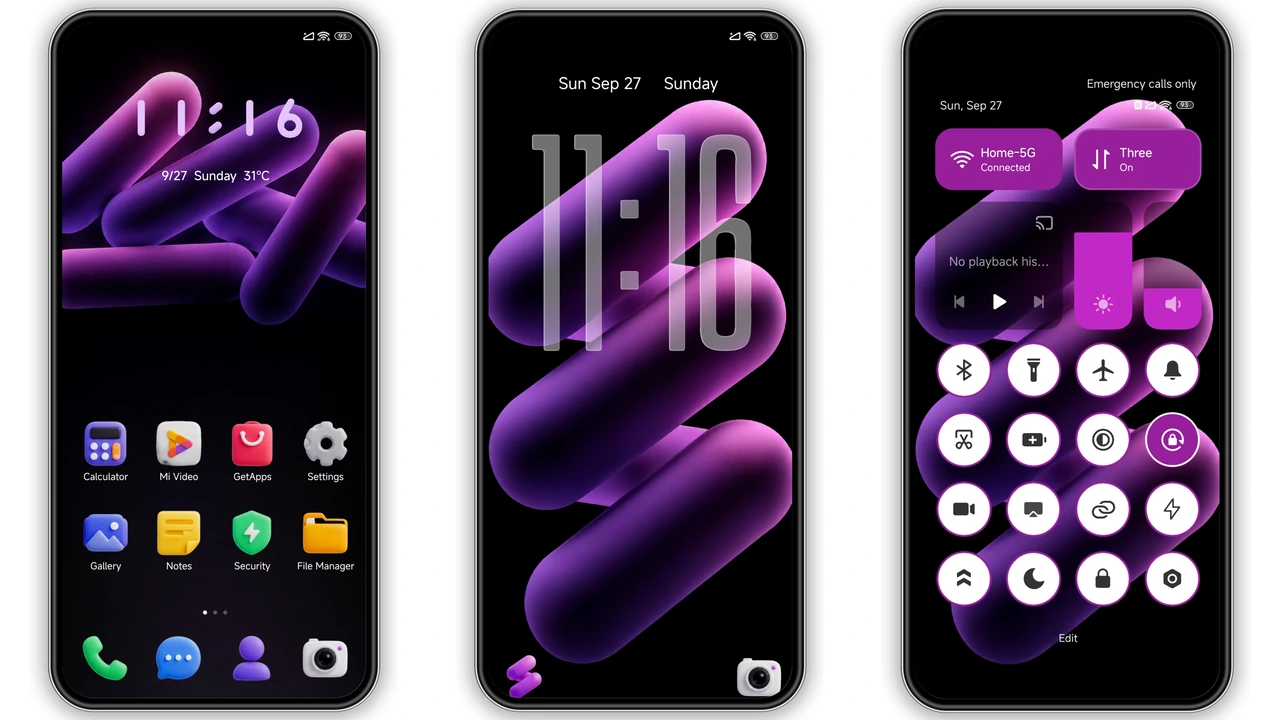
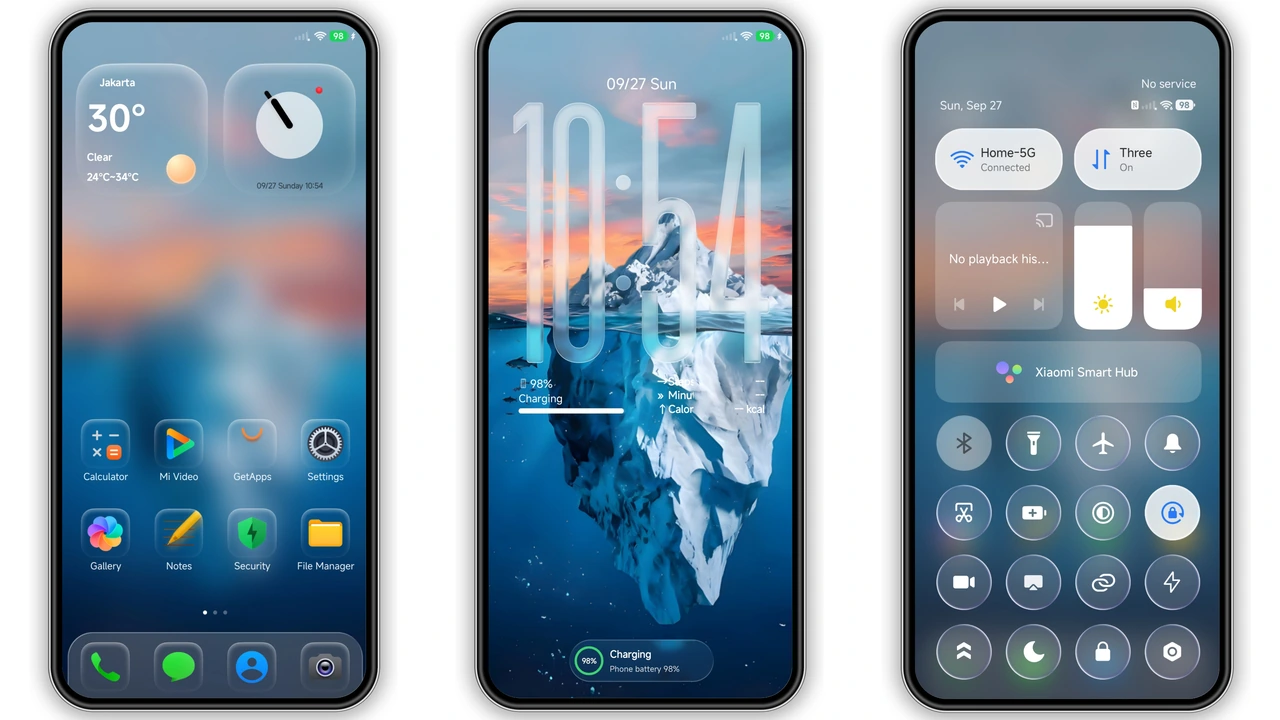
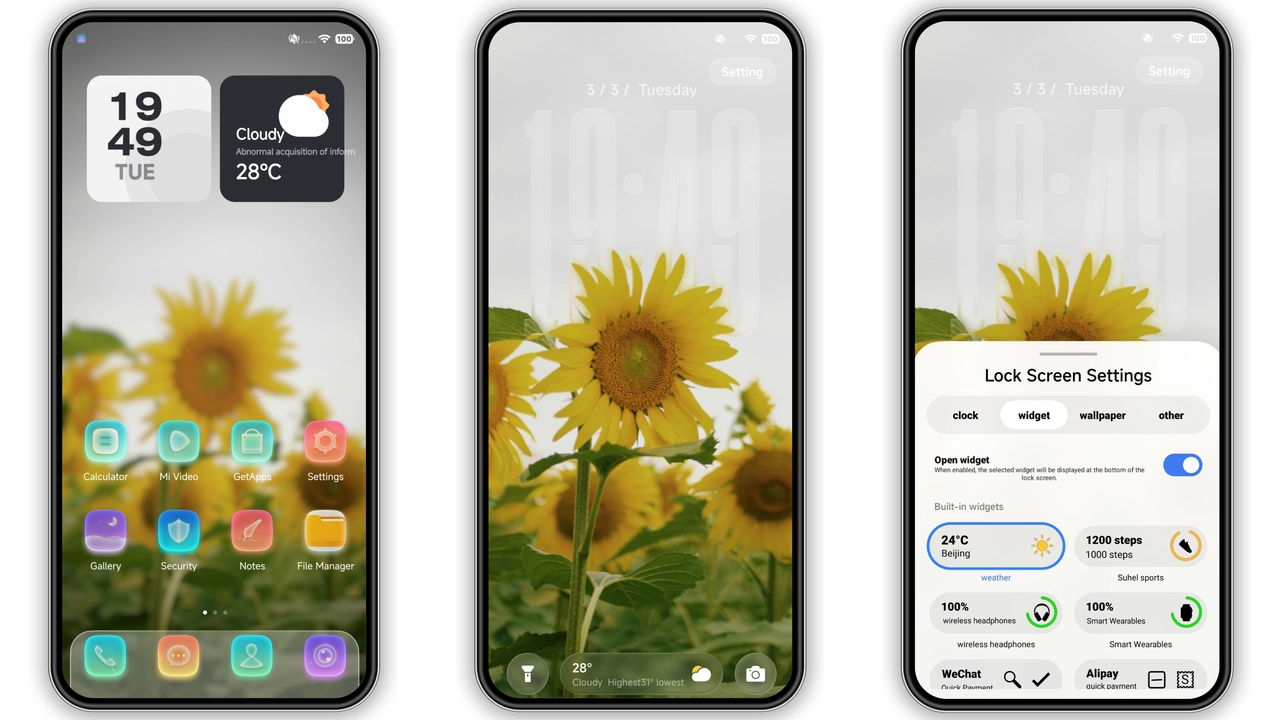
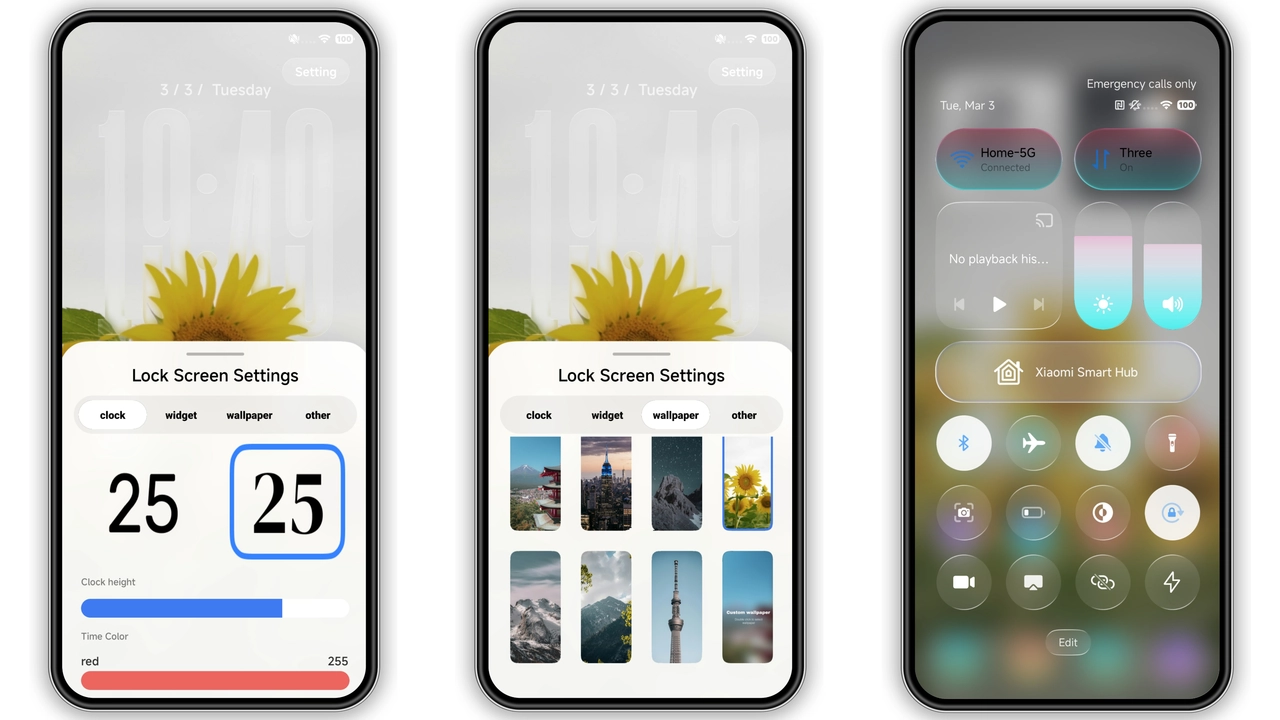
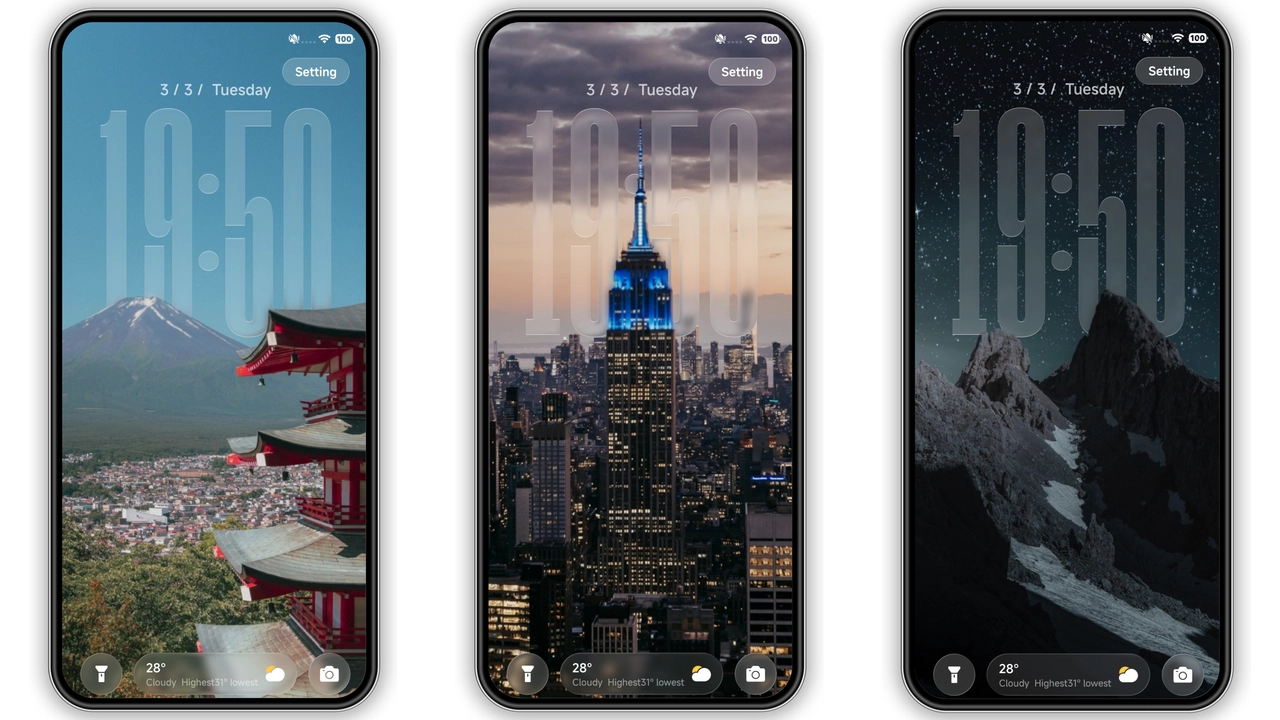
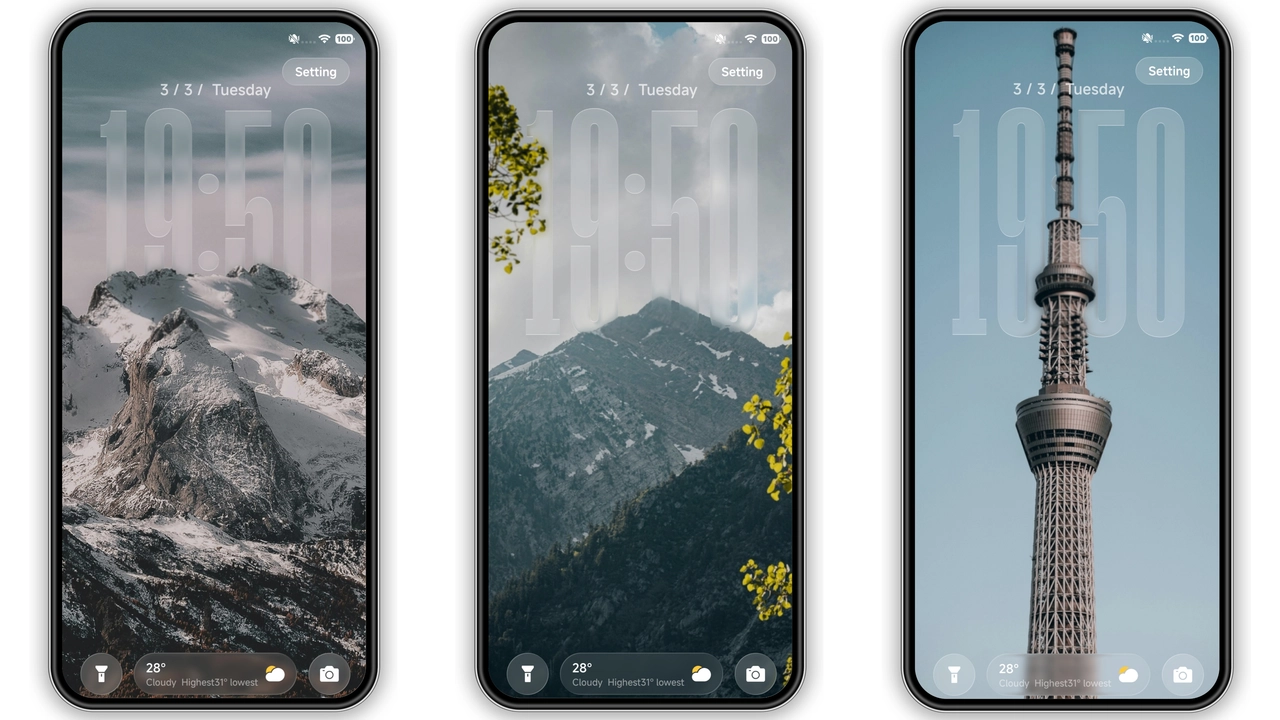
Colourful V throws a rainbow over the default UI. Every icon swaps its muted silhouette for a saturated, flat‑style glyph that still respects the original shape. Wallpapers are curated shots of neon‑lit cityscapes, pastel‑washed mountains, and abstract gradients that shift subtly with the lock‑screen animation. The lock screen itself is the star: a dynamic overlay that cycles through the theme’s colour set while applying a shallow depth‑of‑field blur, giving the illusion of layers sliding under each other. Even the status bar inherits a thin accent line that matches the current wallpaper hue, keeping the whole experience cohesive.
Suggested Read: Starry Star UI Theme: Night‑Sky Look for HyperOS & MIUI
Who’ll Love This Kaleidoscopic Look
If you gravitate toward bold aesthetics—think street‑art meets cyber‑pop—this theme hits the sweet spot. It’s ideal for younger users who enjoy personalising every pixel, as well as power users who want a visual refresh without sacrificing readability. The high‑contrast icons remain legible on both light and dark status bars, so night‑owl users won’t squint. Fans of 3D depth effects will appreciate the subtle shadowing on the lock‑screen and the animated wallpaper transitions. Conversely, minimalists seeking a muted palette might find the saturation overwhelming.
Installation Flow on Stock and Custom ROMs
Stock HyperOS / MIUI
1. Open the Theme Store app (pre‑installed). 2. Tap the three‑dot menu, select Open in app to launch the store directly. 3. Search for “Colourful V” or import the MTZ file via Import at the bottom of the Themes page. 4. Apply. 5. Reboot to ensure all overlays render correctly.
Custom ROMs (Xiaomi EU, MIUIRoom, etc.)
1. Download the MTZ file from the provided link. 2. Launch the Theme Store, go to Themes → Import. 3. Locate the MTZ file, confirm import, then apply. 4. Restart the device; this clears any residual cache that could cause icon clipping.
The process is identical across HyperOS 2.0, HyperOS 3.0, and MIUI 14 because the underlying theme engine remains unchanged. No extra patches or root access are required.
Pros and Cons
• Pros
• Vivid, cohesive colour scheme
• Animated lock screen with 3D depth
• Full compatibility with HyperOS 2.0/3.0 and MIUI 14
• Easy import via native MTZ format
• No root or additional apps required
• Cons
• High saturation may not suit minimalist tastes
• Slightly larger file size due to animated assets
• Requires a reboot for perfect overlay rendering
Overall, Colourful V delivers a fresh, energetic makeover that feels native to HyperOS while pushing the visual envelope. Its straightforward installation and broad device support make it a solid pick for anyone looking to break free from the stock look.
Theme Preview
Download Links
Use the buttons below to open the theme file and the supporting link.
Colourful V Theme mtz File
Helpful links
More Theme Updates
For more curated HyperOS and MIUI theme updates, visit Hyper OS x MIUI .