Parameter · Value
Designer · Ali.ZR
Size · 21.2 MB
Format · MTZ
Compatibility · HyperOS 3.0, MIUI
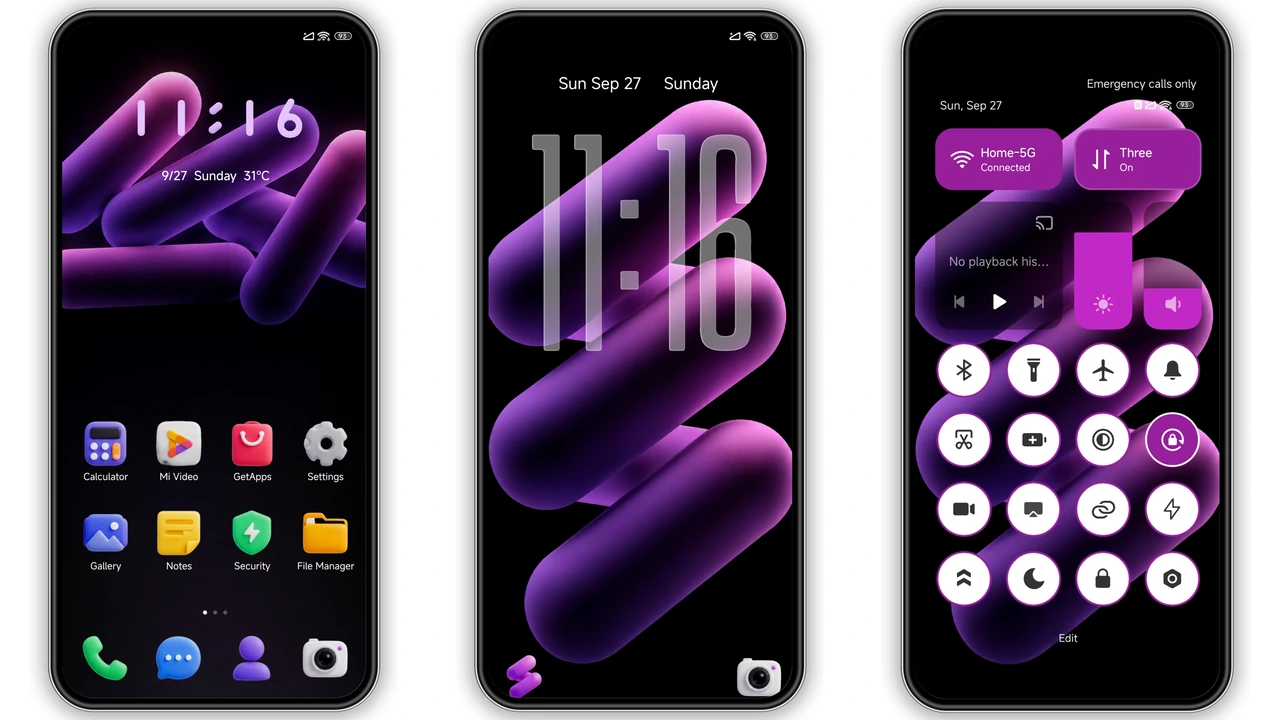
Vivid Gradient Dark Palette
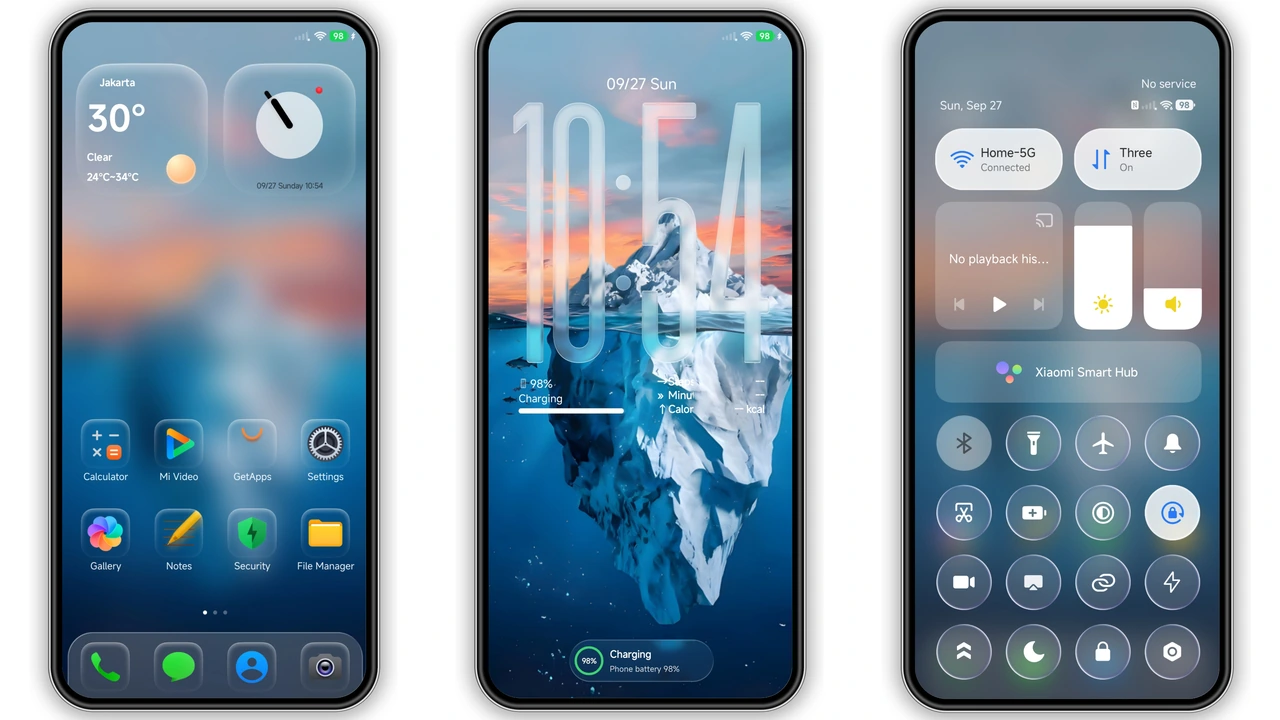
ColorV16 embraces a deep charcoal base. Gradient accents sweep from midnight blue to electric teal. Contrast stays high; readability remains sharp. Icons inherit the gradient hue, creating a unified visual flow. Lock‑screen background mirrors the palette, adding depth without distraction. The result feels modern, yet not aggressive.
Suggested Read: Trending: Coloful 19 HyperOS Theme untuk Redmi
Iconography Tailored for Redmi Fans
Icons receive a bespoke redesign. Each glyph drops shadows, enhancing perceived depth. Dark mode version replaces bright whites with soft amber outlines. The set covers core apps: Phone, Messages, Settings, Camera, and more. Icons maintain recognizability; users adapt instantly. Fans of minimalism appreciate the restrained detail.
Installation Flow for Global & Custom ROMs
Global ROM: open Theme Store, tap “Official Theme Store Link”, select ColorV16, download, apply. Custom ROM: download MTZ file, launch Theme Store, choose Import, locate file, import, apply. Restart recommended after apply to ensure UI refresh. No root required. Process finishes within minutes.
Performance Impact & Battery Considerations
Theme runs on native HyperOS rendering engine. No extra services launch. RAM usage rises marginally, under 30 MB. Battery draw remains unchanged; animation frames stay at 60 fps. Users report smooth navigation even on older Redmi models.
Pros and Cons
• Pros
• Cohesive dark gradient aesthetic
• Fully custom icon pack
• Seamless install on both stock and custom ROMs
• Minimal performance overhead
• Cons
• No light‑mode variant
• Limited widget redesign
• Requires HyperOS 3.0 or later
Theme Preview


Download Links
Use the buttons below to open the theme file and the supporting link.
Download ColorV16 MTZ File
Download Wallpaper
Helpful links
More Theme Updates
For more curated HyperOS and MIUI theme updates, visit Hyper OS x MIUI .