Parameter · Value
Designer · Tk Tofik
Size · 21.77 MB
Format · .mtz
Compatibility · HyperOS / MIUI
Minimalist Red Accents Meet Dark Mode
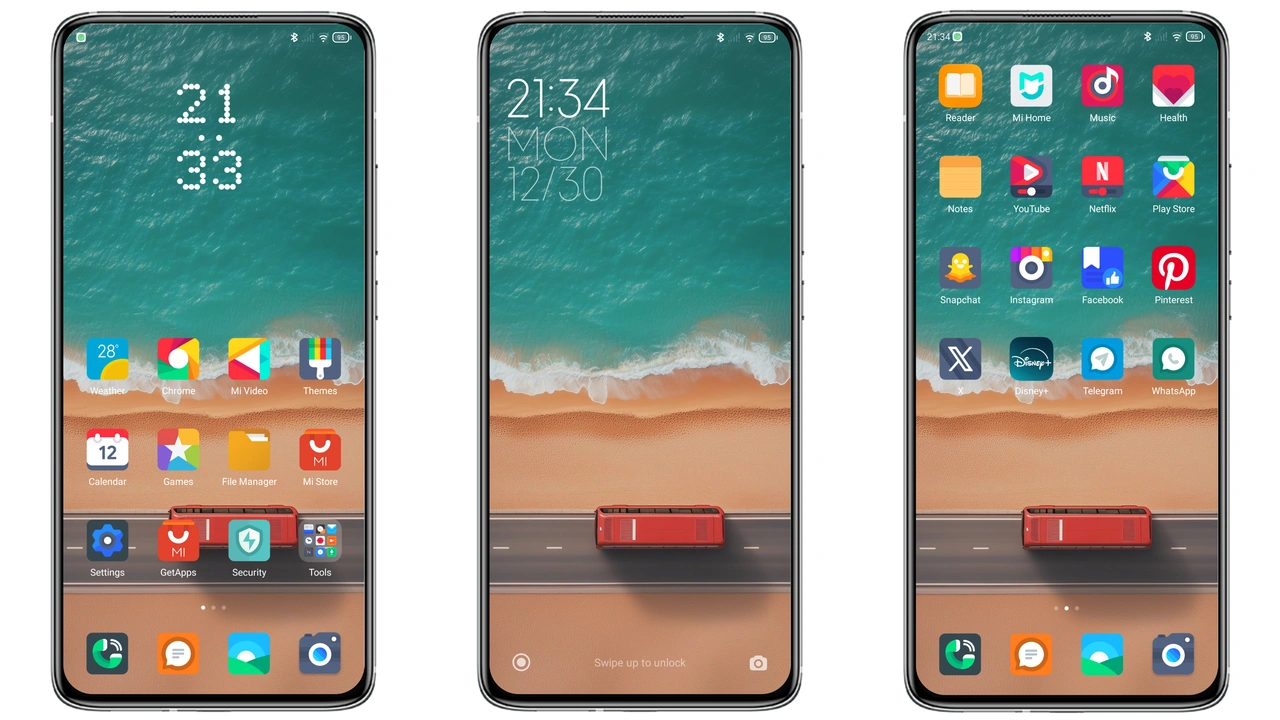
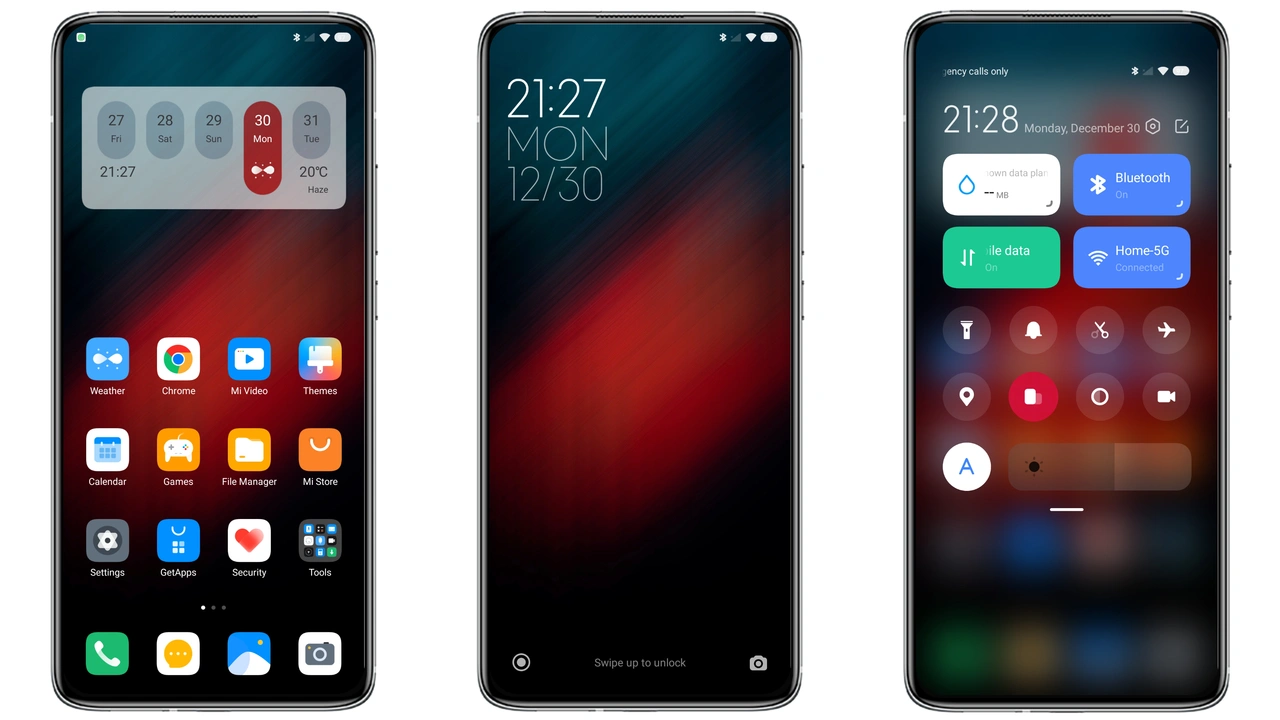
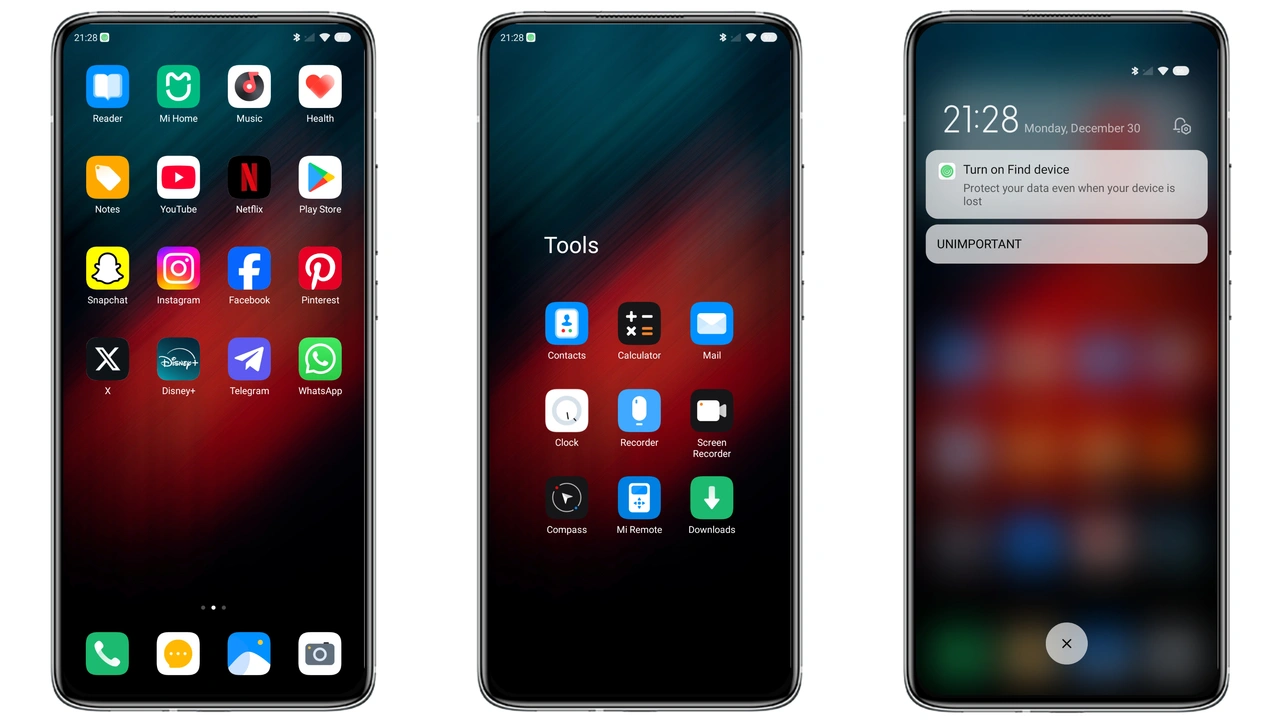
The Clean UI theme leans heavily on a restrained red palette that pops against a deep‑gray canvas. Icons are reshaped with subtle rounding, giving them a modern yet familiar silhouette. Status bar widgets adopt a thin line style, making notifications readable without overwhelming the eye. The lock screen receives a soft gradient that shifts slightly when the device is idle, reinforcing the dark‑mode vibe while keeping battery draw low. Wallpapers are curated to echo the theme’s color story—abstract cityscapes, muted gradients, and occasional neon highlights that never clash with the icon set.
Suggested Read: TNV1 HyperOS Theme: Tampilan Premium untuk Redmi Note, Poco, & Mi
Who’ll Love This Clean‑Cut Design
If you gravitate toward a tidy interface that still feels expressive, this theme lands squarely in your comfort zone. Minimalist enthusiasts will appreciate the decluttered home screen, while fans of a hint of color will enjoy the signature red accents. Power users who switch between HyperOS and MIUI on multiple devices will find the consistent look soothing. The theme also appeals to developers who spend long hours on their phones; the dark background reduces eye strain, and the clear iconography speeds up navigation. Conversely, users who prefer ultra‑bright palettes or heavily animated UI may find the aesthetic too subdued.
Installing on HyperOS vs MIUI – What to Expect
On HyperOS, the process mirrors the standard MIUI flow but adds a quick‑apply toggle in the Settings > Themes panel. After downloading the .mtz file, open the Themes app, tap the three‑dot menu, and select Import. The theme appears at the top of your list; hit Apply and the system will prompt a brief restart to finalize assets. MIUI users follow the same steps, though older MIUI versions may require a manual reboot after applying. Both OSes handle dynamic icons seamlessly, so animated app shortcuts will animate as intended without extra configuration.
Pros and Cons
• Pros
• Elegant red‑on‑dark scheme reduces eye fatigue.
• Low memory footprint; smooth performance on mid‑range devices.
• Consistent experience across HyperOS and MIUI.
• Dynamic icons work out‑of‑the‑box.
• Cons
• Limited color variation; not for fans of bright themes.
• No built‑in widget pack; you must add third‑party widgets manually.
• Minor layout shift on some older POCO models, requiring a quick restart.
Theme Preview
Download Links
Use the buttons below to open the theme file and the supporting link.
Clean UI Theme mtz File
Helpful links
More Theme Updates
For more curated HyperOS and MIUI theme updates, visit Hyper OS x MIUI .