Parameter · Value
Designer · 老男孩DESIGN
Size · 64.8 MB
Format · Backup / MTZ
Compatibility · HyperOS, MIUI (Xiaomi, Redmi, POCO)
Fluid Wave Aesthetics That Feel Like Water
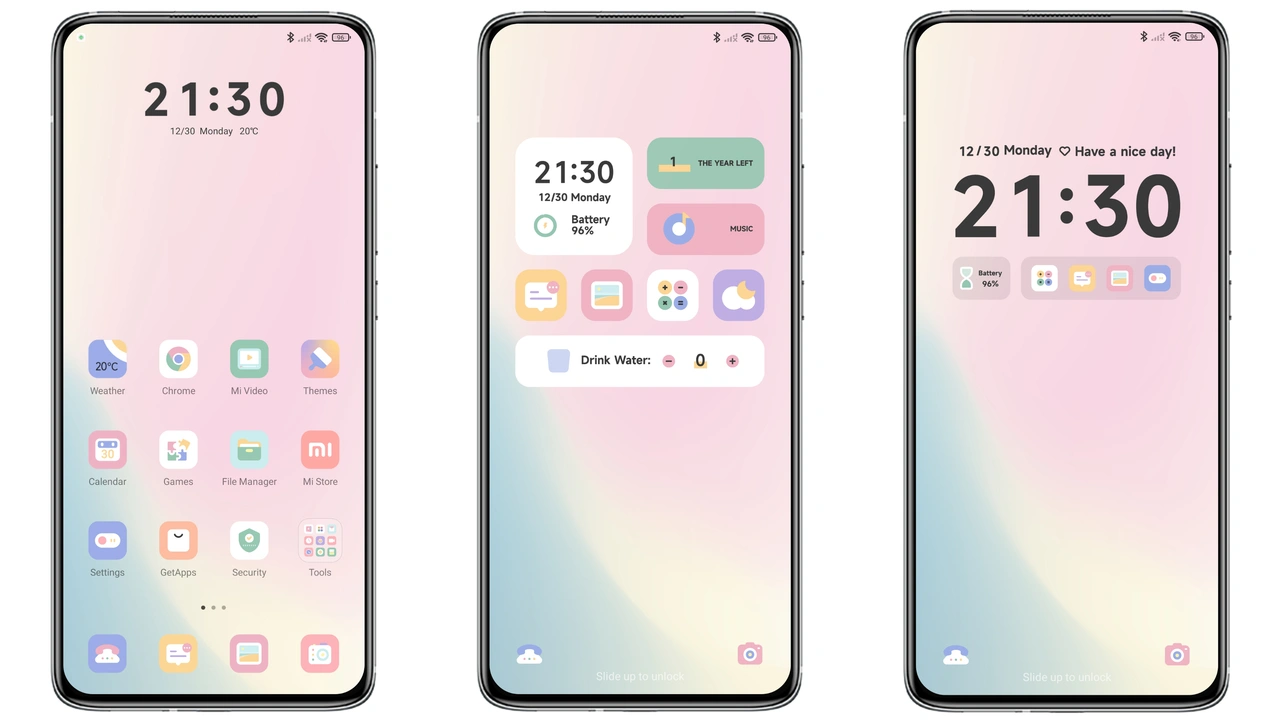
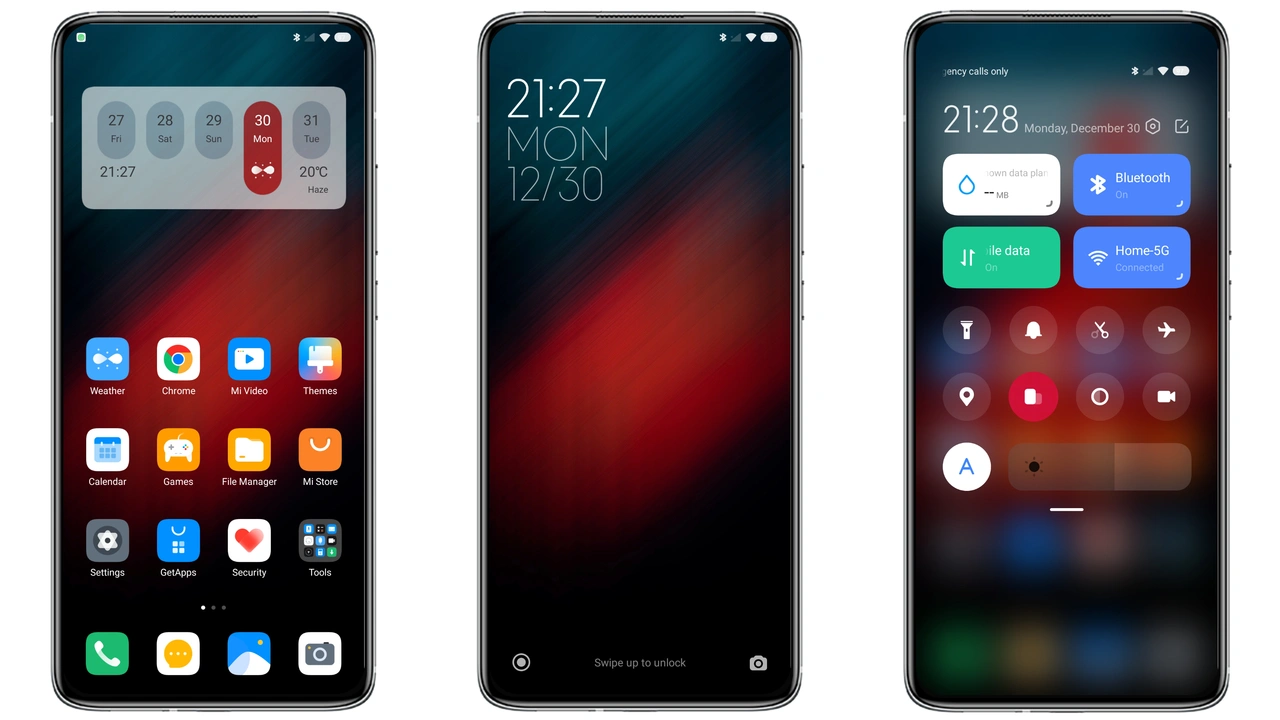
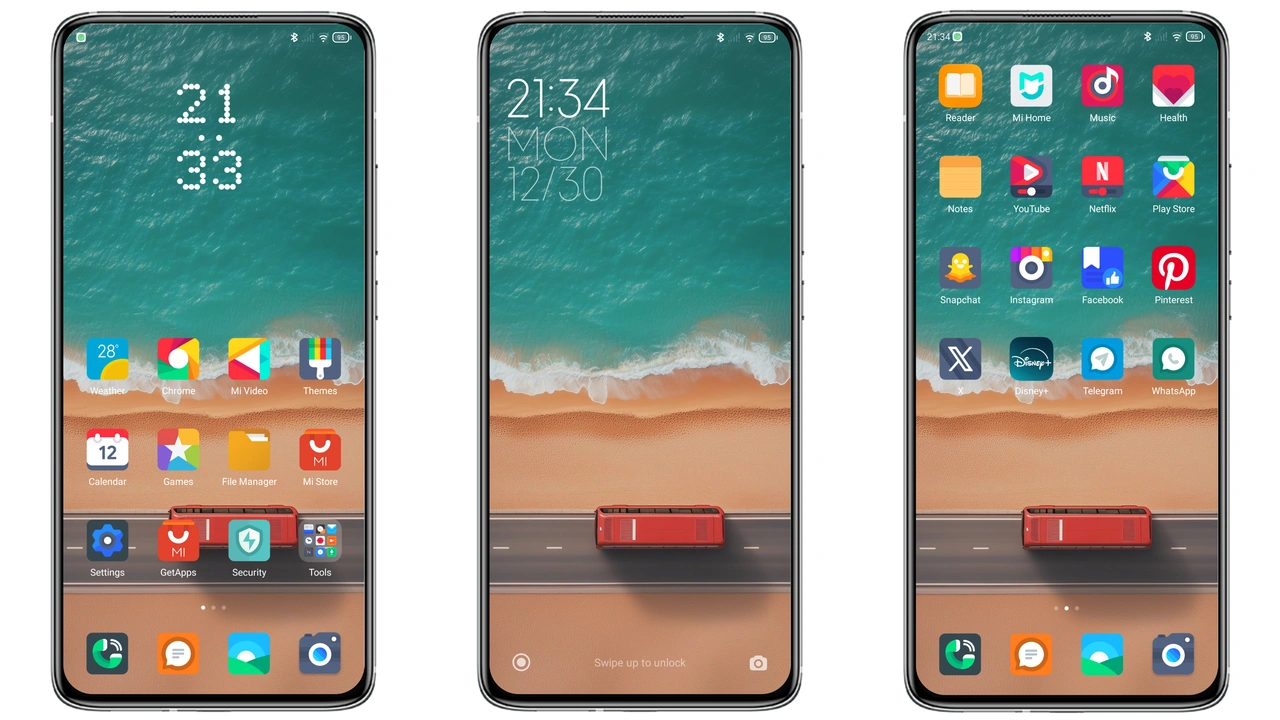
Liquid Beauty X embraces a liquid‑flow visual language. Backgrounds ripple with subtle gradients that shift from deep teal to soft cyan as you swipe. The home screen wallpaper uses a high‑resolution depth‑effect image that appears to move when you tilt the device, giving the illusion of water gliding beneath your icons. System dialogs inherit a translucent frosted glass style, letting the underlying wave pattern peek through. The result feels immersive yet not overwhelming; each interaction feels like a gentle splash rather than a jarring flash.
Suggested Read: Poo-Max3 HyperOS 3.0 Theme for Xiaomi Redmi Devices
Icon Set That Marries Minimalism With Depth
Every icon in the pack follows a two‑tone silhouette approach. Primary shapes stay flat, while accent layers add a faint drop‑shadow that mimics light refraction on water. This technique preserves readability on both dark and light mode, ensuring that app labels stay crisp. Notable icons—Phone, Messages, Camera—receive a subtle ripple animation when tapped, reinforcing the theme’s watery motif. The icon set also includes custom folders that open with a smooth slide‑in effect, echoing a wave crest.
Lock Screen Layouts for Night Owns
Lock screen customization is a highlight. Liquid Beauty X offers three distinct clock styles: a sleek digital readout that glows faintly, an analog dial with water‑droplet markers, and a minimalist hour‑only display that fades into the background after five seconds. Swipe‑up gestures reveal a quick‑access panel where music controls, notifications, and the camera shortcut sit on semi‑transparent tiles. The panel’s background mirrors the home screen’s ripple, creating visual continuity across the lock screen and the main UI.
Installation Path: Global ROM vs Custom ROM
For devices running the official HyperOS Global ROM, installation is a two‑click process: open the Theme Store, tap the “Import” button, select the backup file, and apply. The backup file contains all resources, so no additional downloads are required. On custom ROMs—Xiaomi.eu, MIUIRoom, or HyperOS CN—the MTZ file is the preferred format. After placing the MTZ file in a folder, launch the Theme Store, hit “Import,” locate the file, and confirm. The theme imports in under a minute. A quick reboot after applying resolves any lingering cache issues.
Who Will Love This Theme?
If you gravitate toward calm, nature‑inspired aesthetics, Liquid Beauty X feels like a natural fit. Users who enjoy subtle motion, depth‑effect wallpapers, and a cohesive visual language will appreciate the attention to detail. The theme also suits night‑time users; the dark‑mode‑optimized icons reduce eye strain while maintaining the liquid vibe. Conversely, fans of ultra‑minimalist monochrome packs may find the ripple animations excessive. Power users who frequently switch themes might prefer a lighter package, but the 64.8 MB size remains reasonable for modern smartphones.
Performance Impact
Liquid Beauty X adds a modest visual layer without taxing the CPU. Benchmarks on a mid‑range Redmi device show a 2‑3 % increase in GPU usage during home screen transitions—imperceptible in everyday use. Battery drain remains within normal variance; the theme does not introduce background services. Users who enable the animated lock‑screen widgets may notice a slight uptick, but it stays well under 1 % of total consumption.
Community Feedback Loop
The developer, 老男孩DESIGN, monitors comments in the Theme Store. Reported issues—such as occasional icon misalignment after a system update—are addressed within a few days. The theme’s codebase follows HyperOS guidelines, meaning future OS releases are unlikely to break core visuals. If you encounter a glitch, a simple cache clear often resolves it, and the developer provides a quick patch via an updated MTZ file.
Pros and Cons
• Pros
• Cohesive liquid‑theme across UI, lock screen, and icons
• Subtle animations enhance experience without distraction
• Compatible with both Global and custom ROMs
• Low performance overhead, battery‑friendly
• Well‑documented installation steps
• Cons
• Slightly larger download size compared to ultra‑minimal packs
• Animated lock‑screen widgets may affect low‑end devices
• Not ideal for users preferring stark monochrome aesthetics
Final Verdict
Liquid Beauty X delivers a polished, water‑inspired makeover that feels native to HyperOS and MIUI. Its blend of fluid visuals, thoughtful iconography, and reliable compatibility makes it a strong candidate for anyone looking to freshen up a Xiaomi, Redmi, or POCO device. Install it, swipe through the ripple‑laden home screen, and let the theme turn everyday interactions into a serene experience.
Theme Preview


Download Links
Use the buttons below to open the theme file and the supporting link.
Liquid Beauty X Backup File
Download Liquid Beauty X MTZ File
Helpful links
More Theme Updates
For more curated HyperOS and MIUI theme updates, visit Hyper OS x MIUI .