Introduction to Super26i HyperOS Theme
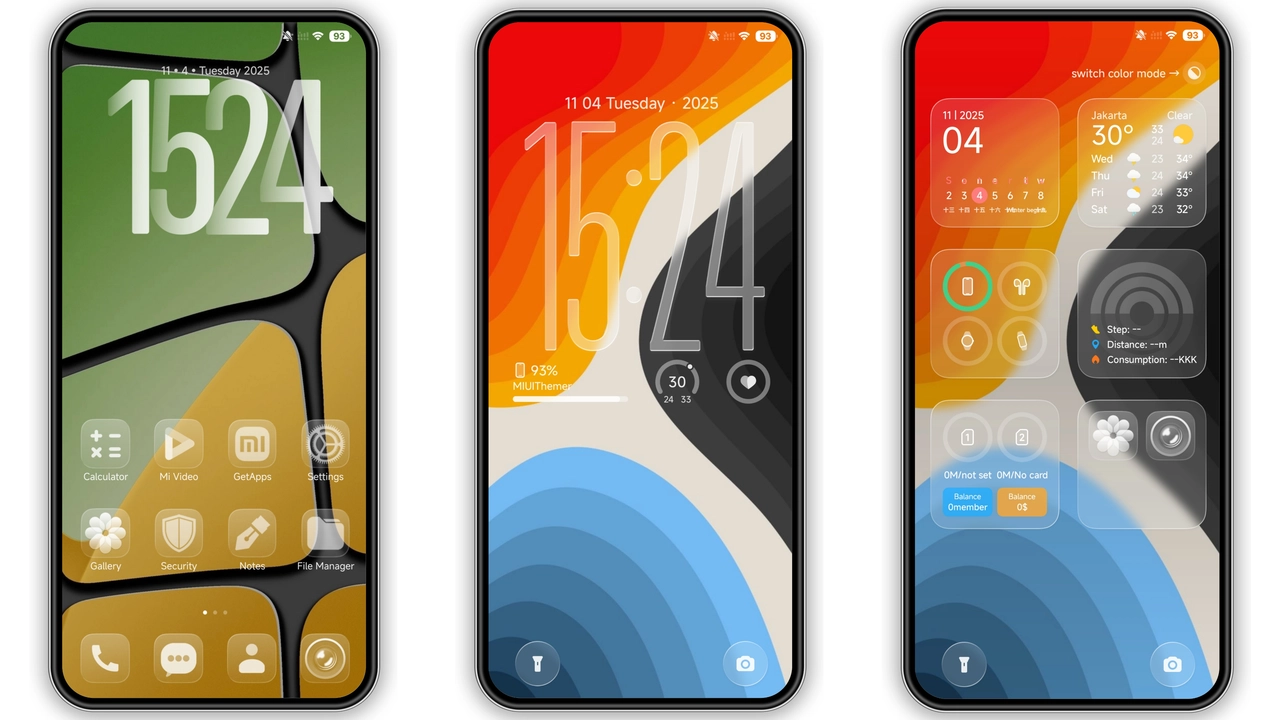
The Super26i HyperOS theme is a stunning visual package designed for Xiaomi and Redmi phones, offering a comprehensive makeover that transforms the look and feel of your device. Created by the talented designer Masuod, this theme is part of a growing collection of HyperOS themes that aim to provide users with unique, personalized experiences.
Visual Style and Aesthetics
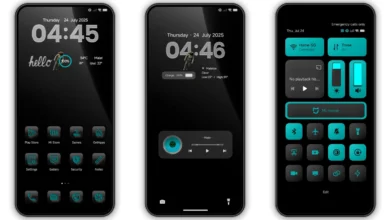
At the heart of the Super26i theme is its visually striking design, which combines cool, colorful elements with dynamic features to create an engaging user interface. The theme includes a well-designed set of icons, fresh wallpapers, a new status bar, a cool lock screen, and a stylish Always-on Display, among other features. These components work together to provide a cohesive visual identity that sets the Super26i apart from other themes.
The theme's use of color is particularly noteworthy, as it strikes a balance between vibrancy and subtlety, ensuring that the interface remains both appealing and easy to navigate. The dynamic lock screen and Always-on Display are especially impressive, offering a level of customization that enhances the overall user experience.
Who May Like the Super26i Theme
The Super26i HyperOS theme is likely to appeal to a wide range of users, but particularly those who are looking for a theme that offers a distinctive, modern look without compromising on functionality. Users who enjoy customizing their devices and trying out new visual styles will find the Super26i to be a compelling option.
Furthermore, the theme's compatibility with HyperOS and its variants makes it an attractive choice for users who are invested in the Xiaomi ecosystem and are looking to personalize their devices without venturing into complex customization processes.
Compatibility Notes
The Super26i theme is designed to be compatible with HyperOS and works seamlessly on Xiaomi, Redmi, and POCO smartphones. This broad compatibility ensures that a large number of users can enjoy the theme, regardless of their specific device model.
For users with MIUI Global Stable ROM (Stock ROM) or custom ROMs like Xiaomi EU ROM, the process of installing and applying the theme is straightforward, thanks to the theme's support for both official and custom firmware environments.
Install Expectations
Installing the Super26i theme is a relatively simple process, especially for those familiar with applying themes on Xiaomi devices. For users with HyperOS or MIUI Global Stable ROM, the theme can be applied directly through the Theme Store APP, following a series of intuitive steps.
1.Open the Theme Store APP: Navigate to the Theme Store on your device. 2.Download the Theme: Select the Super26i theme from the available options or import it if you have the.mtz file. 3.Apply the Theme: Once downloaded, apply the theme through the Theme Store APP. 4.Restart Your Device (Optional): If any elements are not displaying correctly, a restart may be necessary to ensure everything is properly applied.
For users with custom ROMs based on MIUI, the process involves downloading the.mtz file of the theme and importing it through the Theme Store APP, a method that is both straightforward and efficient.
Practical Download Notes
To download the Super26i theme, users can access the theme's.mtz file, which is readily available. The download process is quick, given the theme's size of approximately 23.83 MB, a relatively modest size considering the comprehensive visual overhaul it provides.
Download Steps:
•Access the Download Link: Find the download link for the Super26i theme.mtz file.
•Download the.mtz File: Click on the link to start the download.
•Import the Theme: Open the Theme Store APP, navigate to the import option, and select the downloaded.mtz file.
•Apply and Enjoy: Once imported, apply the theme and restart your device if necessary.
Conclusion
The Super26i HyperOS theme represents a fantastic option for users looking to give their Xiaomi or Redmi phones a fresh, modern look. With its dynamic features, well-designed icons, and compatibility with a range of devices, this theme is poised to become a favorite among those who value customization and aesthetics. Whether you're a seasoned theming enthusiast or just starting to explore the world of device customization, the Super26i theme is certainly worth considering.
Theme Preview

Download Links
Use the buttons below to open the theme file and the supporting link.
Super26i Theme mtz File
Helpful links
More Theme Updates
For more curated HyperOS and MIUI theme updates, visit Hyper OS x MIUI .


