
Introduction to Galaxy 7 HyperOS Theme
The Galaxy 7 HyperOS theme is a stunning Samsung One UI style theme designed for Xiaomi and Redmi phones. This theme is the perfect choice for those who want to give their device a fresh new look without sacrificing performance. With its sleek and modern design, the Galaxy 7 theme is sure to impress.
Visual Style
The Galaxy 7 theme boasts a simple yet elegant design, with a focus on minimalism and cleanliness. The theme features a range of beautifully designed icons, fresh wallpapers, and a new status bar that gives your device a unique look. The lock screen is also customizable, with a dynamic lock screen that adds an extra layer of style to your device. The Always-on Display feature is also available, allowing you to stay informed about your notifications and other important information without having to unlock your device.
Who May Like the Theme
The Galaxy 7 theme is perfect for anyone who wants to give their Xiaomi or Redmi device a unique and stylish look. If you're a fan of Samsung's One UI, you'll love the Galaxy 7 theme. The theme is also great for those who want a clean and minimalistic design, without sacrificing functionality. Whether you're a student, a professional, or simply someone who wants to personalize their device, the Galaxy 7 theme is a great choice.
Compatibility Notes
The Galaxy 7 theme is compatible with HyperOS and works seamlessly on Xiaomi, Redmi, and POCO smartphones. The theme is designed to work with the latest versions of HyperOS, including HyperOS 2.0. If you're running an older version of HyperOS, you may need to update your device before installing the theme.
Install Expectations
Installing the Galaxy 7 theme is a straightforward process. If you have a HyperOS or MIUI Global Stable ROM (Stock ROM) running on your device, you can follow the instructions provided to install and apply the theme. The theme is available in the official theme store, and you can download and apply it directly from there. If you have a custom ROM, you can install the theme using the MTZ file.
Practical Download Notes
To download the Galaxy 7 theme, you can click on the download link provided. The theme is available in a single MTZ file, which can be easily installed on your device. The file size is approximately 17.92 MB, so make sure you have enough storage space on your device before downloading. Once you've downloaded the theme, you can follow the instructions provided to install and apply it.
Tips and Tricks
To get the most out of the Galaxy 7 theme, we recommend restarting your device after applying the theme. This will ensure that all the features and changes are properly applied, and you can enjoy the full benefits of the theme. We also recommend exploring the theme's settings and customization options to personalize your device to your liking.
Conclusion
The Galaxy 7 HyperOS theme is a stunning Samsung One UI style theme that is perfect for Xiaomi and Redmi devices. With its sleek and modern design, the theme is sure to impress. The theme is compatible with HyperOS and works seamlessly on Xiaomi, Redmi, and POCO smartphones. Whether you're a fan of Samsung's One UI or simply want to give your device a unique and stylish look, the Galaxy 7 theme is a great choice. So why wait? Download the Galaxy 7 theme today and give your device a fresh new look.
Theme Preview
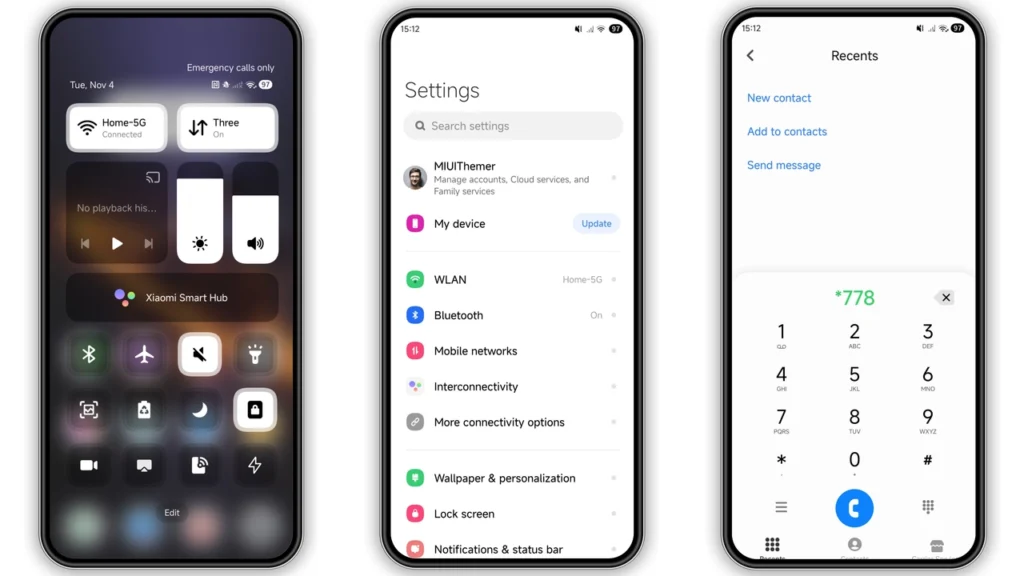
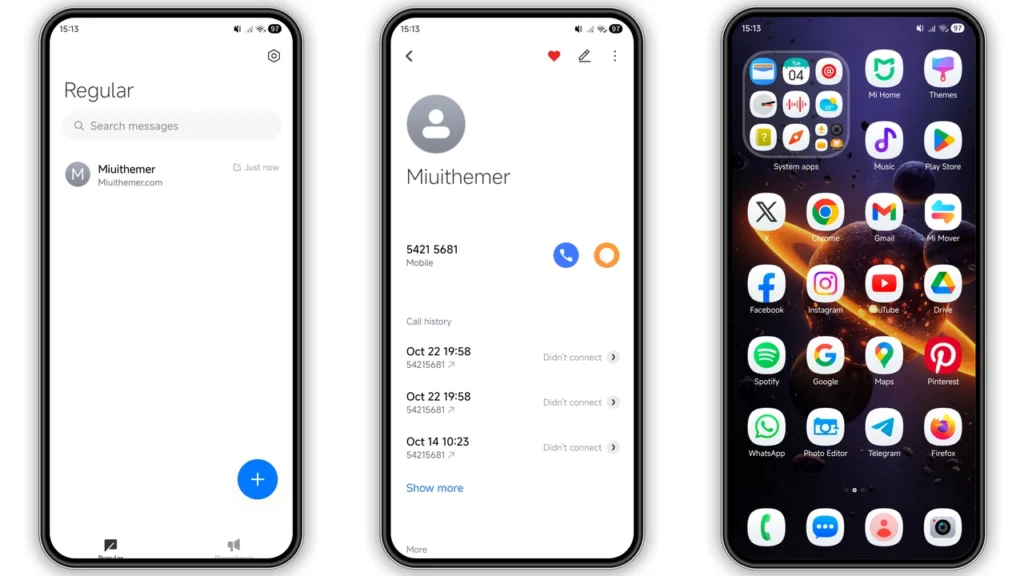
Download Links
Use the buttons below to open the theme file and the supporting link.
Galaxy 7 Theme mtz File
Helpful links
More Theme Updates
For more curated HyperOS and MIUI theme updates, visit Hyper OS x MIUI .


