
Introduction to Laguna Blu HyperOS Theme
For those who appreciate the calming effects of blue hues and are looking to give their Xiaomi, Redmi, or POCO smartphones a fresh new look, the Laguna Blu HyperOS theme is an excellent choice. Designed by the talented BoZinsky, this theme brings a serene and modern aesthetic to your device, perfect for those who value simplicity and elegance. In this article, we'll delve into the visual style of Laguna Blu, discuss who might particularly enjoy this theme, cover compatibility notes, outline what to expect during installation, and provide practical advice on downloading and applying the theme.
Visual Style and Design Elements
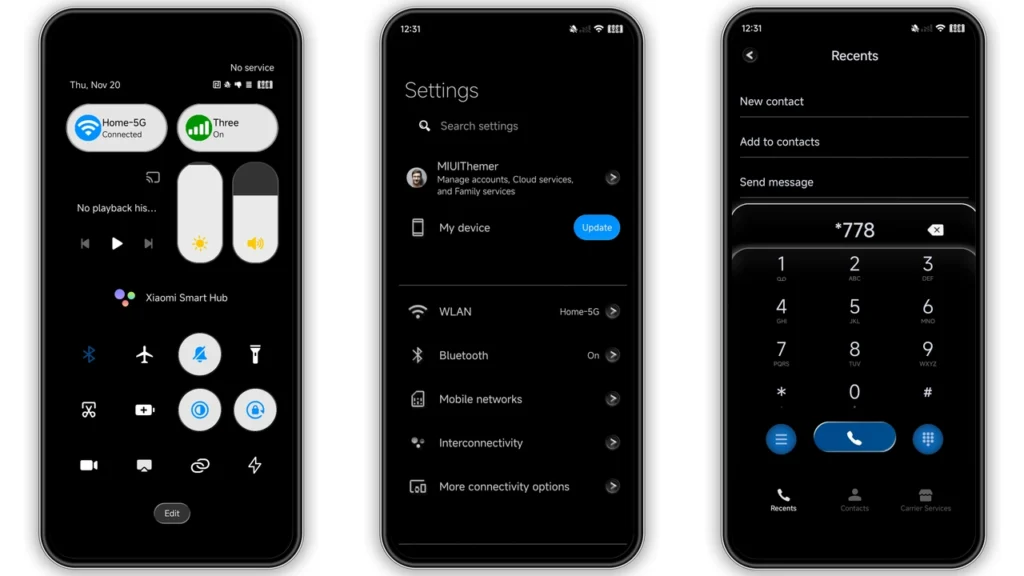
Laguna Blu is characterized by its predominantly blue color scheme, which evokes feelings of tranquility and relaxation. The theme includes a set of well-designed icons that complement the blue tones, creating a harmonious visual experience. Alongside the icons, the theme comes with fresh wallpapers that further enhance the overall aesthetic, ensuring that every aspect of your user interface feels cohesive and visually appealing.
One of the standout features of Laguna Blu is its ability to transform your device's lock screen and Always-on Display into stylish and functional elements that not only look great but also provide essential information at a glance. The theme's attention to detail extends to the status bar and other UI elements, ensuring that every part of your interface is consistent with the overall design language.
Who Might Like Laguna Blu HyperOS Theme?
This theme is particularly suited for individuals who:
• Appreciate minimalist and clean designs.
• Prefer a calming color scheme that can help reduce visual fatigue.
• Are looking for a theme that can give their device a unique and modern look without being overly flashy.
• Enjoy customization options but also value simplicity and ease of use.
Given its design, Laguna Blu is an excellent choice for both personal and professional use, offering a sophisticated look that can appeal to a wide range of users.
Compatibility Notes
Laguna Blu HyperOS theme is designed to be compatible with HyperOS and HyperOS 2.0, making it accessible to a broad range of Xiaomi, Redmi, and POCO smartphone models. Before downloading, it's essential to ensure that your device runs on a compatible operating system to avoid any issues with theme installation or functionality.
For users with custom ROMs based on MIUI 11, 12, 13, or 14, or HyperOS, the theme can be installed using the MTZ file, providing flexibility for those who prefer or require custom firmware on their devices.
Installation Expectations
Installing the Laguna Blu theme is a straightforward process, whether you're using the official theme store link or applying the MTZ file directly. For devices running on stock ROMs, following the provided instructions to open the theme store link, download, and apply the theme should result in a seamless installation experience.
For custom ROM users, downloading the MTZ file and importing it through the Theme Store app is the recommended method. It's crucial to restart your device after applying the theme to ensure all elements are properly implemented and to avoid any potential display issues.
Practical Download Notes
To download the Laguna Blu HyperOS theme, you can find the MTZ file through the provided download links. It's recommended to use a stable and fast internet connection to ensure the download process is quick and reliable.
•Download the MTZ filefrom the given link.
•Open the Theme Store appon your device.
•Navigate to the Themes optionand swipe to the bottom.
•Select Importand choose the downloaded MTZ file.
•Apply the themeand restart your device for the best experience.
Conclusion
The Laguna Blu HyperOS theme offers a unique and refreshing visual experience for Xiaomi, Redmi, and POCO smartphone users. With its soothing blue tones, modern design elements, and ease of installation, it's an excellent choice for anyone looking to personalize their device without compromising on style or functionality. Whether you're a fan of minimalist designs or simply looking for a change of pace, Laguna Blu is certainly worth considering.
Labels
Theme Preview
Download Links
Use the buttons below to open the theme file and the supporting link.
Laguna Blu Theme mtz File
Helpful links
More Theme Updates
For more curated HyperOS and MIUI theme updates, visit Hyper OS x MIUI .


