
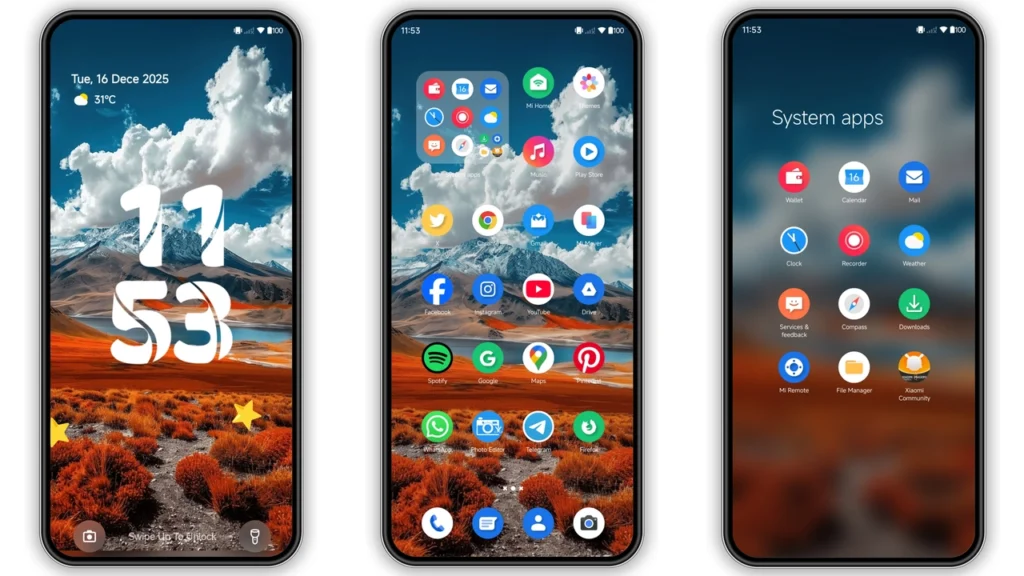
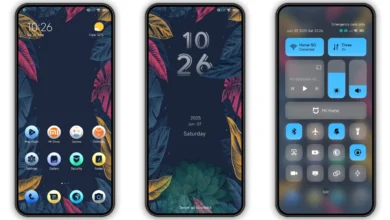
KONTHOLMU IRENG is a dark, high-contrast HyperOS theme built for people who want their Xiaomi phone to feel sharper, moodier, and less stock. It leans into black surfaces, bold icon styling, and a fresh lock screen setup, while still staying usable for daily scrolling, messaging, and quick settings access. If you like themes that look custom at a glance but don’t become messy after a day of use, this one lands in that sweet spot.
Visual style: dark, bold, and surprisingly clean
KONTHOLMU IRENG goes for a heavy dark aesthetic, but not in a flat or boring way. The base tone is deep black with contrast-focused accents, so key UI elements stand out fast: toggles, status icons, and app badges feel easier to scan. On AMOLED panels, the darker backgrounds also look richer, especially at low brightness.
What stands out most:
•Icon redesign→ stock look replaced with a stronger, more character-driven set.
•Wallpaper pairing→ chosen to match the icon palette, not fight it.
•Status bar treatment→ cleaner visual rhythm, less cluttered feel.
•Lock screen refresh→ more personality without becoming gimmicky.
•AOD styling→ adds polish when screen is idle.
There’s also a subtle Pixel/Google flavor in the way elements are balanced: modern, minimal-ish, and readability-first. If you’ve used themes that look dramatic in screenshots but chaotic on your home screen, this one feels more controlled.
Who will like this theme most
KONTHOLMU IRENG is not trying to be “cute,” pastel, or glassmorphism-heavy. It’s for users who prefer:
• dark UI all day,
• stronger contrast for visibility,
• non-stock icon personality,
• lock screen flair with practical readability,
• a custom feel without wrecking usability.
It’s a good fit for students, creators, and power users who constantly use quick settings, notifications, and messaging apps at night. It’s also friendly for people who rotate themes often but still want one “daily driver” look that doesn’t get tiring.
If your taste is ultra-minimal monochrome with no stylistic elements at all, you may find this one a bit expressive. But if you want dark + stylish + usable, it hits the target.
Compatibility: what works, where, and what to expect
Core compatibility is straightforward:
•Brand target:Xiaomi, Redmi, POCO
•OS support:HyperOS (including HyperOS 2.0 environments mentioned by theme pages)
•ROM context:works on stock/global routes via Theme Store path; can also be used through MTZ import on many HyperOS/MIUI-based custom ROMs
Practical expectation: theme behavior can vary slightly by device model, DPI scaling, and region-specific Theme Store policies. That’s normal in Xiaomi theming. In most cases, core parts apply fine (icons, wallpaper, lock style), while a few tiny elements may differ depending on your build.
If you’re on MIUI-era custom builds (11/12/13/14 based), MTZ import usually remains the reliable fallback path.
Feature highlights in daily use
This theme’s value is not just one flashy lock screen. It’s the cumulative feel across routine tasks.
1) Home screen readability
Dark base + distinct icons → faster app recognition. You don’t spend extra time parsing similar shapes.
2) Notification comfort
Contrast helps notification text stay readable, especially in dim environments.
3) Lock screen personality
The lock screen feels customized enough to make the phone “yours,” but not overloaded with visual noise.
4) AOD polish
Always-on display styling adds that premium touch when idle, particularly on OLED devices.
5) Cohesion
Many themes mix styles from different design languages. KONTHOLMU IRENG feels more unified, which is why it works as a long-term setup.
Install expectations: stock ROM vs custom ROM
You can install this theme through two common routes. Pick based on your ROM type.
Stock/Global HyperOS or MIUI flow
Expect the Theme Store handoff method. Depending on browser behavior, the page may open a Chinese-language Theme Store endpoint first, then redirect/open in app.
Typical flow:
1. Open the theme page in a compatible browser. 2. Use the official Theme Store open action. 3. ChooseOpen in appwhen prompted. 4. Theme Store launches. 5. Download, then apply.
If the handoff fails in one browser, retry with Xiaomi default browser or Chrome-like fallback. This is a common Theme Store routing quirk, not necessarily a theme issue.
Custom ROM / MTZ flow
If Theme Store region locks or direct page opening fails, MTZ import is usually easiest.
1. Download the.mtzfile. 2. OpenThemesapp. 3. Go to your themes section. 4. FindImport. 5. Select downloaded.mtz. 6. Apply theme.
After applying, if any element overlaps or looks partially unskinned, restart once. Minor post-apply glitches usually clear after reboot.
Download notes that actually matter
• Theme size is around40 MBclass, so Wi‑Fi is preferred if your data plan is tight.
• Keep at least a little free storage before import/install to avoid silent failures.
• If only parts apply, re-apply once after reboot.
• Region/server behavior can change Theme Store availability; MTZ route remains the practical backup.
• Save a screenshot of your old layout if you frequently revert.
Direct file label for this release:
•KONTHOLMU IRENG Theme mtz File
Real-world pros and minor caveats
Pros
• Strong dark aesthetic without trashing readability
• Good icon personality
• Stylish lock/AOD refresh
• Works for daily use, not just screenshots
• Free theme workflow
Caveats
• Theme Store launch path can be browser-sensitive
• Small UI inconsistencies can happen across ROM/device combinations
• Some users may prefer a flatter, less expressive icon set
Should you install it?
If your current setup feels generic and you want a dark theme that looks intentional, KONTHOLMU IRENG is worth trying. It gives your Xiaomi/Redmi/POCO device a more premium, custom vibe while keeping practical usability intact. The biggest win is balance: visual identity + everyday clarity.
If you test lots of themes, this is a solid candidate for your dark-theme shortlist. If you keep one theme for weeks, it has enough coherence to hold up long-term.
Quick theme card
•Theme:KONTHOLMU IRENG
•Designer:Kang Ipak
•Ecosystem:HyperOS x MIUI
•Primary style:Dark / bold / contrast-forward
•Best for:users who want non-stock personality with daily usability
•Install paths:Theme Store handoff or MTZ import
•File option:KONTHOLMU IRENG Theme mtz File
For anyone chasing a darker, cleaner, more character-rich Xiaomi experience, this one delivers more than cosmetic change. It reshapes the phone’s mood while keeping the interface practical—and that’s exactly what a good daily theme should do.
Theme Preview
Download Links
Use the buttons below to open the theme file and the supporting link.
KONTHOLMU IRENG Theme mtz File
Helpful links
More Theme Updates
For more curated HyperOS and MIUI theme updates, visit Hyper OS x MIUI .


