
Introduction to Kadera HyperOS Theme
The Kadera HyperOS theme is a stunning visual package designed for Xiaomi and Redmi phones, aiming to revolutionize the user interface with its fresh and sleek design elements. Created by Yunuz Alvarez, this theme promises to bring a new level of customization to your device, making it stand out from the standard stock themes.
Visual Style and Features
At the heart of the Kadera theme is its visually appealing design, which includes well-crafted icons, beautiful wallpapers, a revamped status bar, a cool lock screen, and a stylish Always-on Display. Each element is meticulously designed to provide a cohesive and modern look that enhances the overall user experience. Whether you're looking for a theme that exudes simplicity and elegance or something that stands out with its vibrancy, the Kadera theme has something to offer.
Who May Like the Theme?
This theme is perfect for individuals who are looking to give their Xiaomi or Redmi phone a personalized touch without compromising on performance or functionality. It's ideal for those who appreciate a clean and modern aesthetic but also want to differentiate their device from the standard look. Fans of custom themes and those who enjoy experimenting with different visual styles will find the Kadera theme to be a delightful addition to their collection.
Compatibility Notes
The Kadera HyperOS theme is designed to be compatible with HyperOS and works seamlessly on Xiaomi, Redmi, and POCO smartphones. This compatibility ensures that a wide range of users can enjoy the theme without worrying about device restrictions. However, it's always a good idea to check the specific compatibility of the theme with your device's software version before installation to avoid any potential issues.
Install Expectations
Installing the Kadera theme is relatively straightforward, especially for those familiar with applying themes on Xiaomi devices. The process involves downloading the theme file and then using the Theme Store app to apply it. For users with MIUI Global Stable ROM (Stock ROM), the theme can be installed directly through the Theme Store link provided. However, for those with custom ROMs like Xiaomi EU ROM, the installation might require downloading the.mtz file and importing it through the Theme Store app.
Practical Download Notes
To download the Kadera theme, users can access the download link provided, which directs them to a secure location where the theme file can be downloaded. It's crucial to ensure that the download is from a trusted source to avoid any potential security risks. The theme's file size is approximately 28.33 MB, which is relatively standard for themes of this nature, indicating that it includes a comprehensive set of design elements without being overly bulky.
Applying the Theme
Applying the Kadera theme involves a few simple steps: 1.Download the Theme: Access the download link and save the theme file to your device. 2.Open Theme Store App: Locate and open the Theme Store app on your Xiaomi device. 3.Import the Theme: If you've downloaded the.mtz file, navigate to the 'Themes' section, swipe to the bottom, and click on 'Import' to select the downloaded file. 4.Apply the Theme: Once the theme is imported, you can apply it directly from the Theme Store app. 5.Restart Your Device: After applying the theme, it's recommended to restart your device to ensure all elements of the theme are properly implemented and to avoid any overlap or visibility issues.
Conclusion
The Kadera HyperOS theme offers a unique and captivating visual experience for Xiaomi and Redmi phone users. With its modern design, comprehensive set of features, and ease of installation, it's an excellent choice for anyone looking to personalize their device. Whether you're a fan of sleek, modern designs or prefer themes that offer a bit of everything, the Kadera theme is definitely worth considering. Its compatibility with a range of devices and straightforward installation process make it accessible to a wide audience, ensuring that more users can enjoy the benefits of a beautifully designed theme on their smartphones.
Final Thoughts
Customization is a significant aspect of the smartphone experience, allowing users to make their devices truly personal. Themes like Kadera play a vital role in this customization, offering users the opportunity to transform their device's look and feel without the need for extensive technical knowledge. For those interested in exploring the world of HyperOS themes, the Kadera theme is a great place to start, providing a blend of style, functionality, and ease of use that is hard to find in many other themes available today.
Theme Preview
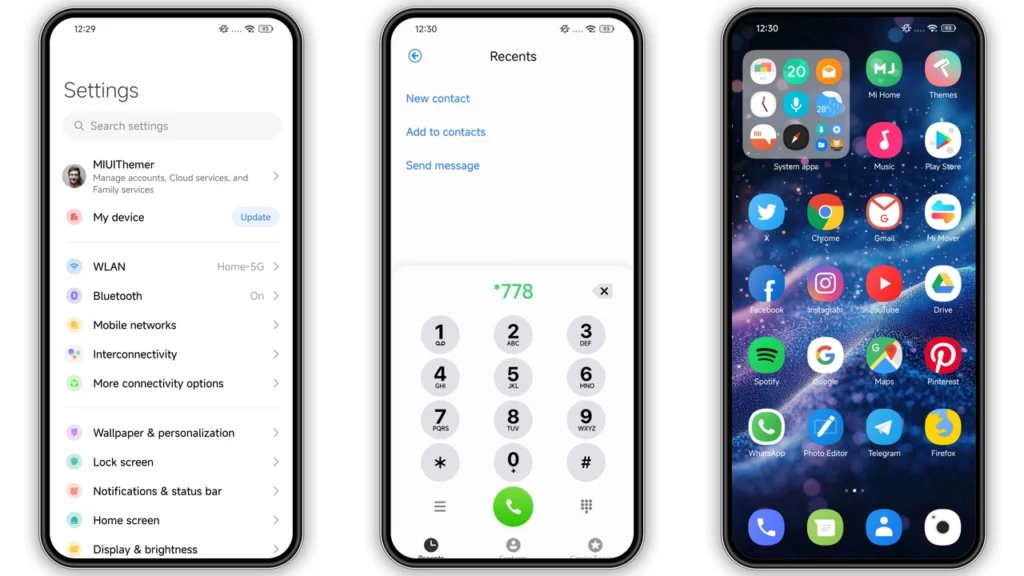
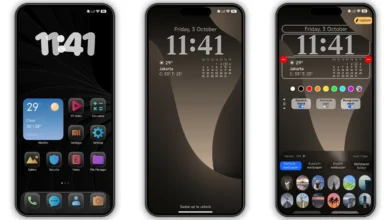
Download Links
Use the buttons below to open the theme file and the supporting link.
Kadera Theme mtz File
Helpful links
More Theme Updates
For more curated HyperOS and MIUI theme updates, visit Hyper OS x MIUI .


