Introduction to Hyper Glass Theme
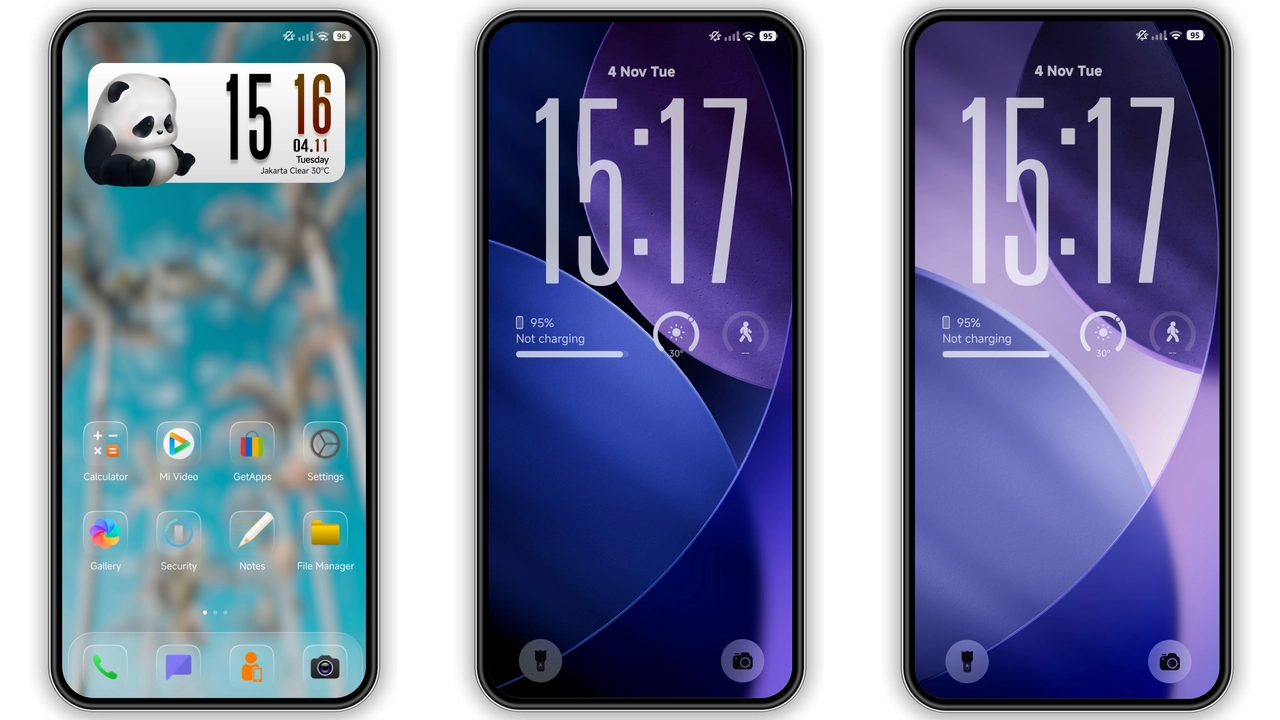
The Hyper Glass theme is an exquisite creation designed for Xiaomi and Redmi phones, aiming to transform the visual experience of your device. This theme, crafted by the talented designer oxfury, brings a fresh and modern look to your smartphone, making it stand out from the crowd. With its well-designed icons, stunning wallpapers, and sleek lock screen, the Hyper Glass theme is a must-try for anyone looking to give their device a premium makeover.
Visual Style and Aesthetics
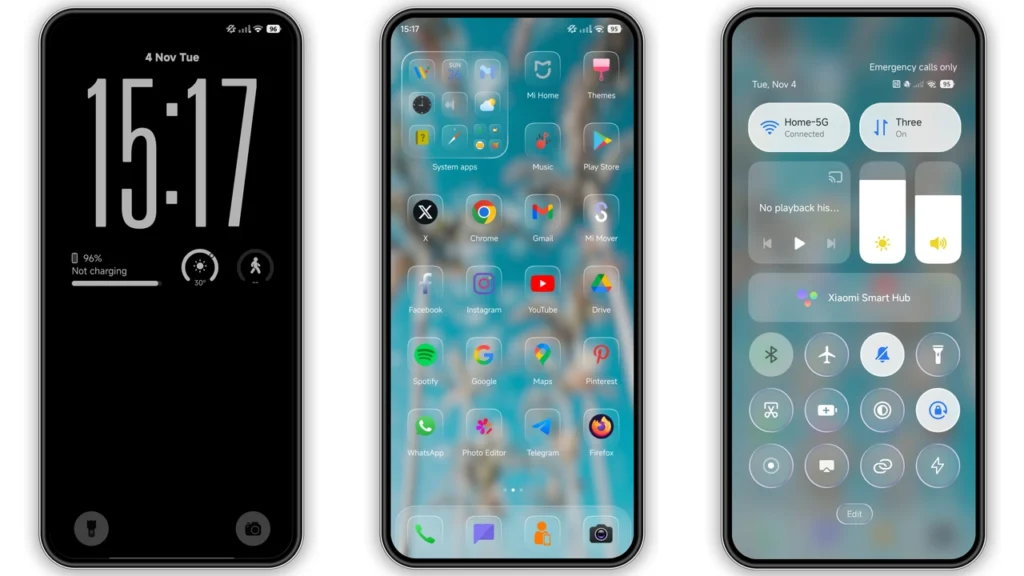
The Hyper Glass theme boasts a mesmerizing visual style that is both elegant and sophisticated. The theme's color palette is predominantly blue, which gives it a calm and serene ambiance. The icons are meticulously designed, with a focus on simplicity and minimalism, making them easy to recognize and navigate. The wallpapers are equally impressive, with high-quality images that complement the overall theme perfectly. Whether you're a fan of subtle backgrounds or bold statements, the Hyper Glass theme has something to offer.
Who May Like the Theme
The Hyper Glass theme is ideal for individuals who appreciate a clean and modern design. If you're someone who values simplicity and elegance, this theme is sure to impress. The theme's blue color scheme also makes it a great choice for those who prefer a calming and soothing visual experience. Additionally, the Hyper Glass theme is perfect for users who want to give their device a unique and personalized look, setting it apart from the standard stock themes.
Compatibility Notes
Before installing the Hyper Glass theme, it's essential to ensure that your device is compatible. The theme is designed to work seamlessly with HyperOS and HyperOS 2.0, making it a great option for Xiaomi, Redmi, and POCO smartphones. If you're running a custom ROM, such as Xiaomi EU ROM or MIUIRoom, you can still install the theme using the MTZ file. However, please note that compatibility may vary depending on the specific ROM and device configuration.
Install Expectations
Installing the Hyper Glass theme is a straightforward process. If you have a HyperOS or MIUI Global Stable ROM (Stock ROM) on your device, you can download and apply the theme directly from the Theme Store APP. For custom ROM users, you'll need to download the MTZ file and import it into the Theme Store APP. Once installed, the theme will automatically apply, and you'll be able to enjoy the new look and feel of your device.
Practical Download Notes
To download the Hyper Glass theme, you can find the MTZ file in the download section. The file size is approximately 24.52 MB, so ensure you have sufficient storage space on your device. If you encounter any issues during the download or installation process, you can try using a different browser or restarting your device. It's also recommended to restart your device after applying the theme to ensure that all elements are properly loaded and visible.
Conclusion
The Hyper Glass theme is an exceptional creation that can elevate your Xiaomi or Redmi phone to a whole new level. With its stunning visual style, simple yet elegant design, and ease of installation, this theme is a must-try for anyone looking to personalize their device. Whether you're a fan of modern design or simply want to give your device a unique look, the Hyper Glass theme is sure to impress. So why wait? Download the Hyper Glass theme today and experience the ultimate visual transformation for your smartphone.
Theme Preview
Download Links
Use the buttons below to open the theme file and the supporting link.
Hyper Glass Theme mtz File
Helpful links
More Theme Updates
For more curated HyperOS and MIUI theme updates, visit Hyper OS x MIUI .


