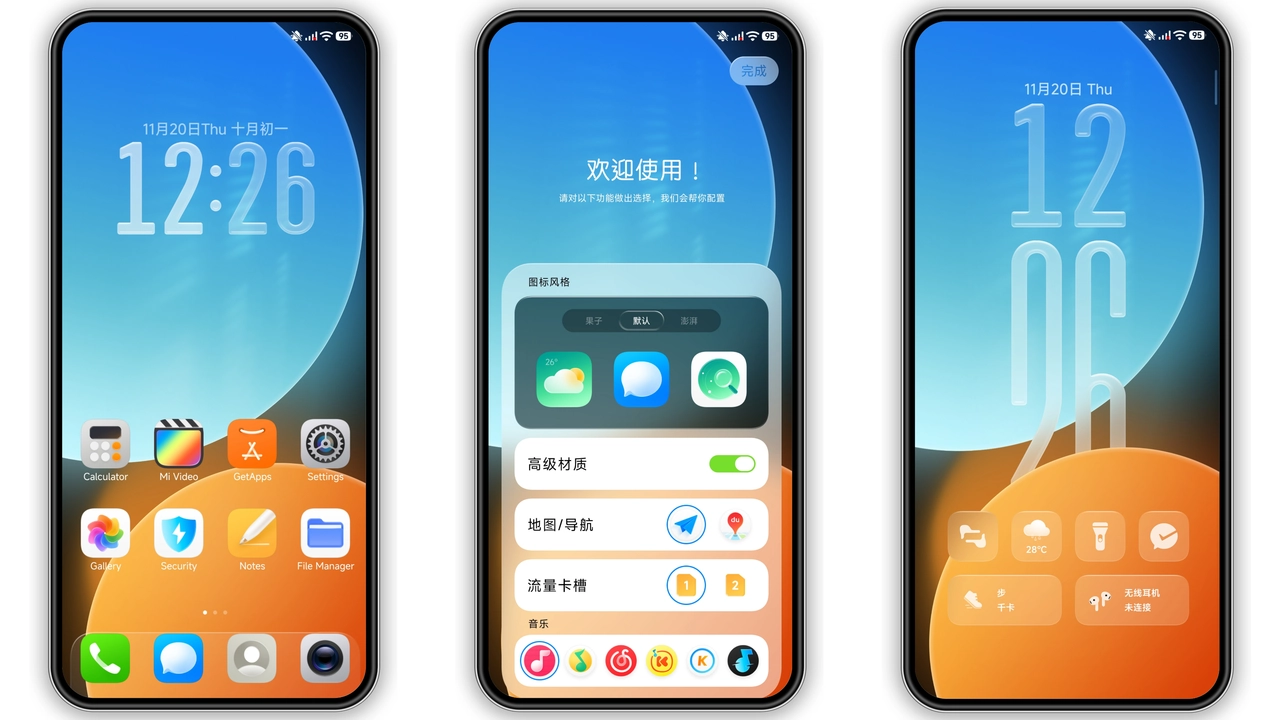
Introduction to Free Canvas HyperOS Theme
The world of smartphone customization is vast and filled with endless possibilities, especially for Xiaomi and Redmi phone users. One of the most effective ways to give your device a brand-new look is by applying a theme. Among the numerous themes available, the Free Canvas HyperOS theme stands out for its unique visual style and comprehensive set of customization options. In this article, we'll delve into the details of the Free Canvas theme, exploring its design, compatibility, installation process, and who might find it particularly appealing.
Visual Style and Customization
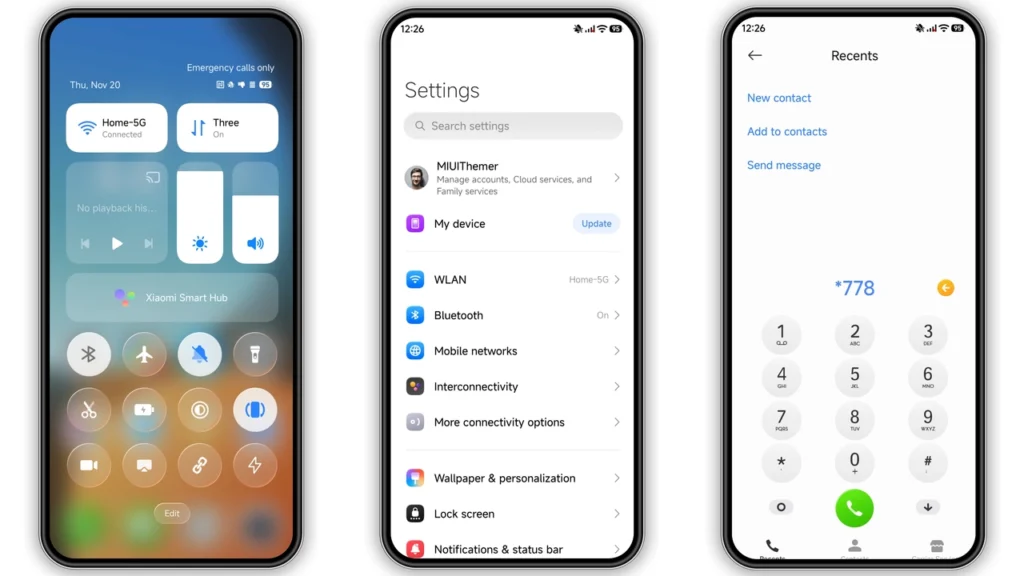
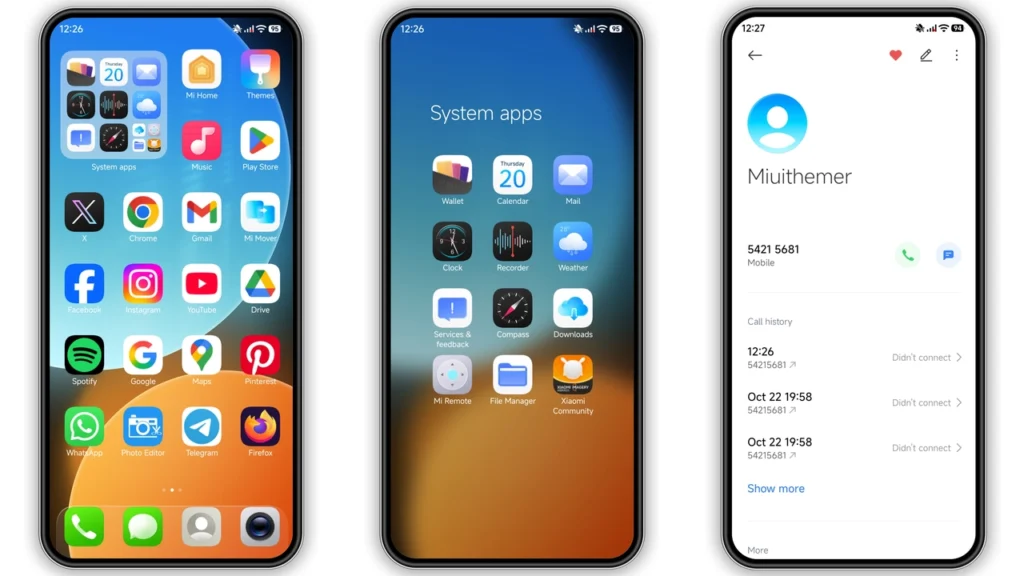
The Free Canvas HyperOS theme is designed to provide a fresh and modern look to your Xiaomi or Redmi phone. It comes with a well-designed set of icons, fresh wallpapers, a new status bar, a cool lock screen, and a stylish Always-on Display. These elements work together to create a cohesive and visually appealing interface that can significantly enhance your user experience. The theme's focus on providing a clean and minimalistic design makes it ideal for those who prefer a simple yet elegant look on their device.
Icons and Wallpapers
One of the standout features of the Free Canvas theme is its set of icons. These icons are meticulously designed to match the overall aesthetic of the theme, providing a consistent look across all your apps. Additionally, the theme includes a selection of wallpapers that are not only visually stunning but also complement the icons and other design elements perfectly. The combination of these icons and wallpapers helps in creating a personalized and unique home screen that reflects your style.
Status Bar, Lock Screen, and Always-on Display
Beyond the icons and wallpapers, the Free Canvas theme also customizes the status bar, lock screen, and Always-on Display. These customizations are subtle yet effective, adding a layer of depth to your device's interface. The status bar is redesigned to provide a clean and clutter-free experience, while the lock screen and Always-on Display are customized to match the theme's overall design language, ensuring a seamless visual experience from the moment you wake up your device.
Who May Like the Free Canvas Theme?
The Free Canvas HyperOS theme is designed to appeal to a wide range of users, but it may particularly suit those who are looking for a clean, modern, and minimalistic design. Individuals who value simplicity and elegance in their device's interface will find this theme to be a perfect fit. Additionally, users who are looking to give their device a fresh new look without opting for a drastic overhaul of their interface may also appreciate the subtle yet effective customizations offered by the Free Canvas theme.
Fans of Minimalistic Designs
For fans of minimalistic designs, the Free Canvas theme is a dream come true. It strips away unnecessary clutter, presenting a clean and straightforward interface that is both aesthetically pleasing and highly functional. This minimalistic approach to design makes the theme particularly appealing to those who believe that less is more when it comes to smartphone customization.
Users Looking for a Free, High-Quality Theme
Another group that may find the Free Canvas theme appealing is users who are looking for a high-quality theme without the hefty price tag. The fact that this theme is completely free to download and use makes it an attractive option for those on a budget or simply looking to try out a new theme without committing to a purchase.
Compatibility Notes
The Free Canvas HyperOS theme is compatible with HyperOS and works seamlessly on Xiaomi, Redmi, and POCO smartphones. This broad compatibility ensures that a wide range of users can enjoy the benefits of this theme, regardless of their specific device model. However, it's always a good idea to check the compatibility of the theme with your device's specific software version before downloading and installing it.
Installation Expectations
Installing the Free Canvas theme is a relatively straightforward process, especially for those familiar with applying themes on their Xiaomi or Redmi devices. For users with the HyperOS or MIUI Global Stable ROM, the theme can be downloaded and applied directly through the Theme Store app. However, for those with custom ROMs, the process might involve downloading the MTZ file and importing it into the Theme Store app.
For HyperOS and MIUI Global Stable ROM Users
If you're running the HyperOS or MIUI Global Stable ROM on your device, applying the Free Canvas theme is as simple as downloading it from the official theme store link and following the on-screen instructions. This method ensures a smooth and hassle-free installation process.
For Custom ROM Users
Users of custom ROMs, such as Xiaomi EU ROM or other MIUI-based custom ROMs, will need to download the MTZ file of the theme and import it into the Theme Store app. While this method requires a few more steps, it still allows custom ROM users to enjoy the Free Canvas theme on their devices.
Practical Download Notes
The Free Canvas theme is available for download in two formats: the MTZ file for direct installation and a backup file for those who want to ensure they have a copy of the theme for future use. The theme's size is approximately 28.77 MB, which is relatively modest considering the comprehensive set of customizations it includes.
Downloading the Theme
To download the Free Canvas theme, simply click on the download link provided. Ensure that you're using a compatible browser and follow any on-screen instructions to complete the download process. It's also a good idea to download the theme over a Wi-Fi connection to avoid any potential data charges.
Installing the Theme
Once the theme is downloaded, the installation process can begin. For most users, this will involve opening the Theme Store app, selecting the theme, and confirming the installation. If you're installing the theme from an MTZ file, you'll need to import the file into the Theme Store app before applying it.
Conclusion
The Free Canvas HyperOS theme offers a unique and refreshing visual style that can elevate the look and feel of your Xiaomi or Redmi phone. With its clean design, comprehensive set of customization options, and broad compatibility, this theme is an excellent choice for anyone looking to give their device a brand-new appearance. Whether you're a fan of minimalistic designs, a user seeking a high-quality free theme, or simply someone looking to try out a new look, the Free Canvas theme is definitely worth considering. So why not download it today and experience the difference for yourself?
Theme Preview
Download Links
Use the buttons below to open the theme file and the supporting link.
Free Canvas Theme mtz File
Free Canvas Theme Backup File
Helpful links
More Theme Updates
For more curated HyperOS and MIUI theme updates, visit Hyper OS x MIUI .


