
Introduction to Elf House HyperOS Theme
The Elf House HyperOS theme is a beautifully designed theme that can transform the look of your Xiaomi, Redmi, or POCO phone. This theme is the brainchild of designer BoZinsky and is compatible with HyperOS and HyperOS 2.0. With its unique blend of simplicity and elegance, the Elf House theme is sure to appeal to those who want a fresh and exciting visual experience on their device.
Visual Style and Aesthetics
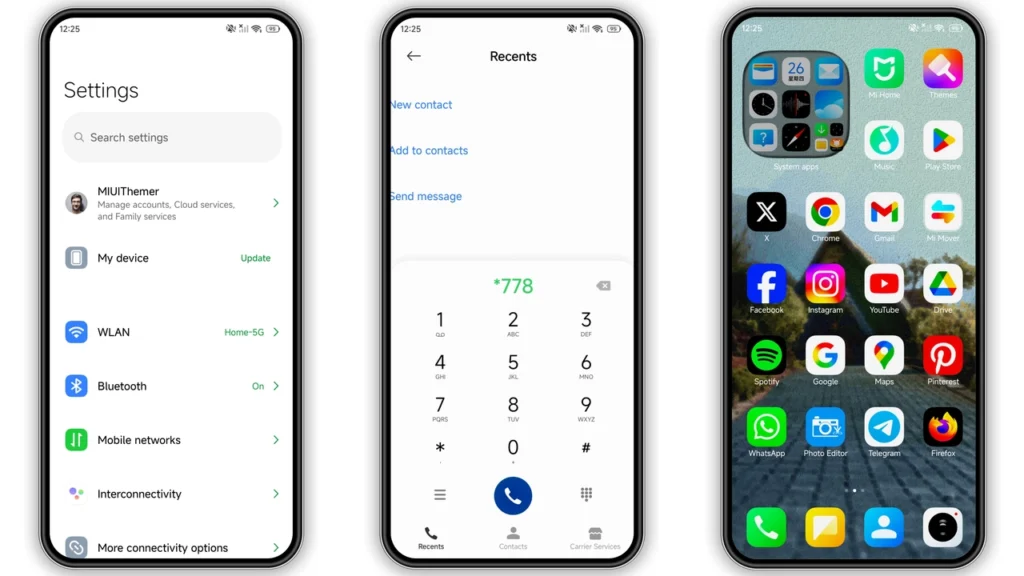
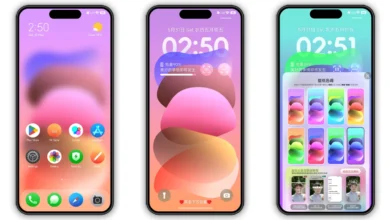
The Elf House theme boasts a light mode design that is both classic and dynamic. The theme features a tiny house in the woods, where a happy elf lives, adding a touch of whimsy and fantasy to your phone's interface. The simple, yet eye-catching design makes it perfect for those who want a theme that is easy on the eyes without being too bland or boring. The theme also includes well-designed icons, fresh wallpapers, a new status bar, a cool lock screen, and a stylish Always-on Display, all of which work together to create a cohesive and visually appealing look.
Who May Like the Elf House Theme
The Elf House theme is likely to appeal to a wide range of users, but it may be particularly suited to those who:
• Are looking for a light and airy theme that is easy on the eyes
• Want a theme that is simple, yet elegant and sophisticated
• Are fans of fantasy and whimsy, and want a theme that reflects this
• Are looking for a theme that is compatible with HyperOS and HyperOS 2.0
• Want a theme that includes a range of customization options, including icons, wallpapers, and more
Compatibility Notes
The Elf House theme is compatible with HyperOS and HyperOS 2.0, making it a great option for those who want a theme that will work seamlessly with their device's operating system. The theme has been tested and is working perfectly without any issues, so you can download and install it with confidence.
Install Expectations
Installing the Elf House theme is a straightforward process, but there are a few things to keep in mind to ensure a smooth and successful installation. If you have a HyperOS or MIUI Global Stable ROM (Stock ROM) running on your device, you will need to follow these steps:
• Open the theme store app and click on the 'Official Theme Store Link'
• This will open a theme page in the Chinese language, so you will need to open the 3 dots in the right corner and select 'Open in app'
• This will open the Theme Store APP, where you can download and apply the theme If you have a custom ROM, such as Xiaomi EU ROM, MIUIRoom, or others, you can install the theme using the MTZ file. To do this:
• Download the MTZ theme file from the download link
• Open the Theme Store APP and tap on the 'Themes' option
• Swipe to the bottom and click on 'Import'
• Import the MTZ file and apply the theme
Practical Download Notes
To download the Elf House theme, you can click on the 'Download' link and follow the prompts to save the MTZ file to your device. The theme is approximately 17.73 MB in size, so make sure you have enough storage space available before downloading. It's also a good idea to restart your device after applying the theme to ensure that everything is working properly and that there are no issues with overlap or visibility.
Conclusion
The Elf House HyperOS theme is a beautiful and elegant theme that is sure to appeal to a wide range of users. With its unique blend of simplicity and sophistication, this theme is perfect for those who want a fresh and exciting visual experience on their device. Whether you're a fan of fantasy and whimsy or just looking for a theme that is easy on the eyes, the Elf House theme is definitely worth considering. So why not download and install it today and see the difference it can make to your Xiaomi, Redmi, or POCO phone?
Theme Preview
Download Links
Use the buttons below to open the theme file and the supporting link.
Elf House Theme mtz File
Helpful links
More Theme Updates
For more curated HyperOS and MIUI theme updates, visit Hyper OS x MIUI .


