
Introduction to City Morning HyperOS Theme
The City Morning HyperOS theme is a visually stunning and highly customizable theme designed for Xiaomi and Redmi phones. Created by the talented designer BoZinsky, this theme is perfect for those who want to give their device a fresh and modern look. In this article, we will delve into the details of the City Morning HyperOS theme, exploring its visual style, compatibility, installation process, and download instructions.
Visual Style and Design
The City Morning HyperOS theme boasts a beautiful and serene design, with a palette of light blue and light purple hues that evoke a sense of calmness and tranquility. The theme features new and well-designed icons, fresh wallpapers, a new status bar, a cool lock screen, and a stylish Always-on Display. The overall design is sleek and modern, making it perfect for those who want a theme that is both visually appealing and easy to use.
Who May Like the Theme
The City Morning HyperOS theme is ideal for individuals who prefer a clean and minimalist design. It is perfect for those who want a theme that is not too flashy or overwhelming, but still offers a unique and personalized look. This theme is also suitable for users who want a theme that is easy to navigate and use, with a simple and intuitive interface. Additionally, the theme's light color scheme makes it a great option for those who want to save battery life on their OLED displays.
Compatibility Notes
The City Morning HyperOS theme is compatible with HyperOS and works on Xiaomi, Redmi, and POCO smartphones. It is essential to note that the theme is designed for HyperOS 2.0, so users with older versions of the operating system may not be able to use the theme. Additionally, the theme may not be compatible with all custom ROMs, so users with custom ROMs should check the compatibility before downloading and installing the theme.
Installation Expectations
Installing the City Morning HyperOS theme is a straightforward process. Users can download the theme from the official theme store or from a trusted third-party website. Once downloaded, users can apply the theme through the Theme Store APP, which will guide them through the installation process. It is essential to note that some users may need to restart their device after applying the theme to ensure that all elements are properly installed and visible.
Practical Download Notes
To download the City Morning HyperOS theme, users can follow these simple steps:
• Download the theme's mtz file from a trusted website.
• Open the Theme Store APP and navigate to the Themes option.
• Swipe to the bottom and click on the Import option.
• Select the mtz file downloaded earlier and follow the on-screen instructions to apply the theme.
• Restart the device to ensure that all elements are properly installed and visible. It is crucial to only download the theme from trusted sources to avoid any potential security risks or malware. Additionally, users should always check the compatibility of the theme with their device before downloading and installing it.
Conclusion
The City Morning HyperOS theme is a beautiful and highly customizable theme that is perfect for Xiaomi and Redmi phone users. With its sleek and modern design, easy-to-use interface, and compatibility with HyperOS 2.0, this theme is an excellent option for those who want to give their device a fresh and personalized look. By following the simple installation process and downloading the theme from trusted sources, users can enjoy the City Morning HyperOS theme and elevate their Xiaomi experience.
Theme Preview
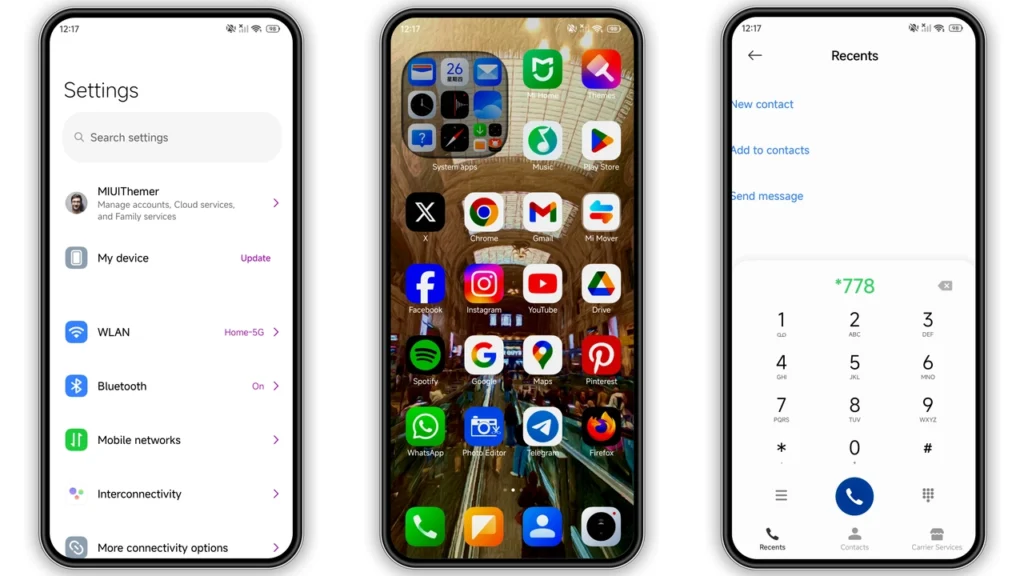
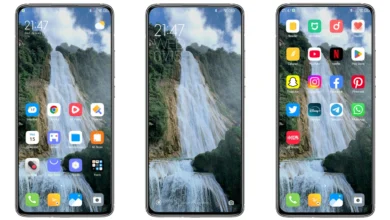
Download Links
Use the buttons below to open the theme file and the supporting link.
City Morning Theme mtz File
Helpful links
More Theme Updates
For more curated HyperOS and MIUI theme updates, visit Hyper OS x MIUI .


