Parameter · Value
Designer · Maidul Islam
Size · 49.5 MB
Format · MTZ
Compatibility · HyperOS / MIUI
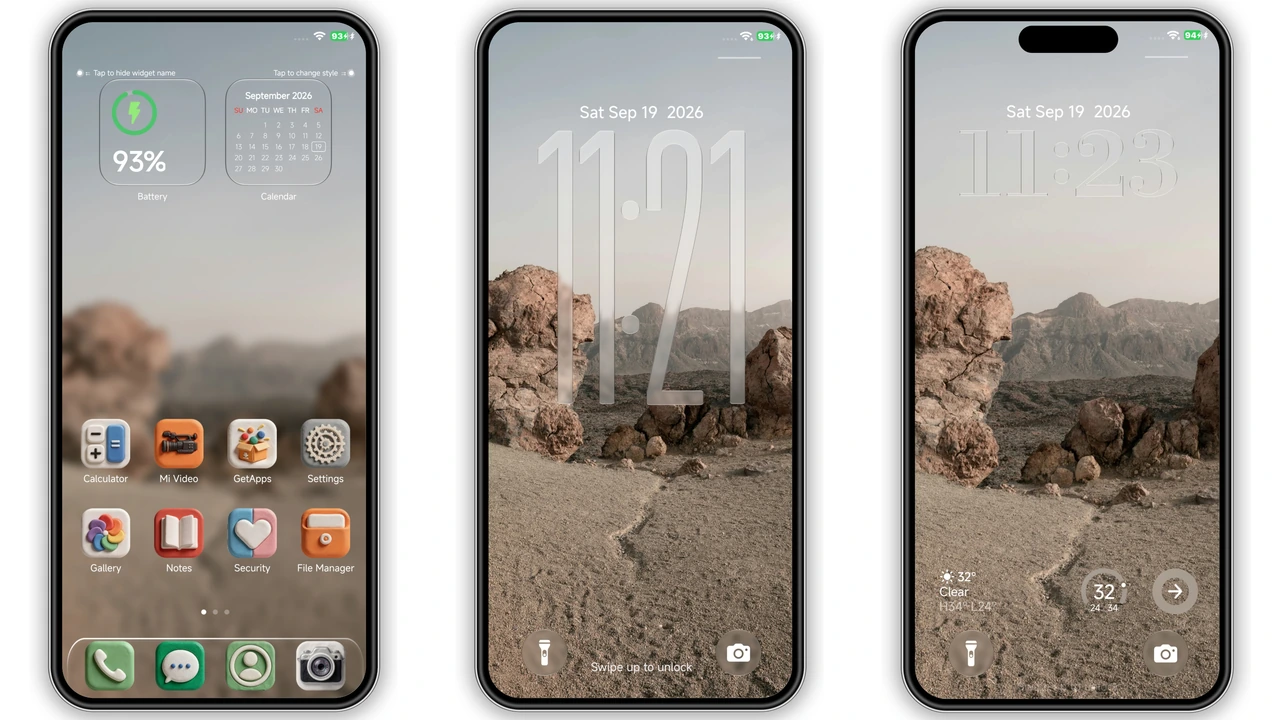
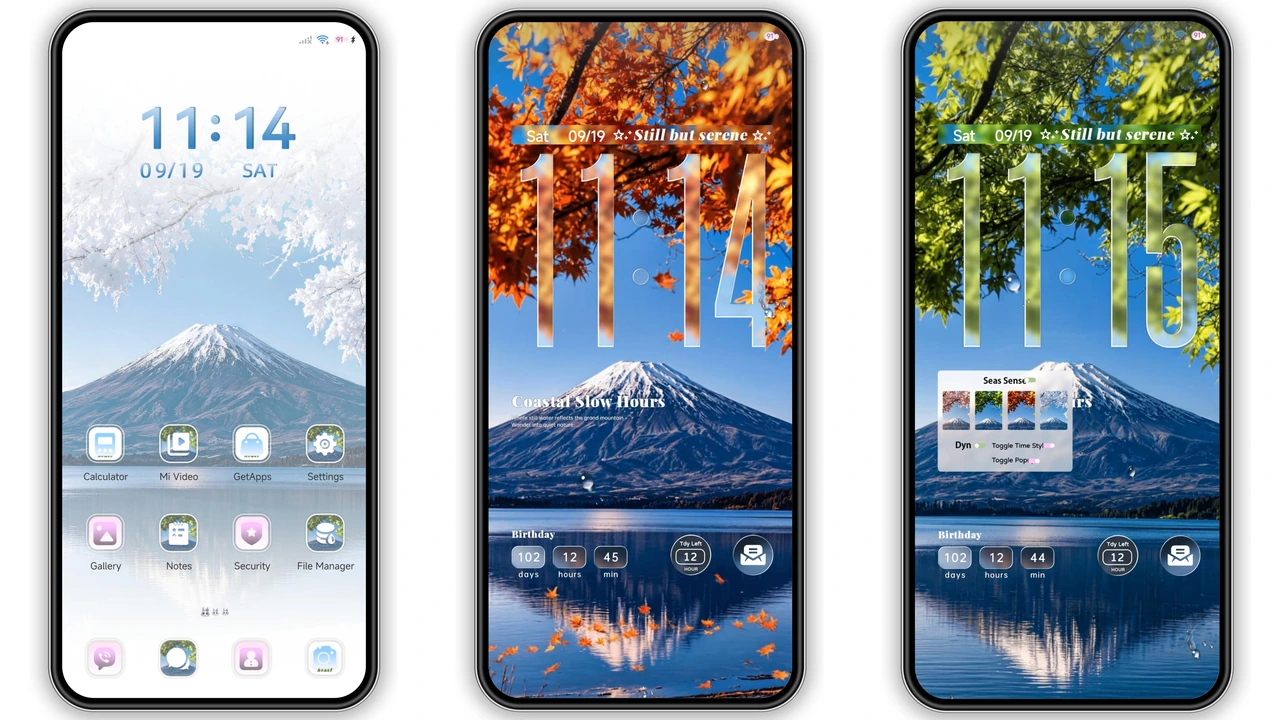
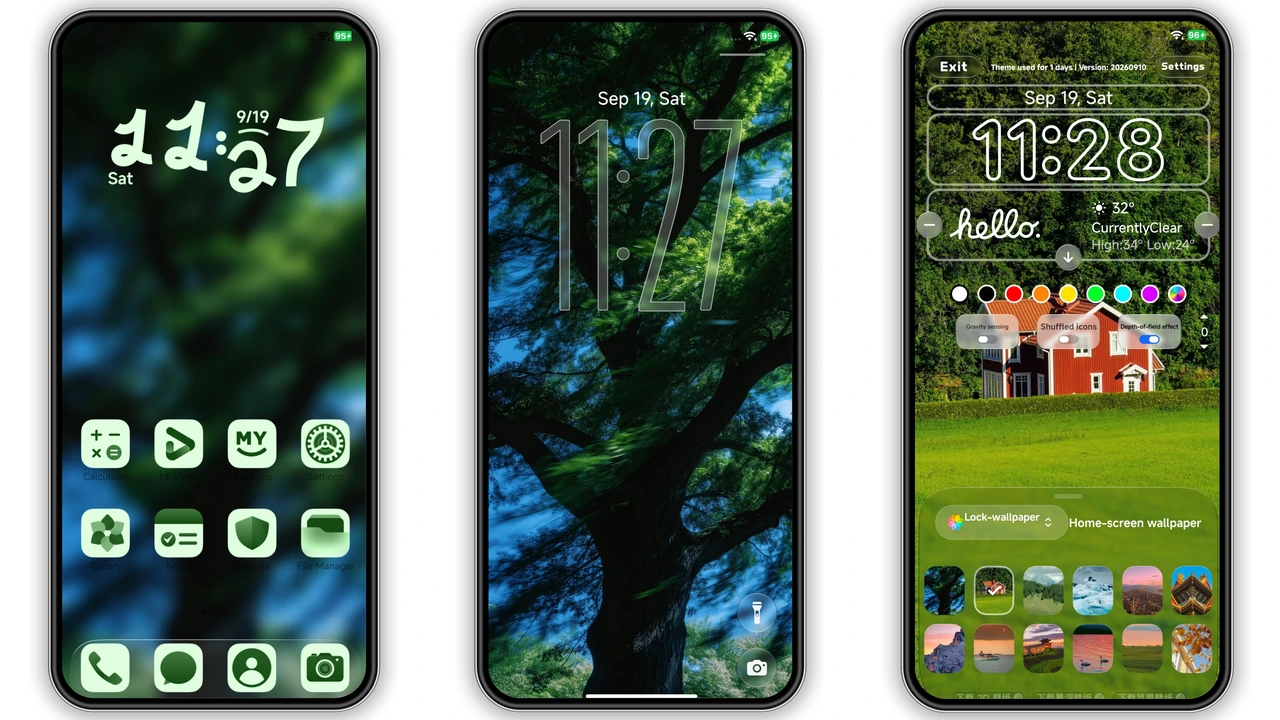
Lush Forest Aesthetic Across the UI
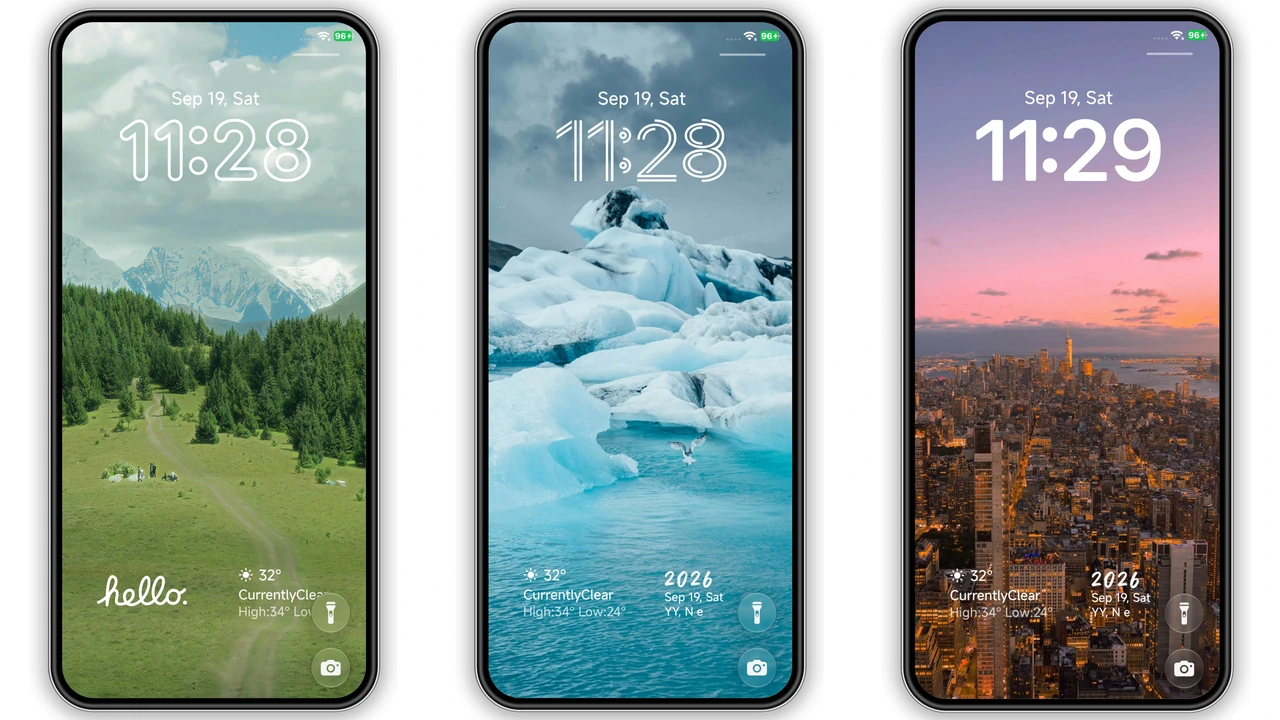
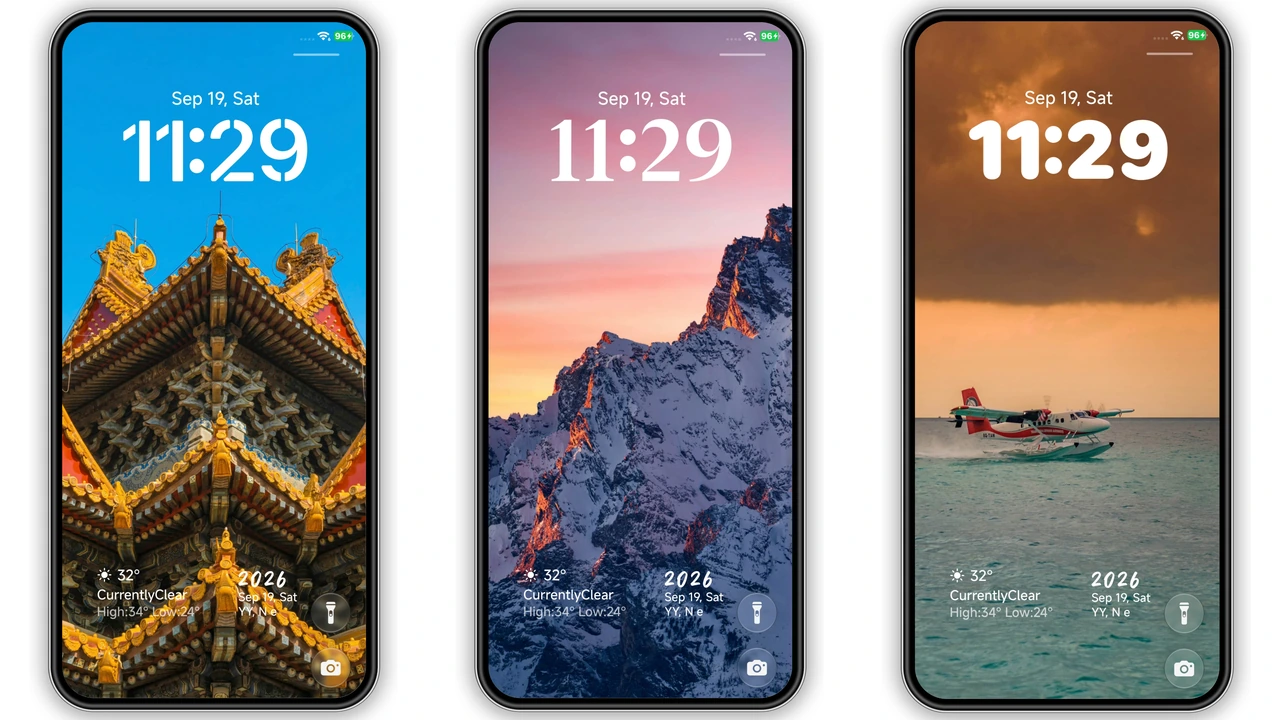
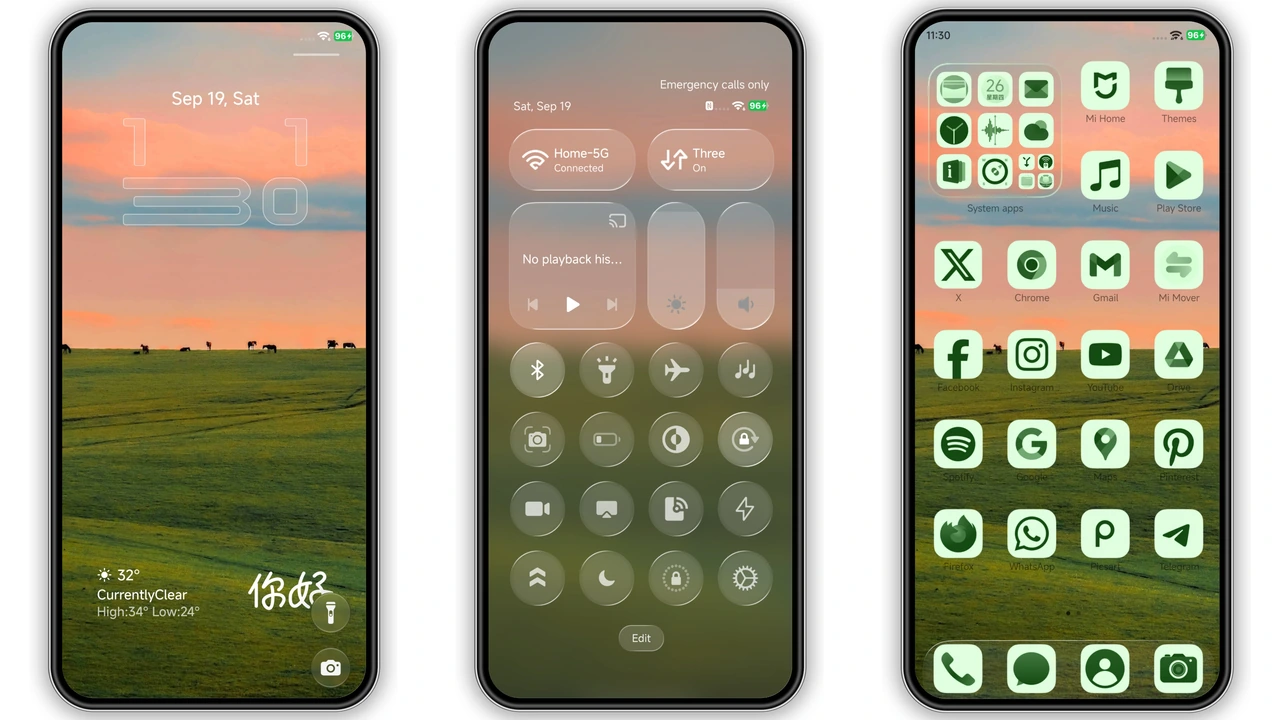
Verdant leans into a deep, verdant palette that feels like a walk through a mist‑laden pine grove. The default wallpaper set showcases high‑resolution nature shots—misty mountains, emerald leaves, and soft sunrise glows. Icons receive a uniform green tint, each glyph simplified to a leaf‑shaped silhouette that remains crisp at any size. The lockscreen selector adds a layer of interactivity: swipe left or right to preview all bundled wallpapers, then tap to set. Depth‑of‑field effects subtly blur the background when you pull down notifications, keeping the focus on content while preserving the theme’s organic vibe.
Suggested Read: Poo‑7 Dark Minimalist Theme for HyperOS & MIUI
Who’ll Feel At Home with Verdant
If you gravitate toward minimalism with a splash of nature, Verdant hits the sweet spot. Users who love Apple’s “green” aesthetic or Android’s “Material You” tonal flexibility will appreciate the cohesive color story. It also appeals to eco‑conscious users who want their device to echo a sustainable mindset without sacrificing polish. Fans of custom lockscreen experiences—especially those who swap wallpapers daily—will enjoy the built‑in selector. Conversely, power users who demand granular UI tweaks (e.g., custom status bar fonts) may find Verdant’s scope a bit narrow.
Installation Flow & What to Expect
1. Download the MTZ file from the theme’s page.
2. Open the Xiaomi/HyperOS Theme Store app.
3. Tap the three‑dot menu → Import → locate the MTZ file.
4. Confirm import, then Apply.
5. Reboot the device (optional but recommended) to clear any overlay glitches.
The process mirrors standard MIUI theme installation, so no extra tools are required. The theme size (≈49 MB) means the download completes quickly on most networks. After applying, the home screen icons, lockscreen wallpaper, and AOD (Always‑On Display) adopt the new style instantly. Expect a brief pause as the system renders the depth‑of‑field shaders; this is a one‑time cost.
Performance & Battery Impact
Verdant’s visual effects are lightweight. The depth‑of‑field blur runs on the GPU, leveraging HyperOS’s optimized compositor. On mid‑range devices, the theme adds roughly 1‑2 % CPU load during UI transitions—imperceptible in daily use. Battery drain remains comparable to stock MIUI, with no background services introduced. Users on older hardware may notice a slight lag when opening the lockscreen for the first time after installation, but a quick reboot resolves it.
Pros and Cons
• Pros
• Cohesive green palette, nature‑centric visuals.
• Built‑in lockscreen wallpaper selector.
• Lightweight, minimal performance hit.
• Compatible across HyperOS 2.0‑3.0 and MIUI 14.
• Cons
• Limited icon pack variety; only one style.
• No custom font options for clock or status bar.
• AOD customization is fixed to theme’s default.
• Requires manual reboot for flawless rendering on some devices.
Theme Preview
Download Links
Use the buttons below to open the theme file and the supporting link.
Verdant Theme mtz File
Helpful links
More Theme Updates
For more curated HyperOS and MIUI theme updates, visit Hyper OS x MIUI .