Parameter · Value
Designer · Pro Art
Size · 21.60 MB
Format · MTZ
Compatibility · HyperOS, MIUI
Bold Red‑Black Aesthetic That Commands Attention
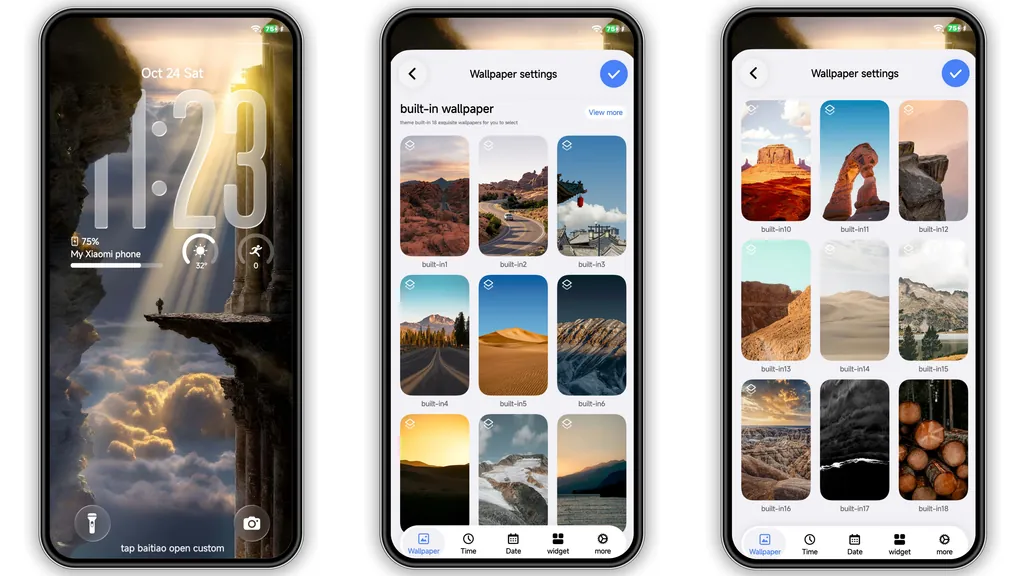
THE END drops a high‑contrast palette of deep black and striking red. Icons receive a subtle gloss, giving a premium feel without overwhelming detail. Wallpapers blend abstract geometry with faint neon accents, keeping the home screen lively yet readable. The lock screen inherits the same color logic, adding a dynamic time widget that glows softly when the device is idle. Status bar icons turn monochrome, ensuring they never clash with the vivid accent color. Overall, the theme walks a fine line between aggressive cyber‑edge and refined minimalism.
Suggested Read: Cute Sparkle Luck MTZ Theme vs Standard MIUI Pack – Which Fits Your HyperOS?
Ideal Users: Power Users and Minimalist Enthusiasts
Fans who love a clean UI but still want a visual punch gravitate to this theme. It suits:
• Users who frequently switch between Xiaomi, Redmi, and POCO devices and want a unified look.
• Gamers and creators who appreciate a dark canvas that makes on‑screen content pop.
• Minimalist lovers who dislike clutter; the theme strips unnecessary gradients while preserving essential visual cues.
If you prefer pastel or overly ornate skins, THE END may feel too stark.
Device Compatibility and ROM Considerations
The theme declares compatibility with HyperOS and MIUI. It works on stock HyperOS builds as well as MIUI 14‑based ROMs. For custom ROMs (Xiaomi EU, MIUIRoom, etc.), the MTZ file can be imported manually via the Theme Store app. Keep these points in mind:
• Ensure the device runs a HyperOS‑based build; older MIUI 13‑only phones may miss some dynamic lock‑screen features.
• The theme does not support regional variants that lock the Theme Store to a specific language; switching the device language to English or Chinese avoids import errors.
• A quick reboot after applying guarantees that all UI layers refresh correctly.
Step‑by‑Step Installation and What to Expect
1. Download the MTZ file (21.60 MB) from the provided link.
2. Open the Theme Store app → tap Themes → scroll to Import at the bottom.
3. Locate the downloaded MTZ file and confirm import.
4. Apply THE END; the system will prompt a reboot.
5. After reboot, verify icons, wallpapers, and lock‑screen widgets reflect the new palette.
Installation is straightforward; the only hiccup can be a missing “Import” button on heavily customized ROMs. In that case, use a file manager to move the MTZ into the /sdcard/MIUI/theme folder, then reopen the Theme Store.
Pros and Cons
• Pros
• Striking red‑black contrast, premium feel.
• Consistent look across Xiaomi, Redmi, POCO.
• Low resource footprint; no noticeable lag.
• Supports dynamic lock‑screen on HyperOS.
• Cons
• Dark palette may be harsh in bright environments.
• Limited customization beyond the preset icons.
• Some older MIUI builds miss lock‑screen animations.
Overall, THE END delivers a bold, cohesive experience for users seeking a dark, high‑impact aesthetic without sacrificing performance.
Theme Preview

Download Links
Use the buttons below to open the theme file and the supporting link.
THE END Theme mtz File
Helpful links
More Theme Updates
For more curated HyperOS and MIUI theme updates, visit Hyper OS x MIUI .