Theme details
- Designer
- suhel (Credit: Xavierrr)
- Size
- 45.66 MB
- Compatibility
- HyperOS, MIUI 14, MIUI 13
Personalizing the visual interface remains one of the best aspects of owning a Xiaomi, Redmi, or POCO device. The suhel13 HyperOS Theme delivers a distinct look by combining high-saturation scenic nature views with sleek, high-contrast user interface elements. For users tired of stock minimalism or flat icon palettes, this release provides depth, gloss, and practical lockscreen utility.
Format · .MTZ / Official Store
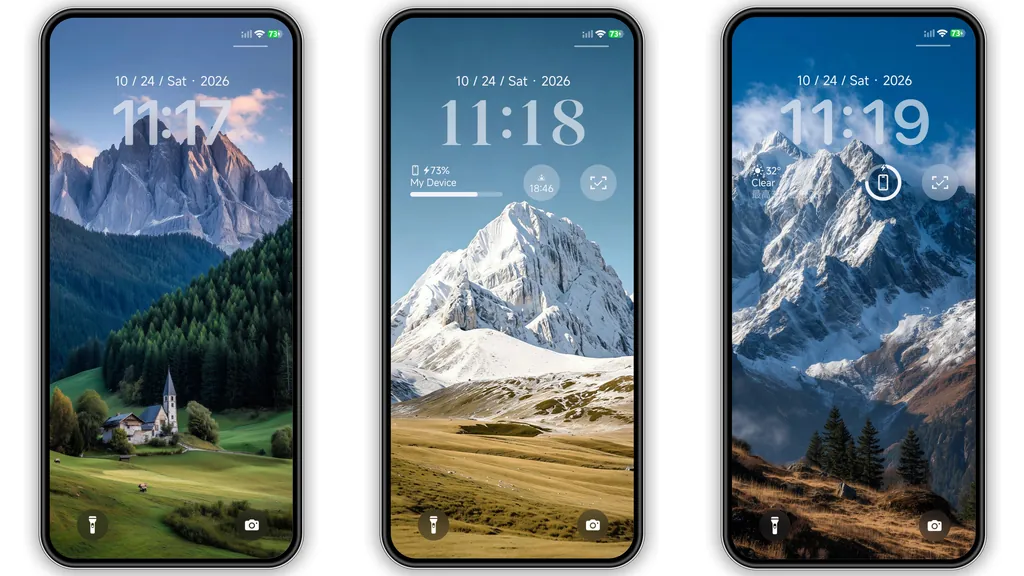
Scenic Nature Wallpapers with Dynamic Lockscreen Clock
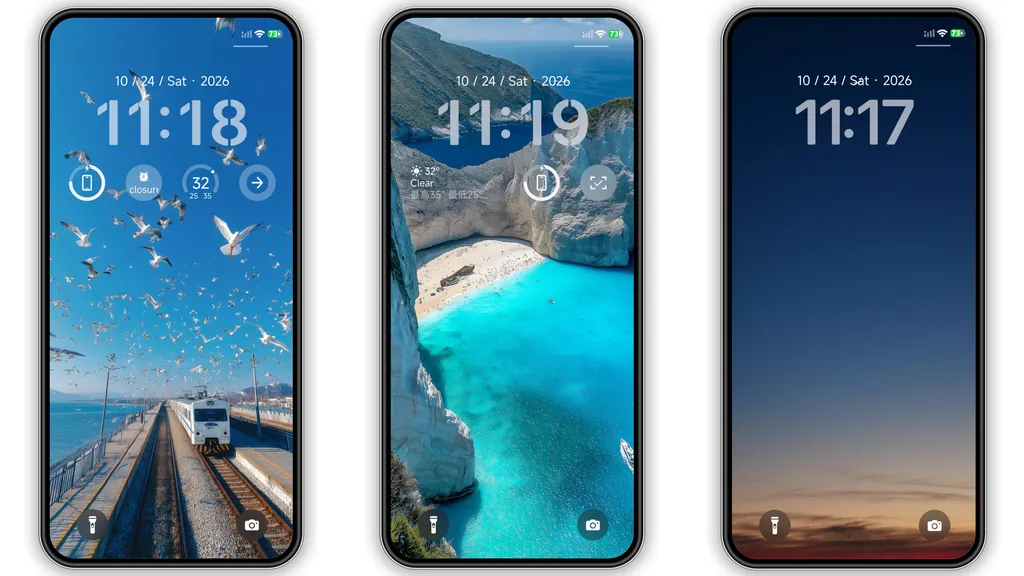
The main visual identity of suhel13 centers on high-definition outdoor photography. The theme packages multiple wallpaper choices covering snowy peaks, deep green forested valleys, and turquoise coastal scenes complete with flying seagulls. These backdrops deliver striking vibrancy on both OLED and LCD panels without crushing ambient contrast.
Overlaid on these landscapes is an expressive lockscreen typography module. Instead of the standard thin Xiaomi digital clock, suhel13 adopts bold, legible numeral arrangements balanced with clean date, battery, and notification indicators. The composition preserves quick glances at glanceable data while keeping the natural vistas unobstructed.
Suggested Read: PX8-V Yellow Dark HyperOS Theme for Xiaomi Devices
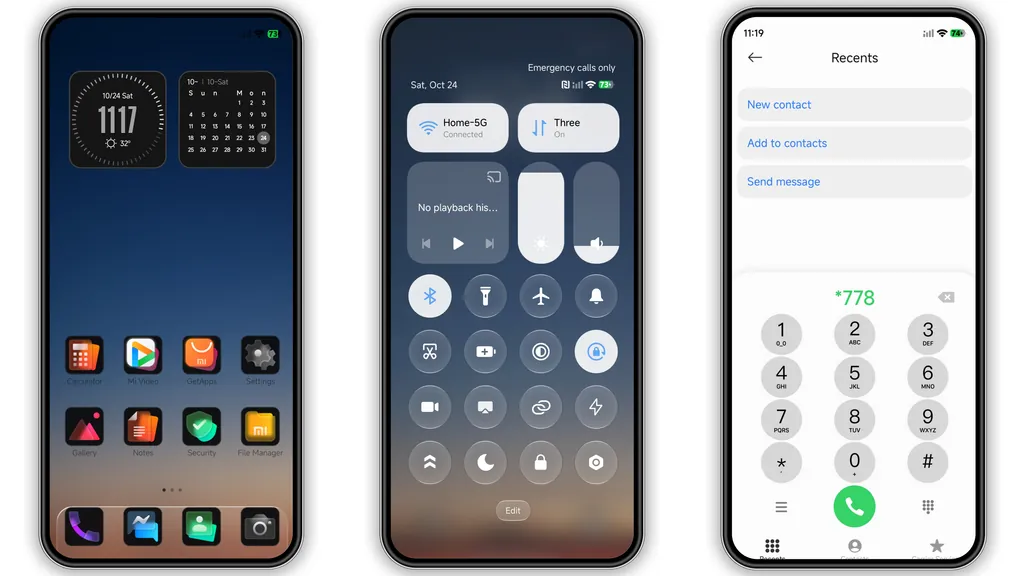
Glossy Jet-Black App Icons
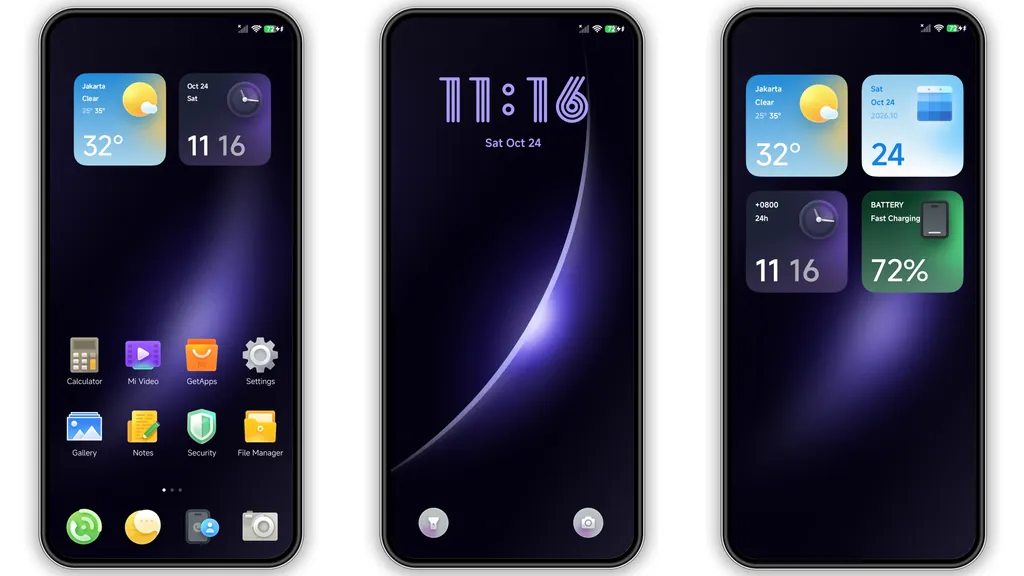
The icon mask breaks away from common flat, pastel icon sets. Every supported app receives a dark, glossy finish with subtle three-dimensional beveling and light reflections. The unified black framing creates an organized, disciplined grid layout on the home screen regardless of wallpaper choice.
System apps (Settings, Phone, Messages, Gallery) match third-party software outlines accurately. The subtle glossy sheen catches the light naturally during scroll animations, offering a grounded visual feel compared to ultra-flat designs.
Frosted Glass Control Center and Modern Status Bar
The theme brings a clean frosted-glass blur overlay to the HyperOS Control Center and quick settings shade. Sliders for brightness and volume feature custom accent fills, and the toggle buttons provide immediate high-contrast state changes when active.
The status bar receives dedicated refinement: compact battery level indicators, streamlined Wi-Fi and cell signal bars, and unobtrusive notification icons. These tweaks keep upper screen margins clean during everyday tasks.
System Compatibility and MTZ Deployment
Compatibility covers multiple generations across HyperOS and modern MIUI installations. System UI scaling functions properly on Xiaomi EU ROMs, standard global ROMs, and regional branches without layout overlapping.
For official Theme Store users, apply the design directly through the localized link. For users running custom ROM setups or direct file installations, use the .mtz container by manually importing the file via the Theme Manager's offline import interface. A device restart is strongly recommended right after applying the theme to flush cached UI elements and ensure icon masks, lockscreen widgets, and the control center background layer apply cleanly.
Pros and Cons
- Pros:
- High-resolution, colorful nature wallpapers suitable for OLED displays.
- Polished, uniform black glossy icon styling.
- Clean frosted effect on Control Center and Quick Settings toggles.
- Stable performance on both HyperOS and MIUI builds.
- Cons:
- Highly vibrant scenic backdrops might feel too bright for dedicated dark mode users.
- Bold lockscreen clock styling may not match minimalist tastes.
Download Links
Use the buttons below to open the theme file and the supporting link.
suhel13 Theme mtz File
Helpful links
More Theme Updates
For more curated HyperOS and MIUI theme updates, visit Hyper OS x MIUI .


