Theme details
- Designer
- SabriTN
- Size
- 49.45 MB
- Compatibility
- HyperOS, HyperOS 2.0, HyperOS 3.0 & MIUI
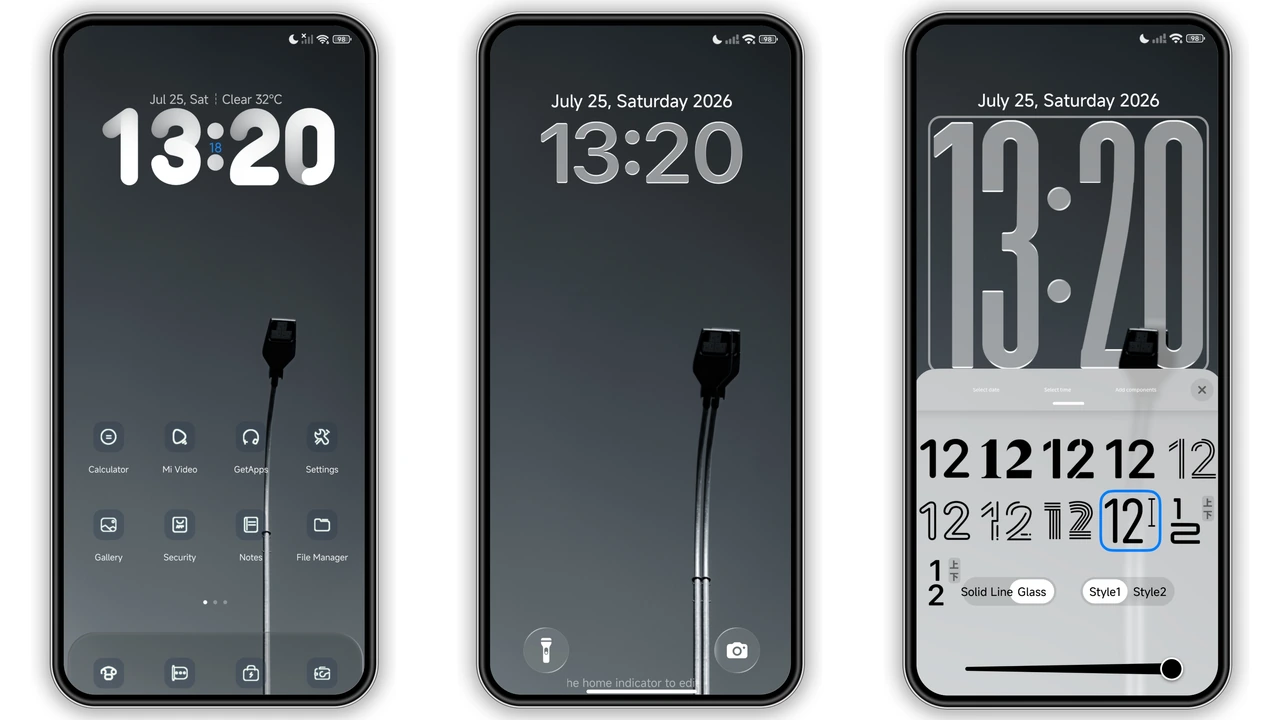
Stock HyperOS looks clean out of the box, yet its bright surfaces and familiar icons quickly lose their charm on an AMOLED panel. Streetlight brings a sharp shift in mood. Built around grayscale street lighting and subtle glass layering, this minimalist dark theme trades flat system menus for depth, contrast, and quiet sophistication. Whether you run a flagship Xiaomi, a daily-driver Redmi, or a performance-focused POCO phone, Streetlight delivers a cohesive visual overhaul without sacrificing everyday legibility.
Format · MTZ / Official Theme Store
Monochrome Streetlight Aesthetics & Glass UI
Streetlight leans heavily into moody, high-contrast minimalism. Rather than drowning the interface in pitch-black voids, designer SabriTN pairs deep charcoal tones with frosted glass-style UI panels. Menus, overlays, and control center surfaces pick up soft translucency that keeps background textures subtly visible while keeping foreground text razor sharp.
This design approach hits a sweet spot for users who want a Minimalist Dark Theme that still feels alive. Heavy neon packs often look dated after a weekend, whereas grayscale streetlight inspiration stays timeless across workdays and late-night scrolling. Fans of sleek monochrome photography, iOS-style glass blurs, and battery-friendly dark interfaces will appreciate how balanced the contrast feels. You get crisp white typography, restrained accent highlights, and zero visual noise competing for attention when checking notifications or tweaking quick toggles in your Control Center setup.
Suggested Read: NOX_V3 vs Minimalist Dark Themes: Which Is Better for HyperOS?
Dynamic Lockscreen & 3D Depth-of-Field Wallpapers
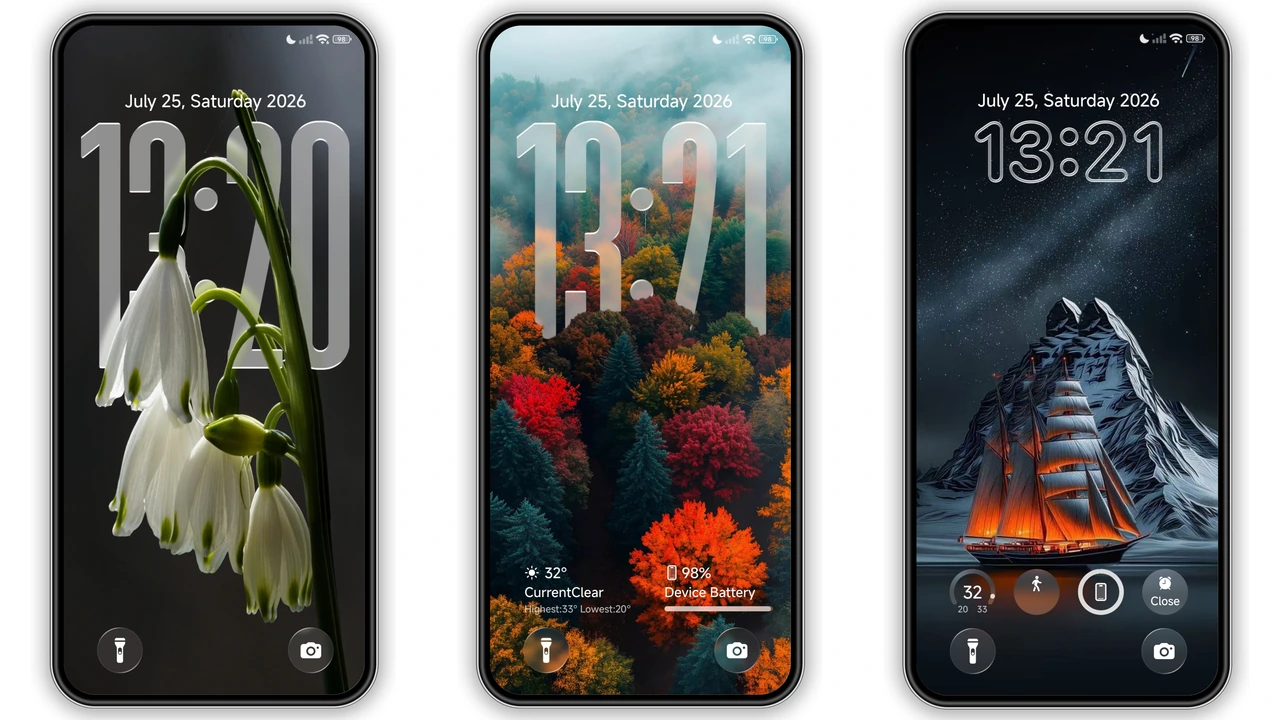
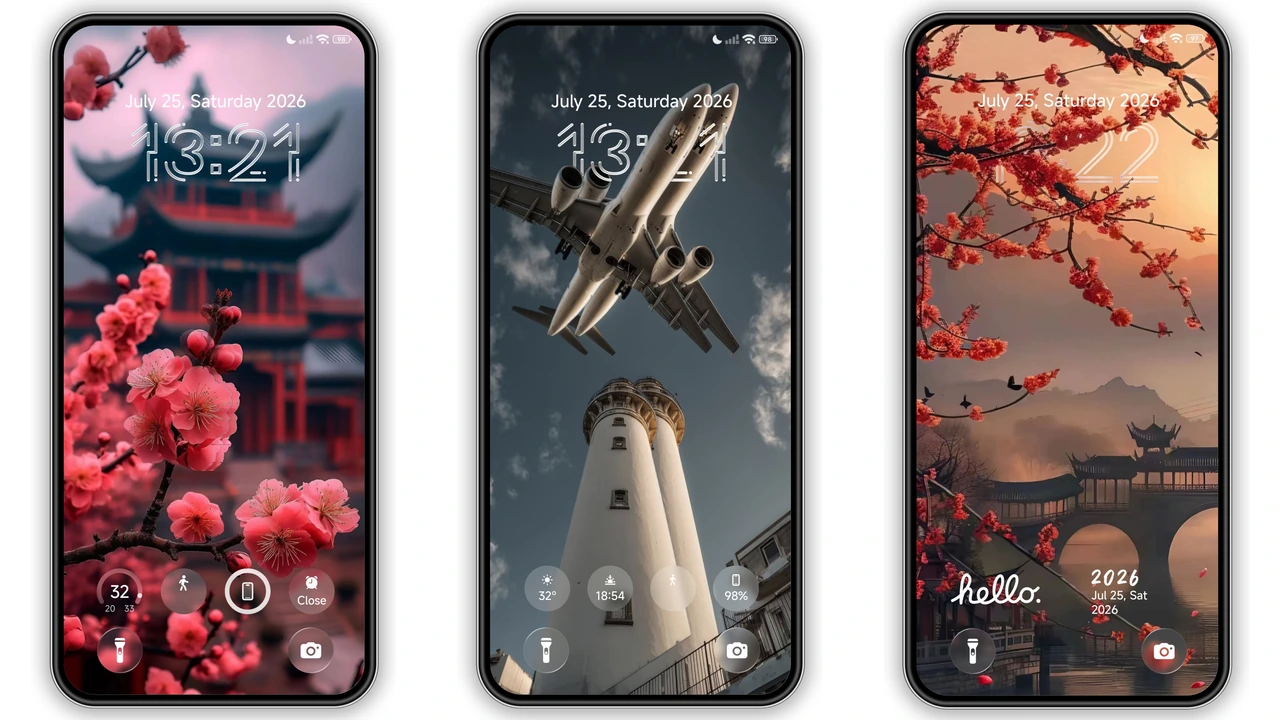
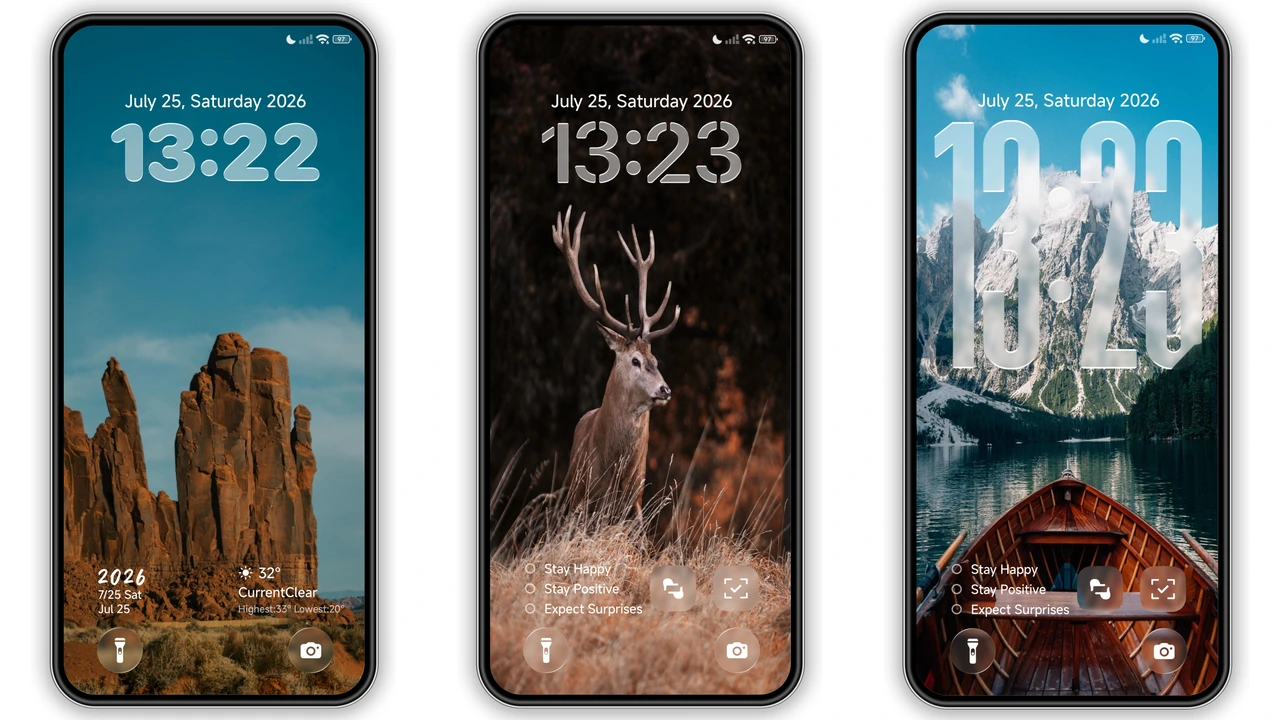
The standout feature of Streetlight sits right on the wake screen. Its Dynamic Lockscreen engine makes full use of 3D depth-of-field layering, letting lockscreen typography tuck naturally behind foreground elements. Pair that layered separation with multiple customizable clock styles, and you can tailor the layout to match bold editorial numerals or slim, understated timepieces without leaving the theme settings.
Clock styling is only half the story. At nearly 50 MB, Streetlight packs an unusually generous gallery of built-in wallpapers spanning nature and artistic scenes. You can cycle through crisp snowy mountains, delicate cherry blossoms, warm autumn forests, and dramatic sailing ships. That variety solves a common dark-theme headache: monotony. The monochrome glass UI acts as a neutral frame, allowing vivid seasonal landscapes or moody maritime shots to pop without clashing against system elements. Every swap refreshes your phone's personality while keeping the underlying dark framework intact.
Custom App Icons, Status Bar & Always-On Display
A half-baked theme ruins the illusion the moment you swipe to the app drawer. Streetlight avoids that trap with a cohesive set of custom app icons tailored to match its dark glass identity. Core system utilities and popular third-party apps adopt cleaner geometry and muted, unified shading so your homescreen grid looks intentional rather than chaotic.
Up top, a redesigned status bar sharpens battery, signal, and Wi-Fi indicators into slim, balanced glyphs that pair effortlessly with modern punch-hole displays. When the screen rests, a matching Always-on Display style carries the dark aesthetic seamlessly from active use to standby. You get quick glances at time and essential alerts without waking a blinding panel, creating a unified loop from Always-on Display to lockscreen to homescreen.
Compatibility, MTZ Install & Practical Download Notes
Streetlight works across HyperOS, HyperOS 2.0, HyperOS 3.0, and older MIUI builds on Xiaomi, Redmi, and POCO hardware. Expect the 49.45 MB package to take a few extra seconds over slower mobile connections because of its bundled high-resolution wallpapers and depth assets—wait for the full download to finish before applying to avoid missing lockscreen layers.
Installation depends on your ROM:
- HyperOS Global & Stock ROMs: Standard Global devices block direct third-party MTZ imports. Open the official Theme Store link using Firefox, Chrome, or the built-in Xiaomi Browser. When the store page loads, tap the three-dot menu and choose Open in app to launch the native Themes app, then download and apply normally.
- Custom ROMs (Xiaomi.EU, MIUIRoom & Modded MIUI Builds): Grab the Streetlight MTZ package directly, open the Themes app, scroll to the bottom, tap Import, select the downloaded
.mtzfile, and apply it.
Regardless of your ROM, reboot your device immediately after applying Streetlight. A quick restart clears cached system textures and prevents overlapping status bar icons or misaligned lockscreen clocks.
Pros and Cons
Pros
- Refined grayscale glass UI that stays readable in bright daylight and dark rooms
- True 3D depth-of-field lockscreen with multiple customizable clock options
- Diverse built-in wallpaper pack covering mountains, cherry blossoms, autumn woods, and sailing ships
- Broad support spanning HyperOS, HyperOS 2.0, HyperOS 3.0, and MIUI devices
- Cohesive custom icons, status bar tweaks, and matching Always-on Display
Cons
- 49.45 MB file size is heavier than basic icon-only themes
- Stock Global ROM users cannot import the MTZ file directly without a custom ROM
- Some niche third-party app icons fall back to standard framing
Download Links
Use the buttons below to open the theme file and the supporting link.
Streetlight Theme mtz File
Helpful links
More Theme Updates
For more curated HyperOS and MIUI theme updates, visit Hyper OS x MIUI .


