Theme details
- Designer
- Eto
- Size
- 15.18 MB
- Compatibility
- HyperOS / MIUI
Embarking on a journey to personalize your smartphone is one of the most satisfying aspects of owning a Xiaomi, Redmi, or POCO device. With HyperOS and MIUI offering a rich canvas for customization, finding a theme that truly resonates with your style can breathe new life into your daily interactions. Today, we're diving into the 'Senja' HyperOS theme, a design that promises to transform your device with an attractive, yet understated elegance.
Senja, meaning 'dusk' or 'twilight' in Indonesian, hints at a theme designed to be soothing and refined. It's not about flashy overhauls but rather a meticulous polish that elevates the entire user experience. From its thoughtfully crafted icons to its engaging lock screen, Senja offers a cohesive aesthetic that feels both fresh and familiar. It’s an ideal choice for anyone looking to step away from the stock look without venturing into overly complex or jarring designs.
Format · MTZ
The Visual Symphony: A Fresh Aesthetic
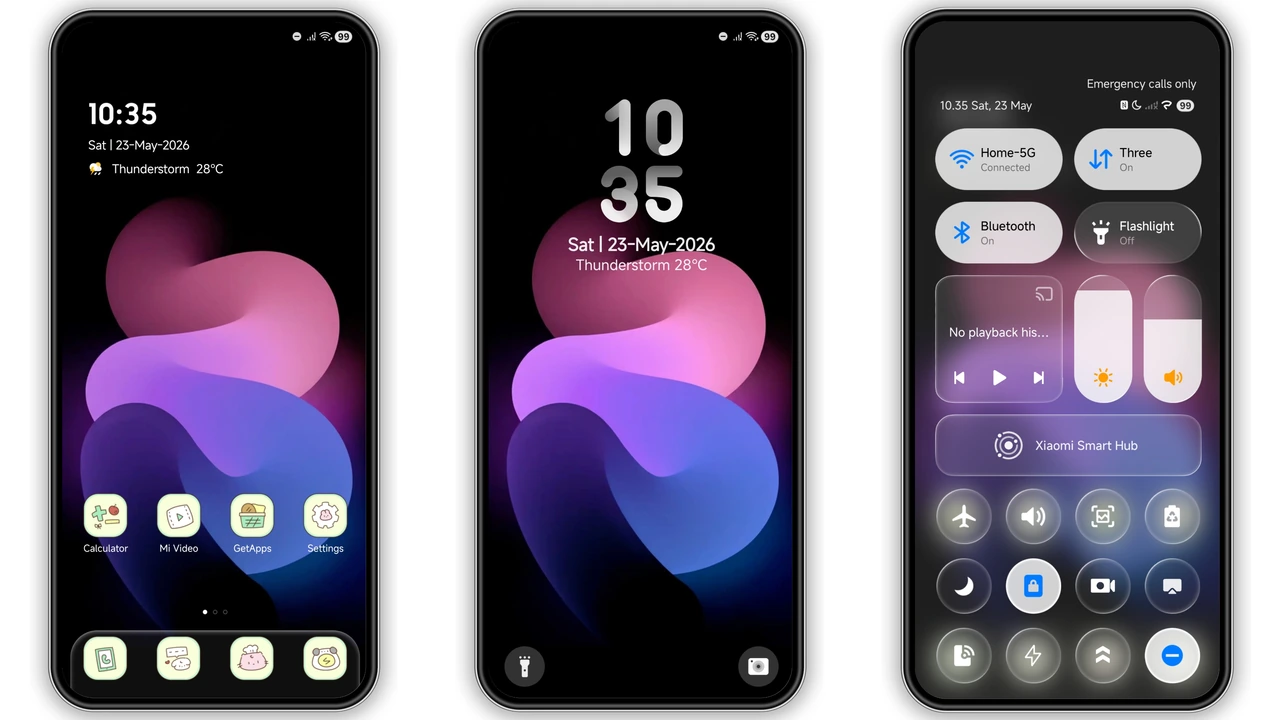
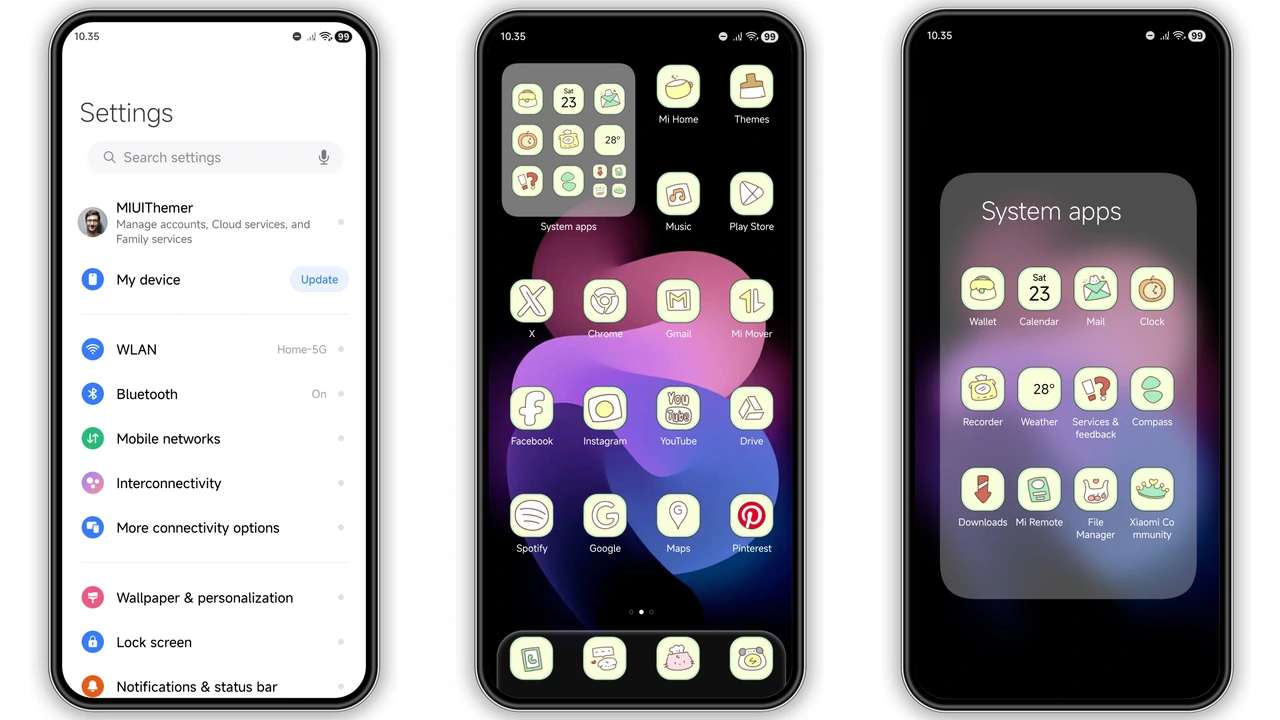
The most immediate impact of the Senja theme is its visual redesign of core elements. Gone are the potentially tired stock icons, replaced by a suite of 'well-designed icons' that lean into a modern, clean aesthetic. These aren't just simple re-skins; they appear to be crafted to offer a uniform and pleasing look across your app drawer and home screens. Expect a harmonious blend of form and function, where each icon feels purposeful and contributes to the theme's overall serenity.
Complementing these new icons are 'fresh wallpapers' that likely echo the theme's namesake – perhaps subtle gradients, abstract patterns, or minimalist landscapes that evoke the tranquil beauty of twilight. These wallpapers set the mood, ensuring that your background doesn't clash but rather enhances the clean lines and thoughtful color palette of the theme. The overall impression is one of simplicity and color harmony, creating a visual symphony that's easy on the eyes and a joy to navigate.
Dynamic Lockscreen: Beyond the Static
One of Senja's standout features is its 'cool lock screen' with a 'Dynamic lock screen' capability. This isn't just about a new wallpaper; it's about bringing interaction and life to the very first screen you encounter. A dynamic lock screen can mean a variety of things: subtle animations that respond to touch or time, customizable clock widgets with unique fonts and layouts, or even quick-access shortcuts that blend seamlessly into the design. Imagine a lock screen that subtly shifts its appearance throughout the day, or one that presents essential information in an elegant, non-intrusive manner.
This dynamic element transforms the often-overlooked lock screen into a functional and aesthetically pleasing gateway to your device. It moves beyond a mere static image, offering a glimpse into the theme's thoughtful design philosophy where every element, even before unlocking, contributes to the overall personalized experience. It’s these touches that truly differentiate a good theme from a great one, offering a sense of polish and modernity.
Revitalized System UI: Status Bar & Control Center
Beyond the icons and lock screen, the Senja theme extends its influence to the core of your device's interface, particularly the 'new status bar'. A revamped status bar can significantly impact how clean and organized your phone feels. Expect redesigned icons for Wi-Fi, battery, network signal, and notifications, presented in a style consistent with the theme's overall aesthetic. This often involves a cleaner, more streamlined look, potentially with unique typography for the time and date, contributing to a premium feel.
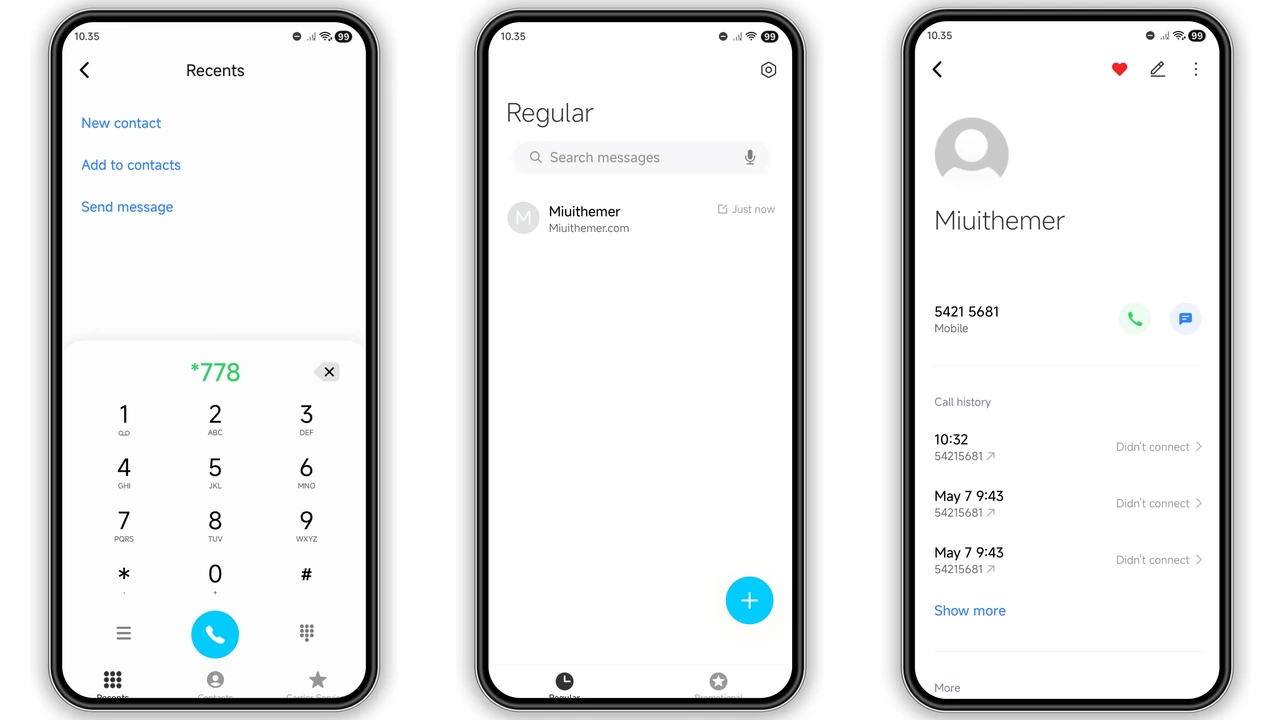
While not explicitly detailed, a comprehensive theme like Senja often subtly reworks other system elements. This might include the Quick Settings panel or Control Center, offering a fresh layout, new toggle icons, and a harmonized color scheme that aligns with the rest of the theme. Even the dialer, messages app, and settings menus can receive a touch of Senja's minimalist elegance, ensuring a cohesive experience from the moment you unlock your phone to diving deep into its settings. This attention to detail across the system UI is what makes a theme truly transformative.
Who Will Love the Senja Theme?
The Senja HyperOS theme is perfectly suited for a particular kind of smartphone enthusiast. If you're someone who appreciates a clean, uncluttered interface and finds beauty in minimalist design, this theme is likely to resonate with you. It’s an excellent choice for users who are tired of the default HyperOS or MIUI look but aren't necessarily seeking an extreme overhaul or a theme that mimics another operating system entirely. Instead, Senja offers a refined and polished version of your current OS, enhancing its inherent strengths with a fresh coat of paint.
It caters to individuals who value aesthetics but also prioritize usability. The 'simple' nature of the theme means it avoids unnecessary visual clutter, ensuring that your device remains intuitive and easy to navigate. Furthermore, given that it's a 'completely free to use' theme, it's an accessible option for anyone looking to refresh their device's appearance without any cost. Whether you own a Xiaomi, Redmi, or POCO device, if you desire a subtle yet impactful transformation, Senja is certainly worth exploring.
Compatibility & Installation: A Seamless Transition
One of the key advantages of the Senja HyperOS theme is its broad compatibility. It's designed to work flawlessly across HyperOS and MIUI, including various iterations like HyperOS 2.0 and 3.0, ensuring that a wide range of Xiaomi, Redmi, and POCO smartphone users can enjoy its benefits. This means you don't have to worry about specific device models as much as the underlying operating system version.
Installing the Senja theme is straightforward, but the method depends on whether your device runs a Global Stable ROM (Stock ROM) or a Custom ROM. For those on a Global Stable ROM, the recommended approach involves using the official Theme Store link. It's crucial to open this link in your device's default Xiaomi browser or Chrome, then select the
Suggested Read: Neon Dark Theme for Redmi Note & Poco – HyperOS Ready
Download Links
Use the buttons below to open the theme file and the supporting link.
Senja Theme mtz File
Helpful links
More Theme Updates
For more curated HyperOS and MIUI theme updates, visit Hyper OS x MIUI .


