Parameter · Value
Designer · suhel
Size · 53.79 MB
Format · MTZ
Compatibility · HyperOS, HyperOS 2.0, HyperOS 3.0, MIUI
Icy Mountain Landscape on Every Screen
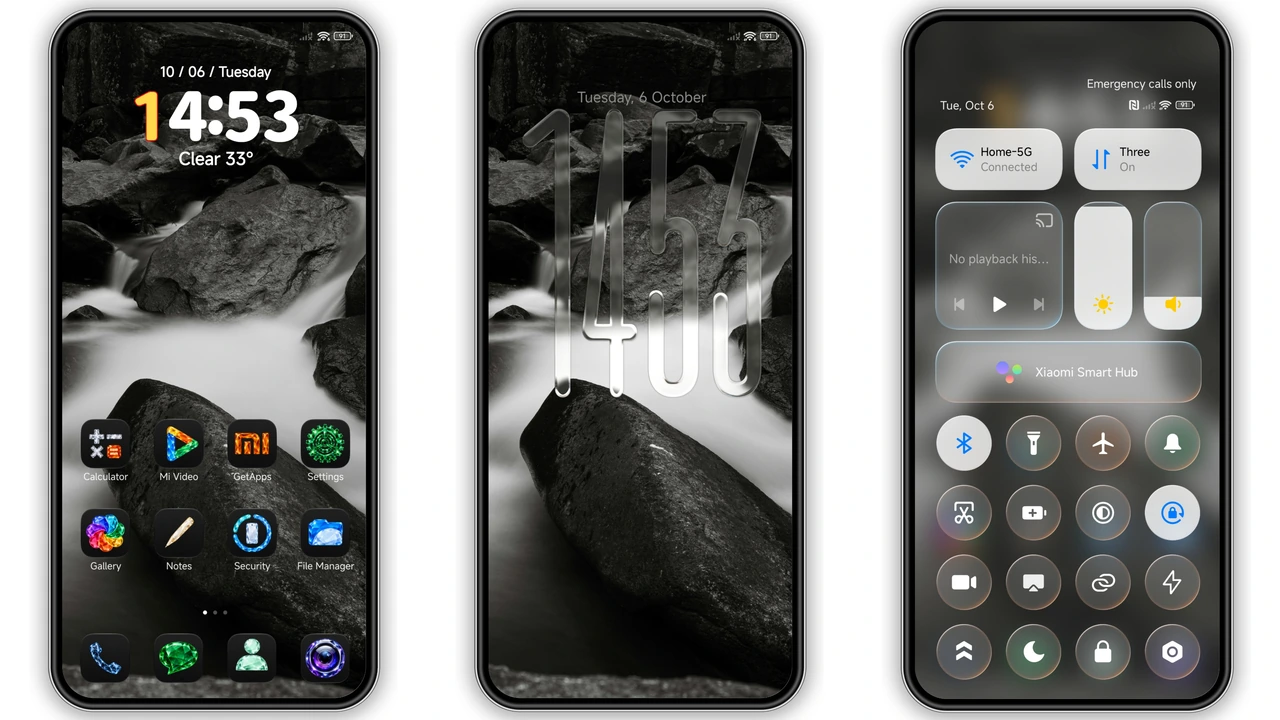
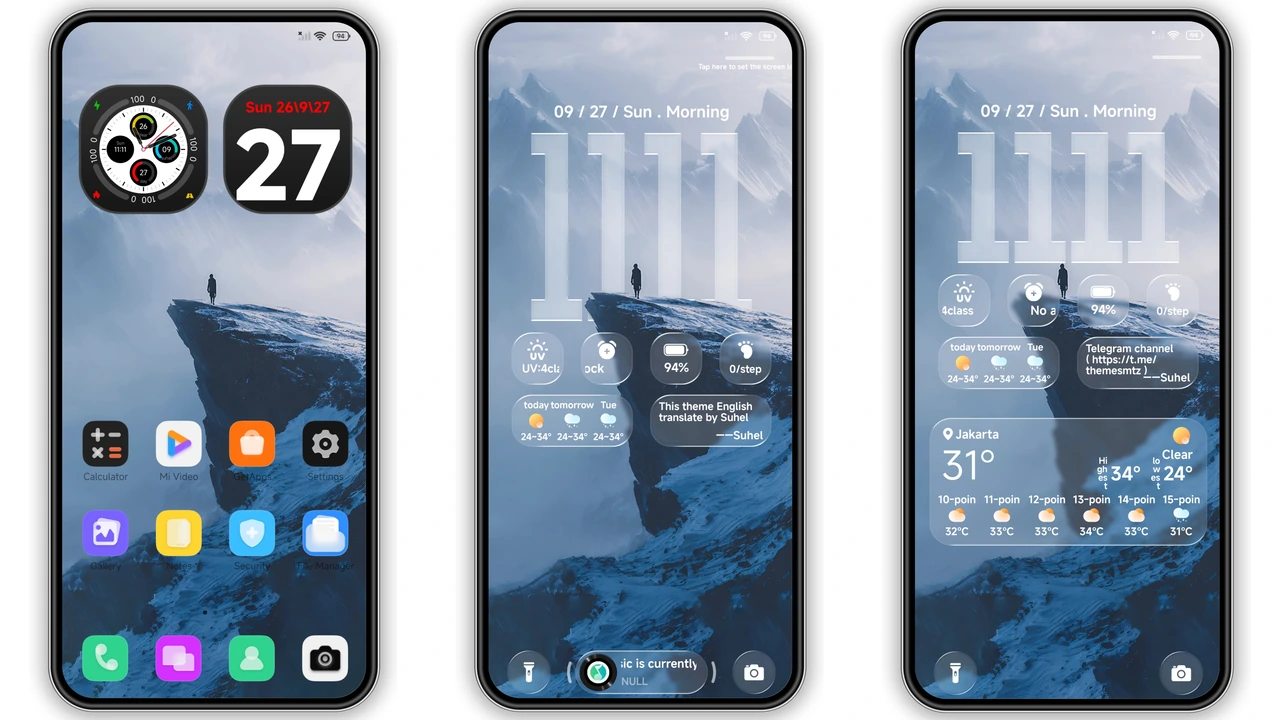
RS1 wraps your device in a crisp, high‑altitude vibe. The wallpaper shows a snow‑capped ridge under a clear blue sky, giving a sense of depth that feels almost tactile. Icons adopt a frosted‑glass treatment, echoing the chill of the scene while staying legible. The color palette balances cool blues with subtle warm highlights, preventing the UI from feeling too sterile. Even the notification shade inherits the same gradient, so the theme feels cohesive from lock screen to settings.
Suggested Read: Archive Spotlight: 可爱治愈 小甜心 MTZ Theme for HyperOS & MIUI
Dynamic Lock Screen with Transparent Clock
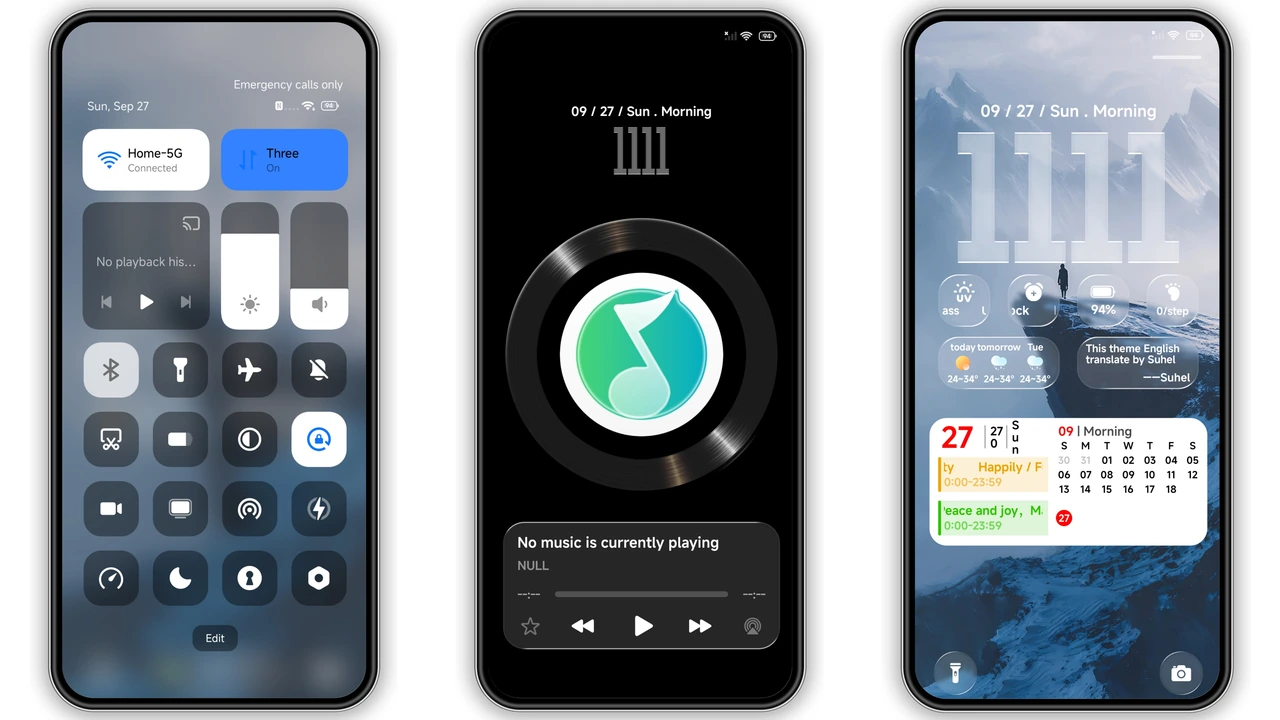
The lock screen is the centerpiece. A large, semi‑transparent clock floats above the mountain backdrop, allowing the scenery to peek through. Weather, calendar, and music widgets sit neatly beneath the time, each respecting the same glassy opacity. Swiping left reveals quick‑access shortcuts that match the theme’s icon set, so there’s no jarring visual clash. The lock screen also supports Always‑On Display, showing the clock and date in low‑power mode without sacrificing the icy aesthetic.
Fresh Icons and Frosted Glass UI
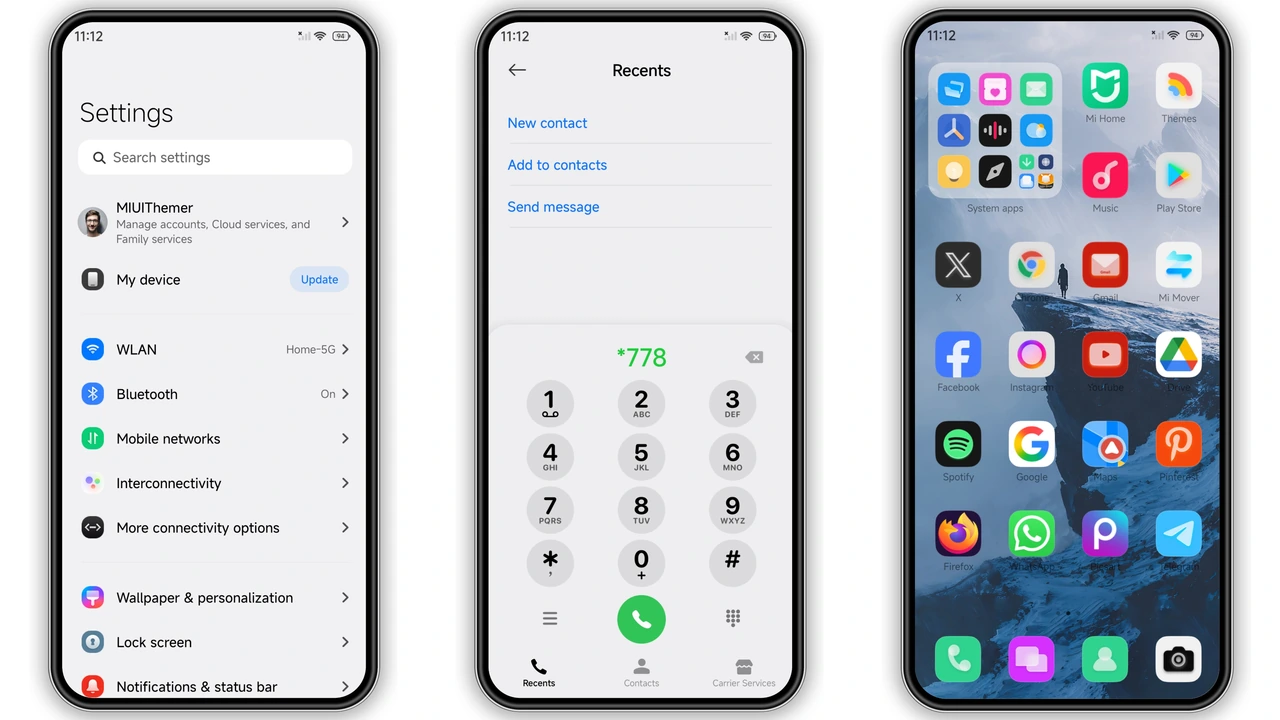
All system icons have been redesigned to match the mountain motif. Battery, Wi‑Fi, and signal icons feature a subtle gradient that mirrors the sky’s hue. App icons keep a minimal silhouette, outlined with a thin white border that glows faintly on dark mode. The status bar adopts a translucent background, letting the wallpaper subtly show through while keeping text readable. Even the quick‑settings tiles receive a soft blur, reinforcing the overall premium feel.
Installation Tips and What to Expect
1. Download the MTZ file from the official theme store within the Themes app. No external links needed.
2. Open Themes → Import and locate the downloaded file.
3. Apply the theme and let the system rebuild the UI. This may take a minute on older devices.
4. Restart to ensure the lock screen widgets render correctly.
Expect a brief pause while the system extracts assets; the 53 MB package is modest, so most phones handle it smoothly. If you run a custom ROM, the same import steps apply, but a manual reboot is recommended to clear any leftover cache.
Pros and Cons
Pros
• Striking mountain wallpaper that stays fresh.
• Transparent clock adds depth without sacrificing readability.
• Consistent frosted‑glass treatment across UI elements.
• Lightweight package; minimal impact on performance.
• Works on HyperOS 2.0, 3.0 and MIUI‑based ROMs.
Cons
• Dark mode reduces some blue highlights, making the scene appear slightly muted.
• Limited widget customization beyond the default set.
• Slightly longer initial load on low‑end processors.
Overall, RS1 delivers a premium, cohesive look that suits users who love nature‑inspired design without compromising daily usability.
Theme Preview
Download Links
Use the buttons below to open the theme file and the supporting link.
RS1 Theme mtz File
Helpful links
More Theme Updates
For more curated HyperOS and MIUI theme updates, visit Hyper OS x MIUI .