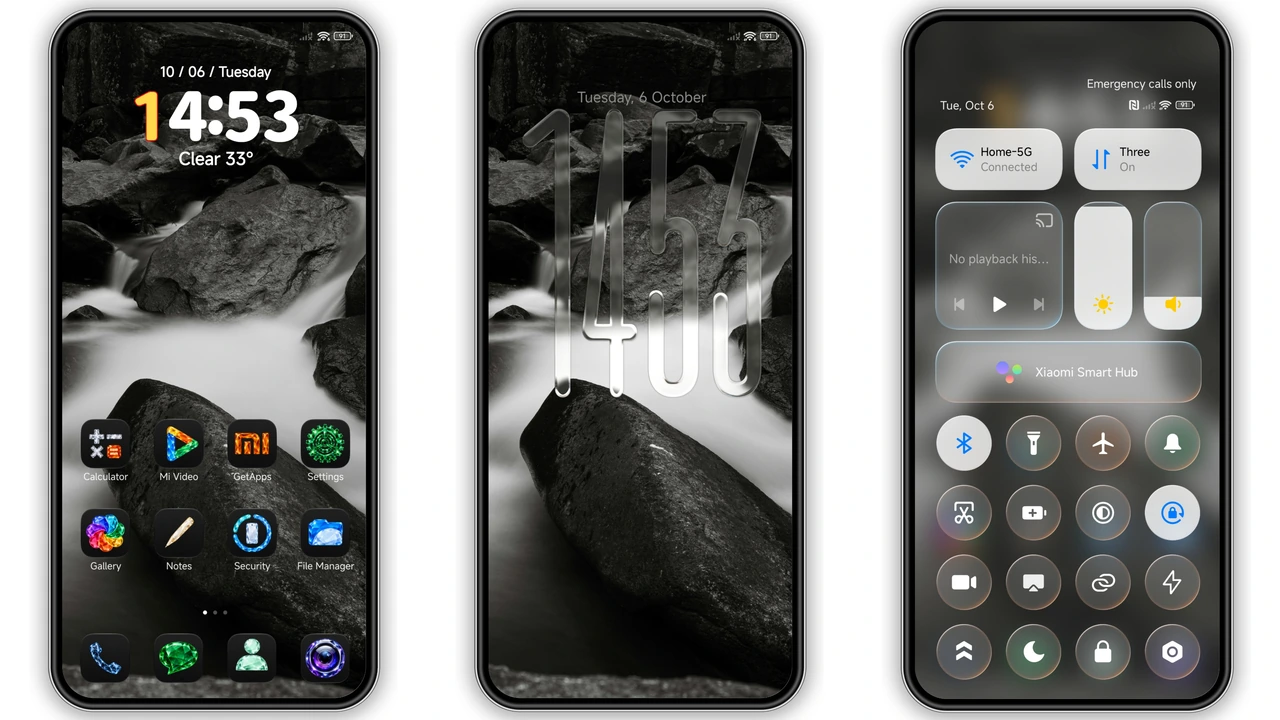
Parameter · Value
Designer · VK
Size · 31.82 MB
Format · MTZ
Compatibility · HyperOS, HyperOS 2.0, HyperOS 3.0, MIUI
Midnight Crystal Icons Shine on Dark Canvas
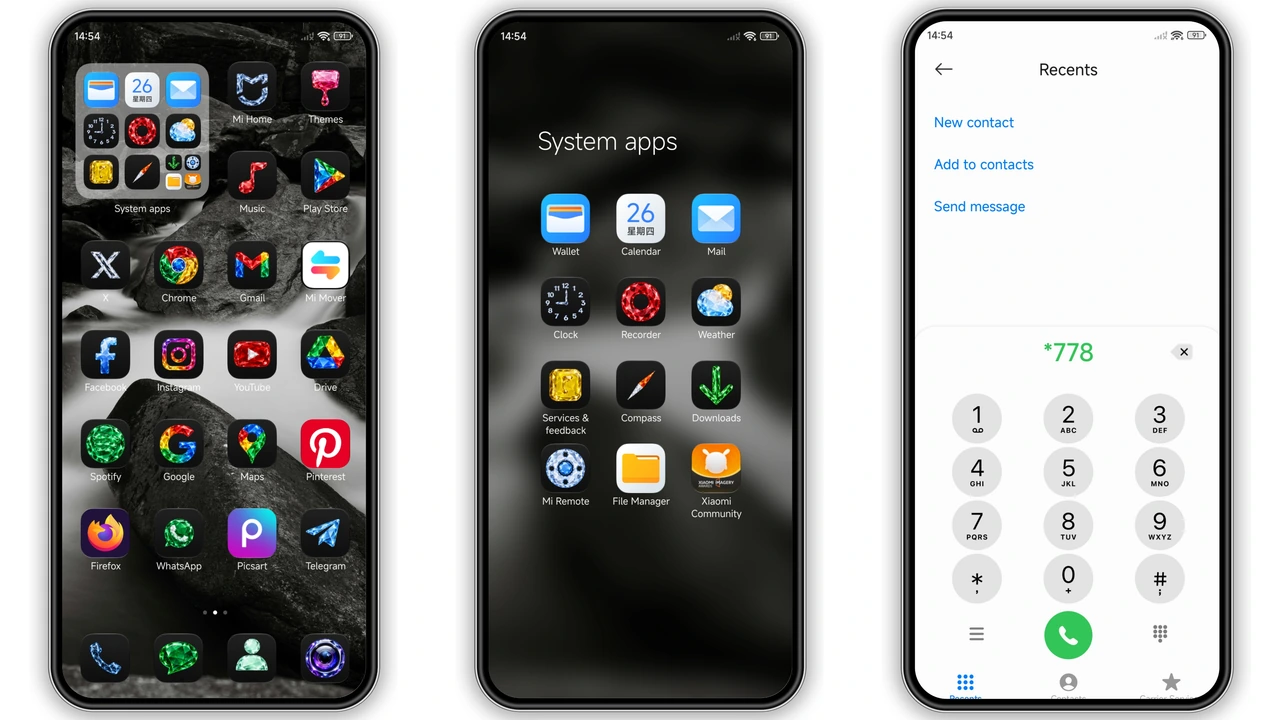
Crystal‑shaped iOS‑style icons pop against pure black background. Edges sharp, shadows subtle. Icons maintain uniform size, ensuring grid harmony. Color palette limited to whites and muted greys, reducing visual clutter. Suitable for users who favor minimal distraction while retaining recognizable app shapes.
Suggested Read: OX RU7 Theme: Animated Lock Screen Clock for HyperOS & MIUI
Frosted Control Center Gives Premium Feel
Control panel adopts frosted glass effect. Background blurs underlying wallpaper, preserving readability. Toggles and quick settings sit within semi‑transparent cards. Cards cast soft shadows, adding depth without heavy gradients. Ideal for fans of modern UI trends that balance elegance and legibility.
Transparent Lock Screen with Glass Clock
Lock screen features a translucent clock framed by glass‑like borders. Wallpaper remains visible, creating layered aesthetic. Clock hands glide smoothly, reflecting ambient light. Dynamic lock adapts to dark mode automatically, ensuring low‑power consumption. Perfect for users who enjoy a subtle yet striking first‑glance experience.
Installation Flow for Stock and Custom ROMs
Download the MTZ file from the theme page. Open Theme Store app, tap “Import”, select the MTZ file, apply. For stock HyperOS or MIUI, the process completes in seconds. On custom ROMs, ensure theme support is enabled in settings, then repeat import steps. Restart device after applying to clear residual overlays. No root required, no extra tools needed.
Pros and Cons
Pros
• Cohesive dark palette enhances battery life on OLED screens.
• High‑resolution icons maintain crispness on all display sizes.
• Frosted UI adds premium feel without performance hit.
• Simple install works on both stock and custom ROMs.
Cons
• Limited color variety may not suit users who prefer vibrant themes.
• Requires MTZ import; some users find manual import cumbersome.
• Certain third‑party apps may not fully adopt the icon set.
Theme Preview
Download Links
Use the buttons below to open the theme file and the supporting link.
TOP VK Theme mtz File
Helpful links
More Theme Updates
For more curated HyperOS and MIUI theme updates, visit Hyper OS x MIUI .


